Do You Use Roaming When On Wi Fi For International Travel
Do you use roaming when on Wi-Fi? The short answer is no — when you connect to a Wi-Fi network, your phone uses that network for data, not your cellular roaming connection. However, understanding roaming settings can save you from unexpected charges and connectivity headaches while traveling internationally. This guide breaks down everything you need to know about international roaming, Wi-Fi connectivity abroad, and how to keep your phone working seamlessly without racking up huge bills.
Key Takeaways
- Wi-Fi replaces roaming: When connected to Wi-Fi, your phone uses the local network for data instead of cellular roaming, which means no roaming charges apply to that data usage.
- Turn off data roaming: Disabling data roaming in your phone settings is the single best way to avoid surprise charges while traveling internationally.
- Wi-Fi calling keeps you connected: You can make calls and send texts over Wi-Fi without using your cellular plan or triggering roaming fees.
- Portable Wi-Fi devices are a great alternative: A portable Wi-Fi device gives you reliable internet without relying on hotel or café networks.
- Check your phone settings before you travel: Knowing where your roaming settings are can prevent costly mistakes and connectivity issues abroad.
📑 Table of Contents
- Do You Use Roaming When On Wi Fi? Here Is Everything You Need to Know
- What Is Roaming and How Does It Work?
- Do You Need Roaming When Connected to Wi-Fi?
- How to Avoid Roaming Charges While Traveling
- Setting Up Your Phone for International Travel
- Wi-Fi Calling and Alternative Connectivity Options
- Common Mistakes Travelers Make With Roaming
- Expert Tips for Staying Connected Abroad
- Final Thoughts: Do You Use Roaming When On Wi Fi
Do You Use Roaming When On Wi Fi? Here Is Everything You Need to Know
If you have ever traveled internationally, you have probably wondered about this question. Do you use roaming when on Wi-Fi? The answer is simpler than most people think. When your phone is connected to a Wi-Fi network, it uses that wireless connection for all internet activity. Your cellular network steps aside and lets Wi-Fi handle the data work. This means your phone is not using roaming at all during that time.
But here is the tricky part. Even though Wi-Fi takes over your data, some phone settings and apps can still trigger roaming activity in the background. That is exactly why understanding how roaming and Wi-Fi work together matters so much. A few wrong settings can lead to surprise charges on your bill when you get home from vacation. Nobody wants that.
The good news is that staying connected while traveling does not have to be complicated or expensive. With the right knowledge and a few simple adjustments, you can use your phone abroad without worrying about hidden fees. This guide will walk you through everything step by step. By the end, you will know exactly how to manage your phone settings for international travel and keep your connectivity stress-free.
What Is Roaming and How Does It Work?
Let us start with the basics. Roaming is when your phone connects to a cellular network outside your home country. When you travel to another country, your home network cannot reach the cell towers there. So your phone connects to a local partner network instead. This is roaming.
Your phone carrier charges you for this service. These roaming charges can add up fast. They apply to calls, texts, and mobile data that use the local network. Some carriers have international plans that include roaming. Others charge per megabyte, which can be shocking if you are not careful.
How Cellular Roaming Works in Practice
Imagine you are in France and your home carrier is based in the United States. When you turn on your phone, it searches for available networks. It finds a French carrier that has a partnership with your home network. Your phone connects to that French tower. This connection is roaming. Every bit of data you use through that connection counts as roaming usage.
Now here is where Wi-Fi changes the game. When you connect to a Wi-Fi network, your phone shifts its data traffic to that wireless network. The cellular connection still exists, but it stops handling your internet requests. Your phone knows to use Wi-Fi first whenever it is available.
Why Roaming Matters for International Travelers
Understanding roaming helps you make smart choices before and during your trip. Many travelers learn the hard way that their phone racked up hundreds of dollars in roaming fees. This happens because they did not adjust their settings before leaving home.
The key takeaway is this: roaming only applies to cellular data usage outside your home network. When you are on Wi-Fi, you are not roaming. But your phone can still use small amounts of cellular data in the background if your settings are not configured correctly.
Do You Need Roaming When Connected to Wi-Fi?
This is the most common question travelers ask, and the answer is straightforward. No, you do not need roaming enabled when you are connected to Wi-Fi. Your phone uses the Wi-Fi network for all internet activity. The cellular connection simply sits idle, waiting for you to disconnect from Wi-Fi or make a phone call.
However, some situations blur the line between Wi-Fi and roaming. Let us look at a few of them.
When Your Phone Uses Data in the Background
Even when connected to Wi-Fi, some phones will occasionally fall back to cellular data. This can happen if the Wi-Fi signal is weak or if your phone thinks the Wi-Fi connection is not stable. This background data usage can trigger roaming charges if you are outside your home network area.
To prevent this, go to your phone settings and make sure data roaming is turned off. This is the safest approach when traveling internationally. You can always turn it on temporarily if you need to use cellular data and there is no Wi-Fi available.
Wi-Fi Calling and Its Relationship to Roaming
Wi-Fi calling is a fantastic feature for international travelers. It lets you make phone calls over a Wi-Fi network instead of using the cellular network. When you use Wi-Fi calling, your phone does not need roaming to place or receive calls. The call travels through the internet via Wi-Fi.
This means you can call home, call local numbers, or text your family without triggering any roaming fees. Just make sure Wi-Fi calling is enabled in your phone settings before you leave. Not all carriers support it, but most major carriers do now.
Do You Need Roaming for Messaging Apps?
Apps like WhatsApp, iMessage, and Facebook Messenger work over Wi-Fi. They do not need cellular roaming at all. As long as you have a Wi-Fi connection, you can send messages, make voice calls, and even video call friends and family back home. These apps use internet data, not cellular data, so roaming is completely irrelevant when you are on Wi-Fi.
This is one of the biggest advantages of modern communication. You can stay in touch with loved ones without spending a single dollar on roaming charges. Just connect to Wi-Fi and use your favorite messaging apps freely.
How to Avoid Roaming Charges While Traveling
Nobody wants a surprise bill after a vacation. The good news is that avoiding roaming charges is pretty simple if you follow a few key steps. Here is what you should do before and during your trip.
Step One: Turn Off Data Roaming Before You Leave
This is the single most important thing you can do. Go to your phone settings and disable data roaming. On iPhone, go to Settings, then Cellular, then Cellular Data Options, and toggle off Data Roaming. On Android, go to Settings, then Network and Internet, then Mobile Network, and turn off Data Roaming.
Once data roaming is off, your phone will not use any cellular data outside your home network. It will only use Wi-Fi for internet access. This keeps you completely safe from roaming charges.
Step Two: Connect to Wi-Fi Whenever Possible
Whenever you are at your hotel, a café, or a public space, connect to Wi-Fi. Most hotels offer free Wi-Fi for guests. Cafés and restaurants often have free networks too. Use these connections for all your internet needs, from checking maps to streaming videos.
Just be careful with public Wi-Fi networks. They can be less secure than private ones. Avoid accessing sensitive accounts like banking on public Wi-Fi unless you use a VPN. A virtual private network adds a layer of security to your connection.
Step Three: Download Offline Maps and Content
Before your trip, download offline maps using Google Maps or Apple Maps. This way, you can navigate without needing any internet connection at all. You can also download movies, podcasts, and music to your phone so you have entertainment without using data.
Offline content saves you from needing Wi-Fi or cellular data in the first place. It is a smart habit for any international traveler.
Step Four: Consider a Portable Wi-Fi Device
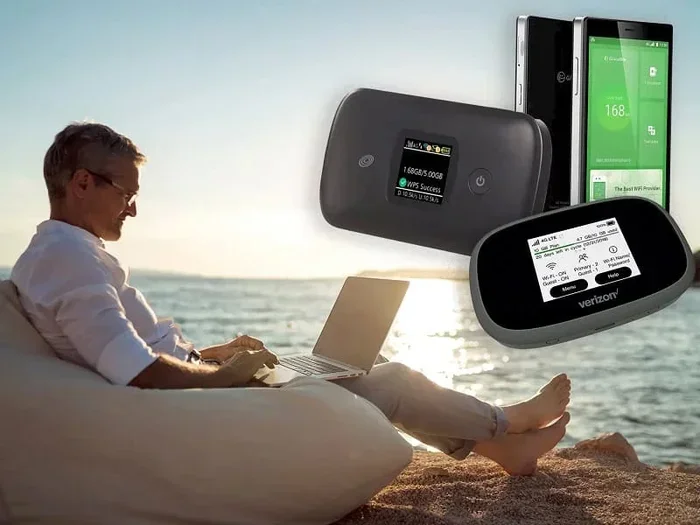
If you need reliable internet everywhere you go, consider a portable Wi-Fi device. These small gadgets create your own personal Wi-Fi hotspot using a local SIM card in the country you are visiting. You get fast, secure internet without relying on hotel Wi-Fi or worrying about roaming charges.
Portable Wi-Fi devices are especially useful for families or groups traveling together. Everyone can connect to the same device and share the data plan. It is a cost-effective alternative to expensive roaming packages from your carrier.
Setting Up Your Phone for International Travel
Getting your phone ready for international travel takes just a few minutes. The setup process is simple and can save you a lot of money and stress. Here is a step-by-step guide to preparing your phone before you leave.
Check Your Current Roaming Settings
Before you do anything else, check your current roaming settings. Go to your phone settings and look for the roaming option. Make sure you understand what is currently turned on or off. This gives you a baseline to work from.
If you are not sure how to find your settings, you can also check with your carrier. Call their customer service or check their website. Most carriers have a help section that explains how to manage roaming settings on your specific device.
Enable Airplane Mode and Wi-Fi Separately
A useful trick for international travel is to turn on Airplane Mode and then manually enable Wi-Fi. This disables all cellular connections, including roaming, while still letting you use Wi-Fi for internet. Your phone will not accidentally connect to any local cellular network.
This approach is especially helpful when you are sleeping or do not need any connectivity for a while. It also extends your battery life since your phone is not searching for cellular signals.
Set Up Wi-Fi Calling Before You Leave
Wi-Fi calling is a game changer for international travelers. It lets you make and receive calls over Wi-Fi without using your cellular plan. Set this up before your trip so everything is ready when you arrive.
On iPhone, go to Settings, then Phone, then Wi-Fi Calling, and turn it on. On Android, go to Settings, then Connections, then Wi-Fi Calling. Make sure your address is set correctly for emergency services purposes.
Update Your Phone Before Traveling
Make sure your phone software is up to date before you leave. Updates often include improvements to network connectivity and roaming behavior. An up-to-date phone will handle network switches more smoothly, especially when moving between Wi-Fi and cellular connections.
Also, make sure your Wi-Fi password is saved for your home network so your phone does not try to connect to it while you are abroad. This sounds obvious, but it is a common mistake that causes unnecessary network searching and battery drain.
Wi-Fi Calling and Alternative Connectivity Options
Wi-Fi calling is just one of several alternative connectivity options available to international travelers. Let us explore some of the best alternatives that can keep you connected without relying on roaming.
eSIM Technology for International Travel
eSIM is a newer technology that lets you download a local carrier plan directly to your phone without swapping physical SIM cards. Many newer smartphones support eSIM. You can purchase a local data plan before you arrive or even after you land.
eSIM is incredibly convenient. You do not need to find a store or wait in line at the airport. You simply download the plan and start using data right away. This is a great alternative to roaming because you are using a local network with local rates.
Using a Local SIM Card
Another option is buying a local SIM card when you arrive at your destination. You can pick one up at the airport, a convenience store, or a carrier shop. Local SIM cards come with data plans that are usually much cheaper than international roaming rates.
The downside is that your phone number changes while using the local SIM. You will need to share your new number with people who need to reach you. But for data-heavy travelers, the savings are well worth it.
Connecting Your Devices to Hotel Wi-Fi
If you are staying at a hotel or rental, you can connect multiple devices to the Wi-Fi network. This includes your phone, tablet, and laptop. You can even connect your Wi-Fi directly to your TV for streaming content during your stay.
Hotel Wi-Fi is usually reliable and fast enough for most needs. Just remember to log out when you check out and forget the network on your phone to prevent it from auto-connecting in the future.
Boosting Your Wi-Fi Signal in Challenging Locations
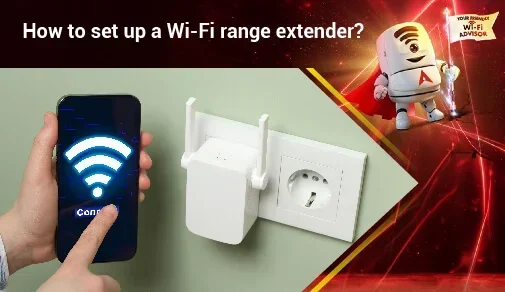
Sometimes the Wi-Fi signal in your hotel room or rental is weak. If you are having trouble getting a strong connection, you can try moving closer to the router or using a Wi-Fi signal booster. These small devices amplify your Wi-Fi signal and can make a big difference in signal strength.
Weak signals can cause your phone to switch back to cellular data, which could trigger roaming charges. Keeping your Wi-Fi signal strong helps you stay on Wi-Fi and avoid unwanted data usage.
Common Mistakes Travelers Make With Roaming
Even experienced travelers sometimes make mistakes with roaming settings. Here are the most common ones and how to avoid them.
Forgetting to Turn Off Data Roaming
This is the number one mistake. People set their phones down, travel across borders, and forget that data roaming is still on. Their phone connects to a local network and starts using data immediately. By the time they notice, the charges have already accumulated.
The fix is simple. Turn off data roaming before you leave your home country. Make it a habit every time you travel. After a few trips, it becomes second nature.
Not Checking Which Apps Use Data in the Background
Some apps continue to use data even when you are not actively using them. Weather apps, email apps, and social media apps all refresh in the background. If data roaming is on, these background activities count toward your roaming usage.
Go to your phone settings and check which apps have permission to use data. Turn off background data for apps that do not need it. This reduces the chance of accidental roaming usage.
Assuming All Wi-Fi Networks Are Safe
Not all Wi-Fi networks are created equal. Public Wi-Fi at airports, hotels, and cafés can be convenient, but they can also be insecure. Hackers can sometimes intercept data on open networks.
Always use a VPN when connecting to public Wi-Fi. A VPN encrypts your data and keeps your personal information safe. It is a small step that makes a big difference in your online security.
Relying Only on Roaming Instead of Exploring Alternatives
Many travelers stick with their carrier’s roaming plan without exploring cheaper alternatives. eSIM, local SIM cards, and portable Wi-Fi devices often cost much less than international roaming packages. Do your research before your trip and compare options.
You might be surprised at how much money you can save by switching to a local data plan or a portable Wi-Fi device. The extra effort is almost always worth it.
Not Knowing How to Find Your Wi-Fi Password
When you are at a hotel or friend’s house, you might need to look up the Wi-Fi password. If you have connected to the network before, your phone usually saves the password. You can find your Wi-Fi password in settings easily. This saves you from asking the host or front desk every time you need to reconnect.
Expert Tips for Staying Connected Abroad
Here are some expert-level tips that seasoned international travelers swear by. These small habits can make a huge difference in your connectivity experience abroad.
- Set your phone to ask before joining networks. This prevents your phone from auto-connecting to unknown networks that could be insecure or unexpected.
- Turn off automatic downloads. Apps like Spotify and Netflix may try to download content automatically if you are on Wi-Fi. Disable this to save data and battery.
- Use offline mode for maps and documents. Download everything you need before you leave home. This keeps you functional even without any internet connection.
- Carry a portable charger. Using Wi-Fi and GPS drains your battery faster than usual. A portable charger keeps your phone alive throughout the day.
- Check your carrier’s roaming partners. Some carriers have better international partnerships than others. This affects signal quality and data speeds abroad.
Final Thoughts: Do You Use Roaming When On Wi Fi
The answer to whether you use roaming when on Wi-Fi is clear. When you are connected to a Wi-Fi network, your phone uses that network for data, not your cellular roaming connection. Roaming charges do not apply to Wi-Fi data usage. This is great news for international travelers who want to stay connected without breaking the bank.
That said, you still need to be mindful of your phone settings. A few simple adjustments like turning off data roaming, enabling Wi-Fi calling, and downloading offline content can transform your travel experience. You stay connected, stay safe, and stay in control of your phone bill.
International travel should be about enjoying new experiences, not worrying about connectivity. With the right setup and a little preparation, you can have fast, reliable internet wherever you go. Use Wi-Fi whenever it is available, explore alternatives like eSIM and portable Wi-Fi devices, and always double-check your roaming settings before you leave.
Remember, the goal is simple. Stay connected, stay informed, and spend your money on experiences, not on roaming fees. Safe travels and happy exploring.
Frequently Asked Questions
Do I need to turn on data roaming to use Wi-Fi abroad?
No, you do not need data roaming enabled to use Wi-Fi abroad. Wi-Fi works independently of your cellular network. Your phone connects to the local Wi-Fi network and uses that for all internet activity. Keeping data roaming turned off is actually the safest choice to avoid accidental charges.
Will I get charged if my phone uses data while on Wi-Fi?
No, you will not get charged for data used over Wi-Fi. Your carrier only charges for data that goes through the cellular network. When you are connected to Wi-Fi, all your data traffic travels through that wireless network, not through your cellular plan.
Can I make phone calls over Wi-Fi without roaming charges?
Yes, you can make phone calls over Wi-Fi without roaming charges if you use Wi-Fi calling. This feature routes your calls through the internet instead of the cellular network. Just make sure Wi-Fi calling is enabled in your phone settings before you travel.
What happens if my phone switches from Wi-Fi to cellular data abroad?
If your phone switches from Wi-Fi to cellular data while abroad, it will use the local cellular network. If data roaming is turned on, this usage will count as roaming and may result in charges. To prevent this, keep data roaming disabled and connect to Wi-Fi whenever possible.
Is it safe to use public Wi-Fi in foreign countries?
Public Wi-Fi can be convenient, but it is not always secure. Hackers can sometimes access data on open networks. To stay safe, use a VPN when connecting to public Wi-Fi, avoid accessing banking or sensitive accounts, and forget the network after you are done using it.
What is the best alternative to roaming for international travel?
The best alternative to roaming depends on your needs. eSIM lets you download a local data plan directly to your phone. A portable Wi-Fi device creates your own secure hotspot using a local SIM card. Buying a local SIM card is another affordable option. All three alternatives are usually cheaper than traditional roaming packages.
=== CONCLUSION ===
Do you use roaming when on Wi-Fi? The answer is a clear no. When your phone is connected to Wi-Fi, it uses that network for all internet activity, and roaming charges do not apply. Understanding this simple fact can save you a lot of money and stress during international travel.
Take a few minutes before your next trip to adjust your phone settings. Turn off data roaming, enable Wi-Fi calling, and download any content you need offline. These small steps make a big difference. You will stay connected, avoid surprise charges, and enjoy your travels with peace of mind.
Staying connected abroad does not have to be expensive or complicated. With the right approach and a little preparation, you can explore the world while keeping your phone working exactly the way you need it. Happy travels and happy connecting.