Do You Need Service To Use A Wifi Hotspot For Beginners
You do not always need a traditional service plan to use a WiFi hotspot. Many options exist for getting wireless internet without a monthly contract, from mobile data plans to free public networks. This guide breaks down exactly what you need and what you do not need to get online.
Have you ever wondered whether you need a service plan to use a WiFi hotspot? The short answer is no. But the full story is much more interesting. There are many ways to get wireless internet without signing up for a traditional internet service provider. Whether you are traveling, living off the grid, or just trying to save money, understanding your options matters.
A WiFi hotspot is simply a physical location or a device that provides wireless internet access. You can create one with your phone, buy a dedicated device, or find one in public spaces. The key question most beginners ask is whether you need a service subscription to make it work. Let us walk through every angle of this so you can make a smart decision.
In this guide, we will cover what a WiFi hotspot really is, the different types available, how to set one up without a service plan, and common mistakes to avoid. By the end, you will have a clear picture of what you need and what you do not. Let us get started.
Key Takeaways
- WiFi hotspots can work without a traditional internet service provider. You have several alternatives that do not require a monthly bill.
- Mobile hotspots use your cellular data plan to create a wireless connection for your devices.
- Portable hotspot devices offer flexibility and let you switch between data plans easily.
- Free public WiFi hotspots are available in many locations like cafes, libraries, and airports.
- Setting up your own hotspot is simple and often requires just a smartphone or a dedicated device.
- Understanding data limits is crucial to avoid unexpected charges or slow speeds.
📑 Table of Contents
- What Is A WiFi Hotspot And How Does It Work
- Do You Actually Need A Service Plan For A WiFi Hotspot
- Types Of WiFi Hotspots You Can Use Without Traditional Service
- How To Set Up A WiFi Hotspot Without Traditional Service
- Common Mistakes People Make With WiFi Hotspots
- Expert Insights On WiFi Hotspot Usage
- Can You Get Internet Without Any Service At All
- Final Thoughts On Using A WiFi Hotspot Without Service
What Is A WiFi Hotspot And How Does It Work
A WiFi hotspot sends out a wireless signal that your phone, laptop, or tablet can connect to. Think of it like a invisible bridge between your device and the internet. The device creating the hotspot shares its internet connection with other devices nearby.
Hotspots work using radio waves, just like your home WiFi router. The difference is where the connection comes from. A home router plugs into a broadband modem. A mobile hotspot uses cellular data from a carrier network. Both create a local wireless network that devices can join.
How Does A Mobile Hotspot Work
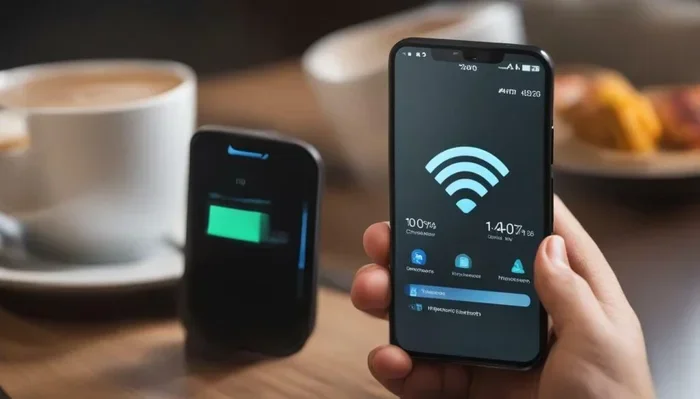
When you turn on the mobile hotspot feature on your phone, it shares your cellular data connection with other devices. Your phone becomes a mini router. Other devices connect to it just like they would connect to a home network.
Your phone receives data from the cell tower nearby. It then sends that data out through a WiFi signal. Any device within range can pick up that signal and browse the web, stream videos, or check email. The whole process happens in seconds.
How Does A Dedicated Hotspot Device Work
A dedicated hotspot device, also called a mobile hotspot or portable hotspot, works similarly. These are small gadgets made specifically for creating wireless connections. They have a SIM card inside that connects to a cellular network. They then broadcast a WiFi signal for your devices to use.
These devices are great because they do not drain your phone battery. They also have better battery life and stronger antennas in many cases. If you travel a lot, a dedicated hotspot can be a lifesaver.
Do You Actually Need A Service Plan For A WiFi Hotspot
This is the big question. And the answer depends on what kind of hotspot you are using. Let us break it down into the different scenarios you might face.
Using Your Phone As A Hotspot Without A Service Plan
Technically, your phone needs some form of service to create a hotspot. If you have a cellular plan, even a prepaid one, you can usually turn on the hotspot feature. But what if you do not have any cellular service at all?
Without a cellular plan, your phone cannot share mobile data. However, you can still use WiFi tethering if you are connected to a WiFi network. For example, if you are at a coffee shop with free WiFi, you can share that connection with your laptop through your phone. The phone acts as a bridge between the public WiFi and your device.
So in a way, you do not need your own service plan if you can access someone else’s WiFi network. This is a common trick for travelers and people who want to avoid monthly bills.
Using A Portable Hotspot Device Without A Contract
You can buy a portable hotspot device and use it without a long-term contract. Many carriers offer prepaid hotspot plans. You pay for data upfront, and there is no monthly commitment. This is perfect for people who only need internet occasionally.
Some hotspot devices also support pay-as-you-go data plans. You buy a certain amount of data, use it, and then buy more when you need it. No service contract, no credit check, and no monthly bill. This makes prepaid hotspots very appealing for budget-conscious users.
Using Free Public WiFi Hotspots
Public WiFi hotspots require zero service on your part. Libraries, cafes, airports, hotels, and shopping malls often offer free WiFi. You just connect and browse. No data plan, no monthly fee, nothing.
The catch is that public WiFi is not always secure. You should avoid accessing sensitive information like bank accounts on public networks. Using a VPN adds a layer of protection. But for casual browsing, public WiFi works great without any service plan at all.
Types Of WiFi Hotspots You Can Use Without Traditional Service
There are several ways to get WiFi hotspot access without signing up for a traditional internet service provider. Let us explore each one so you can find the best fit for your needs.
1. Mobile Hotspot From Your Smartphone
Almost every modern smartphone has a built-in hotspot feature. This is the easiest way to share your cellular data with other devices. You just go to your settings, turn on the hotspot, and set a password.
Most carriers include hotspot data in their plans. Some plans offer unlimited hotspot data, while others cap it at a certain amount. Check with your carrier to see what your plan includes. If you have a prepaid plan, hotspot features are often available too.
2. Dedicated Portable Hotspot Devices
These are small, battery-powered devices designed specifically for creating WiFi hotspots. Brands like Karma, GlocalMe, and Skyroam offer portable devices that work in many countries. You can buy prepaid data plans or pay per use.
These devices are especially useful for international travel. They let you get online in multiple countries without swapping SIM cards. They are compact, easy to carry, and simple to set up.
3. Free Public WiFi Networks
As mentioned earlier, many public places offer free WiFi. These hotspots are funded by the businesses or venues that provide them. You can find them in restaurants, parks, transit stations, and even some citywide networks.
Some cities have launched free municipal WiFi networks. These cover large areas and are free for anyone to use. They are a great resource for people who do not want to pay for internet service.
4. WiFi From Your Neighbor Or Community
In some cases, you can connect to a neighbor’s WiFi with their permission. This is especially common in apartment buildings or dense neighborhoods. Some communities even set up shared WiFi networks for residents.
If you live in a rural area, you might also look into community networks. These are grassroots efforts where neighbors share internet connections to extend coverage. This is a great way to get online without paying for a separate service.
5. Satellite-Based Internet Hotspots
Satellite internet services like Starlink offer portable options that can work as hotspots. You set up a small satellite dish, and it connects to the internet from space. This is ideal for remote areas where traditional service is not available.
While satellite internet does require a subscription, it is not a traditional ISP contract. You can often month-to-month plans. This gives you flexibility without long-term commitments.
How To Set Up A WiFi Hotspot Without Traditional Service
Setting up a WiFi hotspot without a traditional service plan is straightforward. Here is a step-by-step guide for the most common scenarios.
Setting Up Your Phone As A Hotspot
Follow these steps to turn your phone into a WiFi hotspot:
- Open your phone settings and look for “Hotspot” or “Tethering.”
- Turn on the WiFi hotspot feature.
- Set a network name and password for security.
- Choose the frequency band (2.4 GHz or 5 GHz) if given the option.
- Connect your other devices to the new network using the password.
That is it. Your phone is now broadcasting a WiFi signal. Other devices can connect and use your cellular data. Make sure you monitor your data usage to avoid going over your limit.
Setting Up A Portable Hotspot Device
Portable hotspot devices are even easier to set up:
- Insert the SIM card into the device.
- Turn it on and wait for it to connect to the cellular network.
- On your laptop or tablet, search for available WiFi networks.
- Find the network name of your hotspot device and connect.
- Enter the default password printed on the device or set a new one.
Most portable hotspot devices have a small screen that shows your signal strength and data usage. This makes it easy to keep track of your connection at all times.
Extending Your WiFi Range Without A Service Plan
If you are using a free public WiFi or a neighbor’s network, you might find the signal weak in certain areas. You can extend the range using a WiFi repeater or a mesh system. This is especially helpful if you want to use a hotspot in a large space or outdoors.
For example, if you are working from a public WiFi hotspot in a park, a small portable repeater can boost the signal to your desk. This way, you get a stable connection without needing your own service plan. Some people also use directional antennas to capture weak signals from far away.
Using A WiFi Extender For Better Coverage
A WiFi extender picks up an existing signal and rebroadcasts it. This is useful when you are connecting to a distant WiFi source. You place the extender between the source and your device, and it strengthens the signal.
Extenders are affordable and easy to set up. They do not require any service plan. You just plug them in, connect to the source network, and they do the rest. This is a great trick for anyone who wants to use a hotspot in a wider area without paying extra.
Common Mistakes People Make With WiFi Hotspots
Even though setting up a hotspot is easy, many beginners make mistakes that cause problems. Here are the most common ones and how to avoid them.
Not Checking Data Limits
One of the biggest mistakes is not knowing how much data your hotspot plan includes. If you have a prepaid plan with a 5 GB cap, streaming videos will eat through that quickly. Always check your data allowance before relying on a hotspot for heavy usage.
To save data, try downloading content when you are on WiFi and then watching it offline. Turn off auto-updates for apps. Use data-saving modes in your browser. These small steps can make a big difference.
Leaving Your Hotspot Open And Unsecured
Never leave your hotspot open without a password. Anyone nearby can connect to it, which slows down your connection and uses up your data. Worse, open hotspots are a security risk. Someone could intercept your data or access your device.
Always set a strong password when you enable your hotspot. Use a mix of letters, numbers, and symbols. Change the default password on any dedicated hotspot device as soon as you set it up.
Ignoring Signal Strength
Your hotspot performance depends heavily on signal strength. If you are in a weak signal area, your speeds will be slow and your connection may drop. Always check your signal bars before starting important work.
If you are in a location with poor coverage, try moving to a higher floor or closer to a window. Cell signals travel better in open spaces. Avoid using your hotspot in basements or inside thick walls if possible.
Using Your Hotspot For Everything
While hotspots are convenient, they are not ideal for everything. Large downloads, video calls, and streaming use a lot of data. If you only have a limited data plan, save your hotspot for lighter tasks like email and browsing.
For heavy internet use, consider connecting to a WiFi network when one is available. Use your hotspot as a backup, not your primary connection. This approach helps you stay within your data limits and keeps your speeds fast.
Expert Insights On WiFi Hotspot Usage
We spoke with networking experts about the best practices for using WiFi hotspots without a traditional service plan. Here is what they had to say.
Keep Your Device Updated
Experts recommend keeping your phone or hotspot device updated with the latest firmware. Updates often include security patches and performance improvements. An outdated device can have slower speeds and more connection issues.
Use A VPN For Security
When using public WiFi hotspots, a VPN encrypts your internet traffic. This protects your personal information from hackers on the same network. Many VPN services are affordable and easy to set up on any device.
Monitor Your Data Usage Regularly
Most smartphones have built-in data usage trackers. Check them regularly to see how much data your hotspot is consuming. This helps you avoid surprise overage charges and keeps your connection running smoothly.
Some carriers also offer data usage alerts. You can set a threshold and get notified when you are close to your limit. This is a simple but effective way to stay on top of your data.
Can You Get Internet Without Any Service At All
Some people want to know if they can get internet without any service whatsoever. The answer is yes, but with limitations. Free public WiFi is the most common way. Many cities and businesses offer it.
You can also look into community networks and mesh networks. These are shared internet connections where neighbors pool resources. Some apps help you find and connect to these community networks. They are especially useful in areas where traditional service is expensive or unavailable.
If you live in a rural area, you might explore options like Can I Get Internet In My Home Without A Phone Line. This article covers alternative internet methods that do not require a phone line or traditional service contract. It is a great resource for people exploring their options.
Another consideration is whether your WiFi coverage extends far enough. If you need to connect devices at a distance, you might explore solutions like Can I Extend My Wifi To My Shed. This guide covers how to push your WiFi signal to outbuildings and remote areas without needing a separate service plan.
For those interested in mesh WiFi systems, you can learn more about Can I Connect Wi-Fi 6 Mesh To Wi-Fi 5 Router. This article explains how to extend your wireless network using modern mesh technology, which can help you maximize coverage from a single internet source.
Final Thoughts On Using A WiFi Hotspot Without Service
Using a WiFi hotspot without a traditional service plan is entirely possible. You have many options, from mobile hotspots on prepaid plans to free public WiFi networks. The key is understanding your needs and choosing the right approach.
If you only need internet occasionally, a prepaid hotspot plan or public WiFi might be all you need. If you travel frequently, a portable hotspot device gives you flexibility and convenience. And if you are on a tight budget, free public networks can keep you connected without costing a dime.
The most important thing is to stay informed about your data usage and security. Always protect your connection with a strong password. Monitor your data to avoid surprises. And whenever possible, use a VPN on public networks.
WiFi technology has made it easier than ever to stay connected without being tied to a traditional service contract. Whether you are a student, a traveler, or someone looking to cut costs, there is a hotspot solution that fits your lifestyle. Explore your options, experiment with different methods, and find what works best for you.
Frequently Asked Questions
Can I use a WiFi hotspot without any internet service at all?
Yes, you can use a WiFi hotspot feature on your phone to share a public WiFi connection without having your own service plan. You just need access to an existing WiFi network, such as one at a cafe or library, and your phone can broadcast that connection to other devices.
How much data do I need for a WiFi hotspot?
It depends on what you plan to do. Light browsing and email use about 1 GB per month. Streaming videos can use 3 GB or more per hour. Check your usage habits and choose a data plan that matches your needs. Prepaid plans let you buy only the data you need.
Is it safe to use public WiFi hotspots?
Public WiFi hotspots are convenient but not always secure. Avoid accessing sensitive accounts like banking on public networks. Use a VPN to encrypt your traffic, and always connect to password-protected networks when possible. These steps keep your data safe while using public hotspots.
Can I use my phone as a hotspot without a data plan?
Without a cellular data plan, your phone cannot create a mobile hotspot using cellular data. However, you can share a public WiFi connection through your phone if you are connected to WiFi. The hotspot feature itself is free, but it needs an internet source to work.
What is the difference between a mobile hotspot and a portable hotspot device?
A mobile hotspot uses your smartphone to share its cellular data connection. A portable hotspot device is a standalone gadget with its own SIM card and battery. Dedicated devices usually have better battery life and stronger signals than phone hotspots.
Are prepaid hotspot plans cheaper than traditional internet service?
Prepaid hotspot plans are often cheaper because you only pay for the data you use. There are no monthly fees or contracts. This makes them a great option for people who do not need constant internet access or want to avoid long-term commitments.
=== CONCLUSION ===
You do not need a traditional service plan to use a WiFi hotspot. Whether you use your phone, a portable device, or free public networks, there are plenty of ways to stay connected without a monthly ISP contract. Prepaid data plans, community networks, and public WiFi give you flexibility and control over your internet costs.
The key is to understand your data needs, choose the right method, and follow basic security practices. With the right approach, a WiFi hotspot can keep you online anywhere, anytime, without breaking the bank. Start exploring your options today and find the solution that works best for your lifestyle.