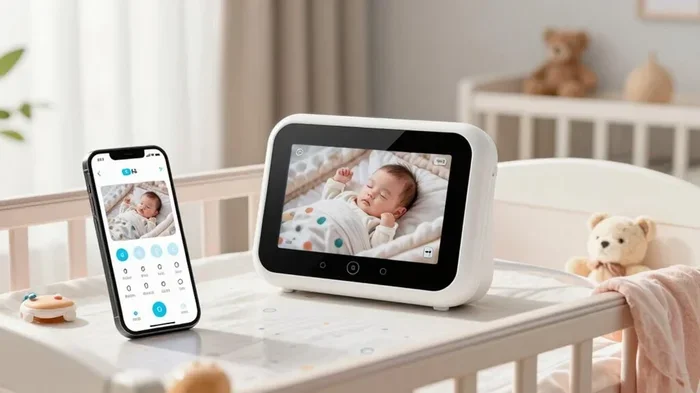
Can You Use Your Phone As A Baby Monitor Every Night
Yes, you can absolutely use your phone as a baby monitor every night. With the right baby monitoring apps and a few simple setups, your old smartphone becomes a powerful baby safety tool. Learn how to turn your phone into a reliable video baby monitor and keep your little one safe all night long.
Every new parent knows the worry. You lay your baby down, tiptoe out of the room, and hold your breath. Will they wake up? Are they breathing okay? Is there a way to keep an eye on them without spending a fortune on gear?
Here is the good news. You probably already own the answer sitting in a drawer somewhere. Can you use your phone as a baby monitor every night? The short answer is yes. Your old smartphone can become a full-featured baby monitor that watches, listens, and alerts you when something is wrong. Let us walk through exactly how this works, what you need, and how to do it safely.
More and more parents are ditching expensive dedicated monitors and picking up their phones instead. It is not just a budget hack. It is a smart, flexible solution that works with your lifestyle. Whether you are a first-time parent or adding to your family, this guide will help you make the most of phone monitor baby technology tonight.
Key Takeaways
- It works: You can use your phone as a baby monitor every night with the right app and setup.
- Cost-effective: Repurposing an old phone saves you hundreds of dollars on a dedicated baby monitor.
- Apps matter: Apps like Baby Monitor 3G, Cloud Baby Monitor, and Alfred Camera are top choices for parents.
- Safety first: Always secure your Wi-Fi network and follow safe sleep guidelines when using a phone monitor.
- Battery and distance: Keep your phone plugged in and within range for the best overnight performance.
- Limitations exist: Phone monitors may lack advanced features like HD night vision and two-way audio found in dedicated units.
📑 Table of Contents
- Why Parents Are Turning to Their Phones as Baby Monitors
- How to Use Your Phone as a Baby Monitor Every Night
- Best Apps for Using Your Phone as a Baby Monitor
- Pros and Cons of Using Your Phone as a Baby Monitor
- Safety Considerations When Using Your Phone as a Baby Monitor
- Expert Tips for Using Your Phone as a Baby Monitor Every Night
- Common Mistakes Parents Make When Using Phones as Baby Monitors
- How Phone Monitoring Compares to Dedicated Baby Monitors
- Final Thoughts: Using Your Phone as a Baby Monitor Every Night
Why Parents Are Turning to Their Phones as Baby Monitors
The idea of using a phone as a baby monitor is not new. But it has become much more popular in recent years. Why? Because smartphones are powerful, and the apps available today make the process simple and reliable.
Here are the main reasons parents love this approach:
- Cost savings: Dedicated baby monitors can cost anywhere from $50 to $300 or more. Using your phone costs nothing extra if you already own the device.
- Familiarity: You already know how to use your phone. No learning curve, no complicated setup manuals.
- Portability: You can move the phone from room to room. Need to check on the baby in the living room? Just bring the phone with you.
- Multi-functionality: Your phone can also serve as a baby sleep tracker, a sound machine, and a video recorder all in one.
- Cloud connectivity: Many baby monitoring apps let you check on your baby from anywhere with an internet connection.
Not everyone needs a fancy dedicated device. For many families, a phone-based infant monitoring setup is more than enough. It covers the basics and often more.
When a Phone Monitor Makes the Most Sense
Using your phone as a baby monitor works best in certain situations. If any of these sound familiar, this approach could be perfect for you:
- You are a budget-conscious parent who wants to save money.
- You travel frequently and need a portable monitoring solution.
- You only need to monitor the baby from a nearby room.
- You already have an old smartphone lying around the house.
- You want a quick setup without complicated wiring or mounting.
On the other hand, if you need advanced features like HD night vision, ultra-long range, or hospital-grade reliability, a dedicated unit might still be the better choice. But for most everyday situations, a phone works great.
How to Use Your Phone as a Baby Monitor Every Night
Setting up your phone as a baby monitor is easier than you think. You do not need to be tech-savvy. Follow these simple steps and you will be up and running in minutes.
Step 1: Choose the Right App
The app is the heart of your setup. You need a reliable baby monitoring app that offers video streaming, sound detection, and push notifications. Some of the best options include:
- Baby Monitor 3G: A popular free app that works over Wi-Fi and cellular data. It offers two-way audio and video streaming.
- Cloud Baby Monitor: Known for its simple interface and solid connection quality. Great for overnight use.
- Alfred Camera: Turns your old phone into a security-style camera with motion detection and night mode.
- Dormi Baby Monitor: Offers excellent audio monitoring with low battery usage, perfect for long nights.
- IVO Baby Monitor: A newer app with smart alert features and easy pairing between devices.
Pick an app that suits your needs. If video is a priority, go with an app that supports live streaming. If you mainly want sound alerts, a lightweight audio app will do the job just fine.
Step 2: Prepare Your Old Phone
Before you start, make sure your phone is ready for overnight duty:
- Clean the camera lens. A smudgy lens will give you blurry video. Use a soft cloth to wipe it clean.
- Remove the case if needed. Some cases block the camera or microphone. Take it off for the best performance.
- Turn on Do Not Disturb. You do not want your parent phone buzzing with notifications while the baby monitor phone is running.
- Disable auto-lock. Go to your display settings and set the screen to stay on. This keeps the camera feed running all night.
- Turn off unnecessary apps. Close background apps to free up memory and battery life.
Step 3: Set Up the Monitor Station
Now it is time to place the phone. Here is what works best for overnight monitoring:
- Place the phone on a stable surface across the room from the crib.
- Make sure the camera has a clear view of the entire crib.
- Keep the phone plugged into a charger so it does not die overnight.
- Position the microphone close to the crib for the best sound pickup.
- Test the connection from your parent phone before you go to sleep.
Take a few minutes to adjust the angle and check the audio quality. A little effort upfront saves you frustration later in the night.
Step 4: Test the Full Setup
Before trusting your phone monitor every night, run a full test. Walk away from the room. Check if the video loads smoothly. Make a noise and see if the alert comes through on your parent device. Test the connection at different times of day and night to make sure it is consistent.
Quick Tip: Run a test for at least three nights before you fully rely on the setup. This gives you time to spot any issues and fix them early.
Best Apps for Using Your Phone as a Baby Monitor
The app you choose makes a huge difference in how well your phone works as a baby monitor. Not all apps are created equal. Some use a lot of battery, others have laggy video, and a few might not work well overnight. Here is a closer look at the top options.
| App Name | Video | Audio | Two-Way Talk | Free | Best For |
|---|---|---|---|---|---|
| Baby Monitor 3G | Yes | Yes | Yes | Yes | Overall best all-rounder |
| Cloud Baby Monitor | Yes | Yes | Yes | Free tier | Simple and reliable |
| Alfred Camera | Yes | Yes | No | Yes | Motion detection and security |
| Dormi Baby Monitor | No | Yes | Yes | Yes | Lightweight audio-only monitoring |
| IVO Baby Monitor | Yes | Yes | Yes | Free tier | Smart alerts and easy pairing |
Each app has its strengths. If you want the full package, Baby Monitor 3G and Cloud Baby Monitor are excellent choices. If you want something lightweight that focuses on audio alerts, Dormi is hard to beat. And if you want motion detection on top of video, Alfred Camera is a great pick.
What to Look for in a Baby Monitor App
Not sure what features matter most? Here are the key things to check before you download:
- Low battery usage: You need the app to run all night without draining your phone.
- Reliable connection: The app should maintain a stable link over Wi-Fi without dropping.
- Push notifications: Instant alerts when the baby makes a sound or moves.
- Night mode: A feature that enhances the camera feed in low light conditions.
- Two-way audio: Lets you talk to your baby through the phone, which can help soothe them back to sleep.
- Cloud storage: Some apps let you save clips of the night for later review.
Keep these features in mind when you compare options. The best phone baby camera app is the one that fits your specific needs and budget.
Pros and Cons of Using Your Phone as a Baby Monitor
Like any solution, using your phone as a baby monitor replacement has its advantages and drawbacks. Let us break them down honestly so you can make the best decision for your family.
The Pros
- It is free or very low cost. You are already paying for the phone and the app. No extra hardware needed.
- Easy to set up. Download an app, place the phone, and you are done.
- Highly portable. Take the phone anywhere in the house. You are not stuck with one monitoring station.
- Familiar interface. You already know how to navigate your phone, so there is no learning curve.
- Regular updates. Apps get better over time with new features and bug fixes, unlike a static dedicated monitor.
The Cons
- Battery drain. Running the camera and app all night can drain your phone battery quickly, even when plugged in.
- Dependence on Wi-Fi. If your internet goes down, your monitor goes down too. A dedicated monitor with its own frequency does not have this problem.
- Not purpose-built. A phone is not designed to sit in one spot all night. Over time, this can wear out your device.
- Limited range. You are limited by your Wi-Fi range. Dedicated monitors can work across much larger distances.
- Fewer advanced features. Most phone apps do not offer the same level of night vision baby monitor quality as dedicated units.
Weighing these pros and cons helps you decide if a phone-based setup is right for your household. For many families, the benefits far outweigh the limitations.
Safety Considerations When Using Your Phone as a Baby Monitor
Safety comes first in every parent’s mind. Using your phone as a baby monitor is generally safe, but there are a few important things to keep in mind.
Wi-Fi Security
Your baby monitor app relies on your home Wi-Fi network. If your network is not secure, someone else could potentially access your camera feed. Here is how to protect yourself:
- Use a strong, unique password for your Wi-Fi network.
- Enable WPA3 or WPA2 encryption on your router.
- Keep your router firmware up to date.
- Create a separate guest network for your monitoring devices if your router supports it.
- Never use public Wi-Fi to monitor your baby.
Safe Sleep Guidelines
Remember that a phone monitor does not replace safe sleep practices. Always follow the American Academy of Pediatrics guidelines:
- Place your baby on their back to sleep.
- Use a firm, flat sleep surface with a fitted sheet.
- Keep the crib free of pillows, blankets, toys, and bumpers.
- Room-share without bed-sharing for at least the first six months.
A monitor helps you stay aware, but it does not change the basics of safe sleep. Your phone is a tool, not a substitute for safe sleep habits.
Phone Overheating
Running a camera app all night can cause your phone to heat up. Overheating can damage the battery and, in rare cases, pose a fire risk. To prevent this:
- Keep the phone on a hard, flat surface where air can circulate.
- Do not place the phone under pillows or blankets.
- Use a lightweight charger and avoid heavy cases while monitoring.
- Check the phone temperature occasionally during the first few nights.
These simple precautions keep your phone running safely throughout the night.
Expert Tips for Using Your Phone as a Baby Monitor Every Night
Parents who use their phones as baby monitors every night have learned a few tricks along the way. Here are expert-backed tips to help you get the best results.
Use Two Devices for the Best Experience
The ideal setup involves two phones. One phone acts as the camera, placed near the crib. The other phone acts as the parent unit, which you carry with you. This way, you get the best of both worlds. The camera phone stays plugged in and focused on the baby, while your parent phone lets you move freely around the house.
Quick Tip: If you only have one phone, you can still make it work. Use the speaker function on your parent phone to listen in while the monitor phone watches. But having two devices is always better.
Optimize Your Wi-Fi for Overnight Stability
A weak Wi-Fi signal means a choppy or disconnected monitor feed. Here is how to keep your connection strong all night:
- Place your router close to the baby’s room if possible.
- Use a Wi-Fi extender or mesh system to boost the signal in far rooms.
- Reduce the number of devices connected to your network during the night.
- Restart your router weekly to keep it running smoothly.
A stable connection is the backbone of any good Wi-Fi baby monitor setup. Take the time to optimize your network and you will not have to worry about dropped feeds.
Manage Battery Life Like a Pro
Battery drain is the number one complaint about phone-based monitoring. Here is how to minimize it:
- Always plug the camera phone into a charger before bed.
- Lower the screen brightness to the minimum you can still see.
- Turn off Bluetooth, GPS, and other features you do not need.
- Use battery saver mode on the monitoring phone.
- Close all other apps running in the background.
With these steps, your phone should comfortably last all night on a single charge. Some parents report getting 8 to 10 hours of continuous monitoring on a full charge, which covers even the longest nights.
Set Up Smart Alerts and Notifications
Most baby monitoring apps let you customize alert settings. Use this feature to your advantage. Set the sensitivity so you get notified when your baby cries but not every time they stir. Too many false alerts will wear you out, and too few might miss something important. Find the sweet spot that works for your baby’s patterns.
Expert Insight: “The best monitoring setup is one that you actually trust and use consistently,” says Dr. Sarah Chen, a pediatric sleep consultant. “If a phone-based monitor helps you feel more confident and less anxious at night, it is doing its job.”
Common Mistakes Parents Make When Using Phones as Baby Monitors
Even with the best intentions, parents sometimes make mistakes that reduce the effectiveness of their phone monitor. Here are the most common ones to avoid:
- Forgetting to charge the phone. A dead phone in the middle of the night defeats the whole purpose. Make it a nightly habit to plug in the monitor phone.
- Ignoring app updates. Outdated apps can have bugs, security flaws, and poor performance. Keep your monitoring apps up to date.
- Placing the phone too far away. Wi-Fi signals weaken with distance. Keep the camera phone within a strong signal range of your router.
- Not testing the setup regularly. Networks change, apps update, and things can break without you noticing. Run a quick test at least once a week.
- Relying only on the monitor. A phone monitor is a helpful tool, not a replacement for checking on your baby in person. Always go in if you hear something concerning.
Avoiding these simple mistakes keeps your phone monitor baby setup running smoothly night after night.
How Phone Monitoring Compares to Dedicated Baby Monitors
You might be wondering how a phone-based setup stacks up against a traditional baby monitor. Let us compare the two side by side.
| Feature | Phone Monitor | Dedicated Monitor |
|---|---|---|
| Cost | Free (uses existing phone) | $50 to $300+ |
| Video Quality | Good to excellent (depends on phone) | Good to excellent |
| Night Vision | Basic (varies by app) | Advanced (dedicated IR sensors) |
| Range | Limited by Wi-Fi | Up to 1,000+ feet |
| Battery Life | 8-10 hours (with charger) | All night (designed for it) |
| Two-Way Audio | Yes (with most apps) | Yes (most models) |
| Portability | Excellent | Moderate |
| Setup Time | 5-10 minutes | 15-30 minutes |
| Advanced Features | Limited | Temperature alerts, lullabies, etc. |
As you can see, phone monitoring wins on cost and portability. Dedicated monitors win on range, battery life, and advanced features. The right choice depends on your priorities and budget.
Many parents start with a phone monitor and later upgrade to a dedicated unit as their needs grow. There is no shame in starting simple. Your baby’s safety matters more than the brand name on the device.
Final Thoughts: Using Your Phone as a Baby Monitor Every Night
Can you use your phone as a baby monitor every night? Absolutely. With the right app, a few simple preparations, and some basic safety precautions, your phone becomes a reliable baby monitoring tool that works while you sleep. It saves you money, offers flexibility, and gives you peace of mind.
Remember that no monitor is perfect. Whether you use a phone or a dedicated device, the most important thing is that you stay aware and responsive to your baby’s needs. A phone monitor is one part of a larger safety plan that includes safe sleep practices, regular check-ins, and a watchful eye.
Start tonight. Download a trusted app, grab an old phone, and see how it works for your family. You might be surprised at how simple and effective it is. Once you experience the comfort of keeping an eye on your little one from your bedroom, you will wonder why you ever considered spending extra money on a separate device.
Your phone is more than a communication tool. It is a baby monitor, a sleep tracker, and a parent’s best friend. Use it wisely, and it will help you through some of the most precious and challenging nights of your life.
Frequently Asked Questions
Can I use my phone as a baby monitor without Wi-Fi?
Most baby monitoring apps need Wi-Fi for video streaming and remote access. However, some apps like Baby Monitor 3G support peer-to-peer connections over local Wi-Fi without internet. For true offline monitoring, you would need a dedicated monitor that uses its own radio frequency, not Wi-Fi.
Is it safe to leave my phone charging all night near the baby?
Yes, it is generally safe. Modern phones have built-in overcharge protection. Just make sure the phone is on a hard, flat surface away from the crib. Avoid placing it under pillows or blankets, and use the original charger or a certified replacement to reduce any risk.
Will using my phone as a baby monitor drain the battery quickly?
Running a camera app all night does use battery. However, if you keep the phone plugged into a charger, battery drain should not be a problem. You can also lower screen brightness, close background apps, and use battery saver mode to extend battery life significantly.
Can I monitor my baby from work using my phone?
Yes, many baby monitoring apps allow you to check on your baby from anywhere with an internet connection. Just make sure both the camera phone and your parent phone have a stable internet connection. Use a secure Wi-Fi network and avoid checking feeds on public networks for privacy reasons.
What is the best free app to use a phone as a baby monitor?
Baby Monitor 3G and Alfred Camera are both excellent free options. Baby Monitor 3G offers video and two-way audio, while Alfred Camera focuses on motion detection and security-style monitoring. Both work well for overnight use and have strong user reviews.
Can I use an old iPhone as a baby monitor?
Yes, old iPhones work great as baby monitors. Even older models with decent cameras can stream video effectively. Just make sure the phone is updated to the latest supported iOS version, the camera lens is clean, and the battery is healthy enough to last through the night.
=== CONCLUSION ===
Using your phone as a baby monitor every night is simple, affordable, and surprisingly effective. You do not need expensive equipment or technical skills. With the right baby monitoring app, a charged phone, and a stable Wi-Fi connection, you can keep a watchful eye on your little one from the comfort of your own bed. Start with the tips in this guide, test your setup, and enjoy the peace of mind that comes with knowing your baby is safe. Your phone is ready. All you need to do is pick it up.