Can You Use Starbucks Wi Fi For Free Without Any Purchase
Yes, you can use Starbucks WiFi for free without making any purchase in most cases. Starbucks offers a free guest network that lets you connect to the internet, though some features may require a Starbucks account. The process is simple, and you do not need to buy a drink to get online.
Can you use Starbucks WiFi for free without any purchase? This is a question that many people ask every day. Whether you are a student looking for a study spot, a remote worker needing internet access, or just someone who wants to check emails while out walking, the idea of free WiFi at Starbucks sounds great.
The short answer is yes. Starbucks offers free WiFi access to everyone, even if you do not buy anything. You can walk into a Starbucks store, sit down, and connect to the internet without spending a single dollar. This has been a part of the Starbucks experience for many years now.
In this article, we will walk you through everything you need to know about Starbucks WiFi. We will cover how to connect, what the free network offers, any limitations you should know about, and tips to get the best experience. By the end, you will have a clear picture of how free WiFi works at your favorite coffee shop.
Key Takeaways
- Free Access Available: Starbucks WiFi is free for everyone, even without making a purchase at the register.
- Two Network Options: You can connect to the “Google Starbucks” network for free or the “Starbucks” network for registered members.
- Time Limits Apply: Free users may face time restrictions after a few hours of use.
- No Password Needed: The guest network typically does not require a WiFi password to join.
- Starbucks App Helps: Downloading the Starbucks app gives you access to more features and longer connectivity.
- Store Policy Varies: Some individual stores may set their own rules about WiFi use.
- Safe to Use: Starbucks WiFi is generally safe, but you should still take basic online security steps.
📑 Table of Contents
- How Starbucks WiFi Works for Free Users
- Do You Need to Buy Anything to Use Starbucks WiFi?
- Step by Step Guide to Connecting
- What You Can and Cannot Do on Free Starbucks WiFi
- Quick Tips for the Best Starbucks WiFi Experience
- Common Mistakes People Make on Starbucks WiFi
- Comparison: Starbucks Free WiFi vs Paid WiFi at Other Locations
- Is Starbucks WiFi Safe to Use?
- The History of Starbucks WiFi and Why It Matters
- Tips for Remote Workers and Students
- What If the WiFi Is Not Working?
- Key Takeaways
- Frequently Asked Questions
- Conclusion
How Starbucks WiFi Works for Free Users
Starbucks has a simple setup for its internet connection. The company uses a system provided by a partner company to manage WiFi access. This system allows both paying customers and non-customers to get online.
The Guest Network
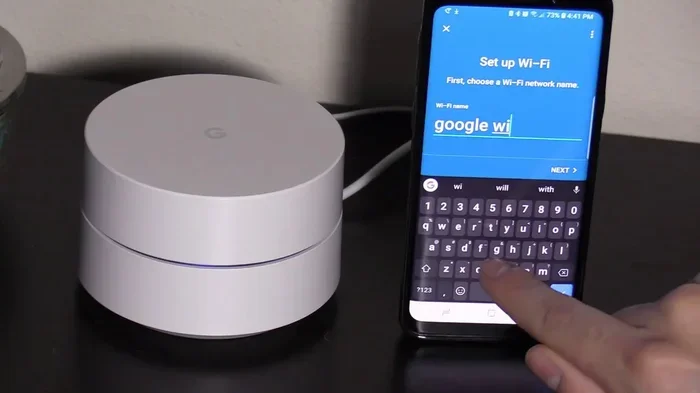
When you walk into a Starbucks, you will see at least two WiFi networks available on your device. The first one is the guest network. This network is often called “Google Starbucks” or something similar depending on your location. You can connect to this network without any login or purchase.
Here is how it works in simple steps:
- Open your phone, tablet, or laptop WiFi settings.
- Look for the “Google Starbucks” network in the list.
- Tap on it to connect.
- A browser page will open asking you to agree to terms.
- Click “Connect” and you are online.
That is it. No password. No purchase. No account required. You can browse the web, check social media, and stream videos just like you would at home.
The Starbucks Rewards Network
The second network is the “Starbucks” network. This one is for people who have a Starbucks account or use the Starbucks app. If you join the Starbucks Rewards program, you get access to this network. It offers a few extra perks compared to the guest network.
To connect, you simply select the “Starbucks” network and log in with your Starbucks account. If you do not have one, it is free to sign up on the app or website. The rewards network may offer longer browsing times and a more stable connection in some stores.
Do You Need to Buy Anything to Use Starbucks WiFi?
This is the most common question people ask. The answer is no. Starbucks does not require you to buy anything to access the guest WiFi network. You can sit in the store, enjoy the atmosphere, and use the internet all day without ordering a single item.
However, there are a few things to keep in mind:
- Store Policy: While Starbucks corporate allows free WiFi, individual store managers may have their own guidelines. Most stores welcome everyone, but some busy locations might prefer customers who make purchases.
- Time Limits: Free users may experience time limits after a few hours of continuous use. The guest network sometimes prompts you to reconnect after a set period.
- Speed: The free network may be slower during peak hours when many people are connected at once.
Despite these small limits, the free WiFi at Starbucks remains one of the best perks of visiting the coffee chain. You get a comfortable place to sit, power outlets, and internet access all without spending money.
Step by Step Guide to Connecting
Connecting to Starbucks WiFi is easy. Here is a detailed walkthrough for different devices:
On iPhone or iPad
- Open the Settings app.
- Tap on WiFi.
- Find “Google Starbucks” in the list of available networks.
- Tap the network name to connect.
- A login page will pop up in your browser.
- Read and accept the terms of use.
- You are now connected to the internet.
On Android Phone or Tablet
- Go to Settings.
- Tap on Network and Internet or Connections.
- Select WiFi.
- Choose “Google Starbucks” from the list.
- Wait for the login page to appear.
- Accept the terms and connect.
On a Laptop or Computer
- Click on the WiFi icon in your taskbar or menu bar.
- Select “Google Starbucks.”
- Open your web browser.
- A login page should appear automatically.
- Accept the terms to get online.
If the login page does not open automatically, try typing any web address into your browser. This should trigger the Starbucks WiFi login page to appear.
What You Can and Cannot Do on Free Starbucks WiFi
The Starbucks internet works like most public WiFi networks. You can do a lot of things, but there are also some limits. Here is a clear breakdown:
What You Can Do
- Browse websites and read articles
- Check email and send messages
- Use social media platforms like Instagram, Facebook, and X
- Stream music and videos
- Video call friends and family
- Work on documents and spreadsheets
- Download files and apps
What You May Not Be Able to Do
- Access some streaming services that block public WiFi
- Use certain business tools that require a secure connection
- Enjoy full speed during very busy hours
- Stay connected indefinitely without reconnecting after a few hours
The Starbucks WiFi network is designed for general use. It is not a premium business internet service, but it works well for most everyday tasks. If you need to upload large files or join long video meetings, you may notice some limitations.
Quick Tips for the Best Starbucks WiFi Experience
Want to get the most out of free WiFi at Starbucks? Here are some practical tips that really help:
- Go during off-peak hours. Early mornings and late afternoons tend to have fewer people connected, which means faster speeds for you.
- Bring your own charger. Even though Starbucks has power outlets, having your own charger ensures you can stay connected all day.
- Download the Starbucks app. The app gives you access to the rewards network and lets you order ahead, saving you time.
- Use a VPN for security. Public WiFi can be less secure than home networks. A VPN adds a layer of protection to your data.
- Check for the latest network name. The network name may change slightly depending on your location and the partner providing the service.
- Be respectful of others. Keep your volume low and do not take up too many seats if the store is busy.
Expert Insight
Networking experts suggest always using a VPN when connecting to any public WiFi, including Starbucks WiFi. A VPN encrypts your data and keeps your browsing activity private. This is especially important if you are accessing bank accounts or entering personal information online.
Common Mistakes People Make on Starbucks WiFi
There are a few common mistakes that people make when using Starbucks WiFi. Avoiding these can save you time and frustration:
Forgetting to Reconnect After Time Limits
Free users often get logged out after a few hours. If you plan to stay for a long time, be ready to reconnect. This is not a bug, it is a feature of the guest network system.
Not Bringing a Power Bank
If the nearest power outlet is taken, your phone battery can die quickly. A portable power bank keeps your device running so you can stay connected longer.
Assuming All Stores Have the Same Setup
While most Starbucks stores follow the same WiFi system, some licensed stores or newer locations may have slight differences. Always check the available network names when you enter.
Ignoring the Terms of Use
Some people skip reading the terms of use page. It is worth taking a moment to read it because it tells you about data collection and usage policies. Understanding this helps you stay safe online.
Comparison: Starbucks Free WiFi vs Paid WiFi at Other Locations
How does Starbucks WiFi compare to WiFi at other places? Here is a quick comparison table:
| Feature | Starbucks Free WiFi | Other Paid WiFi |
|---|---|---|
| Cost | Free | Usually $3 to $8 per hour or day |
| Purchase Required | No | Sometimes yes |
| Speed | Good for most tasks | Often faster |
| Time Limits | Yes, after a few hours | Varies by provider |
| Availability | Thousands of locations | Limited to specific venues |
| Security | Basic public WiFi level | Varies widely |
| Ease of Access | Very easy, no login needed | May require payment first |
As you can see, Starbucks WiFi offers a great deal of value for free. It is one of the most accessible public WiFi networks in the world. You do not need to pay for internet access at Starbucks, which sets it apart from many cafes, airports, and hotels.
Is Starbucks WiFi Safe to Use?
Safety is a valid concern when using any public WiFi network. The Starbucks internet is no different from other public networks in terms of basic security. It is not a private or encrypted network, which means your data could potentially be intercepted by others on the same network.
However, Starbucks takes some measures to keep its network safe. The network uses a captive portal, which means you must agree to terms before connecting. This adds a basic layer of access control. Additionally, Starbucks monitors its network for suspicious activity.
To stay safe while using Starbucks WiFi, follow these simple steps:
- Avoid entering sensitive passwords on public networks
- Use a VPN to encrypt your connection
- Make sure the websites you visit use HTTPS
- Turn off file sharing on your device
- Log out of accounts when you are done
- Keep your device antivirus software up to date
By taking these precautions, you can enjoy free WiFi at Starbucks with peace of mind.
The History of Starbucks WiFi and Why It Matters
Starbucks was one of the first major retail chains to offer free WiFi to customers. The company partnered with AT&T back in 2002 to bring internet access to its stores. At the time, this was a bold move that set Starbucks apart from competitors.
Over the years, the Starbucks WiFi system has evolved. The company updated its network infrastructure and partnered with Google to improve the connection. Today, millions of people rely on Starbucks for free internet access every day.
The decision to offer free WiFi without requiring a purchase has been a game changer. It turned Starbucks stores into community hubs where people work, study, socialize, and relax. This policy has helped build strong customer loyalty and made Starbucks a go-to spot for anyone who needs a place to get work done.
How WiFi Drives Customer Loyalty
Offering free WiFi is not just a nice perk. It is a smart business strategy. When people know they can get online at Starbucks for free, they are more likely to visit regularly. Even if they do not buy something every time, the habit of visiting builds brand loyalty. Many free WiFi users eventually become paying customers because they enjoy the atmosphere and the convenience.
The Starbucks Rewards program also plays a big role here. By signing up for a free account, users get access to the rewards network and earn points for every purchase. This creates a cycle where free WiFi leads to app downloads, which leads to purchases, which leads to more rewards.
Tips for Remote Workers and Students
If you use Starbucks WiFi for work or study, these tips will help you stay productive:
- Pick the right location. Stores near offices or universities tend to be quieter during business hours.
- Bring headphones. Noise-canceling headphones help you focus in a busy coffee shop.
- Plan your bandwidth. Video calls and large downloads work best during less crowded times.
- Make a small purchase. Even if you do not need to buy anything, grabbing a coffee or water shows appreciation for the store and its staff.
- Set a schedule. Having a regular spot and time helps you build a routine and get more done.
Many remote workers and students swear by Starbucks WiFi as their primary internet source outside of home. It is reliable, widely available, and completely free to access.
What If the WiFi Is Not Working?
Sometimes the Starbucks internet may not work as expected. Here are a few things you can do if you run into issues:
- Turn your WiFi off and back on again.
- Forget the network and reconnect.
- Check if the store has a notice about WiFi maintenance.
- Ask a barista if there are any known connection issues.
- Try connecting to the other network if available.
- Restart your device.
Most WiFi issues at Starbucks are temporary and easy to fix. The baristas are usually happy to help if you are having trouble connecting.
Key Takeaways
- Free Access Available: Starbucks WiFi is free for everyone, even without making a purchase at the register.
- Two Network Options: You can connect to the “Google Starbucks” network for free or the “Starbucks” network for registered members.
- Time Limits Apply: Free users may face time restrictions after a few hours of use.
- No Password Needed: The guest network typically does not require a WiFi password to join.
- Starbucks App Helps: Downloading the Starbucks app gives you access to more features and longer connectivity.
- Store Policy Varies: Some individual stores may set their own rules about WiFi use.
- Safe to Use: Starbucks WiFi is generally safe, but you should still take basic online security steps.
Frequently Asked Questions
Do I need to buy something to use Starbucks WiFi?
No, you do not need to buy anything to use the guest WiFi network at Starbucks. You can connect to the “Google Starbucks” network for free without making any purchase. However, making a small purchase is always a nice gesture and supports the store.
Is Starbucks WiFi completely free forever?
The guest network is free to use, but time limits may apply after a few hours of continuous browsing. You may need to reconnect after the time limit expires. The Starbucks Rewards network offers longer access for members.
Can I use Starbucks WiFi without creating an account?
Yes, you can. The guest network does not require any account or login. You simply connect and agree to the terms of use. Creating a Starbucks account is optional and gives you access to the rewards network with extra perks.
Is Starbucks WiFi safe for online banking?
While Starbucks WiFi is generally safe, it is a public network. For sensitive activities like online banking, it is best to use a VPN or wait until you are on a secure, private network. Always make sure the website uses HTTPS before entering any personal information.
Does every Starbucks location offer free WiFi?
Nearly all Starbucks locations offer free WiFi. However, some licensed stores or locations in specific countries may have slightly different setups. The “Google Starbucks” network should be available at the vast majority of stores worldwide.
Can I use Starbucks WiFi from my car or outside the store?
The WiFi signal is strongest inside the store. You may be able to connect from outside or in the parking lot depending on the location, but the connection will likely be weaker. For the best experience, it is recommended to go inside the store.
Conclusion
The answer to whether you can use Starbucks WiFi for free without any purchase is a clear yes. Starbucks has made internet access available to everyone, whether you are a paying customer or not. The guest network is easy to connect to, requires no password, and works well for most everyday online tasks.
While there are some limitations like time restrictions and speed variations during busy hours, the free WiFi at Starbucks remains one of the best perks the company offers. It has turned every Starbucks store into a potential workspace, study area, and connection hub for millions of people around the world.
Next time you walk past a Starbucks, remember that you can sit down, connect to the Starbucks internet, and get online without spending a dime. Whether you are catching up on emails, streaming a show, or getting work done, Starbucks WiFi has you covered. Just follow the tips in this article, stay safe online, and enjoy the free connection.