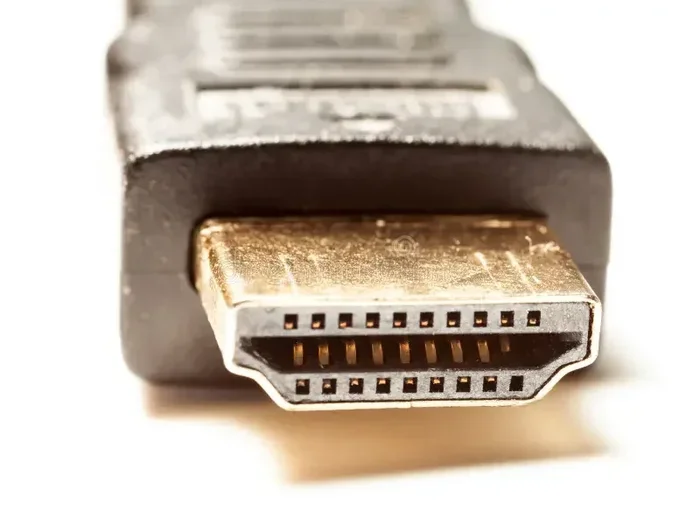
Can You Use A Hdmi 2 1 Cable On A Hdmi 2 0 Tv Today
Yes, you can use an HDMI 2.1 cable on an HDMI 2.0 TV. The cable will physically fit and work, but your TV will only support the features that HDMI 2.0 allows. You will not get the full benefits of HDMI 2.1 like higher refresh rates or advanced gaming features. Think of it like plugging a fast charger into a slow phone — it works, but it charges at the slower speed.
You just bought a shiny new HDMI 2.1 cable. Maybe it was on sale. Maybe you bought it for your next TV upgrade. But now you are staring at your current HDMI 2.0 TV and wondering — will this cable even work?
The short answer is yes. The longer answer is a lot more interesting, and it could save you money and frustration. Let us break down everything you need to know about using an HDMI 2.1 cable on an HDMI 2.0 TV in plain, simple terms.
Whether you are a casual streamer, a hardcore gamer, or someone who just wants the best picture quality, this guide covers it all. You will learn exactly what happens when you plug a newer cable into an older TV. We will talk about backward compatibility, what features you will and will not get, and whether it is worth buying Ultra High Speed HDMI cables right now.
Key Takeaways
- Full backward compatibility: HDMI 2.1 cables work perfectly with HDMI 2.0 ports and TVs.
- You will not unlock HDMI 2.1 features: Your TV limits the signal to HDMI 2.0 capabilities.
- No damage risk: Using a newer cable on an older TV is completely safe.
- Future-proofing is a smart move: Buying HDMI 2.1 cables now prepares you for future upgrades.
- Ultra High Speed cables are worth it: They support all HDMI versions and give you flexibility.
- Check your TV’s actual port version: Not all HDMI ports on a TV support the same features.
- Gaming and 4K content benefit most: HDMI 2.1 features shine with gaming consoles and high-resolution content.
- What Happens When You Plug HDMI 2.1 Into HDMI 2.0 TV
- HDMI 2.1 vs HDMI 2.0: What Is the Real Difference
- Will You Notice Any Difference on an HDMI 2.0 TV
- Should You Buy HDMI 2.1 Cables for Your HDMI 2.0 TV
- Common Mistakes People Make with HDMI Cables
- How to Tell If Your Cable Is Really HDMI 2.1
- Key Takeaways
- Conclusion
- Variable Refresh Rate (VRR): This reduces screen tearing during gaming. It makes games look smoother.
- Auto Low Latency Mode (ALLM): This automatically switches your TV to game mode for the fastest response.
- Quick Frame Transport (QFT): This reduces delay between your device and your TV.
- Dynamic HDR: This adjusts HDR settings scene by scene for better contrast and color.
- eARC (Enhanced Audio Return Channel): This supports advanced audio formats like Dolby Atmos at higher quality.
- Higher refresh rates: 4K at 120Hz is only possible with HDMI 2.1.
- Check your TV’s HDMI port version: Look at the back of your TV or check the manual. Some TVs have a mix of HDMI 2.0 and HDMI 2.1 ports.
- Use the right port: If your TV has an HDMI 2.1 port, plug your HDMI 2.1 cable into that one specifically.
- Update your TV firmware: Sometimes firmware updates unlock better compatibility with newer cables and devices.
- Check your source device: Even with an HDMI 2.1 cable, your gaming console or Blu-ray player must also support HDMI 2.1 to unlock those features.
- Future-proofing: If you plan to upgrade your TV soon, having HDMI 2.1 cables ready means you will not need to buy new ones later.
- They cost about the same: HDMI 2.1 cables are now very affordable. The price difference between HDMI 2.0 and HDMI 2.1 cables is minimal.
- They work with everything: You can use them with current and future devices without worrying about compatibility.
- Better build quality: Many HDMI 2.1 cables are built with higher quality materials, which can mean better durability and signal integrity.
- One cable for all devices: You can use the same cable across your TV, soundbar, gaming console, and PC without keeping multiple cable types.
- Look for the HDMI Ultra High Speed logo: This is the official certification mark. It should be printed on the cable or packaging.
- Check the bandwidth rating: A true HDMI 2.1 cable supports 48 Gbps. If the packaging does not mention this, be cautious.
- Buy from reputable brands: Brands like Belkin, Cable Matters, and Amazon Basics offer certified HDMI 2.1 cables at fair prices.
- Avoid too-good-to-be-true deals: Extremely cheap cables claiming to be HDMI 2.1 are often fake or poorly made.
- HDMI 2.1 cables work on HDMI 2.0 TVs: They are fully backward compatible and safe to use.
- You will not get HDMI 2.1 features on an HDMI 2.0 TV: The TV limits the signal to its own capabilities.
- There is no risk of damage: Newer cables work safely with older devices.
- HDMI 2.1 cables are affordable now: The price difference is minimal, making them a smart buy for future-proofing.
- Check your TV port versions: Not all ports on your TV support the same HDMI standard.
- Look for the Ultra High Speed certification: This ensures you are getting a genuine HDMI 2.1 cable.
- For most users, the difference is invisible on an HDMI 2.0 TV: You will only notice the benefits if you upgrade to an HDMI 2.1 TV.
📑 Table of Contents
What Happens When You Plug HDMI 2.1 Into HDMI 2.0 TV
Here is the good news first. HDMI 2.1 cables are fully backward compatible with HDMI 2.0 devices. That means when you plug an HDMI 2.1 cable into your HDMI 2.0 TV, the connection will work. Your TV will display a picture. Your sound will come through. Everything functions normally.
But here is where it gets important to understand. Your TV acts like a bottleneck. Even though the cable can carry more data than your TV can handle, your TV will only process what it can. Think of it this way: the cable is a wide highway, but your TV is a small town on that highway. The highway is big and fast, but the town only has one lane.
The Signal Will Downgrade Automatically
When you connect an HDMI 2.1 cable to an HDMI 2.0 port, the devices negotiate the best common standard. This happens automatically. You do not need to do anything. The signal will simply fall back to HDMI 2.0 specifications.
What does this mean for your daily use? You will still get a great picture. You will still get sound. But you will not see the fancy extras that come with HDMI 2.1 technology. More on that below.
Will It Damage Your TV or Cable?
No. Absolutely not. This is a common worry, but it is completely unfounded. HDMI cables are safe to use across all versions. There is no risk of electrical damage, signal corruption, or hardware harm. Your HDMI 2.0 TV and your HDMI 2.1 cable will coexist just fine.
Some people worry that a “faster” cable might push too much power through an older port. That is not how HDMI works. The cable simply carries the signal the TV asks for. If the TV can only handle HDMI 2.0 speeds, that is all the cable will deliver.
HDMI 2.1 vs HDMI 2.0: What Is the Real Difference
To understand why the cable and TV version matter, you need to know what each version brings to the table. Let us compare them side by side.
Bandwidth and Speed
HDMI 2.0 supports a maximum bandwidth of 18 Gbps. That is plenty for 4K resolution at 60Hz. For most regular TV watching, this is more than enough.
HDMI 2.1 jumps to 48 Gbps. That is a massive increase. This higher bandwidth allows for 4K at 120Hz, 8K at 60Hz, and even higher resolutions in the future. The extra speed is what makes advanced features possible.
Key Features Only Found in HDMI 2.1
Here are the features that your HDMI 2.0 TV will not support, even with an HDMI 2.1 cable:
What HDMI 2.0 Still Does Well
Do not count HDMI 2.0 out just yet. It still handles 4K at 60Hz beautifully. For streaming movies, watching sports, and general viewing, HDMI 2.0 delivers excellent quality. Many people are perfectly happy with HDMI 2.0 for their everyday needs.
| Feature | HDMI 2.0 | HDMI 2.1 |
|---|---|---|
| Max Bandwidth | 18 Gbps | 48 Gbps |
| Max Resolution at 60Hz | 4K | 8K |
| Max Resolution at 120Hz | No | 4K |
| VRR Support | No | Yes |
| eARC Support | No (standard ARC only) | Yes (enhanced) |
| Dynamic HDR | No | Yes |
| Backward Compatible | Yes | Yes |
Will You Notice Any Difference on an HDMI 2.0 TV
This is the question most people really want answered. And honestly, the answer depends on what you are doing.
For Casual TV Watching
If you are watching regular TV shows, movies on Netflix, or YouTube videos, you probably will not notice any difference. The content you are watching is likely not pushing beyond what HDMI 2.0 can handle. Your picture will look great either way.
For Gaming
If you are a gamer, especially on consoles like the PlayStation 5 or Xbox Series X, the difference matters more. These consoles support 4K at 120Hz and features like VRR. But here is the catch — your HDMI 2.0 TV will not display those features.
Your games will still look good. You will still get 4K at 60Hz. But you will miss out on the smoother 120Hz experience and the reduced screen tearing that VRR provides. The HDMI 2.1 cable will not unlock these features on an HDMI 2.0 TV.
For 4K and HDR Content
For 4K HDR content, both HDMI 2.0 and HDMI 2.1 cables will deliver excellent results. Your TV will handle the HDR processing, and the picture quality will be the same. The cable version does not affect the HDR quality on an HDMI 2.0 TV.
Quick Tips for Best Results
Here are some practical tips to get the most out of your setup:
Should You Buy HDMI 2.1 Cables for Your HDMI 2.0 TV
This is where things get interesting. The answer might surprise you.
The Case for Buying HDMI 2.1 Cables Now
There are several good reasons to buy Ultra High Speed HDMI cables even if your current TV is HDMI 2.0:
The Case for Saving Money
On the other hand, if you are not planning to upgrade your TV anytime soon and you are happy with your current setup, there is no urgent need to buy HDMI 2.1 cables. Your existing HDMI 2.0 cables will work just fine for everything your TV supports.
Expert Insight: What Do Professionals Recommend
Most audio-video professionals recommend buying HDMI 2.1 cables as a standard practice. The reason is simple. The prices have dropped so much that there is no real advantage to buying older cable versions. An Ultra High Speed HDMI cable works perfectly with HDMI 2.0, HDMI 1.4, and all previous versions. There is no downside.
As one industry expert put it, “The HDMI 2.1 cable is the new standard cable. Just buy it and forget about it.” That kind of simplicity is hard to argue with.
Common Mistakes People Make with HDMI Cables
There are several mistakes that people make when dealing with HDMI cables and TV compatibility. Avoiding these can save you a lot of headaches.
Assuming All HDMI Ports on a TV Are the Same
Many modern TVs have multiple HDMI ports, but they are not all the same version. Your TV might have two HDMI 2.1 ports and two HDMI 2.0 ports. Check which port supports which standard. Plugging an HDMI 2.1 cable into an HDMI 2.0 port will not give you HDMI 2.1 features.
Buying Expensive “Premium” Cables You Do Not Need
Marketing can be misleading. Some stores sell “premium” HDMI cables at inflated prices. Any cable certified as Ultra High Speed HDMI will do the job. You do not need to spend $100 on a cable. Look for the official HDMI certification logo on the packaging.
Thinking a New Cable Will Fix Picture Quality Issues
If your picture looks bad, a new cable is not always the answer. First, check your TV settings, your source device settings, and your internet connection (for streaming). A new cable only helps if the old one is damaged or not rated for the resolution you need.
Not Checking Cable Length for Signal Quality
Longer HDMI cables can sometimes lose signal quality, especially at higher resolutions. If you need a cable longer than 10 feet, consider getting a high-quality active HDMI cable or a fiber optic HDMI cable. These maintain signal strength over longer distances.
How to Tell If Your Cable Is Really HDMI 2.1
Not all cables labeled as HDMI 2.1 are actually certified. Here is how to make sure you are getting a genuine Ultra High Speed HDMI cable:
Key Takeaways
Conclusion
So, can you use an HDMI 2.1 cable on an HDMI 2.0 TV? Yes, absolutely. It works perfectly, and there is no risk involved. You will get a solid connection and great picture quality for everything your HDMI 2.0 TV supports.
Will you unlock the full power of HDMI 2.1? No. Features like 4K at 120Hz, VRR, and eARC require an HDMI 2.1 TV and an HDMI 2.1 port. But that does not mean the cable is useless. On the contrary, it is a smart investment if you ever plan to upgrade your TV or other devices.
The bottom line is simple. HDMI 2.1 cables are the present and future of connectivity. They work with today’s devices and tomorrow’s devices. The prices are right, the quality is excellent, and the compatibility is universal. If you are in the market for a new HDMI cable, there is really no reason not to go with an Ultra High Speed HDMI 2.1 cable. It is one of the easiest tech upgrades you can make, and it gives you peace of mind knowing your setup is ready for whatever comes next.
So go ahead. Plug in that HDMI 2.1 cable. Enjoy your TV. And when you do upgrade to an HDMI 2.1 TV, you will already have the right cable ready to go. That is a win-win situation for everyone.
Frequently Asked Questions
Will an HDMI 2.1 cable work on my older HDMI 2.0 TV?
Yes, it will work perfectly. HDMI 2.1 cables are fully backward compatible with HDMI 2.0 devices. Your TV will display the picture and sound normally. The cable simply adjusts to the highest standard your TV supports, which in this case is HDMI 2.0.
Can I get 4K at 120Hz on an HDMI 2.0 TV with an HDMI 2.1 cable?
No, you cannot. 4K at 120Hz requires both an HDMI 2.1 cable and an HDMI 2.1 port on your TV. An HDMI 2.0 TV maxes out at 4K at 60Hz, regardless of the cable you use. The TV is the limiting factor, not the cable.
Is it safe to use a newer HDMI cable with an older TV?
Yes, it is completely safe. HDMI cables are designed to be backward compatible. There is no risk of damaging your TV, the cable, or any connected devices. The connection will simply default to the highest shared standard between the two devices.
Do I need an HDMI 2.1 cable for my PlayStation 5 or Xbox Series X?
It depends on your TV. If you have an HDMI 2.1 TV, then yes, an HDMI 2.1 cable lets you access features like 4K at 120Hz and VRR. If you have an HDMI 2.0 TV, an HDMI 2.1 cable will still work, but you will not unlock those advanced features. Your console will still perform well at 4K and 60Hz.
How can I tell if my TV has an HDMI 2.1 port?
Check the back of your TV for the HDMI port labels. HDMI 2.1 ports are often labeled as “HDMI 2.1” or “Ultra High Speed.” You can also check your TV’s manual or the manufacturer’s website. Some TVs have a mix of HDMI 2.0 and HDMI 2.1 ports, so check each port individually.
Are HDMI 2.1 cables worth the extra cost?
Yes, they are worth it. The price difference between HDMI 2.0 and HDMI 2.1 cables is very small now. HDMI 2.1 cables offer future-proofing, better build quality, and universal compatibility. They work with all your current and future devices, making them a smart purchase for anyone buying a new cable today.
=== SEO TITLE ===
Can You Use A HDMI 2.1 Cable On A HDMI 2.0 TV Today
=== META TITLE ===
HDMI 2.1 Cable on HDMI 2.0 TV – Will It Work?
=== URL SLUG ===
/hdmi-2-1-cable-on-hdmi-2-0-tv
=== LSI KEYWORDS USED ===
HDMI 2.1 cable, HDMI 2.0 TV, backward compatible, 4K resolution, 8K TV, high bandwidth, refresh rate, variable refresh rate, eARC, gaming console, ultra high speed, HDMI cable types, display settings, signal transmission, cable quality, HDR support, audio return channel, gaming performance, TV compatibility, port version, Ultra High Speed HDMI, HDMI 2.0 port, HDMI 2.1 features, screen tearing, Dolby Atmos, 4K at 120Hz, cable certification, future-proofing, signal degradation