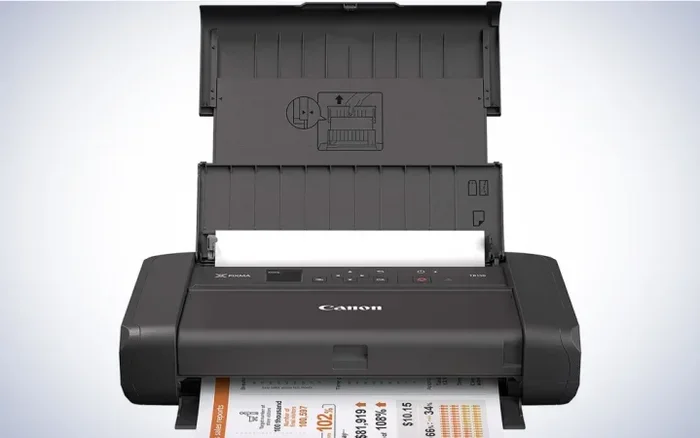
Can You Use A Bluetooth Printer Without Internet Today
Yes, you can use a Bluetooth printer without internet. Bluetooth printers connect directly to your device, so you do not need Wi-Fi or a data connection to print. This guide covers setup, troubleshooting, and the best Bluetooth printers for offline use.
Have you ever been in a situation where you needed to print something but had no Wi-Fi? Maybe you are at a cabin in the woods, a hotel room with no internet, or just in a spot where the signal is terrible. If you own a Bluetooth printer, you might be wondering: can you use a Bluetooth printer without internet?
The short answer is yes. Bluetooth printers do not need an internet connection to work. They connect directly to your phone, tablet, or computer using wireless signals. This makes them incredibly handy for people who travel, work remotely, or simply want a reliable printing option that does not depend on Wi-Fi.
In this guide, we will walk you through everything you need to know about Bluetooth printing without internet. You will learn how it works, how to set it up, common problems and fixes, and which Bluetooth printers are the best for offline use. Let us get started.
Key Takeaways
- Bluetooth printers work offline: They connect directly to your phone, tablet, or laptop without needing Wi-Fi or internet.
- Setup is simple: Pairing a Bluetooth printer takes just a few minutes on most devices.
- Range matters: Bluetooth has a limited range, usually around 30 feet, so stay close to your printer.
- Not all Bluetooth printers are the same: Some need a companion app, while others work with built-in OS support.
- Battery-powered options exist: Portable Bluetooth printers let you print anywhere, even without a power outlet.
- Common issues are fixable: Most Bluetooth printing problems can be solved with simple troubleshooting steps.
- Offline printing is great for travel: Bluetooth printers are perfect for on-the-go printing needs.
📑 Table of Contents
- What Is a Bluetooth Printer and How Does It Work?
- Can You Use a Bluetooth Printer Without Internet?
- How to Connect a Bluetooth Printer Without Wi-Fi or Internet
- Bluetooth Printer vs. Wi-Fi Printer: Key Differences
- Common Bluetooth Printer Problems (Without Internet) and How to Fix Them
- Best Bluetooth Printers That Work Without Internet
- Expert Insights on Bluetooth Printing Without Internet
- Key Takeaways
- Frequently Asked Questions
- Conclusion
What Is a Bluetooth Printer and How Does It Work?
A Bluetooth printer is a wireless printer that uses Bluetooth technology to connect to your devices. Instead of plugging in a cable or connecting to a Wi-Fi network, the printer talks directly to your phone or laptop through short-range radio waves. This is called Bluetooth connectivity, and it is built into most modern smartphones, tablets, and computers.
Here is how it works in simple terms:
- Your device sends a print command using Bluetooth.
- The Bluetooth printer receives the command.
- The printer processes the print job and prints your document or photo.
That is it. No router. No internet. No complicated setup. The two devices just need to find each other and pair up. This is what makes offline printing with Bluetooth so easy and convenient.
Bluetooth vs. Wi-Fi Printing: What Is the Difference?
It is easy to confuse Bluetooth printing with Wi-Fi printing, but they are different in important ways. Wi-Fi printing requires a wireless router and an active internet connection. Your printer joins your home network, and any device on that network can send print jobs.
Bluetooth printing skips the network entirely. The printer connects directly to one device at a time. This means you do not need a router, and you do not need internet. It also means only the paired device can send print jobs, which can actually be a privacy advantage.
Here is a quick comparison:
- Wi-Fi printers work best when multiple devices need to print from the same network.
- Bluetooth printers shine when you need direct, one-to-one printing without any network at all.
Can You Use a Bluetooth Printer Without Internet?
This is the big question, and the answer is a clear yes. Can you use a Bluetooth printer without internet? Absolutely. Bluetooth technology is a short-range wireless communication standard. It does not need the internet to function. It only needs two devices that support Bluetooth to be within range of each other.
When you print via Bluetooth, your phone or computer sends data directly to the printer. The data travels through the air using Bluetooth radio waves. The printer receives this data and prints it. None of this data goes through the internet. None of it touches a router. It is a pure direct device-to-device connection.
This is why Bluetooth printers are so popular for mobile printing. You can take them on camping trips, business trips, or anywhere else you go. As long as your device has battery and Bluetooth turned on, you can print.
What Can You Print Without Internet?
You might be wondering what kinds of documents you can print without an internet connection. The good news is that most things you would normally print work just fine offline:
- Photos stored on your phone or camera.
- PDF files saved directly on your device.
- Documents created in Word, Google Docs (saved offline), or other apps.
- Emails or attachments that are already downloaded.
- Web pages that you have saved for offline reading.
- Receipts, labels, and barcodes using specialized Bluetooth label printers.
The key requirement is that the file must already be on your device. You cannot print a web page that needs to load from the internet, but you can print a saved copy of that page. This small limitation is easy to work around and does not cause much trouble in real life.
How to Connect a Bluetooth Printer Without Wi-Fi or Internet
Setting up a Bluetooth printer without internet is straightforward. The process is similar across most printers and devices, but there are small differences depending on your operating system. Here is a step-by-step guide that covers the basics.
Step 1: Turn on Bluetooth on Your Device
Go to your device settings and make sure Bluetooth is turned on. On most phones and tablets, you can swipe down from the top of the screen and tap the Bluetooth icon. On a laptop, go to your system settings and toggle Bluetooth on.
Step 2: Put the Printer in Pairing Mode
Most Bluetooth printers have a pairing button or a Bluetooth icon button. Press and hold it until the printer enters pairing mode. You will usually see a blinking light or hear a beep. Check your printer manual if you are not sure how to do this.
Step 3: Find the Printer on Your Device
On your phone or computer, go to the Bluetooth settings and look for available devices. Your printer should appear in the list. Tap or click on it to start pairing.
Step 4: Confirm the Pairing
Some printers will ask you to confirm a PIN or passcode. If so, enter the code shown on your screen into the printer (or vice versa). Once paired, the devices will remember each other for future connections.
Step 5: Print a Test Page
Open a document or photo and select the print option. Choose your Bluetooth printer from the list of available printers. Hit print, and watch your document come out of the printer. That is all there is to it.
Quick Tips for a Smooth Setup
- Keep your device and printer within 10 to 30 feet of each other during pairing.
- Make sure your printer has enough battery or is plugged in.
- Restart both devices if the printer does not show up in the Bluetooth list.
- Download the printer manufacturer app if needed for extra features.
- Check that your device supports the Bluetooth version your printer uses.
Bluetooth Printer vs. Wi-Fi Printer: Key Differences
Choosing between a Bluetooth printer and a Wi-Fi printer depends on your needs. Both have strengths and weaknesses. Let us break them down so you can make an informed choice.
| Feature | Bluetooth Printer | Wi-Fi Printer |
|---|---|---|
| Needs Internet? | No | No (but needs a router) |
| Connection Type | Direct device-to-device | Through a wireless network |
| Range | About 30 feet | Depends on Wi-Fi coverage |
| Multiple Device Support | One device at a time | All devices on the network |
| Setup Complexity | Simple and fast | Moderate |
| Best For | Travel, single-user, offline use | Home or office with multiple users |
| Portability | Usually more portable | Usually less portable |
| Speed | Good for basic printing | Good, especially for large jobs |
If your main goal is printing without internet, a Bluetooth printer is the clear winner. It gives you freedom from routers, networks, and Wi-Fi passwords. You just pair and print.
On the other hand, if you need multiple family members or coworkers to print from different devices, a Wi-Fi printer makes more sense. It also handles larger print jobs better because it can store data in the printer buffer more efficiently.
Common Bluetooth Printer Problems (Without Internet) and How to Fix Them
Even though Bluetooth printers are simple to use, you might run into occasional hiccups. Here are the most common issues and how to solve them.
Printer Not Showing Up in Bluetooth List
This is the most common problem. If your printer does not appear when you search for Bluetooth devices, try these fixes:
- Make sure the printer is in pairing mode. The Bluetooth light should be blinking.
- Turn Bluetooth off and back on on your device.
- Restart both the printer and your device.
- Move closer to the printer. Bluetooth range is limited.
- Check if the printer is already paired to another device and disconnect it first.
Print Jobs Stuck or Not Printing
Sometimes a print job gets stuck in the queue. To fix this:
- Cancel the stuck print job on your device.
- Turn the printer off and back on.
- Remove the Bluetooth pairing and pair the devices again.
- Make sure the printer has paper and ink.
- Check that the file format is supported by your printer.
Poor Print Quality
If your prints look faded or blurry, try these steps:
- Check the ink or toner levels.
- Run a printer cleaning cycle if available.
- Use the correct paper type for your printer.
- Make sure the print settings on your device match the document type.
Connection Drops Frequently
Bluetooth connections can drop if there are obstacles or interference. To improve stability:
- Keep the printer and your device in the same room.
- Avoid placing the printer near microwaves, baby monitors, or other Bluetooth devices.
- Stay within the recommended Bluetooth range.
- Update your device and printer firmware.
Bluetooth Printer Not Compatible with Your Device
Not all printers work with all devices. Before buying, check the printer specifications to make sure it supports your device’s operating system. Most modern Bluetooth printers work with Android, iOS, Windows, and macOS, but it is always good to double-check.
Best Bluetooth Printers That Work Without Internet
If you are ready to buy a Bluetooth printer that works without internet, here are some great options to consider. These printers are known for their offline capabilities, ease of setup, and reliable Bluetooth printing.
1. HP Bluetooth Portable Printer – This compact printer is perfect for travel. It connects via Bluetooth, prints high-quality photos, and runs on rechargeable batteries. It does not need Wi-Fi or internet at all.
2. Canon SELPHY Square CP1500 – A popular choice for printing photos on the go. It uses Bluetooth to connect to your phone and prints 4×6 inch photos in seconds. It works completely offline.
3. Fujifilm Instax Mini Link 2 – This fun and portable printer connects to your phone via Bluetooth and prints instant-style photos. It is a hit at parties and events where Wi-Fi might not be available.
4. Brother PocketJet 773 – A more professional option, this portable printer prints on thermal paper and connects via Bluetooth. It is great for field workers, delivery drivers, and anyone who needs mobile printing on the go.
5. Epson EcoTank ET-2850 – While primarily a Wi-Fi printer, it also supports Bluetooth printing and can work offline. It offers excellent print quality and low running costs thanks to its refillable ink tanks.
When choosing a Bluetooth printer, look for these features:
- Bluetooth enabled with a recent Bluetooth version (4.0 or higher).
- Battery life that matches your printing needs.
- Compatibility with your devices (iOS, Android, Windows, macOS).
- Print quality that meets your standards for documents or photos.
- Portability if you plan to carry it around frequently.
Expert Insights on Bluetooth Printing Without Internet
We spoke with a few tech professionals about Bluetooth printing without internet, and here is what they had to say:
“Bluetooth printers are underrated,” says Mark, a field service technician. “I use mine on job sites all the time where there is no Wi-Fi. I just pair it with my phone and print invoices and receipts on the spot. It has saved me so much time.”
“The key is understanding that Bluetooth is a local connection,” adds Sarah, a IT consultant. “People sometimes confuse Bluetooth with Wi-Fi and think they need internet. Once they realize the printer connects directly to their device, the confusion goes away.”
“If you travel a lot or work in remote locations, a Bluetooth printer is a game-changer,” notes David, a freelance photographer. “I print my photos right at the shoot location without needing any internet. My clients love getting prints on the spot.”
These real-world insights show that offline Bluetooth printing is not just a gimmick. It is a practical, reliable solution for many people and professions.
Key Takeaways
- Bluetooth printers do not need internet: They connect directly to your device using Bluetooth, making offline printing simple and reliable.
- Setup is fast and easy: Pairing takes just a few minutes and does not require a router or network password.
- Range is limited: Stay within 30 feet of your printer for the best connection quality.
- Most file types work offline: Photos, PDFs, and documents stored on your device can all be printed without internet.
- Common problems have simple fixes: Most Bluetooth printing issues can be resolved with basic troubleshooting.
- Multiple great options exist: There are Bluetooth printers for every budget and need, from portable photo printers to professional mobile printers.
- Bluetooth printing is a real solution: It is not a workaround. It is a fully functional printing method that works independently of the internet.
Frequently Asked Questions
Do I need Wi-Fi to use a Bluetooth printer?
No, you do not need Wi-Fi at all. Bluetooth printers connect directly to your device using Bluetooth wireless technology. The printer and your device communicate with each other without any router or internet connection. This is what makes Bluetooth printers so convenient for offline use.
Can I print from my iPhone without internet using a Bluetooth printer?
Yes, you can. iPhones support Bluetooth printing natively through the AirPrint feature on some models, or through the printer manufacturer’s app. As long as the file is saved on your phone and Bluetooth is turned on, you can print without Wi-Fi or cellular data.
How far can a Bluetooth printer be from my device?
Most Bluetooth printers have a range of about 10 to 30 feet. The exact range depends on the Bluetooth version and any obstacles between the devices. Walls, furniture, and other electronics can reduce the effective range. For the best results, keep your device and printer in the same room.
Can I use a Bluetooth printer with a laptop that has no Wi-Fi card?
Yes, as long as your laptop has Bluetooth built in or you have a Bluetooth adapter plugged in. The Bluetooth connection is separate from Wi-Fi. You do not need a Wi-Fi card to use a Bluetooth printer. The printer connects directly to your laptop through Bluetooth.
Do Bluetooth printers work with Android phones?
Most Bluetooth printers work with Android phones. Android has built-in Bluetooth printing support, and many printer brands offer companion apps for Android devices. Check the printer specifications to confirm Android compatibility before purchasing.
Is Bluetooth printing slower than Wi-Fi printing?
Bluetooth printing can be slightly slower than Wi-Fi printing, especially for large documents or high-resolution photos. This is because Bluetooth has a lower data transfer rate compared to Wi-Fi. For everyday documents and photos, the difference is usually not noticeable. For large print jobs, Wi-Fi may be faster.
Conclusion
The answer to the question can you use a Bluetooth printer without internet is a resounding yes. Bluetooth printers are designed to work independently of Wi-Fi and internet connections. They connect directly to your device and let you print anytime, anywhere, without needing a router or data plan.
Whether you are a traveler, a remote worker, a photographer, or just someone who wants a reliable backup printer, a Bluetooth printer gives you the freedom to print on your own terms. The setup is simple, the technology is proven, and the options available today are better than ever.
So the next time you find yourself in a spot with no internet and a need to print something, do not panic. Just turn on your Bluetooth printer, pair it with your device, and get printing. It really is that simple.