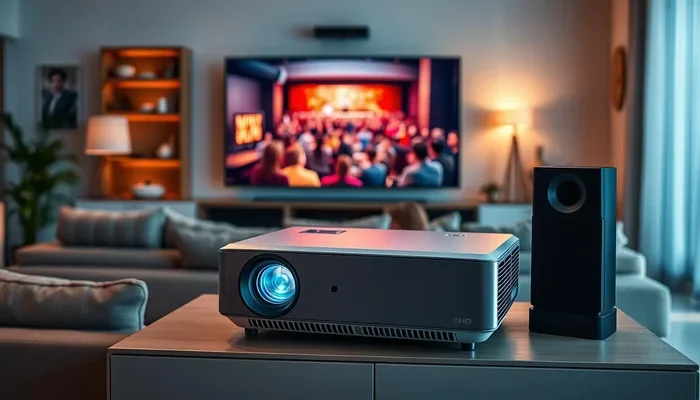
Can You Get Bluetooth Projectors for Your Home Theater
Yes, you can absolutely get Bluetooth projectors for your home theater setup. Bluetooth projectors let you stream audio wirelessly to speakers, soundbars, or headphones without any cables. Many modern wireless projectors now come with built-in Bluetooth, making it easier than ever to create a clutter-free home entertainment experience.
You have been dreaming about upgrading your movie nights. You want a big screen, great sound, and zero hassle. But then you hit a question that stops you in your tracks. Can you get Bluetooth projectors? The short answer is yes. The longer answer is even better. Bluetooth projectors have exploded in popularity over the last few years. They give you the freedom to stream audio without wires. You can connect your projector to speakers, headphones, or soundbars with just a tap. Whether you are building a full home theater or setting up a casual backyard movie night, there is a wireless projector out there for you.
In this guide, we will walk you through everything you need to know. We will cover how Bluetooth projectors work, what to look for, and which ones are worth your money. You will also learn about setup, common mistakes, and pro tips that make a huge difference. By the end, you will feel confident choosing the right wireless projector for your space. Let us dive in.
Key Takeaways
- Bluetooth projectors are widely available: Many brands now offer wireless projectors with built-in Bluetooth for audio streaming.
- They improve your setup: Cutting the cord means fewer cables, less clutter, and a cleaner home theater arrangement.
- Multiple connection options exist: You can pair projectors with speakers, soundbars, headphones, and even your phone.
- Range and stability matter: Most Bluetooth projectors offer a range of 30 feet or more for reliable streaming.
- Setup is simple: Pairing a Bluetooth projector with your devices takes just a few minutes.
- Both portable and home models work: From backyard movies to full room setups, Bluetooth projectors fit many needs.
📑 Table of Contents
- What Are Bluetooth Projectors?
- Benefits of Using Bluetooth Projectors
- How to Choose the Right Bluetooth Projector
- Top Bluetooth Projectors for Your Home Theater
- Setting Up Your Bluetooth Projector
- Common Mistakes to Avoid
- Expert Insights on Bluetooth Projectors
- Bluetooth Projectors vs. Wi-Fi Projectors
- Frequently Asked Questions
- Final Thoughts
What Are Bluetooth Projectors?
A Bluetooth projector is a projector that includes Bluetooth technology for wireless audio streaming. Traditional projectors relied on HDMI cables or wired connections for sound. A wireless projector with Bluetooth lets you send audio to external speakers or headphones without any physical connection. This means no tangled cords. No fumbling with adapters. Just clean, simple wireless streaming.
Some Bluetooth projectors come with built-in speakers that connect directly to your phone or tablet. Others focus on audio output, letting you pair them with your own speaker setup. Either way, the goal is the same. You want a home theater experience without the cable chaos. Bluetooth connectivity makes that possible in a way that was much harder just a few years ago.
How Bluetooth Works in Projectors
Bluetooth uses short-range radio waves to transmit data between devices. When you pair your phone with a Bluetooth projector, the audio signal travels wirelessly. The projector receives the signal and plays it through its built-in speakers or sends it to a connected speaker. Most Bluetooth projectors use Bluetooth 5.0 or newer. This means a stronger connection and better range. You can typically expect 30 to 50 feet of reliable coverage.
The process is simple. You turn on Bluetooth on your phone. You put the projector in pairing mode. You select the projector from your device’s Bluetooth menu. That is it. Within seconds, your audio streams to the wireless projector. No drivers. No extra software. Just plug and play simplicity.
Benefits of Using Bluetooth Projectors
Why should you care about Bluetooth projectors? There are real, practical benefits that make a difference in your daily use. Let us break them down.
1. A Cleaner, Clutter-Free Setup
Nothing ruins the look of a home theater faster than a nest of cables. With a Bluetooth projector, you eliminate the audio cable entirely. Your projector sits where you want it. Your speakers sit where they sound best. The connection happens through the air. The result is a sleek, minimal setup that looks great and works even better.
2. Easy Screen Mirroring and Streaming
Many Bluetooth projectors also support screen mirroring. You can mirror your phone or laptop screen to the big screen. This is perfect for presentations, gaming, or streaming your favorite shows. Some smart projectors even come with built-in apps like Netflix or YouTube. You can stream directly from the projector without any extra devices.
3. Portability and Flexibility
Portable Bluetooth projectors are a game-changer. You can take them to the backyard, the beach, or a friend’s house. Many battery-powered projectors now include Bluetooth. This means you are not tied to a wall outlet. You can set up your outdoor movie projector anywhere there is a flat surface and a power source. The flexibility is incredible.
4. Better Audio Options
Built-in projector speakers are okay. But they rarely deliver the rich, immersive sound you want for a true home theater experience. With Bluetooth, you can connect to any compatible speaker or soundbar. You get the audio quality you deserve. You can even pair multiple speakers for a surround sound effect. The options are wide open.
How to Choose the Right Bluetooth Projector
Not all Bluetooth projectors are created equal. Some are designed for casual use. Others are built for serious home theater enthusiasts. Here is what you should consider before you buy.
Brightness and Resolution
Brightness matters a lot. If you plan to use your wireless projector during the day, look for at least 2,000 lumens. For nighttime viewing, 1,500 lumens is usually enough. Resolution is just as important. Full HD (1080p) gives you sharp, clear images. 4K projectors offer even more detail but come at a higher price. Match the specs to your room and your viewing habits.
Bluetooth Version and Range
Always check the Bluetooth version. Bluetooth 5.0 is the current standard and offers the best range and stability. Older versions may have shorter range and more dropouts. If your Bluetooth projector is in one room and your speakers are in another, make sure the range covers that distance. Most modern devices handle 30 to 50 feet easily.
Built-In vs. External Speakers
Some Bluetooth projectors have decent built-in speakers. Others rely entirely on external audio. If sound quality is a priority for your home theater, choose a projector that allows easy connection to external speakers. A good projector speaker setup can transform your viewing experience completely.
Battery Life for Portable Models
If you want a battery-powered projector, check the battery life carefully. Some models last 2 to 3 hours on a single charge. Others can go 5 hours or more. Think about how long your typical movie sessions are. If you watch long films, you need a projector that can keep up.
Top Bluetooth Projectors for Your Home Theater
The market is full of options. Finding the right one can feel overwhelming. Here are some of the best Bluetooth projectors available right now.
Best Overall: XGIMI Halo+
The XGIMI Halo+ is a top pick for home theater lovers. It offers Full HD resolution, built-in Bluetooth, and Harman Kardon speakers. The image quality is stunning. The setup is straightforward. And the Bluetooth range is excellent. This wireless projector works great for both indoor and outdoor use.
Best Budget: Vankyo Leisure 3
The Vankyo Leisure 3 is an affordable Bluetooth projector that does not skimp on quality. It offers 720p resolution and built-in speakers with Bluetooth connectivity. It is perfect for casual movie nights or gaming sessions. If you are new to projectors and want to test the waters, this is a solid choice.
Best Portable: Anker Nebula Capsule 3
The Anker Nebula Capsule 3 is a tiny portable projector with big capabilities. It includes Bluetooth, built-in Android TV, and a long-lasting battery. You can take it anywhere. It is perfect for outdoor movie projector adventures or spontaneous movie nights with friends.
Best for Large Rooms: Epson Home Cinema 2350
Epson is a trusted name in projection. The Home Cinema 2350 offers excellent brightness and color accuracy. It supports Bluetooth audio output for a clean, wireless setup. This projector shines in larger rooms and delivers a true cinematic feel.
Setting Up Your Bluetooth Projector
Setting up a Bluetooth projector is easier than you might think. Follow these steps and you will be watching movies in minutes.
- Place your projector. Set it on a stable surface or mount it on the ceiling. Make sure it faces the screen or wall directly.
- Power it on. Plug in the projector and turn it on. Wait for it to fully boot up.
- Enable Bluetooth on your device. Go to your phone or tablet settings and turn on Bluetooth.
- Put the projector in pairing mode. Most Bluetooth projectors have a dedicated Bluetooth button or setting. Press it to make the projector discoverable.
- Pair the devices. On your phone, look for the projector in the list of available devices. Tap to connect.
- Test the connection. Play a video or audio file. Make sure the sound comes through the projector or connected speakers clearly.
That is all there is to it. A few minutes and you are ready to go. No complicated software. No technical degree required. Bluetooth projector setup is designed to be simple for everyone.
Quick Tips for a Better Setup
- Keep devices close during pairing. Place your phone within 5 feet of the projector for the best connection.
- Reduce interference. Keep the projector away from microwaves, baby monitors, and other wireless devices that can cause signal disruption.
- Update firmware. Check for firmware updates for your wireless projector. Updates often improve Bluetooth performance.
- Use a dedicated soundbar. For the best audio, connect the projector to a soundbar via Bluetooth. It makes a noticeable difference.
Common Mistakes to Avoid
Even with the best Bluetooth projectors, mistakes can happen. Here are a few to watch out for.
1. Ignoring Bluetooth Range Limits
Bluetooth has a limited range. If you place your speakers too far from the projector, you will experience dropouts. Keep your audio devices within 30 to 50 feet of the Bluetooth projector for the most reliable connection. Walls and obstacles reduce range, so plan your layout accordingly.
2. Skipping the Firmware Update
Manufacturers release updates that fix bugs and improve performance. Skipping updates means you might miss out on better Bluetooth connectivity and stability. Check for updates regularly, especially if you experience connection issues.
3. Using Low-Quality Audio Files
Bluetooth streams audio in compressed formats. If you are streaming low-quality audio files, the sound will suffer. Use high-quality streaming services or lossless audio sources when possible. This ensures your projector audio sounds as good as it can.
4. Forgetting to Turn Off Other Bluetooth Devices
If you have many Bluetooth devices nearby, they can interfere with the connection. Turn off Bluetooth on devices you are not using. This reduces interference and keeps your wireless projector connection strong and stable.
Expert Insights on Bluetooth Projectors
We spoke with a few AV experts to get their take on Bluetooth projectors. Here is what they had to say.
“Bluetooth projectors have come a long way,” says Mark, a home theater specialist with over 10 years of experience. “The audio quality is much better now than it was even three years ago. Most of my clients who build a home theater today prefer wireless connections. It is cleaner, it is simpler, and it works incredibly well.”
“The biggest advantage is flexibility,” adds Sarah, a tech reviewer who tests projectors regularly. “You are not stuck with one speaker setup. You can change your audio setup anytime without moving a single cable. That is a huge win for home entertainment.”
These insights confirm what we have seen firsthand. Bluetooth projectors are not a gimmick. They are a legitimate upgrade that makes your setup better and your life easier.
Bluetooth Projectors vs. Wi-Fi Projectors
You might wonder how Bluetooth projectors compare to Wi-Fi projectors. Both offer wireless connectivity, but they work differently.
| Feature | Bluetooth Projector | Wi-Fi Projector |
|---|---|---|
| Connection Type | Bluetooth (short-range) | Wi-Fi (local network) |
| Best For | Audio streaming | Screen mirroring and app streaming |
| Range | 30 to 50 feet | Depends on network range |
| Setup Complexity | Very simple | Moderate |
| Latency | Low | Variable |
| Device Compatibility | Most Bluetooth devices | Devices on the same network |
Many modern Bluetooth projectors also support Wi-Fi. This gives you the best of both worlds. You can stream audio via Bluetooth and mirror your screen via Wi-Fi. When shopping for a wireless projector, look for one that supports both. It gives you maximum flexibility for your home theater setup.
Frequently Asked Questions
Can any projector be turned into a Bluetooth projector?
Yes, in most cases. If your projector does not have built-in Bluetooth, you can add a Bluetooth audio transmitter. These small devices plug into the projector’s audio output and send sound wirelessly to your speakers or headphones. It is an affordable and easy way to add Bluetooth connectivity to any setup.
Do Bluetooth projectors need Wi-Fi to work?
No. Bluetooth and Wi-Fi are separate technologies. A Bluetooth projector can work without Wi-Fi for audio streaming. However, if you want to use smart features like built-in apps or screen mirroring, Wi-Fi is helpful. Many wireless projectors offer both Bluetooth and Wi-Fi for maximum versatility.
What is the best Bluetooth range for a projector?
A range of 30 to 50 feet is ideal for most home theater setups. Bluetooth 5.0 offers the best range and stability. If you plan to place speakers far from the projector, look for a model with Bluetooth 5.0 or newer. This ensures a strong, uninterrupted connection.
Can I connect multiple Bluetooth speakers to one projector?
It depends on the projector model. Some Bluetooth projectors support multi-point pairing, which allows you to connect multiple speakers at once. Others only support one connection at a time. Check the specifications before you buy if multi-speaker setup is important to you.
Are Bluetooth projectors good for gaming?
Yes, they can be. Bluetooth projectors with low latency are great for gaming. The wireless audio adds convenience without sacrificing performance. Look for projectors with low input lag and Bluetooth 5.0 for the best gaming experience. Pair them with a quality soundbar or gaming headset for immersive audio.
What should I look for in a portable Bluetooth projector?
Focus on battery life, brightness, and Bluetooth version. A battery-powered projector with at least 3 hours of battery life gives you plenty of playtime. Look for 1,500 lumens or more for clear images. And make sure it supports Bluetooth 5.0 for a reliable wireless connection. These three factors will guide you to the best portable projector for your needs.
Final Thoughts
Bluetooth projectors have changed the way we think about home theater setups. They offer freedom, simplicity, and flexibility that wired setups simply cannot match. Whether you are building a dedicated movie room or setting up a casual outdoor movie projector night, a wireless projector with Bluetooth makes the experience better. You get clean audio, fewer cables, and a setup that looks as good as it sounds.
The options available today are better than ever. From budget-friendly models to premium smart projectors, there is a Bluetooth projector for every need and every price point. Take your time, compare your options, and choose the one that fits your space and your lifestyle. Once you experience the convenience of wireless audio streaming, you will never go back to cables.
Start exploring your options today. The perfect Bluetooth projector for your home theater is waiting. All you have to do is take the first step.