Can You Charge A Laptop In A Car Here Is What You Need
Can You Charge A Laptop In A Car is absolutely possible, and it is easier than most people think. Whether you are on a long road trip or stuck in traffic, you can keep your laptop powered up using a few simple methods. This guide covers everything you need, from power inverters to USB car chargers, so you can stay productive on the go.
Have you ever been on a road trip and suddenly realized your laptop battery is dying? Maybe you are working remotely from your car, or perhaps you need to finish an important project during a long drive. Can You Charge A Laptop In A Car? The short answer is yes. You absolutely can, and there are several reliable ways to do it.
Keeping your laptop charged while on the road is more important than ever. Whether you are a digital nomad, a student, or someone who works from their vehicle, knowing your options makes a big difference. In this guide, we will walk you through every method, every product, and every tip you need to keep your device powered up wherever the road takes you.
The good news is that modern technology has made vehicle charging simpler and more efficient than ever before. From compact USB car chargers to powerful portable power stations, there is a solution for every type of laptop and every kind of driver. Let us dive into the details so you can choose the best option for your needs.
Key Takeaways
- Multiple Methods Available: You can charge your laptop using a power inverter, USB car charger, portable power station, or built-in car USB ports.
- Match Your Wattage Needs: Always check your laptop’s power requirements and choose a charger or inverter that meets or exceeds them.
- Safety Matters: Never leave an inverter plugged in with the engine off, and use high-quality cables to avoid damage.
- USB-C PD Chargers Are Game Changers: Modern USB-C car chargers with Power Delivery support offer fast, compact charging for compatible laptops.
- Plan Ahead For Long Trips: Pack a backup power bank and optimize your laptop settings to maximize battery life on the road.
- Know Your Car’s Power Output: Understanding DC vs AC power helps you choose the right charging equipment for your vehicle.
📑 Table of Contents
- How Charging A Laptop In A Car Works
- Methods To Charge A Laptop In A Car
- Comparison Table: Charging Methods
- Step By Step Guide And Common Mistakes
- Safety And What To Watch Out For
- Best Products For Charging Laptops In Cars
- Tips For Long Road Trips
- Can You Charge A Laptop In A Car While Driving?
- Final Thoughts
How Charging A Laptop In A Car Works
Before you plug anything in, it helps to understand how your car and your laptop exchange power. Both devices use different types of electrical current, and your car needs the right equipment to charge a laptop safely.
Understanding Your Car’s Power Output
Your car has a battery that stores DC power, which stands for direct current. Most laptops, on the other hand, need AC power, which stands for alternating current. Your car’s cigarette lighter or car outlet provides DC power directly from the battery.
This means you cannot just plug your laptop’s AC adapter into a car socket and expect it to work. You need a device that converts DC power into AC power, or you need a charger that works with DC power directly.
The good news is that modern cars come with several options for charging laptops. Many newer vehicles have USB ports built into the dashboard. Older cars typically have the classic cigarette lighter socket. Both can be used to charge your laptop, but they require different accessories. Understanding this basic difference is the first step toward finding the right solution for your setup.
DC Power vs AC Power Explained
DC power flows in one direction. It is what your car battery stores and delivers. AC power alternates direction many times per second. Wall outlets in your home provide AC power, which is why your laptop charger has a brick that converts AC to DC for your laptop.
When you charge a laptop in a car, you are bridging this gap. You need either a converter that changes DC to AC, or a charger that accepts DC input directly. Both approaches work well, but they have different advantages and limitations.
Here is a simple way to think about it. Your car battery is like a water tank that only pushes water in one direction. Your laptop charger is like a faucet that needs water pushed in both directions. A power inverter acts like a pump that reverses the flow, making the water usable for your laptop.
Quick Tip: Always check your laptop’s power requirements before choosing a charging method. Look at the label on your AC adapter for the wattage and voltage specifications. This small step saves time and prevents compatibility issues.
Methods To Charge A Laptop In A Car
There are several ways to charge your laptop while driving. Each method has its own benefits and drawbacks. Let us break them down so you can choose the best one for your needs.
Method 1: Using A Power Inverter
A power inverter is the most popular way to charge a laptop in a car. This device plugs into your cigarette lighter socket and converts DC power into AC power. You can then plug your regular laptop charger into the inverter, just like you would at home.
Power inverters come in different sizes and wattages. For most laptops, a 150-watt inverter works perfectly. If you have a larger gaming laptop or a workstation, you might need a 300-watt or higher model. The wattage rating tells you how much power the inverter can deliver at once.
Here is what you need to know about using a power inverter:
- Plug the inverter into your car’s cigarette lighter or car outlet.
- Wait for the indicator light to turn on.
- Connect your laptop’s AC adapter to the inverter’s AC socket.
- Your laptop should start charging immediately.
Expert Insight: Inverters are great because they let you use any standard laptop charger. They are versatile and reliable. However, they can drain your car battery if the engine is off. Always run your engine while using an inverter for extended periods to keep your car battery healthy.
Method 2: Using A USB Car Charger
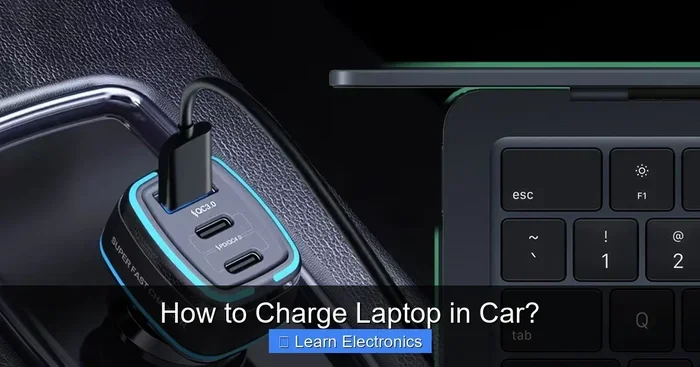
Many modern laptops support charging through a USB-C cable. If your laptop has a USB-C charging port, a USB car charger can be a simple and convenient option. These chargers plug directly into your car’s USB port or cigarette lighter.
The key thing to look for is the power output of the charger. A standard USB port delivers about 5 watts, which is too slow for most laptops. You need a charger that supports at least 45 watts for efficient charging. Look for chargers that support USB Power Delivery or PD. These chargers can deliver higher wattage and charge your laptop much faster.
Some premium car chargers even support 65-watt or 100-watt output, which is enough for most laptops including gaming models. The beauty of a USB car charger is its simplicity. There are no extra bricks or cables. You just plug in a single cable and go.
Quick Tip: Not all USB-C cables are created equal. Use a high-quality cable that supports the wattage your charger delivers. A cheap cable can limit your charging speed or even damage your device over time.
Method 3: Using A Portable Power Station
If you want flexibility beyond your car, a portable power station is an excellent option. These battery packs store energy and can charge your laptop through AC outlets or USB ports. You charge the power station at home, then use it in your car or anywhere else.
Portable power stations are ideal for camping trips, outdoor work, or situations where your car is off. They come in various sizes, from small units that fit in your backpack to larger ones that can power multiple devices at once.
Some popular options include the Jackery Explorer series and the EcoFlow River series. These devices typically support 60 to 100 watts of output, which is sufficient for most laptops. The main advantage is independence. You are not relying on your car engine or battery to provide power.
Method 4: Using Your Car’s Built-In USB Ports
Many newer vehicles come with USB ports built into the center console or dashboard. These ports can charge phones and tablets easily, but charging a laptop is a different story.
The problem is that most built-in car USB ports are designed for low-power devices. They typically deliver 2.5 to 5 watts, which is far below what a laptop needs. Your laptop might charge extremely slowly, or it might not charge at all.
However, some higher-end vehicles now include fast-charging USB ports that deliver up to 45 watts. If your car has this feature, you can charge your laptop directly through the USB port using a USB-C cable. Check your car’s manual or look for a lightning bolt icon next to the port to see if it supports higher power delivery.
Key Takeaway: Always check your car’s USB port specifications before relying on it to charge your laptop. If the port only supports 5 watts, it will not work for most laptops effectively.
Comparison Table: Charging Methods
| Method | Pros | Cons | Best For |
|---|---|---|---|
| Power Inverter | Works with any laptop, high wattage, versatile | Can drain car battery, bulky, needs engine running | Long trips, all laptop types |
| USB Car Charger | Compact, fast with USB-C PD, easy to use | Only works with USB-C laptops, lower wattage options | Modern laptops, daily commutes |
| Portable Power Station | Works anywhere, no engine needed, multi-device | Needs pre-charging, heavier, limited capacity | Camping, off-grid work |
| Built-In USB Ports | Convenient, no extra equipment needed | Low power, slow or no charging for laptops | Phones and tablets only |
Expert Insight: The best method depends on your laptop model, your car, and your use case. For most people, a power inverter or a USB-C car charger covers 90 percent of charging needs. Consider how often you travel and what type of laptop you own when making your choice.
Step By Step Guide And Common Mistakes
Now that you know the methods, let us walk through the process step by step. This guide covers the most common approach using a power inverter, which works with virtually all laptops.
Step 1: Check Your Laptop’s Power Requirements
Look at the label on your laptop charger. Note the wattage, voltage, and amperage. Most standard laptops require 45 to 65 watts. Gaming laptops may need 100 watts or more. Write these numbers down so you can match them to the right equipment.
Step 2: Choose The Right Inverter Or Charger
Select a power inverter or USB car charger that matches or exceeds your laptop’s wattage requirement. Buying a unit with slightly higher capacity gives you a safety margin. For example, if your laptop needs 65 watts, choose an inverter rated for at least 75 watts.
Step 3: Plug The Device Into Your Car
Insert the inverter or charger into your cigarette lighter socket or car outlet. Make sure the connection is firm and secure. A loose connection can cause intermittent charging or damage to the socket.
Step 4: Connect Your Laptop
Plug your laptop charger into the inverter, or connect your USB-C cable to the car charger. Your laptop should recognize the power source and begin charging within seconds. You should see a battery icon or charging indicator on your screen.
Step 5: Monitor The Charging Process
Watch for any warning lights on the inverter. If the inverter beeps or shows an error, disconnect it immediately. Also, keep an eye on your car battery if you are charging for long periods. A healthy alternator will keep everything running smoothly.
Common Mistakes To Avoid:
- Using an inverter with too low wattage for your laptop.
- Leaving the inverter plugged in when the engine is off.
- Using cheap or damaged charging cables that cannot handle the power.
- Charging your laptop while the car is in accessory mode for too long.
- Ignoring overheating warnings on the inverter or charger.
- Forgetting to check if your laptop supports USB-C charging before buying a USB car charger.
Quick Tip: Start your engine before plugging in your laptop. This ensures your car alternator is generating power and your battery is being replenished while you charge. It also prevents unnecessary strain on your car’s electrical system.
Safety And What To Watch Out For
Charging your laptop in a car is generally safe, but there are a few important considerations to keep in mind. Understanding these helps you avoid problems and keeps both your laptop and your car in good shape.
Common Mistakes People Make
One of the biggest mistakes is using an underpowered inverter. If your inverter cannot deliver enough wattage, your laptop will not charge properly. You might even see a warning message on your screen saying that the power source is insufficient. This is frustrating but easy to avoid by checking wattage requirements beforehand.
Another common mistake is forgetting to turn off the inverter when the engine is off. This can drain your car battery and leave you unable to start your car the next time you try to drive. Make it a habit to unplug your inverter every time you turn off the engine. It only takes a few seconds.
Some people also use the wrong cable. A USB-C cable that only supports 10 watts will charge your laptop very slowly, even if your charger can deliver 65 watts. Always use cables rated for the power level you need. Look for cables that are rated for 60W or 100W USB-C PD if you are using a fast charger.
Key Takeaway: Safe charging habits protect both your laptop and your car. A few simple precautions go a long way in preventing damage or unexpected battery drain.
How Long Does It Take To Charge A Laptop In A Car?
Charging speed depends on several factors, including your charger’s wattage, your laptop’s battery size, and whether you are driving or idling. A 65-watt charger can typically charge a standard laptop from 0 to 80 percent in about 1.5 to 2 hours while driving.
Charging while idling is slower because the alternator produces less power at low RPMs. If you are stuck in traffic, expect charging to take longer. Using a portable charger or power station can help in these situations, especially if you need to work while the car is stationary.
Your laptop battery health also matters. Older batteries may charge more slowly or hold less charge than when they were new. If you notice your laptop taking much longer to charge than it used to, it might be time to replace the battery or check for background apps draining power.
Best Products For Charging Laptops In Cars
Not all car chargers and inverters are created equal. Here are some of the best options available for different needs and budgets. These recommendations are based on reliability, performance, and user reviews.
Best Power Inverters
The BESTEK 300W Power Inverter is a solid choice for most users. It has two AC outlets and USB ports, making it versatile for charging multiple devices at once. The Foval 400W inverter is another popular option that offers higher capacity for larger laptops and multiple devices simultaneously.
When choosing an inverter, look for models with built-in safety features like overcharge protection, short-circuit protection, and temperature control. These features protect your laptop and your car’s electrical system from damage.
Best USB Car Chargers
The Anker 735 GaN Charger delivers 65 watts through a single USB-C port. It is compact, reliable, and supports fast charging for most modern laptops. GaN technology makes it smaller and more efficient than traditional chargers. For those who need even more power, the Spigen ArcStation Pro 100W charger can handle gaming laptops with ease.
Both of these options are compact enough to leave plugged in permanently without taking up much space in your car. They also support multiple charging protocols, so they work with a wide range of devices beyond just laptops.
Best Portable Power Stations
The Jackery Explorer 240 is a lightweight option that provides enough power for a full laptop charge. The EcoFlow River 2 is slightly more expensive but offers faster charging and more capacity. Both are excellent for road trips and outdoor work where you might not have access to a car outlet.
Expert Insight: When choosing a product, always check the compatibility with your specific laptop model. Look at the wattage requirements and make sure the product meets or exceeds them. Reading user reviews from people with similar laptops can also help you make a better decision.
Tips For Long Road Trips
Planning ahead makes all the difference when you need to keep your laptop charged during long drives. Whether you are traveling for work or heading out on a family vacation, these tips will help you stay powered up and productive.
1. Invest In A High-Quality Car Charger
Do not settle for the cheapest option you find online. A quality charger with proper safety features will protect your laptop and charge it efficiently. Look for devices with overcharge protection, temperature control, and certifications from recognized safety organizations.
2. Pack A Backup Power Bank
A high-capacity portable charger can be a lifesaver if you need to work while the car is off. Look for power banks that support 65 watts or more and have USB-C PD capability. A 100-watt power bank can give you one to two full laptop charges depending on your model.
3. Optimize Your Laptop Settings
Reduce your laptop’s power consumption while charging in the car. Lower the screen brightness, close unnecessary applications, and turn off Wi-Fi if you do not need it. This helps your laptop charge faster and preserves your laptop battery health over time.
4. Plan Your Charging Stops
If you are on a very long trip, plan breaks where you can plug in at rest stops or cafes. This gives your car battery a chance to recover and lets you stretch your legs too. A 15-minute stop every two hours is a good rhythm for both you and your devices.
5. Keep Your Charging Equipment Organized
Use a car organizer bag to keep your charger, cables, and inverter tidy. Tangled cables are frustrating and can damage your equipment over time. A simple setup saves time and reduces stress on the road. Consider a cable management clip that attaches to your car’s headrest or seat.
Quick Tip: Before any long trip, fully charge your power bank and test your inverter at home. This ensures everything works when you need it most and gives you peace of mind before hitting the road.
Key Takeaway: The difference between a frustrating trip and a smooth one often comes down to preparation. Spend a few minutes organizing your charging setup before you leave, and you will thank yourself later.
Can You Charge A Laptop In A Car While Driving?
Yes, you can charge your laptop while driving. In fact, this is the safest and most efficient way to charge on the go. Your car’s alternator generates electricity while the engine runs, which keeps your car battery topped off while simultaneously charging your laptop.
Just make sure your charging equipment is properly rated for your laptop’s power needs. If you notice your laptop is not charging or charging very slowly, check your inverter or charger’s output specifications. Sometimes a simple reset of the inverter by unplugging and replugging it solves the problem.
It is also worth noting that charging your laptop while driving uses a small amount of fuel. The impact is negligible for most vehicles, but if you are trying to maximize fuel efficiency, be mindful of how many devices you are charging at once. Prioritize the devices you need most and unplug others when they are fully charged.
Final Thoughts
Can You Charge A Laptop In A Car? Absolutely yes. Whether you choose a power inverter, a USB car charger, a portable power station, or your car’s built-in USB ports, there is a solution that fits your needs. The key is to understand your laptop’s power requirements and choose the right equipment for the job.
With the right setup, you can stay productive, entertained, and connected no matter how far from home you are. Keep your charging equipment in your car, plan ahead for long trips, and you will never have to worry about a dead laptop battery again.
Start with one reliable charging method, test it on your next drive, and build from there. Your laptop will thank you, and your work will keep moving forward wherever the road takes you. The days of worrying about a low battery on the go are over. You are now equipped with the knowledge to stay powered up anywhere.
Frequently Asked Questions
Is it safe to charge a laptop in a car?
Yes, it is safe as long as you use the right equipment and follow basic precautions. Always use a properly rated inverter or charger, and never leave it plugged in with the engine off for extended periods. Check your equipment for damage before each use and ensure good ventilation around the inverter.
Can I charge my laptop with the car engine off?
You can, but only for a short time. Using a power inverter with the engine off will drain your car battery. If you need to charge for more than 30 minutes with the engine off, consider using a portable power station instead. This protects your car battery and ensures you can still start the car when you need to.
What wattage inverter do I need for my laptop?
Check the label on your laptop charger for the wattage requirement. Most standard laptops need 45 to 65 watts, so a 150-watt inverter is usually sufficient. Gaming laptops may need 100 watts or more, requiring a 300-watt inverter. Always choose an inverter with a slightly higher rating than your laptop needs for safety.
Why is my laptop not charging in the car?
This could be due to several reasons. Your inverter might be underpowered for your laptop, your cable might not support the required wattage, or your car’s USB port might not deliver enough power. Check each component and try a different cable or charger to isolate the issue.
Can I use any USB-C cable to charge my laptop in a car?
No, not all USB-C cables support the same power levels. Look for cables rated for USB-C Power Delivery at 60W or 100W. Using an incompatible cable can result in very slow charging or no charging at all. Always check the cable specifications before purchasing.
Does charging a laptop in a car drain the car battery?
It can if you do it for long periods with the engine off. When the engine is running, the alternator replenishes the battery while charging your laptop. However, extended use with the engine off can drain the battery enough to prevent the car from starting. Keep this in mind and limit engine-off charging sessions.
=== CONCLUSION ===
Can You Charge A Laptop In A Car? Yes, and now you know exactly how. From power inverters to USB car chargers and portable power stations, you have multiple reliable options to keep your laptop powered on the road. The right choice depends on your laptop model, your vehicle, and your travel habits.
Remember to check your laptop’s wattage requirements, use high-quality cables, and follow safety guidelines. A little preparation goes a long way in ensuring your devices stay charged and your work keeps moving forward. Whether you are on a quick commute or a cross-country adventure, you are now ready to stay connected and productive wherever you go.