Can Usb C Cables Be Extended Heres Everything You Need
Yes, you can extend USB C cables, but the method you choose matters a lot. Whether you need a longer cable for your desk setup or to reach a device across the room, there are active extension cables, repeaters, and fiber optic options that keep your data and power flowing. This guide covers every USB-C extension method, including real-world tips to avoid signal loss and maintain full speed.
You just bought a great USB-C device. Maybe it is a laptop, a docking station, or a fast external hard drive. But the cable is too short. You need it to reach your desk, your TV, or your charging brick across the room. So you start asking yourself, can USB C cables be extended?
The short answer is yes. The longer answer is that how you extend them matters a lot. Not all extension methods are created equal. Some will keep your data speeds blazing fast. Others will slow things down or stop working altogether. This guide breaks down everything you need to know about extending USB-C cables the right way.
Whether you are setting up a home office, connecting a monitor, or just trying to charge your phone from across the room, this article has you covered. We will look at every extension option, explain how they work, and help you choose the best one for your situation.
Key Takeaways
- USB-C cables can be extended: You have multiple options including extension cables, active repeaters, and fiber optic solutions.
- Signal loss is real: Longer passive cables can degrade data transfer speeds and charging power.
- Active cables do the heavy lifting: They use built-in chips to boost the signal over longer distances.
- Fiber optic USB-C cables offer the best range: They can reach up to 100 meters without any signal drop.
- Not all extensions are equal: Choosing the right one depends on your speed, power, and distance needs.
- Avoid daisy-chaining cheap cables: This is a common mistake that kills performance and can damage devices.
- Check your device specs first: Understanding your USB-C port capabilities helps you pick the right extension.
📑 Table of Contents
Why You Might Need to Extend a USB-C Cable
USB-C has become the universal standard for charging and data transfer. It is fast, versatile, and reversible. But one thing it is not known for is long cable reach. Most USB-C cables come in 1 to 2 meter lengths. That works fine for many setups. But what happens when your device is just out of reach?
Here are some common reasons you might need to extend a USB-C cable:
- Your desk setup is tight: Your laptop sits far from your docking station or monitor.
- You want cable management: You need the cable to run along a wall or under a desk.
- Your charging brick is far away: The wall outlet is not near your device.
- You are using a stand or mount: Your monitor or laptop stand positions the port out of reach.
- You need flexibility: You move your device around and need a longer reach.
No matter the reason, understanding your options is the first step. Extending a USB-C cable is not as simple as plugging in a longer cord. There are technical limits you need to know about. And that is exactly what we will cover next.
How USB-C Cable Extension Works
To understand how to extend a USB-C cable, you need to know a little about how USB-C signals travel. When data or power moves through a cable, it faces resistance. The longer the cable, the more resistance it encounters. This can lead to signal loss, slower speeds, and weaker charging.
There are two main ways to deal with this problem. The first is a passive extension, which is just a longer cable. The second is an active extension, which uses built-in electronics to boost the signal. Let us break both down.
Active vs Passive USB-C Extension Cables
A passive USB-C extension cable is basically just a longer version of a regular cable. It has no extra electronics inside. It works well for short distances, usually up to 2 meters. Beyond that, you start to see problems. Data speeds drop. Charging power weakens. This is the simplest and cheapest option, but it comes with real limits.
An active USB-C extension cable is different. It has a small chip or circuitry inside that regenerates the signal as it travels. Think of it like a relay runner passing a baton. The signal gets a boost at regular intervals. This allows active cables to work over much longer distances without losing quality. They also tend to support higher data rates and more power delivery.
Here is a quick comparison of the two:
| Feature | Passive Extension | Active Extension |
|---|---|---|
| Max Reliable Length | Up to 2 meters | Up to 5 meters or more |
| Signal Boosting | No | Yes, built-in chip |
| Data Speed | May degrade over length | Maintains full speed |
| Charging Power | May drop over length | Consistent power delivery |
| Price | Low cost | Moderate to high cost |
| Power Draw | None | May need external power |
As you can see, active cables are the better choice for most extension needs. They cost more, but they deliver reliable performance. If you are extending a USB-C cable beyond 2 meters, an active solution is almost always the way to go.
Signal Loss and Bandwidth Considerations
One of the biggest concerns with extending USB-C cables is signal loss. USB-C cables carry both data and power through tiny wires. Over distance, the electrical signal weakens. This is called attenuation. When the signal weakens, your data transfer speed drops. Your charging speed drops too.
Bandwidth is another factor. USB-C cables support different speeds. USB 3.2 Gen 1 offers 5 Gbps. USB 3.2 Gen 2 offers 10 Gbps. Thunderbolt 3 and Thunderbolt 4 offer up to 40 Gbps. The higher the speed, the more sensitive the signal is to distance. A Thunderbolt 4 cable that works perfectly at 1 meter might struggle at 3 meters if it is not active.
This is why understanding your cable’s capabilities matters. Before you buy any extension, check what speed and power your device supports. Then choose an extension that matches or exceeds those specs. Matching speeds is the key to a smooth experience.
Types of USB-C Extension Options
Now that you understand the basics, let us look at the specific types of USB-C extension options available. Each one has its own strengths and best use cases.
USB-C Extension Cables
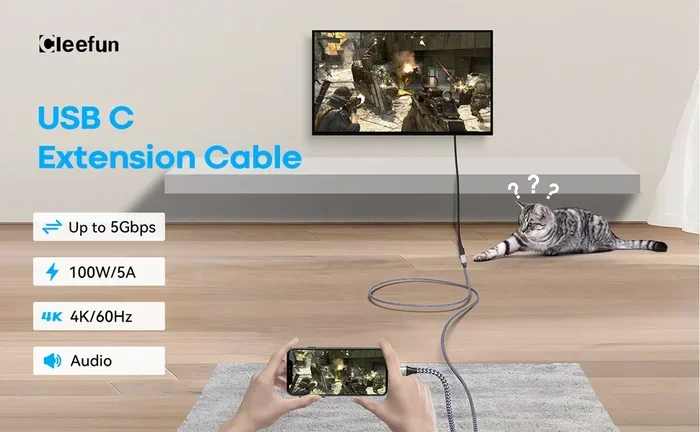
The most straightforward option is a dedicated USB-C extension cable. These are cables with a USB-C connector on each end. You plug one into your device and the other into your source. They come in various lengths, from 1 meter all the way up to 5 meters or more.
For short extensions, a passive extension cable works fine. You can find these at most electronics stores or online for under $15. They are great for adding a few extra inches or a meter to your setup. Just remember that longer passive cables may not support the fastest speeds.
If you need a cable longer than 2 meters, look for an active USB-C extension cable. These cables have a signal booster built in. Some even come with a small power adapter to ensure full charging power reaches your device. Brands like Anker, Cable Matters, and Belkin make reliable options in this category.
USB-C Repeaters and Signal Boosters
A USB-C repeater is a small inline device that boosts the signal between two cables. You plug one cable into your device, the repeater into that cable, and then another cable from the repeater to your source. The repeater regenerates the signal, allowing it to travel further without degradation.
Repeaters are great when you want flexibility. You can use two shorter cables and place the repeater wherever you need it. This is useful in office setups where cables need to run along walls or through cable trays. Some repeaters also support USB-C power delivery, so your device still charges while the signal is boosted.
One thing to watch out for is compatibility. Not all repeaters support every USB-C standard. Make sure the repeater you buy supports the speed and power level you need. Look for repeaters that explicitly mention support for USB 3.2, Thunderbolt, or USB-C Power Delivery.
Fiber Optic USB-C Cables
If you need to extend a USB-C connection over very long distances, fiber optic USB-C cables are the best option. These cables use light instead of electricity to transmit data. This means there is virtually no signal loss, no matter how long the cable is. Some fiber optic USB-C cables can reach up to 100 meters or more while maintaining full bandwidth.
These cables are more expensive than standard options. They also tend to be bulkier because of the fiber optic strands inside. But for professional setups, conference rooms, or installations where cables need to run across a building, fiber optic is the clear winner.
One downside to note: fiber optic USB-C cables usually need a small adapter or powered hub at each end. They are not as plug-and-play as a regular cable. But the performance they deliver over long distances is unmatched by any other option.
USB-C Hubs and Docking Stations as Extensions
Another clever way to extend your USB-C reach is by using a USB-C hub or docking station. These devices plug into your USB-C port and offer multiple ports at a different location. Some docking stations even act as a signal repeater, extending the connection while adding ports like HDMI, USB-A, and Ethernet.
This approach is perfect for desk setups. You can place your docking station where you need it and use a shorter USB-C cable to connect your laptop. The docking station then gives you all the ports you need right at your fingertips. It is an extension solution that also adds functionality.
How Long Can You Extend a USB-C Cable?
The maximum length you can extend a USB-C cable depends on the type of cable and what you are using it for. Here are some general guidelines:
- Passive cables: Up to 2 meters for reliable data and charging. Going beyond this risks signal loss.
- Active cables: Up to 5 meters without significant quality loss. Some active cables can reach 10 meters with external power.
- Fiber optic cables: Up to 100 meters or more. These are ideal for long-distance runs.
- USB-C repeaters: You can chain multiple repeaters together, but each one adds a small amount of latency.
For most home and office users, an active extension cable between 2 and 5 meters will cover your needs. If you need more distance, consider fiber optic or a docking station setup.
It is also worth noting that USB-C Power Delivery standards have distance limits. USB-C PD can deliver up to 100 watts of power, but over longer cables, the voltage may drop. Active cables with proper power regulation help maintain consistent charging speeds at any distance.
Choosing the Right USB-C Extension Solution
With so many options available, how do you pick the right one? Here are the key factors to consider before you buy.
Key Factors to Consider
- Distance needed: Measure the exact distance between your device and the source. Add a little extra for cable management.
- Speed requirements: Do you need 40 Gbps Thunderbolt speeds or is 10 Gbps USB 3.2 enough?
- Power requirements: Do you need 100 watts of charging power or just basic 15 watts?
- Budget: Active cables and fiber optic options cost more. Set a realistic budget before shopping.
- Compatibility: Make sure the extension works with your devices. Check for USB-C compliance and certification.
- Build quality: Look for braided sheathing, reinforced connectors, and reputable brands.
Quick Tips for Buying the Right Extension
- Always check the cable’s certified speed rating on the packaging.
- Buy from reputable brands or trusted retailers to avoid counterfeit cables.
- If you need both data and power, make sure the extension supports USB-C Power Delivery.
- Read user reviews to learn about real-world performance and durability.
- When in doubt, go with an active cable. It is a safer bet for longer runs.
Common Mistakes to Avoid When Extending USB-C Cables
Even with the best intentions, people make mistakes when extending USB-C cables. Here are the most common ones and how to avoid them.
Mistake 1: Daisy-chaining multiple passive cables. This is the number one mistake. Plugging two passive cables together does not double the reach. It halves the signal quality. Avoid this at all costs.
Mistake 2: Ignoring power requirements. Some extension cables do not support full USB-C Power Delivery. If you need fast charging, check the wattage rating before buying.
Mistake 3: Buying the cheapest option. Ultra-cheap USB-C cables often use thin wires and poor shielding. They may overheat, fail to charge properly, or damage your devices. Spend a little more for quality.
Mistake 4: Not checking Thunderbolt compatibility. If you have a Thunderbolt device, a regular USB-C extension will not give you Thunderbolt speeds. You need a Thunderbolt-certified extension cable.
Mistake 5: Forgetting about cable management. A longer cable can create a tangled mess. Use cable ties, clips, or a cable sleeve to keep things tidy and safe.
Expert Tips for Getting the Best Results
Here are some pro tips to help you get the most out of your USB-C extension setup:
- Keep extension cables as short as possible. Only add the length you actually need. Every extra meter adds a tiny bit of signal loss.
- Use high-quality connectors. Gold-plated or nickel-plated connectors resist corrosion and maintain a solid connection.
- Test your setup after connecting. Run a speed test and check your charging rate to make sure everything works as expected.
- Label your cables. If you have multiple cables running to one device, label them so you know which one is the extension and what it supports.
- Store cables properly. Avoid sharp bends and tight coils. This extends the life of your USB-C extension cable significantly.
Expert Insight: According to USB-IF certification guidelines, always look for the USB-C certification logo on extension cables. Certified cables have been tested to meet specific standards for speed, power, and safety. This is the easiest way to ensure you are getting a quality product.
Another important tip from industry experts is to avoid running USB-C extension cables near power cords or electromagnetic sources. Interference from nearby electronics can degrade your USB-C signal, especially at higher speeds. Keep your USB-C cables separated from power cables for the best performance.
Conclusion
So, can USB C cables be extended? Absolutely. You have more options than ever before. From simple passive extension cables for short runs to fiber optic solutions that can stretch across an entire building, there is a solution for every need.
The key is understanding what you need. Measure your distance. Check your speed and power requirements. Choose the right type of extension. And always buy quality products from trusted brands. With the right setup, extending your USB-C cables is simple, reliable, and totally worth it.
Do not let a short cable hold you back. Whether you are working from home, setting up a home theater, or building a professional workstation, a well-chosen USB-C extension solution will keep your devices connected and running at full speed. Take your time, do your research, and enjoy the freedom of a longer reach.
Frequently Asked Questions
Can you extend a USB-C cable without losing speed?
Yes, you can extend a USB-C cable without losing speed if you use an active extension cable or a USB-C repeater. Passive cables longer than 2 meters may experience speed drops. Active cables and fiber optic options maintain full bandwidth over longer distances. Always check that the extension supports the same speed standard as your device.
What is the maximum length for a USB-C extension cable?
For passive USB-C cables, the maximum reliable length is about 2 meters. Active USB-C extension cables can reach up to 5 meters or more without significant signal loss. Fiber optic USB-C cables can extend up to 100 meters or further. The right length depends on whether you need data, power, or both.
Do USB-C extension cables support fast charging?
Many USB-C extension cables support USB-C Power Delivery, which enables fast charging up to 100 watts. However, not all extension cables are created equal. Check the wattage rating and PD support before purchasing. Active cables tend to maintain charging power better over longer distances.
Can you connect two USB-C cables together to make them longer?
You can connect two USB-C cables together using a USB-C coupler, but this is not recommended. Daisy-chaining cables increases resistance and signal loss. It can reduce data speeds and charging power. It is much better to buy a single extension cable that is the right length for your needs.
Are Thunderbolt 4 USB-C extension cables different from regular USB-C cables?
Yes, Thunderbolt 4 USB-C extension cables are specifically designed to support the 40 Gbps Thunderbolt standard. Regular USB-C cables may not carry Thunderbolt speeds even if they look the same. If you have a Thunderbolt device, always use a Thunderbolt-certified extension cable for the best performance.
How do I know if my USB-C extension cable is good quality?
Look for USB-IF certification on the packaging. Certified cables have passed strict testing for data speed, power delivery, and safety. Check the cable’s rated speed (USB 3.2, Thunderbolt, etc.) and make sure it matches your device’s capabilities. Read reviews from trusted sources and buy from reputable brands and retailers.
=== META TITLE ===
Can USB C Cables Be Extended? (Everything You Need to Know)
=== SEO TITLE ===
Can Usb C Cables Be Extended Heres Everything You Need
=== URL SLUG ===
can-usb-c-cables-be-extended
=== FEATURED KEYWORD ===
Can USB C cables be extended