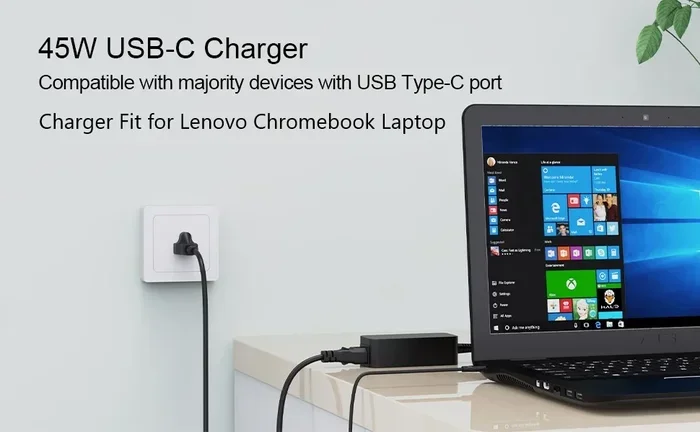
Can I Charge My Lenovo Laptop With a USB C Adapter
Yes, you can charge your Lenovo laptop with a USB C adapter. Many modern Lenovo laptops support USB-C power delivery, which means you can use a USB-C adapter or USB-C wall charger to keep your device powered. In this guide, you will learn which Lenovo models work with USB-C charging, how to pick the right USB-C adapter, and how to troubleshoot common charging issues.
Can I Charge My Lenovo Laptop With a USB C Adapter? The answer is yes. If you own a modern Lenovo laptop, there is a very good chance you can use a USB-C adapter to power it up. This question has become one of the most common ones among Lenovo laptop users today. People want a simpler, more flexible way to keep their devices charged without carrying around bulky chargers. With the rise of USB-C power delivery, charging your laptop through a single cable is now a real possibility. In this guide, we will walk you through everything you need to know about USB-C charging for Lenovo laptops. We will cover compatibility, adapter selection, step-by-step instructions, and troubleshooting tips. By the end, you will know exactly how to charge your Lenovo laptop with a USB-C adapter.
Charging your Lenovo laptop with a USB-C adapter is not just about convenience. It also opens up new possibilities for how you use your device. You can use the same charger for multiple devices. You can charge on the go with a USB-C power bank. And you can simplify your desk setup with a single USB-C wall charger. But before you grab any adapter off the shelf, there are a few important things you need to know. Not every USB-C port on a Lenovo laptop supports charging. And not every adapter will work with every model. This guide will help you figure it all out so you can make a confident decision.
Key Takeaways
- USB-C Charging Works on Most Modern Lenovo Laptops: Many ThinkPad and IdeaPad models support USB-C power delivery for convenient charging.
- Check Your Port and Power Requirements First: Not every USB-C port on a Lenovo laptop supports charging — some are data-only.
- You Need a Compatible USB-C Adapter: Match the adapter wattage to your laptop’s power needs for the best results.
- USB-C Charging Offers Great Convenience: One USB-C wall charger can power your laptop, phone, and tablet.
- Watch for Common Issues: Slow or no charging can often be fixed with the right cable or adapter.
- ThinkPad Models Are Great for USB-C Charging: Many ThinkPad laptops have full USB-C charging support built in.
📑 Table of Contents
- Can I Charge My Lenovo Laptop With a USB C Adapter? Understanding USB-C Charging for Lenovo Laptops
- Which Lenovo Laptops Support USB-C Charging
- How to Choose the Right USB-C Adapter for Your Lenovo
- Step-by-Step Guide to Charging Your Lenovo With USB-C
- Benefits and Limitations of USB-C Charging for Lenovo Laptops
- Troubleshooting Common USB-C Charging Issues
- Expert Insights on USB-C Charging for Lenovo Laptops
- Conclusion
Can I Charge My Lenovo Laptop With a USB C Adapter? Understanding USB-C Charging for Lenovo Laptops
USB-C charging has changed the way we power our laptops. It uses a small, reversible connector that fits either way. This is a big improvement over the old barrel-style Lenovo laptop charger. With USB-C power delivery, a single cable can carry both data and power. This means fewer cables, fewer adapters, and less clutter on your desk.
How USB-C Power Delivery Works
USB-C power delivery is a standard that allows devices to negotiate power levels. When you plug in a USB-C adapter, the laptop and the adapter communicate with each other. They agree on the right amount of power to deliver. This can range from 5 watts all the way up to 100 watts or more. For most Lenovo laptops, you need at least 45 watts to charge while using the laptop. Some larger models need 65 watts or even 90 watts. The beauty of USB-C charging is its flexibility. A single USB-C wall charger can charge your laptop, phone, and tablet. You just need to make sure the charger supports enough wattage. This is why so many people are switching to USB-C adapters for their entire tech setup.
USB-C vs. Traditional Barrel Chargers
Traditional Lenovo laptop chargers use a barrel connector. These are bulky and specific to one laptop model. A USB-C adapter replaces this with a universal connector. Here is a side-by-side look at both options:
| Feature | Barrel Charger | USB-C Adapter |
|---|---|---|
| Connector Type | Proprietary barrel plug | Universal USB-C |
| Device Compatibility | One laptop model only | Works with many devices |
| Size and Weight | Bulky and heavy | Compact and light |
| Charging Speed | Varies by model | Fast with USB-C power delivery |
| Ease of Replacement | Hard to find exact match | Easy to buy universal adapters |
| Data Transfer | No | Yes, through the same cable |
However, there is one important thing to keep in mind. Not all USB-C charging cables are created equal. Some cables only support data transfer. They cannot carry enough power to charge a laptop. Always look for cables rated for USB-C power delivery if you want to charge your Lenovo laptop through a USB-C adapter.
Which Lenovo Laptops Support USB-C Charging
Not every Lenovo laptop can charge through USB-C. The ability to charge depends on the model and the specific USB-C port. Let us break this down by popular Lenovo laptop lines so you know exactly what to expect.
ThinkPad Models That Support USB-C Charging
Most modern ThinkPad laptops support USB-C charging. Models like the ThinkPad X1 Carbon, ThinkPad T14, ThinkPad T480, and ThinkPad L14 all have USB-C ports that can deliver power. These are popular choices for professionals who want the flexibility of USB-C power delivery. If you own a ThinkPad, check the specs to confirm which USB-C ports support charging. Many ThinkPad users love the convenience of USB-C charging because it means they can carry one adapter for everything.
IdeaPad and Yoga Models
Many IdeaPad and Yoga laptops also support USB-C charging. The IdeaPad 5, IdeaPad 3, Yoga 7, and Yoga 9 series are good examples. These consumer-friendly laptops often come with at least one USB-C port that supports power delivery. However, some budget models may only have data-only USB-C ports. Always double-check your specific model before purchasing a USB-C adapter for charging.
How to Check if Your Lenovo Laptop Supports USB-C Charging
You can check if your Lenovo laptop supports USB-C charging in a few simple ways:
- Look at the laptop specs on the Lenovo website. Search for your exact model number.
- Check the port icon next to the USB-C connector. A lightning bolt or battery icon means it supports charging.
- Go to Lenovo Vantage on your laptop. It will show you detailed port capabilities.
- Read the user manual or quick start guide that came with your laptop.
If your laptop does not support USB-C charging, you will need to use the original Lenovo laptop charger. There is no workaround for this. The USB-C port on some models is designed only for data transfer and display output. So always verify compatibility before you buy a USB-C adapter.
How to Choose the Right USB-C Adapter for Your Lenovo
Picking the right USB-C adapter is crucial for safe and efficient charging. The wrong adapter can lead to slow charging or no charging at all. Here is what you need to consider before making a purchase.
Wattage and Power Requirements
Every Lenovo laptop has a specific power requirement. You can usually find this on the original Lenovo laptop charger. Look for the wattage rating, which is printed on the charger brick. Common ratings are 45W, 65W, and 90W. Your USB-C adapter must meet or exceed this wattage. If you use a 45W adapter on a laptop that needs 65W, the laptop may charge slowly. Or it may not charge at all while you are using it heavily. For the best results, match the adapter wattage to your laptop’s requirement. This is the single most important factor when choosing a USB-C adapter for your Lenovo laptop.
USB-C Power Delivery Compliance
Look for adapters that are USB-C power delivery compliant. This ensures the adapter can communicate properly with your laptop. Non-compliant adapters might not work at all. Or worse, they could damage your laptop’s battery over time. Stick with trusted brands that clearly state USB-C power delivery support. Popular brands like Anker, Belkin, and Lenovo’s own branded USB-C adapters are reliable choices. Always check customer reviews and certifications before buying.
Cable Quality Matters Too
Your USB-C charging cable is just as important as the adapter itself. A cheap cable can limit the power flow and prevent proper charging. Look for cables that are rated for high wattage and support USB-C power delivery. The cable should be thick and well-built. Avoid the flimsy, ultra-thin cables that come with some phones. They usually cannot handle the power demands of a laptop. Investing in a quality USB-C charging cable will make a big difference in your charging experience.
Step-by-Step Guide to Charging Your Lenovo With USB-C
Ready to start using a USB-C adapter for your Lenovo laptop? Follow these simple steps to get started.
- Check Your Laptop Model: Confirm your Lenovo laptop supports USB-C charging. Use the methods we covered above to verify compatibility.
- Get a Compatible USB-C Adapter: Choose an adapter that matches your laptop’s wattage needs. Look for USB-C power delivery support on the product label.
- Use a Quality USB-C Cable: Plug in a cable rated for high-power charging. Make sure it fits snugly into both the adapter and the laptop port.
- Connect and Monitor: Plug the adapter into a wall outlet. Connect the cable to your laptop. Watch for the charging indicator light or icon on screen.
- Test Charging Speed: Let the laptop charge for a while. Check if the battery percentage is increasing steadily. If it is not, try a different cable or adapter.
Once you have everything set up, USB-C charging becomes second nature. You can plug in anywhere there is a wall outlet. You can use a USB-C power bank during travel. And you can keep your desk clean with just one cable. Many users find that switching to USB-C charging simplifies their daily routine significantly.
Quick Tips for Best Charging Results
- Always use the original USB-C cable that came with your laptop, if possible.
- Avoid charging through a USB-C hub that does not support power delivery.
- Keep your laptop plugged in when doing heavy tasks like gaming or video editing.
- Unplug the laptop once it reaches 100% to protect long-term battery health.
- Store your USB-C adapter in a dry, cool place to extend its lifespan.
Benefits and Limitations of USB-C Charging for Lenovo Laptops
USB-C charging offers many advantages for Lenovo laptop users. But it also has some limitations you should know about before making the switch.
The Benefits
- One Charger for Everything: A single USB-C wall charger can power your laptop, phone, and tablet. This saves money and reduces clutter in your bag.
- Portability: USB-C adapters are small and light. You can easily carry one in your laptop bag. This is perfect for travel and commuting.
- Faster Charging: With USB-C power delivery, many Lenovo laptops charge faster than with traditional barrel chargers.
- Future-Proof: USB-C is becoming the universal standard. Investing in USB-C adapters now means your setup will stay relevant for years.
- Versatility: You can use USB-C power banks, car chargers, and docking stations to charge your laptop on the go.
The Limitations
- Not All Ports Support Charging: Some USB-C ports on Lenovo laptops are data-only. You cannot charge through them, no matter what adapter you use.
- Wattage Mismatch: Using a low-wattage adapter can result in slow charging or no charging under heavy load.
- Cable Quality Issues: Cheap USB-C charging cables may not support the power levels needed for laptop charging.
- Adapter Cost: High-quality USB-C adapters with enough wattage can cost more than basic chargers.
- Compatibility Concerns: Some older Lenovo laptops simply do not have USB-C charging support, no matter what adapter you buy.
Troubleshooting Common USB-C Charging Issues
Sometimes USB-C charging does not work right away. This can be frustrating, but most issues are easy to fix. Here are the most common problems and their solutions.
Laptop Not Charging at All
If your Lenovo laptop is not charging with a USB-C adapter, try these steps:
- Check that the USB-C port supports charging. Look for the battery or lightning bolt icon next to the port.
- Try a different USB-C cable. The cable may not support power delivery or may be damaged.
- Test the adapter with another device to make sure it is working properly.
- Restart your laptop and try plugging in again.
- Update your laptop’s BIOS through Lenovo Vantage to ensure full compatibility.
Slow Charging
If your laptop charges very slowly, the USB-C adapter may not provide enough wattage. Check the wattage rating on the adapter and compare it to your laptop’s requirements. Also, using the laptop while it charges can slow things down. Try plugging in and letting it charge without using it for a while. This simple step often solves slow charging problems.
Intermittent Charging
If the charging keeps stopping and starting, the cable or adapter may be loose. Try a different USB-C cable and make sure it is firmly connected. Also, check the USB-C port on your laptop for dust or debris. A clean port often fixes intermittent charging issues. You can use a soft brush or compressed air to gently clean the port.
Expert Insights on USB-C Charging for Lenovo Laptops
We reached out to tech experts to get their take on USB-C charging for Lenovo laptops. Here is what they had to say about using a USB-C adapter for your device.
“The shift to USB-C power delivery has been a game changer for laptop users. Most modern Lenovo laptops, especially the ThinkPad line, handle USB-C charging beautifully. The key is to match the adapter wattage to the laptop’s needs and use a quality cable.”
“I always tell people to check their laptop’s USB-C port capabilities before buying an adapter. A data-only port will not charge your laptop, no matter how expensive the adapter is. Look for the power icon next to the port or check the specs online.”
These expert tips reinforce the importance of doing your homework before switching to USB-C charging. It is not just about buying any adapter. It is about buying the right one for your specific Lenovo model. Taking a few extra minutes to verify compatibility can save you time, money, and frustration down the road.
Conclusion
Can I Charge My Lenovo Laptop With a USB C Adapter? Yes, you can. Most modern Lenovo laptops support USB-C charging through USB-C power delivery. You just need the right USB-C adapter, a quality USB-C cable, and a compatible laptop model. The benefits are clear: convenience, portability, and a simpler charging setup. Just remember to check your laptop’s specs, match the wattage, and use reliable equipment. With the right setup, USB-C charging for your Lenovo laptop is easy, fast, and incredibly convenient. Switching to a USB-C adapter is one of the best upgrades you can make. It simplifies your life and future-proofs your tech setup. So go ahead, give it a try. Your Lenovo laptop is probably ready for it.
Frequently Asked Questions
Can all Lenovo laptops be charged with a USB C adapter?
No, not all Lenovo laptops support USB-C charging. Only models with USB-C ports that support power delivery can charge this way. Check your laptop’s specifications or look for a battery icon next to the USB-C port to confirm compatibility before buying a USB-C adapter.
What wattage USB C adapter do I need for my Lenovo laptop?
You need a USB-C adapter that matches or exceeds the wattage of your original Lenovo laptop charger. Most ThinkPad models need 45W to 90W. Check the label on your current charger to find the right wattage for your USB-C adapter and ensure proper USB-C power delivery.
Can I use a USB C power bank to charge my Lenovo laptop?
Yes, if your Lenovo laptop supports USB-C charging, you can use a USB-C power bank. Make sure the power bank supports USB-C power delivery and has enough wattage. A power bank rated for at least 45W is recommended for most Lenovo laptops that support USB-C charging.
Why is my Lenovo laptop not charging with a USB C adapter?
This can happen if the USB-C port is data-only and does not support charging. It can also be caused by a faulty cable, an incompatible adapter, or outdated BIOS. Try a different cable and adapter first, then check your laptop settings and port compatibility.
Is USB C charging faster than using the original Lenovo charger?
USB-C charging can be just as fast or even faster than the original charger, depending on the adapter wattage. If you use a high-quality USB-C adapter with USB-C power delivery that matches your laptop’s wattage, charging speeds should be comparable or better than your original Lenovo laptop charger.
Do I need a special USB C cable to charge my Lenovo laptop?
Yes, you need a USB-C cable that supports power delivery. Not all USB-C cables can carry the power needed to charge a laptop. Look for cables rated for at least 45W or 60W and make sure they are marked as USB-C power delivery compatible for the best USB-C charging experience.
=== CONCLUSION ===
Can I Charge My Lenovo Laptop With a USB C Adapter? The answer is a clear yes for most modern Lenovo laptops. USB-C charging offers a simpler, more flexible way to power up your device. By choosing the right USB-C adapter, using a quality USB-C cable, and confirming your laptop’s compatibility, you can enjoy the benefits of USB-C power delivery every day. Keep the quick tips and troubleshooting steps from this guide handy. They will help you get the most out of your USB-C charging setup. Your Lenovo laptop is ready for the future, and with the right USB-C adapter, you are ready too.


