Can An Rtx 4090 Fit In A Laptop And What You Need To Know
Yes, you can get an Rtx 4090 laptop, but it is not the same as the desktop version. The mobile Rtx 4090 is smaller, uses less power, and trades some performance for portability. You also have the option of an external GPU enclosure if you want the full desktop Rtx 4090 power in a portable setup. This guide covers everything you need to know about fitting an Rtx 4090 into a laptop setup, including size limits, cooling challenges, and performance trade-offs.
Can an Rtx 4090 fit in a laptop? That is a question many gamers and creators ask. The short answer is yes, but with important caveats. The desktop Rtx 4090 is a massive card built for big desktop towers. It will not slide into a standard laptop. However, NVIDIA makes a mobile version of the Rtx 4090 designed specifically for laptop computers. And there is another path too, using an external GPU enclosure. Let us walk through everything you need to know.
The Rtx 4090 is NVIDIA’s flagship graphics card. It delivers incredible performance for gaming, video editing, 3D rendering, and AI workloads. But size, power, and heat create big challenges when trying to put one inside a laptop. Understanding these challenges helps you make the right choice. This guide breaks it all down in simple terms.
Key Takeaways
- Desktop Rtx 4090 cannot fit inside a standard laptop chassis: The card is far too large and requires too much power.
- NVIDIA makes a mobile Rtx 4090 Laptop GPU: It fits inside thin gaming laptops but delivers lower performance than the desktop version.
- eGPU enclosures let you use a desktop Rtx 4090 with a laptop: This gives you full desktop power but sacrifices portability.
- Power consumption is a major difference: The desktop card needs 450W while the mobile version uses around 150W.
- Cooling is the biggest challenge: Laptop chassis have limited space, which affects thermal performance and sustained speeds.
- Know your needs before choosing: If you need raw power, go desktop. If you need portability, the mobile Rtx 4090 laptop is a strong compromise.
📑 Table of Contents
- What Is the Rtx 4090 And Why Does It Matter?
- Can An Rtx 4090 Fit In A Laptop?
- The Rtx 4090 Laptop GPU vs Desktop Rtx 4090
- External GPU (eGPU) Solutions
- Cooling and Power Challenges in Laptops
- Who Should Consider an Rtx 4090 Laptop?
- Common Mistakes People Make When Buying an Rtx 4090 Laptop
- Quick Tips for Getting the Most From Your Rtx 4090 Laptop
- Conclusion
What Is the Rtx 4090 And Why Does It Matter?
The Rtx 4090 is the most powerful consumer graphics card NVIDIA has ever made. It belongs to the GeForce RTX 40 series. This card uses the Ada Lovelace architecture. It packs 16,384 CUDA cores and 24 GB of VRAM. These specs translate to amazing frame rates and smooth performance in even the most demanding tasks.
Here is why the Rtx 4090 matters so much:
- Gaming: It runs modern games at 4K resolution with high settings. You get smooth frame rates and stunning visuals.
- Content Creation: Video editors and 3D artists benefit from the massive VRAM and fast rendering speeds.
- AI and Machine Learning: The CUDA cores accelerate AI training and inference tasks.
- Ray Tracing: The Rtx 4090 supports real-time ray tracing, which creates lifelike lighting and reflections in games.
- DLSS: NVIDIA’s DLSS technology uses AI to boost frame rates without sacrificing image quality.
The desktop Rtx 4090 has a Total Graphics Power (TGP) of 450 watts. It measures about 13.5 inches long and nearly 5 inches wide. That is a big piece of hardware. Now imagine trying to squeeze that into a device you can carry on your lap. That is the core challenge we are solving today.
Can An Rtx 4090 Fit In A Laptop?
The direct answer is no, not the desktop version. The desktop Rtx 4090 simply will not fit inside a laptop chassis. Here is why.
Size Constraints
A typical laptop is only about 0.7 to 1.2 inches thick. The desktop Rtx 4090 graphics card is nearly 5 inches thick on its own. There is no way to fit that card inside a slim laptop body. Even thick gaming laptops do not have enough internal space.
The laptop chassis is designed around a mobile GPU, which is much smaller. The motherboard, battery, and cooling system all share limited space. A desktop Rtx 4090 would not even come close to fitting.
Power Delivery Issues
The desktop Rtx 4090 needs a 450-watt power supply. Laptops use much smaller power adapters. Most gaming laptops use 280W to 330W power adapters. That is not enough to run a desktop Rtx 4090. Even if you could somehow fit the card, the laptop battery and power system could not support it.
Heat Dissipation Problems
A desktop Rtx 4090 generates a lot of heat under load. Desktop cases have large fans and open airflow. Laptops have tiny fans and cramped internal spaces. The heat from a desktop Rtx 4090 would overwhelm any laptop cooling system fast. This leads to thermal throttling, which means the GPU slows down to protect itself from overheating.
The Rtx 4090 Laptop GPU vs Desktop Rtx 4090
NVIDIA does make a mobile version of the Rtx 4090 for laptops. This is the Rtx 4090 Laptop GPU. It is a different product from the desktop Rtx 4090. Let us compare them side by side.
Key Differences
The mobile Rtx 4090 uses a modified version of the AD102 chip. NVIDIA designs this chip specifically for the laptop form factor. It has fewer CUDA cores and a lower total graphics power. Here is how they stack up:
| Feature | Desktop Rtx 4090 | Rtx 4090 Laptop GPU |
|---|---|---|
| CUDA Cores | 16,384 | 9,728 |
| VRAM | 24 GB GDDR6X | 16 GB GDDR6 |
| Total Graphics Power | 450W | 150W |
| Boost Clock | 2.52 GHz | 2.4 GHz (variable) |
| Ray Tracing Cores | 128 | 76 |
| Tensor Cores | 512 | 304 |
| Form Factor | Full-size PCIe card | Mobile GPU (soldered to motherboard) |
As you can see, the Rtx 4090 laptop GPU gives up some raw specs. But it still delivers excellent performance. In real-world gaming benchmarks, the mobile version hits about 70 to 80 percent of the desktop card’s performance. That is still very impressive for a laptop.
Performance in Real-World Use
Let us talk about what this means for you. With the mobile Rtx 4090 laptop GPU, you can expect:
- Gaming at 1440p: Smooth frame rates above 100 FPS in most modern titles. Ultra settings are possible in many games.
- Gaming at 4K: Playable frame rates with DLSS enabled. Some demanding titles may need medium settings at 4K.
- Content Creation: Fast render times for video editing and 3D work. The 16 GB of VRAM handles most creative workloads well.
- Ray Tracing: The mobile version supports full ray tracing, but you may need to lower settings in the most demanding games to maintain smooth frame rates.
The mobile Rtx 4090 is a powerful graphics card. It brings desktop-class performance to a portable device. But it is not a perfect match for the desktop version.
Which Laptops Offer the Rtx 4090 Laptop GPU?
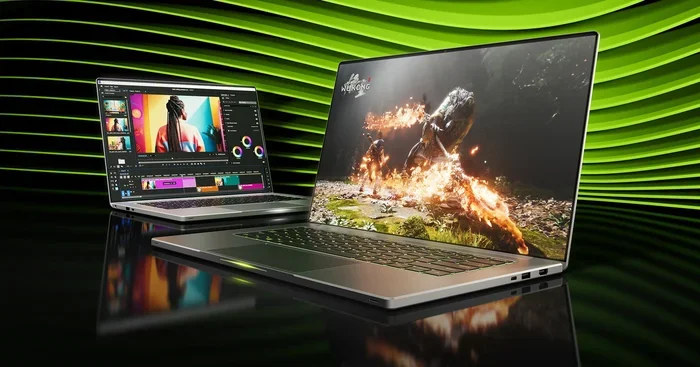
Several major brands build laptops around the mobile Rtx 4090. These include brands like ASUS, MSI, Lenovo, Alienware, and Razer. These gaming laptops typically feature larger 16-inch or 17-inch screens. They also have thicker chassis to accommodate the cooling system needed for this powerful mobile GPU.
Some popular models include the ASUS ROG Strix Scar 18, MSI Raider GE78 HX, Lenovo Legion Pro 7i, and Alienware m18. These laptops are not thin and light. They are designed for performance first. Expect these machines to weigh between 5 and 10 pounds.
External GPU (eGPU) Solutions
If you want the full desktop Rtx 4090 power but also use a laptop, there is another option. External GPU enclosures, or eGPUs, let you connect a desktop graphics card to your laptop through a Thunderbolt port.
How eGPUs Work
An eGPU enclosure houses a full-size desktop Rtx 4090. The enclosure has its own power supply and cooling system. You connect the enclosure to your laptop using a Thunderbolt 4 cable. This gives your laptop access to the desktop Rtx 4090 graphics power.
Here is how it works in practice:
- You buy a Thunderbolt-compatible eGPU enclosure.
- You install a desktop Rtx 4090 inside the enclosure.
- You plug the enclosure into your laptop’s Thunderbolt port.
- Your laptop recognizes the external graphics card and uses it for display output and GPU workloads.
Pros and Cons of eGPU Setups
eGPUs have clear advantages and disadvantages. Here is a quick look:
- Pros: You get full desktop Rtx 4090 performance. Your laptop stays portable when the eGPU is disconnected. You can upgrade the graphics card later without buying a new laptop.
- Cons: eGPU enclosures are expensive, often costing $300 to $500 on top of the desktop Rtx 4090 price. Thunderbolt bandwidth limits performance slightly compared to a direct PCIe connection. You lose portability when the eGPU is connected. Setup can be more complex than a built-in laptop GPU.
Who Should Consider an eGPU?
An eGPU setup works well for people who need both portability and raw power. If you travel often but also game at home, this can be a great solution. You carry your lightweight laptop on trips. At home, you dock the eGPU and get full desktop performance.
However, if you want a single device that does everything, a laptop with a built-in Rtx 4090 mobile GPU is simpler. You do not need extra cables or enclosures. Everything is built into one device.
Cooling and Power Challenges in Laptops
Putting a powerful GPU inside a laptop creates real thermal challenges. Let us explore why cooling matters so much for an Rtx 4090 laptop setup.
Why Laptop Cooling Is Different
A desktop case has room for multiple large fans. It also has space for liquid cooling systems. Laptops have tiny fans and limited airflow. The internal components are packed tightly together. Heat builds up fast in this cramped environment.
When a laptop GPU gets too hot, it thermal throttles. This means the GPU slows itself down to reduce heat. Thermal throttling hurts performance. A well-cooled laptop maintains higher frame rates for longer periods.
How Laptop Makers Solve This
Brands that build Rtx 4090 laptops use advanced cooling solutions. Here are some common approaches:
- Larger Vapor Chambers: These spread heat across a wider surface area inside the laptop.
- Multiple Fans: Many Rtx 4090 laptops use three or even four fans to move hot air out quickly.
- Liquid Metal Thermal Paste: This conducts heat away from the GPU more efficiently than standard thermal paste.
- Ventilation Design: Strategic vent placement helps create airflow through the chassis.
- AI-Controlled Fan Speeds: Smart software adjusts fan speeds based on GPU temperature in real time.
What This Means for You
If you buy an Rtx 4090 laptop, expect it to run warm under heavy load. This is normal. Most gaming laptops with this GPU will have surface temperatures that feel hot to the touch. Performance is usually still maintained, but you may notice the fans spinning loudly during intense gaming sessions.
Using a laptop cooling pad can help. It improves airflow underneath the device. This small accessory can reduce thermal throttling and keep your GPU running at peak speeds longer.
Who Should Consider an Rtx 4090 Laptop?
Not everyone needs an Rtx 4090 in a laptop. Let us look at who benefits most from this setup.
Ideal Users
The Rtx 4090 laptop GPU is perfect for these users:
- Hardcore Gamers: If you want the best possible gaming performance in a portable package, the mobile Rtx 4090 delivers.
- Content Creators: Video editors, 3D modelers, and motion designers benefit from the fast rendering and large VRAM.
- AI Researchers: The CUDA cores and tensor cores accelerate machine learning workloads on the go.
- Professionals Who Travel: If you need desktop-class graphics performance while traveling for work or conferences.
Who Should Skip It
The Rtx 4090 laptop may not be the best choice if you:
- Need Long Battery Life: The powerful GPU drains the battery fast. You will mostly be using it plugged in.
- Want a Lightweight Laptop: These machines are heavy. Expect 5 to 10 pounds of weight.
- Have a Tight Budget: Rtx 4090 laptops are expensive. They often cost $3,000 to $5,000 or more.
- Do Not Need That Much Power: An Rtx 4080 laptop or even an Rtx 4070 laptop may be enough for your needs and save you money.
Expert Insight: Choosing the Right GPU for Your Laptop
Not every task requires an Rtx 4090 laptop GPU. If you mainly browse the web, do office work, or play casual games, a mid-range GPU saves you hundreds of dollars. Think about what you actually need before spending on the top-tier option. The Rtx 4090 is incredible, but it is overkill for many users. Match your GPU to your real workloads, not just the specs on paper.
Common Mistakes People Make When Buying an Rtx 4090 Laptop
Avoid these common pitfalls when shopping for a laptop with an Rtx 4090:
- Confusing the Mobile and Desktop Versions: The mobile Rtx 4090 is not the same as the desktop Rtx 4090. Check the product listing carefully. Look for “Laptop GPU” in the name.
- Ignoring Cooling Quality: A powerful GPU means nothing if the laptop cannot cool it properly. Read reviews that test thermal performance and sustained clock speeds.
- Overlooking Power Adapter Size: Rtx 4090 laptops need large power adapters, often 330W. Make sure you can handle the charger size and weight.
- Not Checking the Display: A powerful GPU is wasted on a low-refresh-rate screen. Look for a 144Hz or 240Hz display to match the GPU’s capabilities.
- Skipping Benchmarks: Do not just trust marketing numbers. Look up real-world benchmark results for the specific laptop model you are considering.
Quick Tips for Getting the Most From Your Rtx 4090 Laptop
Here are some practical tips to maximize your experience:
- Keep Your Drivers Updated: NVIDIA releases regular Game Ready drivers that optimize performance for new games.
- Use DLSS When Possible: DLSS boosts frame rates significantly with minimal quality loss. Enable it in supported games.
- Monitor Temperatures: Use software like MSI Afterburner or NVIDIA’s own app to keep an eye on GPU temps. Aim to keep it under 85 degrees Celsius during gaming.
- Adjust Power Settings: In Windows, set the power plan to “High Performance” for the best GPU behavior during gaming sessions.
- Clean Your Vents Regularly: Dust buildup blocks airflow. Use compressed air to clean vents every few weeks.
- Use a Stand for Better Airflow: A simple laptop stand lifts the back of the device, improving air circulation underneath.
Conclusion
So, can an Rtx 4090 fit in a laptop? The answer depends on what you mean. The desktop Rtx 4090 will not fit inside any laptop. But the mobile Rtx 4090 Laptop GPU is designed specifically for laptop computers. It delivers excellent performance in a portable package. You also have the eGPU option if you want full desktop power connected to your laptop externally.
The Rtx 4090 laptop is a beast of a machine. It handles 4K gaming, content creation, and AI workloads with ease. But it comes with trade-offs. These laptops are heavy, expensive, and have limited battery life. They are built for performance, not portability.
Before you buy, consider what you really need. If you want the best portable gaming and creation experience available today, the Rtx 4090 laptop is hard to beat. Just go in with realistic expectations about size, weight, power use, and cost. This powerful GPU brings desktop-class performance to your lap. That is a remarkable achievement in mobile computing.
Take your time, compare models, and pick the Rtx 4090 laptop that fits your workflow and budget. The right setup will serve you well for years to come.
Frequently Asked Questions
Can I put a desktop Rtx 4090 inside my laptop?
No, the desktop Rtx 4090 will not fit inside a laptop. The card is too large, too thick, and requires too much power. Laptop chassis are not designed to house desktop graphics cards. The only way to use a desktop Rtx 4090 with a laptop is through an external GPU enclosure connected via Thunderbolt.
How much does an Rtx 4090 laptop cost?
Rtx 4090 laptops typically range from $3,000 to $5,000 or more. The price depends on the brand, screen size, RAM, storage, and overall build quality. These are premium machines, so expect to pay a premium price compared to laptops with lower-tier GPUs.
Is the Rtx 4090 laptop as fast as the desktop version?
No, the mobile Rtx 4090 is slower than the desktop Rtx 4090. It has fewer CUDA cores, less VRAM, and lower power consumption. In real-world benchmarks, the laptop version delivers about 70 to 80 percent of the desktop card’s performance. That is still very strong for a portable device.
Can I use an eGPU with any laptop?
No, you need a laptop with a Thunderbolt 3 or Thunderbolt 4 port. Not all laptops support eGPU connections. Check your laptop’s specifications before buying an eGPU enclosure. Also, performance over Thunderbolt is slightly lower than a direct internal connection due to bandwidth limitations.
Does an Rtx 4090 laptop have good battery life?
Not really. The Rtx 4090 laptop GPU is very power-hungry. You will get much better battery life when using the laptop on integrated graphics or when doing light tasks. During gaming or heavy GPU workloads, expect to keep the laptop plugged in at all times. The battery is mainly there as a backup.
What games can an Rtx 4090 laptop run?
An Rtx 4090 laptop can run virtually every game available today. At 1440p, you can play most titles on ultra settings with smooth frame rates. At 4K, you can play many games on high settings with DLSS enabled. Very demanding titles may require lowering some settings at 4K, but overall the experience is excellent across the board.