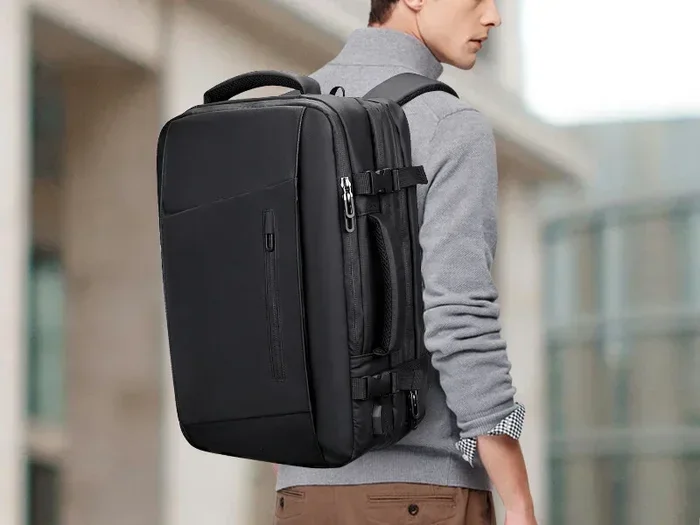
Can I Take A Backpack And Laptop Bag As Carry On Luggage
Yes, you can take both a backpack and a laptop bag as carry on luggage in most cases. However, your success depends on your airline’s rules, bag sizes, and how you classify each item. This guide breaks down everything you need to know to travel smart and avoid gate surprises.
Traveling with a laptop and a backpack can feel like a balancing act. You want to stay organized, keep your gear safe, and avoid checking bags. But one question keeps popping up: can I take a backpack and laptop bag as carry on? The short answer is yes, but the full story has some important details you need to know.
Whether you are a frequent flyer or planning your first trip in years, understanding carry on rules saves you time, money, and stress at the airport. Airlines have different policies, and the way they classify your bags matters more than you might think. A laptop bag and a backpack can work together perfectly, but only if you play by the rules.
This guide covers everything from airline policies to packing tricks. You will learn how to choose the right bag combo, avoid common mistakes, and travel with confidence. Let us get into it.
Key Takeaways
- Most airlines allow two carry on items: a backpack and a laptop bag or personal item like a purse or briefcase.
- Size limits vary by airline: Always check your carrier’s specific carry on dimensions before you fly.
- Backpacks count as carry on bags: A standard travel backpack can serve as your main carry on or personal item depending on size.
- Laptop bags are often classified as personal items: This gives you an extra bag allowance on most airlines.
- Pack smart with cubes and organizers: Efficient packing helps you fit everything into two bags without exceeding limits.
- Budget airlines are stricter: Low-cost carriers often charge extra for any bag beyond a small personal item.
- Gate agents have final say: Even if your bags meet size rules, overhead bin space may force you to check one bag.
📑 Table of Contents
Understanding Carry On Rules for Backpacks and Laptop Bags
Before you pack, you need to understand how airlines define carry on luggage. Most carriers allow passengers to bring two items on board: one carry on bag and one personal item. A backpack can serve as either one, and a laptop bag often fits the personal item category.
The carry on bag goes in the overhead bin. The personal item slides under the seat in front of you. Together, these two pieces keep your essentials within arm’s reach during the flight.
What Counts as a Carry On Bag?
A carry on bag is any bag that fits in the overhead bin or under the seat. Airlines measure this by dimensions, not weight. Most major carriers allow carry on bags up to 22 x 14 x 9 inches or 56 x 36 x 23 centimeters. This includes suitcases, duffel bags, and yes, backpacks.
A carry on backpack works great for this purpose. Look for one that meets your airline’s size limits. Many travel backpacks are designed specifically to fit overhead bins while holding plenty of gear.
What Counts as a Personal Item?
A personal item is smaller than a carry on bag. It must fit under the seat in front of you. Common examples include:
- Laptop bags or messenger bags
- Purses or tote bags
- Briefcases
- Small backpacks (under 18 inches)
- Laptop sleeves or cases
A laptop bag almost always qualifies as a personal item. This means you can pair it with a larger backpack as your carry on. That gives you two bags for the price of one allowance.
Airline Policies on Multiple Bags
Not all airlines treat carry on rules the same way. Your experience depends heavily on which carrier you fly. Let us look at how different types of airlines handle backpack and laptop bag combinations.
Major Airlines
Full-service carriers like Delta, American Airlines, United, and Southwest generally allow one carry on bag and one personal item. This works perfectly for travelers who want to bring both a backpack and a laptop bag.
Southwest Airlines is especially generous. They allow two free checked bags and two carry on items. You can bring your backpack as your carry on and a laptop bag as your personal item with no extra fees. Even better, Southwest does not enforce strict size limits on carry on bags as long as they fit in the overhead bin or under the seat.
Delta and American Airlines have clear size guidelines. Their carry on dimensions are 22 x 14 x 9 inches. As long as your backpack fits within these limits, you are good to go. Your laptop bag slides right in as the personal item.
Budget and Low-Cost Carriers
Budget airlines like Spirit, Frontier, and Ryanair have stricter rules. They often charge for carry on bags, even small ones. Some low-cost carriers only allow one free personal item.
With Spirit Airlines, for example, a carry on bag costs extra unless you have a premium fare. A laptop bag or personal item that fits under the seat is usually free. But a backpack might trigger a fee if it exceeds their personal item size limit of 18 x 14 x 8 inches.
RyanAir is even more restrictive. Their free carry on allowance only includes a small bag measuring 40 x 20 x 25 cm. Anything larger, including most backpacks, requires a priority boarding ticket.
International Carriers
International airlines like Emirates, British Airways, and Lufthansa also allow one carry on and one personal item. However, their size limits may differ from US carriers. Always check the specific airline carry on policy before your flight, especially for international routes.
Some international carriers are stricter about what counts as a personal item. A large backpack might not qualify. A slim laptop bag, on the other hand, almost always does.
How to Choose the Right Backpack and Laptop Bag Combo
Not all backpacks and laptop bags are created equal. Choosing the right combo makes your travel smoother and keeps you within airline rules. Here is what to look for.
Size Matters
The most important factor is size. Your backpack must fit either in the overhead bin or under the seat. Your laptop bag must qualify as a personal item. If either bag is too large, you risk getting stopped at the gate.
For your backpack, aim for dimensions under 22 x 14 x 9 inches. For your laptop bag, keep it under 18 x 14 x 8 inches. This ensures both bags fit the carry on and personal item categories.
Here are some popular backpack sizes that work well as carry on bags:
- Small travel backpacks: 20-25 liters, fits under seat or in overhead bin
- Medium travel backpacks: 25-35 liters, fits in overhead bin
- Large travel backpacks: 35-45 liters, may not fit in smaller overhead bins
A 40 liter backpack can work as carry on on most airlines, but it might be tight in smaller planes. Test fit your bag at home before you travel.
Laptop Bag Types
Not all laptop bags are the same. Here is a quick comparison of common types:
| Type | Size | Best For | Personal Item? |
|---|---|---|---|
| Laptop sleeve | Very small | Minimalists | Yes |
| Laptop tote | Small to medium | Office-style travel | Yes |
| Laptop backpack | Medium | Tech-heavy travelers | Sometimes |
| Messenger bag | Small to medium | Quick access | Yes |
| Laptop briefcase | Small | Business travelers | Yes |
Choose a laptop bag that is slim and compact. A bulky laptop bag might get reclassified as a carry on bag, which could cause issues if you already have a backpack.
Material and Comfort
Since you will be carrying both bags through the airport, comfort matters. Look for backpacks with padded straps and breathable back panels. Your laptop bag should have a sturdy handle and maybe a shoulder strap.
Water-resistant material is a bonus. Airports can be wet, and you do not want your electronics getting soaked. Some travel backpacks come with built-in rain covers, which is a nice feature to have.
Practical Packing Tips for Your Carry On Setup
Now that you have the right bags, let us talk about how to pack them efficiently. Smart packing makes a huge difference in your travel experience.
Use Packing Cubes
Packing cubes are a game changer. They keep your clothes and items organized inside your backpack. You can separate clean clothes from dirty ones, or keep your tech gear in its own cube.
Compression cubes are especially useful. They shrink your clothes down so you can fit more into a smaller space. This lets you bring a full change of clothes in a compact carry on backpack.
Organize Your Tech Gear
Your laptop bag should hold just that: your laptop and a few essentials. Here is a quick list of what to keep in your laptop bag:
- Laptop and charger
- Mouse or trackpad
- Headphones or earbuds
- Travel documents (passport, boarding pass)
- Phone and charger
- Hand sanitizer and wipes
Keep your laptop bag light. You will be carrying it under the seat for hours. A heavy bag gets uncomfortable fast. Move heavier items like books or water bottles into your backpack.
Maximize Space in Your Backpack
Your backpack carries the rest of your essentials. Here is a packing strategy that works well:
- Place shoes at the bottom of the bag
- Roll clothes instead of folding them to save space
- Keep electronics in the padded compartment
- Store toiletries in a clear zip-top bag
- Use the top pocket for items you need during the flight
- Place your passport and wallet in an easy-to-reach pocket
This method keeps everything accessible and organized. You will not have to dig through your bag at the security checkpoint or during the flight.
Quick Tips for Efficient Packing
- Wear your bulkiest shoes on the plane to save space
- Use vacuum bags for extra compression
- Keep a change of clothes in your carry on in case your checked bags are delayed
- Pack a portable charger in your laptop bag
- Bring a reusable water bottle to fill after security
Common Mistakes to Avoid
Even experienced travelers make mistakes with carry on bags. Here are some common pitfalls to watch out for.
Assuming All Bags Are Created Equal
The biggest mistake travelers make is assuming any bag qualifies as a carry on or personal item. Your backpack might be within size limits, but if it is too heavy or overstuffed, a gate agent might make you check it.
Always measure your bags before you travel. Use a measuring tape or a bag sizer. Many airports have bag sizers at the check-in counter. If your bag fits there, it fits on the plane.
Ignoring Airline-Specific Rules
Every airline has its own rules. What works on Delta might not work on Spirit. Do not assume that because one carrier allowed it, another will too. Check your airline’s website for the latest carry on policy before you book.
Budget airlines are especially strict. They may measure your bags at the gate and charge you if they are too large. Save yourself the surprise fee by reading the fine print.
Overpacking the Personal Item
Your laptop bag is a personal item, but that does not mean you should fill it to the brim. It needs to fit under the seat easily. If it is too stuffed, it will not slide under the seat in front of you.
Keep your laptop bag lean and organized. Only bring what you need for the flight. Save extra items for your backpack.
Forgetting About Gate Check
Sometimes even compliant bags must be checked at the gate. This happens when the overhead bins are full, especially on busy flights or smaller aircraft.
If this happens, do not panic. Gate checking is free and your bags usually arrive at the jet bridge when you land. Just make sure your backpack does not have any valuables you cannot afford to lose.
Expert Tips for Smooth Travel with Two Carry On Bags
Traveling with a backpack and laptop bag is totally doable. Here are some expert-backed tips to make the process seamless.
Arrive Early
Give yourself extra time at the airport. With two bags, you might need to move a bit slower through security and to the gate. Arriving 2 hours before domestic flights and 3 hours before international flights gives you a comfortable buffer.
Know the TSA Rules
The Transportation Security Administration has rules about what you can bring through security. Your laptop must come out of your bag for screening. A laptop bag makes this easy because it opens flat and gives TSA agents quick access.
Keep your liquids in a clear, quart-sized bag. This applies to both your backpack and laptop bag. Follow TSA guidelines and you will breeze through security.
Use Both Hands When Walking
Carrying two bags through a busy airport is tiring. Use a backpack with chest and waist straps to distribute weight. Hold your laptop bag by the handle or wear it across your body.
If you need both hands free, consider wearing your backpack on your front in crowded areas. This keeps your bags secure and your hands available for boarding passes and phones.
Board Early
Boarding groups matter. If you can board early, you get first dibs on overhead bin space. This is especially important when you have a backpack that needs to go in the bin.
Some airlines charge for priority boarding. It is worth it if you travel frequently. Getting on early means your bags get stowed properly and you do not have to worry about bin space running out.
Keep Essentials in Your Laptop Bag
During the flight, you will not want to dig through your backpack for everything. Keep your most-used items in your laptop bag:
- Phone and charger
- Travel documents
- Snacks
- Entertainment (book, tablet)
- Earbuds
- Medications
This way, you stay comfortable and productive throughout the flight without disturbing other passengers by rummaging through your main bag.
Key Takeaways
Traveling with a backpack and laptop bag as carry on is not just possible, it is a smart strategy for many travelers. Here is what you should remember:
- Most airlines allow one carry on bag and one personal item, which is perfect for a backpack and laptop bag combo.
- Check your specific airline’s size limits before you fly to avoid gate surprises.
- Budget airlines may charge extra or have stricter rules, so always verify their policies.
- Choose bags that meet size requirements and are comfortable to carry for extended periods.
- Pack smart with cubes and organizers to maximize space and keep essentials accessible.
- Gate check can happen to anyone, so keep valuables in your personal item or on your person.
Conclusion
Can I take a backpack and laptop bag as carry on luggage? Absolutely yes. With the right bag sizes and a little planning, you can travel light and keep all your essentials within reach. Understanding airline policies is the first step. Choosing the right combo of bags is the second. Packing smart is the third.
The key is preparation. Know your airline’s rules, measure your bags, and pack with intention. A carry on backpack paired with a slim laptop bag gives you the best of both worlds: plenty of storage and easy access to your tech gear.
Next time you plan a trip, skip the checked bag and travel with confidence. You have got everything you need, you know the rules, and you are ready for a smooth journey from check-in to landing.
Frequently Asked Questions
Can I bring a backpack and a laptop bag on a plane for free?
Most major airlines allow one carry on bag and one personal item for free. A backpack typically counts as the carry on bag, and a laptop bag counts as the personal item. However, budget airlines may charge fees for carry on bags, so always check your airline’s policy before you fly.
What size backpack works best as a carry on?
A backpack under 22 x 14 x 9 inches is ideal for most airlines. A 25 to 35 liter travel backpack usually fits within these dimensions. Always measure your specific bag and compare it to your airline’s carry on size requirements before heading to the airport.
Can I bring two backpacks instead of a backpack and laptop bag?
Most airlines only allow one carry on bag and one personal item. Two backpacks might work if one is small enough to qualify as a personal item. Check your airline’s size limits for personal items to see if your smaller backpack fits the criteria.
Do I have to remove my laptop from the bag at security?
Yes, TSA rules require laptops larger than a phone to be removed from bags for separate screening. A laptop bag makes this process easier because it opens flat and gives TSA agents quick access to your device without unpacking everything else.
What happens if my carry on bag is too big at the gate?
If your bag exceeds the airline’s size limits, gate agents may require you to check it. This usually means checking your bag at the gate for free, and it will be delivered to you at the jet bridge upon arrival. To avoid this, always measure your bags before you travel.
Is a laptop sleeve enough as a personal item?
Yes, a laptop sleeve is typically small enough to qualify as a personal item. It slides easily under the seat in front of you. However, if you carry valuable items in the sleeve, consider using a more secure laptop bag with zippers for better protection during travel.