How Do I Change My Bandwidth Usage and Save More Money
Changing your bandwidth usage is easier than you think. You can monitor data consumption, adjust router settings, and adopt simple habits that reduce internet costs. This guide walks you through actionable steps to take control of your network and keep more money in your pocket every month.
Have you ever looked at your internet bill and wondered where all that data went? Most of us use more bandwidth than we realize. Streaming, gaming, smart home devices, and even background updates quietly eat up your monthly allowance. The good news is that changing your bandwidth usage doesn’t require a degree in computer science.
Whether you want to slow things down to save money or speed things up for better performance, small adjustments can make a big difference. In this guide, we’ll show you exactly how to change your bandwidth usage in ways that actually work. You’ll learn practical steps to monitor, manage, and reduce your data consumption without sacrificing the things you love.
Let’s be honest — nobody wants to overpay for internet they’re not using fully. And nobody wants a sluggish connection because too many devices are fighting for the same pipe. By the end of this article, you’ll have a clear roadmap to take charge of your network. You’ll know how much data you’re using, where it’s going, and what to do about it.
Key Takeaways
- Monitor Your Data: Tracking your bandwidth usage helps you identify what’s consuming the most data.
- Adjust Router Settings: Tweaking QoS and channel settings can significantly improve bandwidth efficiency.
- Upgrade or Reposition Equipment: A better router or optimal placement can reduce wasted data and boost speed.
- Adopt Smart Habits: Simple changes like pausing updates and limiting background apps save bandwidth daily.
- Save Money Directly: Lower bandwidth usage can help you downgrade plans or avoid overage fees.
📑 Table of Contents
Understanding Bandwidth Usage
Before you can change anything, you need to understand what bandwidth actually is. Think of it like a highway. The wider the road, the more cars can travel at once. In internet terms, bandwidth is the amount of data that can flow through your connection in a given time. Higher bandwidth means faster downloads and smoother streaming.
But here’s the thing — not all bandwidth usage is equal. Some activities use a lot of data, while others barely make a dent. Let’s break it down.
What Consumes the Most Bandwidth?
Certain activities are real bandwidth hogs. Here are the biggest culprits:
- Video Streaming: Services like Netflix, YouTube, and Hulu use massive amounts of data. HD streaming can eat up 3 GB per hour.
- Online Gaming: Games with high-quality graphics and multiplayer features consume data constantly, even when you’re just waiting in a lobby.
- Video Calls: Zoom, FaceTime, and Skype use significant upload and download bandwidth, especially in group calls.
- Cloud Backups: Services like iCloud, Google Drive, and Dropbox sync files in the background without you even noticing.
- Smart Home Devices: Cameras, thermostats, and smart speakers send and receive data around the clock.
Once you know what’s eating your data, you can start making smart choices about how to manage it.
How to Check Your Current Bandwidth Usage
You can’t fix what you don’t measure. The first step to changing your bandwidth usage is knowing exactly where your data goes. Most internet providers give you access to a dashboard where you can view your monthly usage.
Built-In Router Tools
Many modern routers come with built-in monitoring tools. You can log into your router’s admin panel and check real-time data usage. Look for a section labeled “Traffic Statistics” or “Bandwidth Monitor.” This gives you a breakdown of which devices are using the most data.
Third-Party Apps
If your router doesn’t offer built-in tracking, don’t worry. Apps like GlassWire, NetLimiter, and your router’s companion app can track bandwidth per device. These tools show you exactly which phone, laptop, or smart TV is consuming the most internet bandwidth.
Check With Your Provider
Your internet provider can also tell you how much data you’ve used this month. Log into your account on their website or call customer support. Knowing your baseline helps you set realistic goals for reducing usage.
Pro tip: Check your usage at the same time each week. This gives you a consistent picture of your habits and makes it easier to spot trends.
Ways to Change and Optimize Your Bandwidth Usage
Now for the fun part — actually making changes. There are many ways to reduce or redistribute your bandwidth usage. Some are free, and others require a small investment. Let’s dive in.
Limit Background Data
Your devices are probably using data right now without you knowing. Apps update, sync, and send notifications in the background. Here’s how to rein that in:
- Go to your phone’s settings and restrict background data for apps you don’t use often.
- Turn off automatic app updates on your phone and computer.
- Pause cloud syncing services when you’re not actively using them.
- Disable auto-play videos on social media platforms like Facebook and Instagram.
These small changes add up fast. You might be surprised how much data you save in just one week.
Adjust Streaming Quality
Streaming is one of the top bandwidth killers. But you don’t have to give it up entirely. Simply lowering the video quality can cut data usage dramatically.
- Netflix: Switch from 4K to HD or even standard definition. You’ll save up to 75% of data per hour.
- YouTube: Click the gear icon and select 720p or 480p instead of 1080p or 4K.
- Spotify and Music Apps: Use normal quality instead of very high quality for audio streaming.
You probably won’t notice the difference on a smaller screen anyway. Your eyes and your wallet will both thank you.
Schedule Heavy Downloads
Big downloads and updates don’t need to happen during peak hours. Schedule them for late at night or early in the morning. This not only saves bandwidth but also reduces network congestion for other devices in your home.
Many gaming consoles and software updaters let you set active hours. Take advantage of this feature. It’s one of the easiest ways to manage data consumption without thinking about it.
Router Settings That Affect Bandwidth
Your router plays a huge role in how your bandwidth is distributed. Tweaking a few settings can improve performance and help you get more out of your current plan.
Enable QoS (Quality of Service)
QoS is a setting that lets you prioritize certain types of traffic over others. For example, you can tell your router to give priority to video calls or gaming over file downloads. This ensures that the things that matter most to you always get the bandwidth they need.
Most modern routers have a QoS section in their admin panel. Look for it under “Advanced Settings” or “Traffic Management.” Once you enable it, you can set rules for each device or application.
Change Your Wi-Fi Channel
If your neighbors are all on the same Wi-Fi channel, you’re competing for the same airspace. This causes interference and slows down your connection. Changing your channel can reduce congestion and improve speed.
Use a free app like Wi-Fi Analyzer to see which channels are least crowded in your area. Then log into your router and switch to a less busy channel. It’s a simple fix that makes a real difference.
Update Your Router Firmware
Old firmware can slow down your router and cause connectivity issues. Manufacturers regularly release updates that improve performance and fix bugs. Check your router’s admin panel for available updates. If your router is more than five years old, it might be time to consider a newer model.
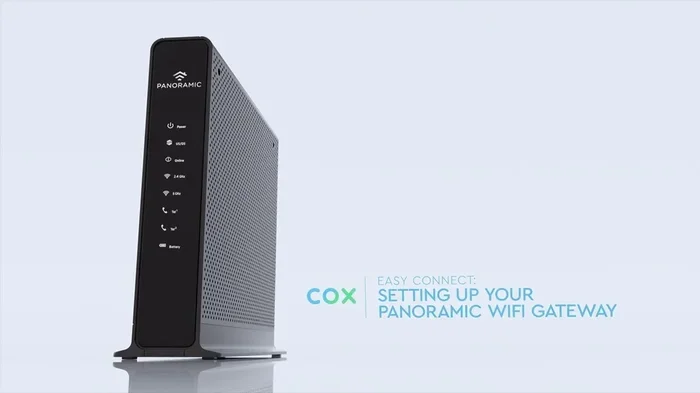
If you’re thinking about upgrading, you might want to look into buying your own router instead of renting from your provider. This can save you money in the long run and give you more control over your settings.
Consider a Mesh Network or Range Extender
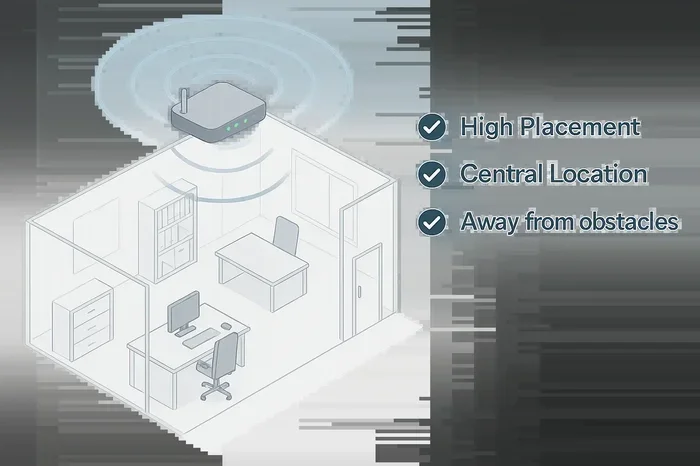
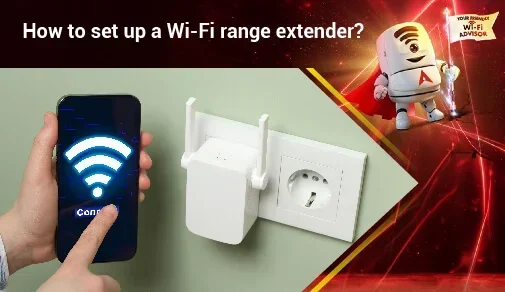
If your Wi-Fi signal is weak in certain parts of your home, devices may struggle to maintain a strong connection. This can lead to repeated data transfers and wasted bandwidth. A mesh network or range extender helps spread your signal evenly throughout your home.
Better signal strength means fewer dropped connections and less wasted data. It also means you can use your devices in more rooms without frustration.
Tips to Save Money on Your Internet Bill
Changing your bandwidth usage isn’t just about performance — it’s also about saving money. Here are some strategies that put cash back in your pocket.
Downgrade Your Plan
If you’ve been using less data than your plan allows, you might be paying for speed you don’t need. Call your internet provider and ask about lower-tier plans. Many companies offer plans with lower speeds at a reduced price. As long as your usage habits support it, this can save you $20 to $50 per month.
Avoid Overage Fees
Some internet plans have data caps. If you go over your limit, you’ll pay extra fees. By monitoring and reducing your bandwidth usage, you can stay under your cap and avoid those surprise charges. Tracking your usage weekly makes this much easier.
Bundle Services Wisely
If you’re paying for internet, TV, and phone separately, consider bundling them. Many providers offer discounts when you combine services. But be careful — only bundle what you actually need. Don’t pay for extras you won’t use.
Negotiate Your Bill
It never hurts to call your provider and ask for a better rate. Mention competitor prices and be polite but firm. Many companies have retention offers that can lower your bill by 10 to 20 percent. You’d be surprised how often this works.
Also, if you’re currently renting a modem or router from your provider, consider purchasing your own. Buying your own equipment eliminates monthly rental fees, which can add up to $120 or more per year.
Common Mistakes That Waste Bandwidth
Even with the best intentions, many of us make habits that quietly waste bandwidth. Here are the most common mistakes and how to fix them.
- Leaving Devices Connected: Smart TVs, tablets, and phones that stay connected 24/7 use background data constantly. Turn off Wi-Fi on devices you’re not actively using.
- Ignoring Updates: Software updates download automatically and can use gigabytes of data. Set updates to manual or schedule them for off-peak hours.
- Too Many Connected Devices: Every device connected to your network uses some bandwidth, even when idle. Disconnect devices you don’t need.
- Not Securing Your Network: An open or poorly secured Wi-Fi network lets neighbors and passersby use your data. Always use a strong password and WPA3 encryption if available.
- Using Old Equipment: Older routers and modems can’t handle modern data demands efficiently. Upgrading can improve both speed and data efficiency.
Fixing these mistakes alone can reduce your bandwidth usage by 15 to 30 percent. That’s real savings without any lifestyle changes.
When to Consider Changing Your Internet Setup
Sometimes, optimizing settings isn’t enough. If you’ve tried everything and still struggle with bandwidth, it might be time to rethink your setup. Here are a few scenarios where a bigger change makes sense.
If your current router is outdated, upgrading to a newer model can transform your network. Modern routers support Wi-Fi 6 and offer better range, faster speeds, and smarter traffic management. Look for a router that matches your household size and usage patterns.
Similarly, if you live in a larger home or have thick walls that block signals, a mesh system is worth the investment. These systems use multiple units to blanket your home in strong Wi-Fi coverage. They eliminate dead zones and ensure every device gets the bandwidth it needs.
And if you’re tired of rental fees and limited control, consider switching to a provider that lets you use your own equipment. Some providers, like Optimum, even offer free routers to their customers. Check if your provider has similar deals before you spend money on new hardware.
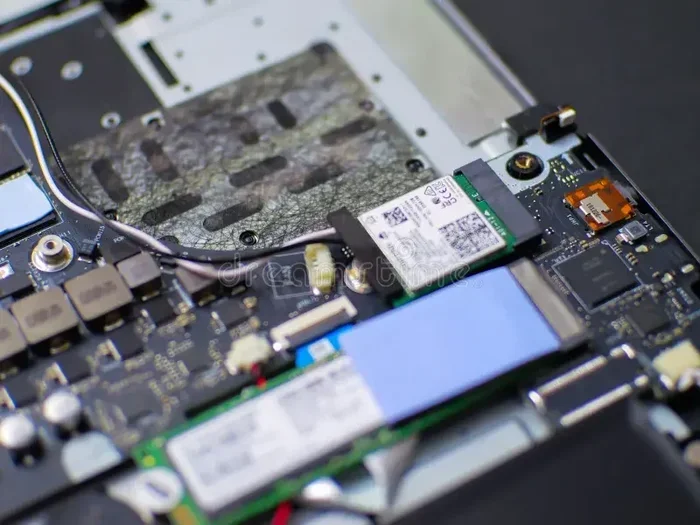
Also, if you’re exploring ways to improve your home network, you might look into adding an external antenna to your router. This can boost signal strength and extend coverage without buying a whole new system. It’s a simple and affordable upgrade that many people overlook.
Finally, think about your overall internet strategy. If you want more control over your connection, you might explore options like getting Wi-Fi without an internet provider through mobile hotspots or community networks. These alternatives can be cost-effective for certain households.
Every home is different, so there’s no one-size-fits-all solution. The key is to assess your needs honestly and make changes that fit your budget and lifestyle.
Final Thoughts
Changing your bandwidth usage doesn’t have to be complicated. Start by understanding where your data goes. Use monitoring tools to track your habits. Then make small, intentional changes — lower streaming quality, limit background apps, and adjust your router settings.
Over time, these steps add up to real savings. You’ll pay less for internet, experience fewer slowdowns, and get more value from your current plan. The beauty of managing your bandwidth usage is that it benefits everyone in your household.
Take action today. Check your usage, tweak your settings, and see the difference for yourself. You’ll wonder why you didn’t make these changes sooner.
Frequently Asked Questions
What is bandwidth usage?
Bandwidth usage refers to the amount of data your devices send and receive over your internet connection. It includes everything from streaming videos and browsing websites to background app updates and smart home activity. Your internet provider tracks this data each month, and exceeding your limit can result in extra charges or slower speeds.
How can I reduce my bandwidth usage at home?
You can reduce bandwidth by lowering streaming quality, limiting background app updates, pausing cloud backups, and disconnecting devices you’re not using. Enabling QoS settings on your router also helps prioritize important traffic. Small changes like these can cut your data usage significantly without affecting your daily habits.
Does changing my router help with bandwidth?
Yes, changing your router or updating its settings can improve bandwidth management. Newer routers handle traffic more efficiently and support features like QoS and band steering. If you’re renting from your provider, buying your own router gives you more control and can save money over time.
How do I know if I’m exceeding my data cap?
Check your internet provider’s online dashboard or mobile app. Most providers show your monthly data usage in real time. You can also contact customer support or log into your account on their website. Monitoring your usage regularly helps you avoid overage fees.
Can I save money by lowering my internet speed?
Absolutely. If you don’t need ultra-fast speeds for heavy gaming or 4K streaming, downgrading to a lower-tier plan can save you money each month. Assess your actual usage and choose a plan that fits your needs without paying for speed you won’t use.
What’s the difference between bandwidth and data?
Bandwidth refers to the maximum speed your connection can handle, while data refers to the actual amount of information transferred. Think of bandwidth as the width of a pipe and data as the water flowing through it. Both matter, but managing bandwidth usage helps you use your data more efficiently.