How Can I Get Free Wi Fi Travel Anywhere In The World
Getting free Wi-Fi while traveling the world is easier than you think. With the right apps, strategies, and insider knowledge, you can stay connected without paying expensive roaming charges. This guide covers practical tips, tools, and locations where you can find free Wi-Fi travel options in almost every country.
Traveling the world is one of life’s greatest joys. But staying connected while you explore new places can be a real challenge. Roaming charges add up fast, and losing your internet connection can feel isolating. The good news is that free Wi-Fi travel options exist almost everywhere you go. With a little planning and the right tools, you can stay online without breaking the bank.
Whether you are backpacking through Southeast Asia or sightseeing in Europe, knowing where to find free internet access while traveling makes all the difference. In this guide, we will walk you through every method, tool, and trick you need to stay connected worldwide. Let us dive in and help you explore the world without worrying about data costs.
Key Takeaways
- Free Wi-Fi is everywhere: Airports, cafes, hotels, and public spaces offer free internet access worldwide.
- Use Wi-Fi map apps: Apps like Wi-Fi Map and Instabridge help you locate free hotspots in real time.
- Plan ahead: Downloading offline maps and content before you travel saves data and keeps you connected.
- Stay safe on public networks: Always use a VPN when connecting to free Wi-Fi to protect your personal data.
- Consider portable options: Devices like portable Wi-Fi routers can give you flexible internet access on the go.
- Loyalty programs help: Many hotel chains and coffee shops reward members with free Wi-Fi access.
📑 Table of Contents
- Why Free Wi-Fi Matters for Travelers
- Top Apps That Help You Find Free Wi-Fi Anywhere
- Best Places to Find Free Wi-Fi While Traveling
- How to Stay Safe on Public Wi-Fi Networks
- Practical Tips for Free Internet While Traveling
- Alternative Options for Staying Connected Abroad
- What to Do When Free Wi-Fi Is Not Available
- Free Wi-Fi Travel: A Comparison of Methods
- Common Mistakes Travelers Make With Free Wi-Fi
- Final Thoughts on Free Wi-Fi Travel
Why Free Wi-Fi Matters for Travelers
Staying connected while traveling is more than just a luxury. It is a necessity for most modern travelers. You need internet for navigation, communication, booking accommodations, and sharing your experiences. Paying for international data roaming can quickly drain your budget. Free Wi-Fi lets you save money and stay in touch with loved ones back home.
Many travelers underestimate how much they rely on internet access each day. You might need to check a map, translate a menu, or confirm a reservation. Without Wi-Fi free zones, these simple tasks become stressful. Learning where and how to find free internet is a skill every traveler should master.
The Real Cost of Data Roaming
Data roaming charges vary widely by country and carrier. Some plans charge $10 to $15 per day for international use. Over a two-week trip, that adds up to $140 or more. Even “unlimited” plans often slow your speeds or charge hidden fees. This is why free Wi-Fi travel strategies are so valuable. They let you use your phone without worrying about unexpected bills.
Top Apps That Help You Find Free Wi-Fi Anywhere
Technology has made finding free internet easier than ever. Several apps are designed specifically for travelers who need to stay connected. These tools map out hotspots in real time and show you which networks are available nearby.
Wi-Fi Map App
Wi-Fi Map is one of the most popular apps for finding free internet. It has a massive database of user-shared hotspots around the world. The app shows you passwords for many networks, so you can connect quickly. It works offline too, which is perfect for travelers who do not want to use data just to find Wi-Fi.
Instabridge
Instabridge is another excellent tool for travelers. It crowdsources Wi-Fi passwords from users worldwide. The app also includes a built-in browser for secure browsing. It is simple to use and works well in cities and rural areas alike. If you are looking for free Wi-Fi travel solutions, Instabridge should be on your list.
Google Maps Offline Feature
While not a Wi-Fi finder, Google Maps offline mode is essential. You can download maps of entire cities or regions before your trip. This lets you navigate without needing constant internet. It works perfectly alongside free Wi-Fi access at cafes and hotels. You save data and still get reliable directions everywhere you go.
Best Places to Find Free Wi-Fi While Traveling
Not all free Wi-Fi is created equal. Some locations offer fast, reliable connections while others are slow and crowded. Knowing the best places to look helps you stay productive and connected.
Airports and Transit Hubs
Most major airports around the world offer free Wi-Fi for travelers. The quality varies, but it is usually enough for checking messages and maps. Some airports like Changi in Singapore and Incheon in South Korea are famous for their excellent free internet. Layovers become much more bearable when you can stay online. Before your flight, check if the airport provides free Wi-Fi free zones for travelers.
Cafes and Coffee Shops
Cafes are a traveler’s best friend when it comes to free internet. Chains like Starbucks, Costa Coffee, and local cafes almost always offer Wi-Fi. Buy a coffee, sit down, and enjoy a reliable connection. Many cafes in Europe and Asia welcome laptop users and encourage long stays. This is one of the easiest ways to get free Wi-Fi while traveling in any city.
Hotels and Hostels
Most hotels and hostels provide free Wi-Fi to guests. Budget accommodations often have surprisingly good internet. Before booking, check reviews to confirm the Wi-Fi quality. Some boutique hotels offer faster speeds than big chains. Always ask the front desk about the network name and password when you check in.
Public Libraries and Museums
Many cities offer free internet at public libraries and cultural centers. These spots tend to be quiet and uncrowded. Libraries often have fast connections and comfortable seating. Museums sometimes provide free Wi-Fi as part of the visitor experience. This is a great option if you need a peaceful place to work or video call family.
How to Stay Safe on Public Wi-Fi Networks
Free Wi-Fi is wonderful, but it comes with risks. Public networks are convenient targets for hackers and data thieves. Protecting yourself should be a top priority whenever you connect to unfamiliar networks.
Use a VPN
A Virtual Private Network encrypts your internet traffic. It creates a secure tunnel between your device and the internet. Even on unsecured public networks, a VPN keeps your data safe. Many VPN services cost just a few dollars per month. Popular options include NordVPN, ExpressVPN, and Surfshark. Using a VPN is one of the best habits for free Wi-Fi travel safety.
Avoid Sensitive Transactions
Try not to do banking or enter credit card details on public Wi-Fi. Wait until you are on a secure network. If you must make a purchase, use your mobile data instead. Most smartphones let you switch between Wi-Fi and cellular easily. A little caution goes a long way toward protecting your personal information.
Turn Off Auto-Connect
Many devices automatically connect to open Wi-Fi networks. This can be dangerous because you might join a fake network without knowing it. Turn off auto-connect in your phone settings. Manually select networks you trust. This simple step reduces your exposure to potential threats.
Practical Tips for Free Internet While Traveling
Beyond apps and locations, small habits make a big difference. These tips help you maximize free internet access and minimize data usage.
Download Content Before You Go
Download movies, music, and maps before you leave home. Netflix and Spotify both allow offline downloads. This way, you do not need internet every time you want entertainment. Offline content saves your data for when you really need it, like navigation or messaging.
Use Wi-Fi Calling
Wi-Fi calling lets you make phone calls over internet connections. Most modern smartphones support this feature. It works great when you are connected to free Wi-Fi at a hotel or cafe. You can call home or make reservations without using cellular minutes. Check with your carrier to confirm Wi-Fi calling is available on your plan.
Adjust App Settings to Save Data
Many apps use data in the background even when you are not using them. Go into your phone settings and restrict background data for non-essential apps. Social media apps are the biggest culprits. Turn off auto-play for videos on Instagram and Facebook. These small changes stretch your free Wi-Fi usage much further.
Ask Locals for Recommendations
Locals know the best spots for free internet. Ask your hotel host, a barista, or a fellow traveler. You might discover hidden gems that no app can show you. People in tourist areas are usually happy to share their favorite cafes with free Wi-Fi. This human connection also enriches your travel experience.
Alternative Options for Staying Connected Abroad
Sometimes free Wi-Fi is not enough. You may need a more reliable solution for your trip. Several alternatives give you internet access without expensive roaming fees.
Purchase a Local SIM Card
Buying a local SIM card is one of the best ways to stay connected abroad. Most countries offer affordable data plans through local carriers. A SIM card with 5 to 10 GB of data often costs just $5 to $15. You get fast speeds and reliable coverage. This option works especially well for longer trips where you need consistent access.
Rent a Portable Wi-Fi Device
Portable Wi-Fi devices create your own personal hotspot. You can rent one from services like Skyroam or GlocalMe. These devices work in over 130 countries and cost around $5 to $10 per day. They are perfect for travelers who need reliable internet everywhere. If you are considering this option, you might also want to check if you can get portable Wi-Fi for your specific travel needs.
Use a Travel Router
A travel router connects to any available internet source and creates a private network for your devices. This is great for families or groups traveling together. You share one connection across multiple phones and laptops. Some travel routers also boost signal strength in weak coverage areas.
Get a Wi-Fi Card for Your Laptop
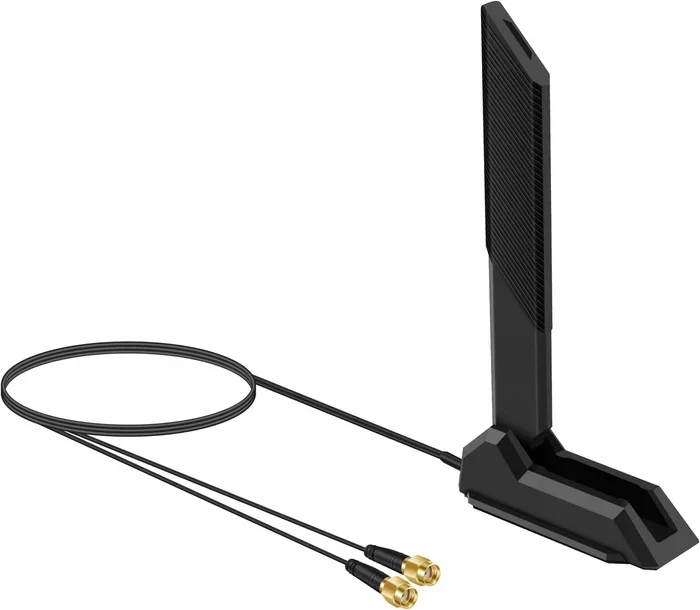
If you travel with a laptop, a dedicated Wi-Fi card can improve your connectivity options. Many older laptops have weak wireless adapters that struggle with distant signals. A new Wi-Fi card can help you connect to weaker or farther networks. You can learn more about getting a Wi-Fi card for your computer to upgrade your setup before your next trip.
What to Do When Free Wi-Fi Is Not Available
There will be times when free Wi-Fi is hard to find. Remote areas, rural villages, and some developing regions may not have reliable access. Having a backup plan keeps you from feeling stranded.
First, download everything you need before arriving in areas with limited connectivity. Offline maps, translation apps, and downloaded guides are lifesavers. Second, use your phone in airplane mode to conserve battery and data. Third, consider purchasing a small amount of local data as a backup. Even 1 GB of data can cover essential needs for a day or two.
Finally, remember that being disconnected for a short time is okay. Some of the best travel experiences happen when you put the phone down and soak in the moment. Free Wi-Fi is a tool to enhance your trip, not a requirement for enjoying it.
Free Wi-Fi Travel: A Comparison of Methods
| Method | Cost | Reliability | Best For |
|---|---|---|---|
| Airport Wi-Fi | Free | Medium | Quick checks during layovers |
| Cafe Wi-Fi | Free (purchase required) | High | Working or browsing |
| Hotel Wi-Fi | Free (with stay) | High | Overnight charging and streaming |
| Wi-Fi Map Apps | Free | Medium | Finding nearby hotspots |
| Local SIM Card | $5-$15 | Very High | Long-term travel and remote areas |
| Portable Wi-Fi Rental | $5-$10/day | Very High | Groups and reliable access |
| VPN Protection | $3-$10/month | N/A | Security on all public networks |
Each method has its strengths. The best approach combines several of these options. Use free Wi-Fi when available, but have a local SIM or portable device as your backup. This layered strategy keeps you connected without overspending.
Common Mistakes Travelers Make With Free Wi-Fi
Avoiding common mistakes saves you time, money, and stress. Here are some pitfalls to watch out for.
- Assuming all free networks are safe: Not every open network is legitimate. Some are set up by hackers to steal data. Always verify the network name with staff.
- Forgetting to download offline content: Relying solely on free Wi-Fi for maps and guides is risky. Download everything before you need it.
- Ignoring data limits: Even “free” hotel Wi-Fi sometimes has data caps. Check the terms so you are not surprised by slow speeds.
- Leaving your device unattended: Public Wi-Fi zones in cafes and airports can be busy. Keep your phone and laptop with you at all times.
- Not having a backup plan: Free Wi-Fi is not always available. Always have a secondary option like a local SIM or offline tools.
If you want to learn more about staying connected without a traditional internet setup, you might also explore options for getting Wi-Fi without an internet provider in your home country before you travel.
Final Thoughts on Free Wi-Fi Travel
Free Wi-Fi travel is entirely achievable with the right approach. You do not need to spend a fortune to stay connected while exploring the world. A combination of apps, smart habits, and backup plans gives you the freedom to travel light and stay online when it matters most.
Start by downloading a Wi-Fi map app before your next trip. Pack a VPN for security. And always have a backup option like a local SIM card or portable device. These simple steps transform how you stay connected abroad. You will save money, reduce stress, and enjoy your travels with confidence.
The world is full of Wi-Fi free zones waiting to be discovered. From busy airports to quiet cafes, opportunities for free internet are everywhere. Embrace these options and make the most of every journey. Safe travels and happy browsing!
Frequently Asked Questions
How can I find free Wi-Fi in foreign countries?
Download Wi-Fi map apps like Wi-Fi Map or Instabridge before your trip. These apps show free hotspots in real time and often include passwords. You can also ask locals, check hotel lobbies, and visit cafes for reliable free internet access.
Is it safe to use free Wi-Fi while traveling?
Most free Wi-Fi networks are safe for basic browsing, but you should always use a VPN for protection. Avoid entering passwords, banking details, or sensitive information on public networks. Turn off auto-connect and manually select trusted networks.
Can I get free Wi-Fi without an internet provider while traveling?
Yes, you can access free Wi-Fi at airports, cafes, hotels, and public spaces without needing a home internet provider. Many countries also offer free municipal Wi-Fi in tourist areas and city centers.
What is the best backup option when free Wi-Fi is not available?
A local SIM card is the best backup option. You can buy one at airports or local shops for a few dollars. It gives you reliable data access even in areas without free Wi-Fi. Portable Wi-Fi devices are another great alternative for consistent connectivity.
Do airports really offer free Wi-Fi worldwide?
Most major airports offer free Wi-Fi, but the quality and speed vary. Some airports provide fast connections while others are slow and limited. Always check the airport website before your flight to confirm free Wi-Fi availability and connection details.
How much data do I need for a week of free Wi-Fi travel?
If you rely on free Wi-Fi, you need very little cellular data. Around 1 to 2 GB per week is usually enough for messaging, occasional maps, and email. Download offline content like maps and entertainment to minimize your data needs while traveling.