Does Orbi Need A Modem For Your Home Network Setup Guide
Yes, Orbi needs a modem to deliver internet to your home network. The Orbi system acts as a powerful router and WiFi extender, but it cannot replace a modem. You need a separate modem or a modem-router combo provided by your internet service provider to connect to the internet. This guide explains exactly how Orbi works with your modem and how to set it up for the best WiFi coverage.
Key Takeaways
- Orbi is not a modem: The Orbi system is a mesh WiFi router that needs a modem to access the internet.
- You have two options: Use a separate modem and router, or use a modem-router combo device from your ISP.
- Placement matters: Position your Orbi router and satellites correctly for the best WiFi coverage throughout your home.
- Most ISPs provide a combo unit: Many internet providers give you a gateway device that handles both modem and router functions.
- Orbi creates a seamless network: The mesh system extends your WiFi signal without creating separate network names or zones.
- Check compatibility first: Make sure your modem is compatible with your Orbi system before purchasing or setting up.
📑 Table of Contents
- Does Orbi Need A Modem? The Short Answer
- How Orbi Works With Your Modem
- What Kind of Modem Do You Need for Orbi?
- Setting Up Orbi With Your Modem
- Can You Skip the Modem? Common Myths
- Troubleshooting Orbi Modem Connection Issues
- Do You Need a Modem If You Already Have a Router?
- Key Takeaways
- Final Thoughts
Does Orbi Need A Modem? The Short Answer
If you are setting up a mesh WiFi system in your home, you might be wondering whether the Orbi system can work all by itself. The short answer is yes, you need a modem. The Orbi system is a powerful router and WiFi extender, but it cannot connect directly to the internet without a modem. Think of the modem as the bridge between your home and your internet service provider. Without that bridge, your Orbi system has nothing to distribute.
The Orbi system from Netgear is designed to blanket your home with strong WiFi coverage. It uses multiple units called satellites to spread the signal far and wide. But all of that great technology is useless if there is no internet source feeding into it. You need a modem to bring the internet into your home, and then the Orbi router takes it from there.
Many people confuse modems and routers. A modem brings the internet into your home. A router spreads that internet to your devices. The Orbi system is primarily a router and mesh WiFi system. It does not have a built-in modem. So you must have a separate modem or a modem-router combo device to make the whole setup work.
In the next few sections, we will walk through exactly how this works. We will also look at what kind of modem you need, how to set things up, and common mistakes to avoid. Whether you are a tech beginner or someone who just needs a quick refresher, this guide has you covered.
How Orbi Works With Your Modem
Understanding how Orbi works with a modem helps you set up your home network the right way. The process is simple once you know the basic flow of internet traffic into your home.
The Internet Flow
Here is how the internet travels through your home network:
- Your ISP sends a signal through a coaxial cable, fiber line, or phone line into your home.
- The modem receives that signal and translates it into data your devices can understand.
- The Orbi router connects to the modem and takes that data to create a WiFi network.
- The Orbi satellites pick up the WiFi signal from the main router and broadcast it to other rooms.
Each step depends on the one before it. If the modem is missing or not working, the whole chain stops. That is why having a working modem is non-negotiable when you use an Orbi system.
Where Does the Orbi Fit In?
The Orbi router connects directly to your modem using an Ethernet cable. Once connected, the Orbi takes over the job of routing traffic and creating a WiFi network. The Orbi satellites then extend that network wirelessly or through wired backhaul, depending on your setup. The result is a single, seamless WiFi network that covers every corner of your home.
One thing to note: the Orbi system does not replace your modem. It works alongside it. Your modem still does the heavy lifting of connecting to your ISP. The Orbi just makes sure the WiFi signal is strong everywhere in your house.
What Kind of Modem Do You Need for Orbi?
Not all modems are the same. To get the best performance from your Orbi system, you need a modem that can handle your internet speed plan. Here is what you should look for.
Check Your Internet Speed Plan
Before buying a modem, check what speed your internet service provider offers. If you have a 100 Mbps plan, you need a modem that can handle at least that speed. If you have a gigabit plan, you need a faster modem. Using a slow modem with a fast Orbi system will bottleneck your speeds.
DOCSIS Compatibility
If you use a cable internet connection, look for a DOCSIS 3.0 or DOCSIS 3.1 modem. DOCSIS stands for Data Over Cable Service Interface Specification. It is the standard that cable modems use. DOCSIS 3.1 is newer and faster, so it is the better choice if your ISP supports it.
Modem-Router Combos
Some ISPs provide a single device that acts as both a modem and a router. This is called a gateway. You can use a gateway with Orbi, but you will need to put the gateway into bridge mode. This turns off the router part of the gateway and lets the Orbi system take over. We will cover bridge mode in more detail later in this guide.
Setting Up Orbi With Your Modem
Setting up your Orbi system with a modem is straightforward. Follow these steps to get your home network up and running quickly.
Step 1: Connect the Modem
First, connect your modem to the internet source. This is usually a coaxial cable or fiber line from your wall. Plug the modem in and wait for it to fully power on. The lights on the modem should stabilize before you move to the next step.
Step 2: Connect the Orbi Router to the Modem
Use an Ethernet cable to connect the modem to the Orbi router. Plug one end into the modem and the other end into the Orbi router’s WAN port. The WAN port is usually colored differently from the other ports.
Step 3: Power On the Orbi System
Plug in the Orbi router and wait for it to boot up. The power light should turn solid green when it is ready. Next, place your Orbi satellites in the rooms where you need better coverage.
Step 4: Add the Satellites
Press the sync button on the Orbi router and then press the sync button on each satellite. The LED light on the satellite will pulse and then turn solid when the pairing is complete. Place satellites halfway between the router and the areas with weak signal for the best results.
Step 5: Configure Through the Orbi App
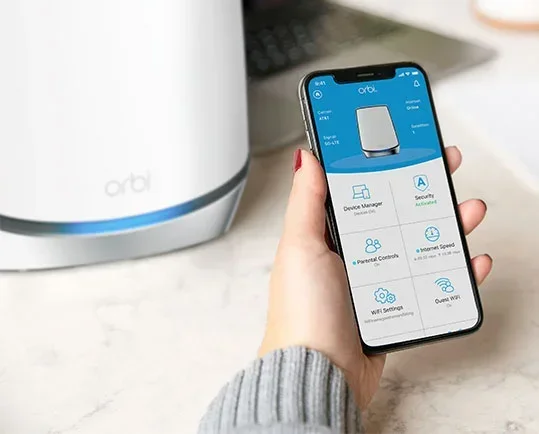
Download the Orbi app on your phone. Follow the on-screen instructions to set up your network name and password. The app makes the process easy and guides you through each step. You can also update your WiFi settings and check for firmware updates through the app.
Can You Skip the Modem? Common Myths
There are several myths about modems and mesh WiFi systems that can confuse people. Let us clear up the most common ones.
Myth 1: Orbi Has a Built-In Modem
This is not true. The Orbi router does not have a built-in modem. It cannot connect directly to your ISP’s infrastructure. You must have a separate modem or a gateway device to bring the internet into your home.
Myth 2: You Do Not Need a Modem if You Have Fiber Internet
Even with fiber internet, you need a modem or an optical network terminal (ONT). The ONT is the modem equivalent for fiber connections. It converts the fiber signal into data that your Orbi router can use.
Myth 3: A Better Router Replaces the Need for a Modem
No matter how good your router is, it cannot replace a modem. The router creates a local network and spreads WiFi, but it does not have the hardware to connect to your ISP. The modem is essential for that connection.
If you are curious about buying your own modem instead of renting one from your provider, you might want to check whether you can buy a modem from Cox or your specific ISP. Many providers allow you to use your own compatible modem, which can save you money in the long run.
Troubleshooting Orbi Modem Connection Issues
Sometimes things do not go smoothly when setting up your Orbi system with a modem. Here are some common issues and how to fix them.
Orbi Router Not Connecting to the Internet
If your Orbi router shows no internet connection, first check the modem. Make sure the modem is powered on and has a solid internet light. Restart both the modem and the Orbi router by unplugging them for 30 seconds and plugging them back in. Wait a few minutes for everything to reconnect.
Slow WiFi Speeds After Setup
Slow speeds can happen if your modem cannot handle your internet plan speed. Check the modem specifications and compare them to your plan speed. Also, make sure the Ethernet cable connecting the modem to the Orbi router is in good condition. A damaged cable can limit your speeds.
Orbi Satellites Not Syncing
If your satellites will not sync, try moving them closer to the main router. Once they sync, you can move them to their final positions. Also, make sure there are no large metal objects or thick walls blocking the signal between the router and satellites.
Firmware Updates
Keep your Orbi system updated. Firmware updates fix bugs and improve performance. You can check for updates through the Orbi app or the web interface. Keeping your system updated ensures the best WiFi coverage and security.
Do You Need a Modem If You Already Have a Router?
Some people already have a router from their ISP or a previous setup. They wonder if they can just plug their Orbi system into that router and skip the modem. Here is the deal.
If your existing router already has a modem built in, you can connect the Orbi to it. But you still need that modem function working. If your existing router is just a router without a modem, it will not give your Orbi system any internet access. You still need a modem in the chain.
Many people use their ISP-provided gateway device as the modem and then connect the Orbi router to it. This is a common and reliable setup. Just remember to put the gateway into bridge mode so it does not conflict with the Orbi router’s routing functions.
If you are wondering about connecting devices directly to your modem or setting up a simple network, you might find our guide on connecting straight to modem helpful. It covers the basics of direct modem connections and when they make sense.
Key Takeaways
- Orbi needs a modem: The Orbi mesh WiFi system cannot work without a modem to bring internet into your home.
- Separate modem or combo unit: You can use a standalone modem or a modem-router combo (gateway) from your ISP.
- Match modem to your speed plan: Choose a modem that supports the speeds your internet plan offers for the best performance.
- Setup is simple: Connect the modem to the Orbi router with an Ethernet cable, sync the satellites, and configure through the app.
- Bridge mode is key for combos: If using a gateway device, put it in bridge mode to avoid conflicts with the Orbi router.
- Troubleshooting starts with the modem: Most Orbi connection issues trace back to the modem or the cable between the modem and router.
Final Thoughts
Setting up a mesh WiFi system with Orbi is a great way to eliminate WiFi dead zones and get strong, reliable internet throughout your home. But none of it works without a modem. The modem brings the internet in, and the Orbi system spreads it around.
Make sure you have the right modem for your internet plan. If you are unsure, contact your ISP or check the modem compatibility list on the Netgear website. Taking a few extra minutes to get the right modem will save you headaches down the road.
Once your modem and Orbi system are working together, you will enjoy fast, seamless WiFi in every room. The setup process is simple, and the Orbi app makes managing your network a breeze. You will wonder how you ever lived with weak WiFi signals.
Take your time with the setup. Place your satellites thoughtfully. Keep your firmware updated. And enjoy the benefits of a fully covered, high-speed home network. Your Orbi system is a powerful tool, but it all starts with that essential modem connection.
Frequently Asked Questions
Can Orbi work without a modem?
No, Orbi cannot work without a modem. The Orbi system is a router and mesh WiFi device, not a modem. It needs a modem to receive the internet signal from your ISP. Without a modem, the Orbi system can create a local network but will not have access to the internet.
Can I use any modem with Orbi?
Not all modems work well with Orbi. You need a modem that is compatible with your ISP and supports your internet speed plan. Check the modem’s specifications before purchasing. DOCSIS 3.0 or 3.1 modems are the best choices for cable internet connections.
Do I need bridge mode if I have a modem-router combo?
Yes, you should put your modem-router combo into bridge mode when using it with Orbi. Bridge mode turns off the router functions of the combo device and lets the Orbi system handle all routing and WiFi duties. This prevents conflicts and ensures the best performance.
What cable do I use to connect Orbi to my modem?
You need a standard Ethernet cable to connect your modem to the Orbi router. Plug one end into the modem’s Ethernet port and the other end into the Orbi router’s WAN port. Make sure the cable is in good condition and not damaged for the best connection.
How many Orbi satellites can I use with one modem?
You can connect up to 12 Orbi satellites to a single Orbi router. The modem connects only to the main Orbi router. The satellites connect wirelessly to the router and extend the WiFi signal throughout your home. More satellites mean wider coverage.
Will a slow modem affect my Orbi WiFi speed?
Yes, a slow modem can bottleneck your Orbi WiFi speeds. If your modem cannot handle the speeds your ISP provides, your Orbi system will never reach its full potential. Always match your modem to your internet speed plan for the best results.