Does Iphone Use Wi Fi 6 And Why It Makes A Difference
Yes, newer iPhones support Wi-Fi 6, and it makes a real difference in wireless speed, latency, and battery life. If you own an iPhone 11 or later, your device is Wi-Fi 6 capable. Understanding how Wi-Fi 6 on iPhone works helps you get the most from your wireless connection and internet speed.
Let’s talk about something that affects almost everyone with a smartphone. Your iPhone and Wi-Fi connection play a huge role in your daily life. From streaming shows to video calling friends, you rely on wireless technology more than you might think.
Here is a question many people ask: does iPhone use Wi-Fi 6? The short answer is yes, but only on certain models. And the difference it makes? It is pretty exciting. In this guide, we will walk through everything you need to know about Wi-Fi 6 on iPhone, which phones support it, and why it matters for your network performance.
Whether you are trying to understand wireless speed or just want better connectivity at home, this article covers it all. We will keep things simple and practical. No jargon, no fluff. Just clear answers you can use right away.
Key Takeaways
- iPhone 11 and newer models support Wi-Fi 6, giving you faster wireless speeds and better performance.
- Wi-Fi 6 reduces latency, which means smoother streaming, gaming, and video calls on your mobile device.
- Your router must also support Wi-Fi 6 for your iPhone to take full advantage of the technology.
- Wi-Fi 6 improves battery life on iPhones by using smarter wireless protocols to manage connections.
- You can check your iPhone’s Wi-Fi standard in Settings under the Wi-Fi network details page.
- Wi-Fi 6 and Wi-Fi 6E are not the same, and some newer iPhones support the extended band too.
📑 Table of Contents
- What Is Wi-Fi 6 And Why Should You Care?
- Which iPhones Support Wi-Fi 6?
- How Wi-Fi 6 Improves iPhone Performance
- Wi-Fi 6 vs Wi-Fi 5: What Is The Difference?
- How To Check If Your iPhone Is Using Wi-Fi 6
- Does Wi-Fi 6 Make A Difference In Real Life?
- Common Mistakes That Prevent Wi-Fi 6 From Working Properly
- Expert Insights On Wi-Fi 6 And iPhone Connectivity
- Final Thoughts: Does iPhone Use Wi-Fi 6
What Is Wi-Fi 6 And Why Should You Care?
Wi-Fi 6 is the latest wireless standard for local networks. It is also called 802.11ax. Think of it as an upgrade to the older Wi-Fi 5 and Wi-Fi 4 standards. It brings faster download speed, better handling of multiple devices, and improved bandwidth management.
Here is a simple way to think about it. Imagine a highway. Older Wi-Fi standards are like a two-lane road. Wi-Fi 6 is like a bigger highway with more lanes and smarter traffic control. More cars (or devices) can move faster without traffic jams.
What Makes Wi-Fi 6 Different From Older Versions?
Wi-Fi 6 uses several new technologies. These include OFDMA, MU-MIMO, and Target Wake Time. Those sound like technical terms, but they do simple things. They help your wireless router talk to more devices at once. They also help your phone use less power when connected to Wi-Fi.
For example, if you have a smart home with many connected devices, Wi-Fi 6 handles them much better. Your internet connection stays fast even when your phone, tablet, smart TV, and smart bulbs are all online at the same time.
Which iPhones Support Wi-Fi 6?
Not every iPhone has Wi-Fi 6. Apple introduced this feature starting with the iPhone 11. Here is a breakdown of the models that support the Wi-Fi 6 standard.
iPhone Models With Wi-Fi 6 Support
- iPhone 11 and iPhone 11 Pro
- iPhone 12 series (mini, normal, Pro, Pro Max)
- iPhone 13 series
- iPhone 14 series
- iPhone 15 series
- iPhone SE (3rd generation and later)
If you own any of these models, your iPhone uses Wi-Fi 6 when connected to a compatible router. Older models like the iPhone X, iPhone 8, and earlier ones use Wi-Fi 5 or older standards.
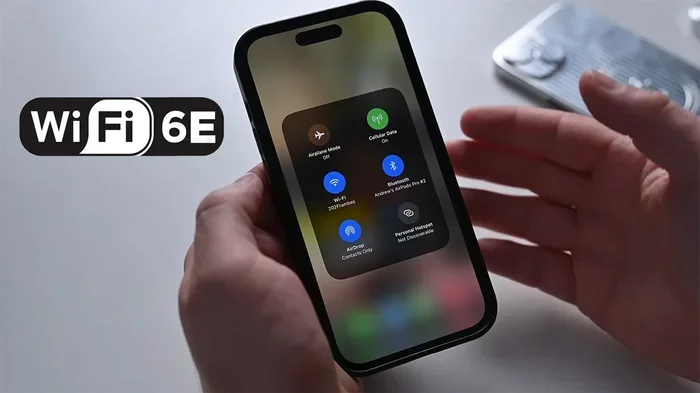
You might also wonder about Wi-Fi 6E. This is an extension of Wi-Fi 6 that uses a new 6 GHz frequency band. The iPhone 15 Pro and iPhone 15 Pro Max support Wi-Fi 6E. This gives even faster speeds in environments where the 6 GHz band is available.
How Wi-Fi 6 Improves iPhone Performance
So what actually changes when your iPhone uses Wi-Fi 6? The improvements are real and noticeable. Let us look at the key benefits.
Faster Wireless Speed
Wi-Fi 6 can deliver speeds up to 9.6 Gbps. That is much faster than Wi-Fi 5, which topped out at about 3.5 Gbps. In real life, you may not hit those top numbers. But you will notice faster download speed when updating apps or downloading large files. Pages load quicker, and large attachments send faster.
Better Performance With Multiple Devices
This is where Wi-Fi 6 really shines. In a home with many connected devices, older routers struggle. Your network performance drops. But Wi-Fi 6 handles multiple connections much better. It uses a technology called OFDMA that splits channels into smaller subchannels. Each device gets its own dedicated slice of the connection.
Think about your morning routine. Your phone is syncing data. Your smart TV is streaming a morning show. Your tablet is updating apps. Your laptop is backing up files. With Wi-Fi 6, all of this happens smoothly without slowdowns.
Lower Latency For Smoother Experiences
Latency is the delay between sending a request and getting a response. Lower latency means smoother gaming, better video calls, and less buffering. Wi-Fi 6 reduces latency significantly compared to older standards. If you play games on your iPhone or join video meetings, this improvement matters.
Improved Battery Life
Wi-Fi 6 includes a feature called Target Wake Time (TWT). This lets your iPhone and your router agree on when to communicate. Instead of constantly checking for data, your phone can “sleep” and wake up only when needed. This smart wireless protocol saves battery power over time.
Wi-Fi 6 vs Wi-Fi 5: What Is The Difference?
It helps to compare the two directly. Here is a simple table that shows the key differences.
| Feature | Wi-Fi 5 (802.11ac) | Wi-Fi 6 (802.11ax) |
|---|---|---|
| Max Speed | 3.5 Gbps | 9.6 Gbps |
| Frequency Bands | 2.4 GHz and 5 GHz | 2.4 GHz, 5 GHz, and 6 GHz (Wi-Fi 6E) |
| Multiple Device Handling | Good | Excellent |
| Latency | Moderate | Low |
| Battery Efficiency | Standard | Improved with TWT |
| Security | WPA2 | WPA3 |
| iPhone Support Starts | iPhone 5 and later | iPhone 11 and later |
As you can see, Wi-Fi 6 is a big step forward. It is not just about raw speed. The improvements in handling multiple devices and saving battery are just as important for daily use.
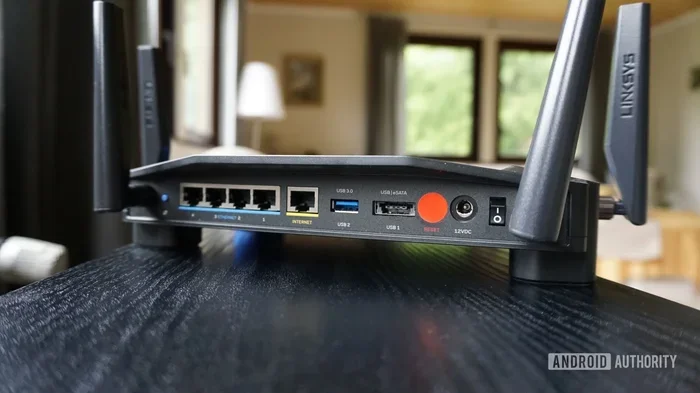
Now, you might ask, “Do I need to change anything to get Wi-Fi 6 on my iPhone?” The answer is no. If you have a compatible model, it works automatically. But your router needs to support Wi-Fi 6 too. If your router is older, you will still connect to Wi-Fi, but your wireless connection will use the older standard your router supports.
Also, keep in mind that your iPhone and Bluetooth use different frequencies. They are not the same technology. Bluetooth operates on a much shorter range and lower bandwidth than Wi-Fi. If you are curious about how these wireless technologies compare, you can learn more about whether Wi-Fi and Bluetooth use the same frequency on our site.
How To Check If Your iPhone Is Using Wi-Fi 6
Wondering if your iPhone is actually using Wi-Fi 6 right now? You can check this easily in your settings. Here is how.
- Open the Settings app on your iPhone.
- Tap on Wi-Fi.
- Find the network you are connected to and tap the info icon (the “i” in a circle) next to it.
- Look for the Wi-Fi standard or connection details. It should show “Wi-Fi 6” or “802.11ax” if your phone and router both support it.
If you want to manage your wireless networks better, you can also learn how to delete unwanted Wi-Fi networks from your iPhone. This helps keep your list of saved networks clean and ensures your connectivity stays fast and secure.
Quick Tips To Get The Best Wi-Fi 6 Performance On iPhone
- Use a Wi-Fi 6 router. Without a compatible router, your iPhone will fall back to older standards.
- Keep your iPhone updated. Apple releases software updates that improve wireless performance.
- Place your router in a central location. This helps maximize your network coverage and signal strength.
- Restart your router occasionally. A simple reboot can improve your internet connection speed.
- Check your router’s firmware. Updated firmware ensures your router works well with Wi-Fi 6 devices.
Does Wi-Fi 6 Make A Difference In Real Life?
We have covered the technical side. But what does this mean for you in everyday life? Let us look at a few real-world scenarios.
Streaming Videos
If you stream a lot of content on your iPhone, Wi-Fi 6 makes a noticeable difference. Higher bandwidth means less buffering. You can stream 4K video smoothly, even when other devices in your home are using the same network. Your streaming quality stays consistent because Wi-Fi 6 manages the connection more efficiently.
Working From Home
Remote work involves a lot of video calls, file uploads, and cloud app usage. Wi-Fi 6 handles all of this with lower latency and better multi-device support. You can join a video meeting while your roommate is downloading a large file, and neither of you will notice a slowdown.
Online Gaming
Gamers know that latency is the enemy. Wi-Fi 6 reduces latency significantly. This means faster response times in games, smoother online multiplayer experiences, and fewer disconnects. If you play games on your iPhone, you will feel the difference.
Smart Home Devices
Many homes now have smart cameras, smart speakers, smart lights, and other connected gadgets. Wi-Fi 6 was designed for exactly this kind of environment. It keeps all these devices connected without slowing down your wireless connection for your phone.
Charging and Battery
Remember the Target Wake Time feature? In practical terms, this means your iPhone battery lasts longer when connected to Wi-Fi. Your phone is not constantly “talking” to the router. It communicates in efficient bursts and then goes back to sleep. Over a full day, this adds up to meaningful battery savings.
Common Mistakes That Prevent Wi-Fi 6 From Working Properly
Even if you have a Wi-Fi 6 iPhone and a Wi-Fi 6 router, some common mistakes can stop you from getting the full benefits. Here are a few to avoid.
- Using outdated router firmware. Your router needs the latest software to fully support Wi-Fi 6 features. Check for updates regularly.
- Placing the router too far away. Distance weakens your signal. If your iPhone is too far from the router, it may fall back to older Wi-Fi standards or a weaker band.
- Not restarting your router. Routers can develop connection issues over time. A quick restart often fixes slow speeds and drops.
- Ignoring network interference. Microwaves, baby monitors, and even neighboring Wi-Fi networks can interfere with your signal. If you experience issues, you might want to boost your Wi-Fi signal outside or adjust your router placement.
- Not checking your Wi-Fi password. If you recently changed your password and your phone cannot connect properly, you can find your Wi-Fi password in settings quickly.
Avoiding these simple mistakes ensures your iPhone gets the full Wi-Fi 6 experience every time you connect.
Expert Insights On Wi-Fi 6 And iPhone Connectivity
Network experts agree that Wi-Fi 6 is one of the most meaningful upgrades in recent years. Apple was quick to adopt it in the iPhone 11, and every model since has continued to support and improve on the standard.
One thing experts emphasize is that Wi-Fi 6 is only as good as your router. Your iPhone can support the latest standard, but if your router is older, you will not see the benefits. Upgrading your router is the first step if you want to take full advantage of Wi-Fi 6 speeds.
Another expert tip is to use the 5 GHz band when possible. It offers less interference and faster speeds than the 2.4 GHz band. Wi-Fi 6 makes the 5 GHz band even more efficient, which directly benefits your iPhone’s wireless performance.
Some people also ask whether they need a special plan from their internet provider. The answer is no. Wi-Fi 6 is about your local network, not your internet plan. Your internet speed from your provider still matters, but Wi-Fi 6 ensures your home network can handle it without bottlenecks.
Final Thoughts: Does iPhone Use Wi-Fi 6
The answer is clear. Newer iPhones absolutely use Wi-Fi 6, and it makes a real difference in how you experience wireless connectivity. From faster download speeds to smoother streaming, lower latency, and better battery life, the benefits are tangible and easy to notice.
If you have an iPhone 11 or later, you already have this capability. Just make sure your router supports Wi-Fi 6 too, and you will be set. Take a moment to check your settings and confirm your connection. You might be surprised at how much better your wireless experience can be.
Technology keeps moving forward, and Wi-Fi 6 is a great example of how small upgrades can make a big impact. Your iPhone is ready. Your network just needs to catch up. Once it does, you will wonder how you ever lived without it.
Stay connected, stay fast, and make the most of what your iPhone and Wi-Fi 6 can do together.
Frequently Asked Questions
Which iPhone was the first to support Wi-Fi 6?
The iPhone 11 was the first Apple device to support Wi-Fi 6. It was released in 2019, and every iPhone model since then has continued to include this wireless standard. If you have an iPhone 11 or newer, your phone is Wi-Fi 6 capable.
Do I need a new router to use Wi-Fi 6 on my iPhone?
Yes, you need a Wi-Fi 6 compatible router to get the full benefits. Your iPhone will still connect to Wi-Fi without a Wi-Fi 6 router, but it will use the older standard your router supports. Upgrading your router unlocks the faster speeds and better performance that Wi-Fi 6 offers.
Can older iPhones use Wi-Fi 6 if they update to the latest iOS?
No. Software updates cannot add hardware support. Older iPhones that do not have Wi-Fi 6 chips in them simply cannot connect to Wi-Fi 6 networks. The wireless hardware must be built into the device. This is why only iPhone 11 and newer models support the standard.
Is Wi-Fi 6 the same as 5G?
No, they are different technologies. Wi-Fi 6 is for local networks at home or in the office. 5G is a cellular network standard used by mobile carriers. Your iPhone can use both, but they serve different purposes and work in different ways.
Does Wi-Fi 6 use more battery on iPhone?
Actually, it does the opposite. Wi-Fi 6 includes a feature called Target Wake Time that helps your iPhone manage its wireless connections more efficiently. This means your phone uses less power when connected to a Wi-Fi 6 network compared to older standards.
How can I tell if my Wi-Fi router supports Wi-Fi 6?
Check your router’s model number and look it up online. Most modern routers that support Wi-Fi 6 will clearly state it on the box or in the product specs. You can also check your iPhone’s Wi-Fi settings to see if it connects using the Wi-Fi 6 standard when near a compatible router.
=== CONCLUSION ===
Does iPhone use Wi-Fi 6? Yes, and it is one of the best upgrades Apple has brought to its smartphones. With faster wireless speed, better network performance, lower latency, and improved battery life, Wi-Fi 6 makes a genuine difference in how you use your iPhone every day. Make sure your router keeps up, and you will enjoy a faster, smoother, and more efficient wireless experience at home and on the go.