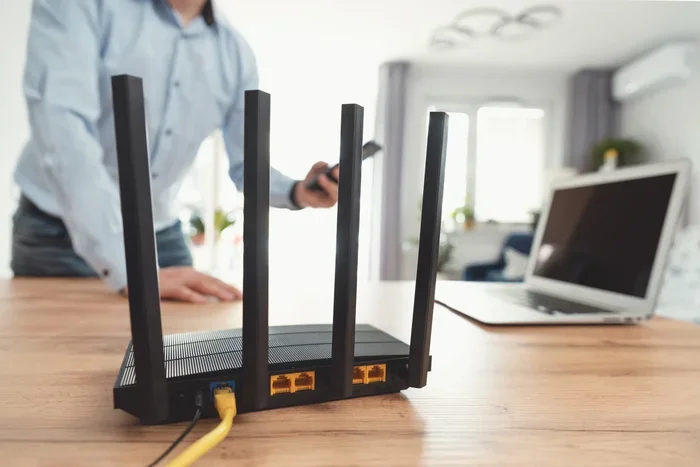
Do You Need A Router For Wlan And Why It Really Matters
Do you need a router for WLAN? The short answer is yes. A wireless router is the device that creates your WiFi network and lets all your devices connect to the internet. Without a router, you cannot share an internet connection across multiple devices or enjoy wireless access at home. This guide covers everything you need to know about WLAN setup, router types, and how to choose the right one.
Do you need a router for WLAN? If you have ever wondered whether you really need that box sitting in the corner of your room, this article is for you. A wireless router is one of the most important devices in any modern home. It is the gateway that connects your phones, laptops, smart TVs, and tablets to the internet. Without a router, your internet service is basically useless for anything beyond a single wired device.
Many people take their WLAN setup for granted. They plug in a router, connect a few devices, and never think about it again. But understanding how your WiFi network works can save you from slow speeds, dead zones, and security risks. Whether you are setting up a new home or upgrading your current network setup, knowing the role of a router is the first step.
In this guide, we will break down everything you need to know. We will cover what a router does, why you need one, the different types available, and how to set up your wireless access point for the best performance. By the end, you will have a clear picture of your options and the confidence to make the right choice for your home.
Key Takeaways
- A router is essential for WLAN: It creates your wireless network and shares internet with all your devices.
- You can buy your own router: Renting from an ISP is not required, and owning a router gives you more control.
- Router placement matters a lot: The location of your router affects wireless signal strength and network coverage.
- Mesh systems improve coverage: If your home is large, a mesh WiFi setup can eliminate dead zones.
- Security settings are critical: Proper router configuration keeps your home network safe from threats.
- Dual-band and tri-band routers offer flexibility: Different wireless frequencies serve different needs.
📑 Table of Contents
What Is a Router and How Does It Work for WLAN?
A router is a device that directs data between your home network and the internet. Think of it as a traffic cop for your internet connection. When data comes in from your ISP modem, the router sends it out to the right device. When your phone sends a request, the router forwards it to the correct destination.
For WLAN specifically, the router broadcasts a wireless signal. This signal allows your devices to connect without cables. The router handles both wired connections through Ethernet ports and wireless connections through built-in antennas. A good router configuration ensures that all your devices get a stable and fast connection.
How a Router Differs from a Modem
People often confuse routers with modems, but they serve different purposes. A modem connects your home to your internet provider. A router then takes that connection and shares it with your devices. Some devices combine both functions into one unit, which is called a gateway. However, using a separate wireless router gives you more flexibility and better network performance.
Here is a simple way to remember the difference. The modem brings the internet to your home. The router spreads it around your home. Both are essential, but the router is what makes your WLAN possible.
Why Your Router Matters for Wireless Signal Strength
The quality of your router directly affects your wireless signal strength. A cheap or outdated router may give you slow speeds and weak coverage. A modern router with the latest standards can deliver fast speeds across your entire home. If you have noticed slow internet in certain rooms, your router placement or hardware might be the problem.
Do You Really Need a Router for WLAN?
The answer depends on how you use the internet. If you only have one device and you use a wired connection, you might not need a router. But for most households, a router is absolutely necessary. Modern homes have multiple devices that need internet access at the same time. A wireless router handles all of them at once.
Even if you only have a laptop and a phone, a router gives you the freedom to move around your home without being tethered to a cable. It also lets you share files between devices, print wirelessly, and stream content on multiple screens simultaneously. A home network without a router is like a house without hallways. Everything is stuck in one room.
Situations Where You Might Skip a Router
There are a few rare cases where you might not need a router. If you only use one computer with a direct Ethernet connection to your modem, you can skip a router. Some people use their laptop as a mobile hotspot instead of a router. But these setups are not practical for most households. They lack the flexibility and coverage that a proper WLAN setup provides.
What Happens If You Use No Router at All?
Without a router, your options are very limited. You can only connect one device directly to the modem. No wireless devices can access the internet. No smart home gadgets can work. No one in the family can browse the web on their phone while someone else streams a show on TV. A router solves all of these problems at once.
Types of Routers for WLAN Setup
Not all routers are the same. Different types serve different needs and budgets. Understanding the options helps you choose the right one for your WLAN setup. Let us look at the most common types.
Single-Band Routers
A single-band router operates on one wireless frequency, usually 2.4GHz. These routers are affordable and work well for basic internet tasks like browsing and email. However, they can suffer from interference because the 2.4GHz band is crowded. Many household devices use this frequency, which can slow down your WiFi network.
Dual-Band Routers
Dual-band routers offer two frequencies: 2.4GHz and 5GHz. The 2.4GHz band provides longer range, while the 5GHz band delivers faster speeds for close-range use. Most modern households benefit from a dual-band setup. If you want to add a 2.4GHz band to your router for better range, a dual-band model makes this easy.
Tri-Band Routers
Tri-band routers add a second 5GHz band on top of the standard 2.4GHz and 5GHz bands. These are ideal for large households with many devices. They reduce congestion and keep speeds fast even when multiple people are streaming, gaming, or video calling at the same time.
Mesh WiFi Systems
Mesh systems use multiple units placed around your home to create seamless network coverage. If you have a large house or one with thick walls, a mesh system can eliminate dead zones. You can even connect Wi-Fi 6 mesh to a WiFi 5 router to extend your existing network without buying a whole new system. Mesh setups are easy to manage through a phone app.
How to Choose the Right Router for Your WLAN
Choosing the right router can feel overwhelming with so many options available. But it does not have to be complicated. Focus on a few key factors, and you will find the perfect wireless router for your home.
Consider Your Home Size
The size of your home plays a big role in router selection. A small apartment may only need a basic single or dual-band router. A larger house with multiple floors benefits from a tri-band router or a mesh system. Think about where you spend most of your time online and make sure the WiFi range reaches those areas.
Think About Your Internet Speed
Your router should match your internet plan. If you pay for gigabit speeds, a budget router will bottleneck your connection. Look for a router that supports the speeds your ISP provides. Check the router’s specs for its maximum throughput and make sure it can handle your plan.
Count Your Connected Devices
Every device in your home connects to your router. Phones, laptops, tablets, smart TVs, smart speakers, security cameras, and gaming consoles all count. The more devices you have, the more powerful your router needs to be. A router with strong processing power and enough bandwidth keeps everything running smoothly.
Check for Security Features
Network security is more important than ever. Look for routers that offer WPA3 encryption, built-in firewalls, and automatic firmware updates. These features protect your home network from hackers and malware. A secure router keeps your personal data safe and your internet connection private.
Can You Buy Your Own Router Instead of Renting?
Many internet service providers charge a monthly fee to rent a router. Over time, this adds up to a lot of money. The good news is that you can buy your own router for internet and save money in the long run. Owning your router also gives you more control over settings and features. You can upgrade whenever you want without waiting for your provider.
Setting Up Your WLAN Router for Best Performance
Once you have your router, proper setup makes a huge difference. A few simple steps can boost your WiFi signal and improve your entire online experience.
Place Your Router in the Center of Your Home
Where you put your router affects everything. Place it in a central location, preferably on a higher shelf. Avoid putting it in a closet, behind a TV, or near thick walls. The more open space around the router, the better the wireless coverage. Good router placement is one of the easiest ways to improve your network.
Keep Your Router Firmware Updated
Router manufacturers release firmware updates to fix bugs and improve security. Check for updates regularly. Most modern routers have an app or web interface that makes this easy. Keeping your firmware current ensures your WLAN setup stays fast and secure.
Change Default Settings
When you first set up your router, change the default admin password and network name. Default settings are easy for attackers to guess. A strong, unique password protects your WiFi network from unauthorized access. Also, make sure you enable WPA3 or at least WPA2 encryption.
Optimize Your Wireless Channels
Your router broadcasts on specific channels. If your neighbors are using the same channel, interference can slow your speeds. Most routers auto-select channels, but you can manually choose a less crowded one for better performance. This is especially helpful in apartments or densely populated areas.
Common Router Mistakes That Hurt Your WLAN
Even with a great router, simple mistakes can hurt your WiFi network. Avoid these common errors to get the most out of your setup.
Hiding the Router in a Cabinet
It is tempting to tuck your router away to keep your home looking tidy. But cabinets, drawers, and enclosed spaces block the wireless signal. Your router needs open space to broadcast effectively. Keep it out in the open for the best network coverage.
Ignoring Interference Sources
Microwaves, baby monitors, cordless phones, and even Bluetooth devices can interfere with your wireless signal. Keep your router away from these devices. If you notice slow speeds at certain times, interference might be the cause.
Using an Outdated Router
Technology moves fast, and routers age quickly. An old router may not support modern speeds or the latest security standards. If your router is more than five years old, consider upgrading. A new wireless router can transform your internet experience.
Overloading Your Router
Every router has a limit on how many devices it can handle. If you connect too many devices, speeds drop for everyone. If you have a large household, consider a router designed for heavy use or a mesh system that spreads the load across multiple units.
Expert Insights on WLAN Routers
Networking experts agree that the router is the backbone of any home network. A quality router pays for itself through better speeds, fewer disconnections, and stronger security. When you invest in a good router, you invest in a better online experience for everyone in your household.
Experts also recommend reviewing your network performance regularly. Speed tests, signal strength checks, and firmware updates should become routine habits. These small actions keep your WiFi network running at its best. If you are ever unsure about your setup, do not hesitate to consult your router’s manual or contact the manufacturer for support.
One final tip from the experts: do not be afraid to experiment with router placement. Even moving your router a few feet can make a noticeable difference. Try different spots and test the signal in various rooms. The perfect spot might not be where you expect it.
Conclusion
So, do you need a router for WLAN? Absolutely. A wireless router is the heart of your home network. It creates your WiFi network, shares your internet connection, and keeps your devices connected. Whether you buy a basic dual-band router or invest in a mesh system, the right router makes a world of difference.
Take the time to understand your needs. Consider your home size, device count, and internet speed. Choose a router that fits, set it up correctly, and maintain it over time. Your WLAN setup will reward you with fast, reliable, and secure internet every day. A good router is not an expense. It is an investment in your connected life.
Frequently Asked Questions
Can I use my laptop as a router for WLAN?
Yes, you can share your laptop’s internet connection with other devices using a feature called mobile hotspot. However, this is not a practical long-term solution. A dedicated wireless router provides much better performance, range, and reliability for your home network.
Do I need a router if I have a modem?
Yes, a modem only connects one device to the internet. A router is what allows multiple devices to connect wirelessly. Without a router, you cannot create a WiFi network or share your internet connection across your household.
Can I get a free router from my internet provider?
Some providers, like Optimum, offer a free router with certain internet plans. However, rented routers often have limited features and settings. Buying your own router gives you more control and can save you money over time.
What is the difference between WLAN and WiFi?
WLAN stands for Wireless Local Area Network. WiFi is the technology that makes WLAN possible. They are often used interchangeably, but WLAN refers to the entire network while WiFi refers to the wireless technology connecting devices.
How often should I replace my router?
Most experts recommend replacing your router every three to five years. Technology improves quickly, and older routers may not support the latest speeds or security standards. If you notice slow speeds or frequent disconnections, it might be time for a new one.
Does router placement really affect WLAN performance?
Yes, placement matters a lot. A router placed in a central, open area provides the best wireless signal and network coverage. Walls, furniture, and electronic devices can block or weaken the signal. Even small changes in placement can improve your WiFi network significantly.