Do I Still Need A Modem With A Wireless Router Today
You still need a modem with a wireless router — unless you have a modem-router combo device. The modem connects your home to the internet, while the wireless router shares that connection with all your devices. Understanding this difference saves money, boosts speed, and fixes common Wi-Fi problems.
Do I still need a modem with a wireless router? The short answer is yes — but the full answer is more interesting than you might think.
If you have ever set up home internet, you know the confusion. Your internet provider gives you a box. Sometimes it is one box. Sometimes it is two. You plug it in, and the internet works. But what is actually happening inside that box? And do you really need both pieces of equipment?
The truth is that a modem and a wireless router serve two very different jobs. One talks to your internet provider. The other talks to your phone, laptop, and smart TV. Without the modem, the router has nothing to share. Without the router, only one device can connect at a time. Let us break this down so you understand exactly what you need — and what you can skip.
Key Takeaways
- A modem is essential: It translates the signal from your ISP into data your devices can use.
- A wireless router is not enough on its own: It needs a modem to receive internet data.
- Modem-router combos exist: These two-in-one devices save space and simplify setup.
- Separate devices offer more control: You can upgrade your router without changing the modem.
- ISP-provided gear often costs more: Renting a gateway from your ISP adds up over time.
- Fiber internet changes the game: Some fiber setups use an ONT instead of a traditional modem.
- Your internet speed depends on both devices: A weak modem or outdated router bottlenecks performance.
📑 Table of Contents
- What Does a Modem Actually Do?
- What Does a Wireless Router Actually Do?
- Modem vs. Router: What Is the Difference?
- Do I Need Both a Modem and a Router?
- Can You Use a Wireless Router Without a Modem?
- ISP-Provided Equipment vs. Buying Your Own
- Fiber Internet: Does It Change the Answer?
- How to Choose the Right Setup for Your Home
- Final Thoughts
What Does a Modem Actually Do?
A modem is the bridge between your home and the internet. It stands for modulator-demodulator. That sounds complicated, but the idea is simple.
Your internet service provider sends data to your home through a cable, phone line, or fiber line. That signal is not something your computer or phone can read directly. The modem takes that raw signal and converts it into data your devices understand. It also does the reverse — sending your requests out to the internet and bringing back the web pages, videos, and messages you want.
Types of Modems
Not all modems are the same. The type you need depends on what kind of internet service your provider offers.
- Cable modem: Works with coaxial cable connections from providers like Xfinity or Spectrum.
- DSL modem: Uses a phone line and is common with providers like AT&T in certain areas.
- Fiber ONT (Optical Network Terminal): Used with fiber internet. Some people call this a modem, but it works differently than a traditional one.
- Satellite modem: Used with satellite internet services like HughesNet or Viasat.
Each modem type connects to a different kind of infrastructure. You cannot just swap a cable modem for a DSL modem and expect it to work. Your ISP determines which type you need.
What Does a Wireless Router Actually Do?
If the modem is the bridge to the internet, the wireless router is the traffic director inside your home. It takes the single internet connection from the modem and shares it with multiple devices at the same time.
Your router creates a Wi-Fi network — that invisible signal that lets your phone, laptop, tablet, and smart home devices go online without plugging in a cable. It also assigns local IP addresses to each device and manages the traffic between them.
Router Features That Matter
Not all routers are created equal. Here are the features that make a real difference in your daily internet experience.
- Wi-Fi standard: Look for Wi-Fi 6 or Wi-Fi 6E for the fastest speeds and best performance with multiple devices.
- Band support: Dual-band routers use 2.4 GHz and 5 GHz frequencies. Tri-band routers add a second 5 GHz band.
- Range and coverage: Larger homes need routers with strong signal reach or mesh systems to eliminate dead zones.
- Processor and RAM: Better hardware means the router can handle more devices without slowing down.
- Security features: Look for WPA3 encryption and automatic firmware updates to keep your home network safe.
The router does not create internet on its own. It only distributes what the modem provides. That is why both pieces matter.
Modem vs. Router: What Is the Difference?
People often confuse these two devices because they are both boxes that sit in your home and help with internet. But they do completely different things.
Think of it this way. The modem is the person who receives a package from the post office. The router is the person who opens the package and distributes the contents to everyone in the house. One receives the connection. The other shares it.
Side-by-Side Comparison
| Feature | Modem | Wireless Router |
|---|---|---|
| Primary job | Connects to ISP and brings internet into your home | Shares that connection with all your devices wirelessly |
| Wired connection | One ethernet port to connect to the router | Multiple ethernet ports for devices that need a wired link |
| Wi-Fi signal | No Wi-Fi capability | Creates the Wi-Fi network your devices connect to |
| IP address | Gets the public IP address from your ISP | Assigns private IP addresses to your home devices |
| Can work alone | Yes, but only one device can connect via cable | No, it needs a modem to provide internet data |
| Upgradable | Only when your internet speed plan changes | You can upgrade anytime to get better Wi-Fi coverage |
Understanding this difference helps you make smarter buying decisions. It also explains why some people choose to buy separate devices instead of a single combo unit.
Do I Need Both a Modem and a Router?
Here is where things get interesting. The answer depends on your setup and your needs.
If you want Wi-Fi in your home — and let us be honest, almost everyone does — then yes, you need both a modem and a wireless router. One cannot replace the other. A router alone cannot connect to your ISP. A modem alone cannot broadcast Wi-Fi.
When You Need Both Devices Separately
There are situations where buying a separate modem and a separate router makes a lot of sense.
- You want better performance: Standalone routers are almost always more powerful than the routers built into ISP combo devices.
- You want to upgrade independently: If your router gets outdated in two years, you can replace just the router without touching the modem.
- You are a power user: Gamers, streamers, and remote workers benefit from high-end routers that offer better range, speed, and device management.
- You want to save money: Buying your own modem eliminates the monthly modem rental fee that ISPs charge.
When a Modem-Router Combo Works Fine
A combo device — sometimes called a gateway — combines both functions into one box. These are perfectly fine for many households.
- Small apartments or homes: If you have a small space and only a few devices, a combo unit handles everything easily.
- Simple internet use: Browsing, email, and light streaming work great on most gateway devices.
- Minimal setup: One box means one device to plug in, configure, and maintain.
- ISP-provided equipment: Many providers give you a gateway for free or at a low monthly cost.
The key is knowing what your household needs. A family of five streaming 4K video on multiple devices will benefit from a separate, high-quality router. A single person checking email will be fine with a combo device.
Can You Use a Wireless Router Without a Modem?
This is one of the most common questions people ask. The answer is no — not for regular internet access. A wireless router without a modem cannot connect to the internet.
However, there is one exception. You can use a router without a modem to create a local network. This lets devices talk to each other — share files, print to a shared printer, or stream media from one device to another — without any internet connection at all. But you will not be able to browse the web, watch YouTube, or check social media.
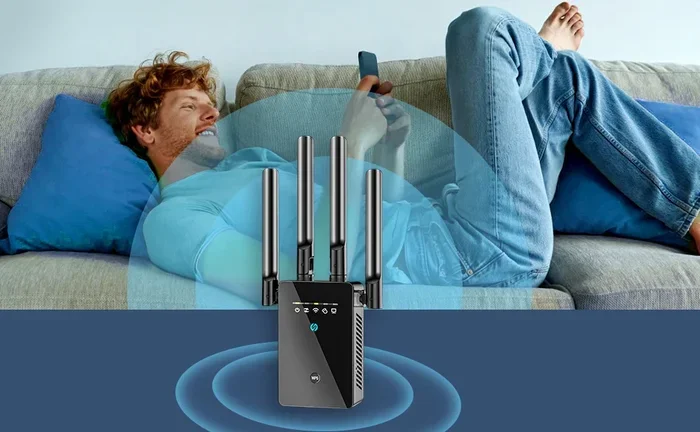
Some people also use a router without a modem for extended Wi-Fi coverage. They connect the router to an existing network through an ethernet cable, essentially turning it into a wireless access point or a range extender. This is a great trick for boosting signal in dead zones.
Quick Tips: When a Router Alone Makes Sense
- You already have a modem and want to add better Wi-Fi coverage.
- You are setting up a guest network for visitors.
- You want to create a wired network for gaming consoles or smart TVs.
- You are using the router as a network switch or access point.
So the bottom line is clear. A wireless router on its own does not give you internet. You always need a modem — or a modem-router combo — to get online.
ISP-Provided Equipment vs. Buying Your Own
Most internet providers offer to give you a modem or a gateway device as part of your service plan. This sounds convenient, but it comes with hidden costs.
The Cost of ISP Rental Fees
ISPs typically charge between $10 and $15 per month to rent their equipment. Over a year, that adds up to $120 to $180. Over five years, you could pay $600 or more — for equipment that is often outdated and slower than what you can buy yourself.
Buying your own modem and router upfront costs more at first, but it pays for itself within a year or two. Plus, you get to choose better-quality equipment that matches your internet speed plan.
Common Mistakes People Make with ISP Equipment
- Not checking compatibility: Your ISP has a list of approved modems. Buying an incompatible one means it will not work, even if it is technically a modem.
- Keeping outdated gear: ISPs sometimes push old equipment that cannot handle modern internet speeds.
- Not asking about fees: Many people pay modem rental fees without even realizing they can buy their own device and save money.
- Confusing the gateway with the router: When your ISP gives you one box, that box is a modem-router combo. People sometimes blame the router for slow internet when the modem is actually the bottleneck.
Expert Insights: What Networking Professionals Recommend
Most network experts agree on one thing: buying your own equipment gives you more control and better long-term value. A separate modem and a quality router outperform most ISP gateways. You also get access to the latest Wi-Fi standards and security features much faster than if you rely on your provider’s equipment cycle.
That said, if you are not comfortable setting up your own network, an ISP-provided gateway is perfectly fine for basic internet use. The most important thing is that your equipment supports the speeds you are paying for.
Fiber Internet: Does It Change the Answer?
Fiber internet is changing how people think about modems and routers. With fiber, the connection comes into your home through an ONT (Optical Network Terminal) instead of a traditional modem.
The ONT converts light signals from the fiber cable into electrical signals that your devices can use. From there, you still need a wireless router to share that connection — just like with any other type of internet.
Some fiber providers offer a single gateway device that includes the ONT and router in one box. Others require you to set up the ONT and connect your own router. The principle remains the same: you need something to receive the internet signal and something to distribute it.
Fiber internet is faster and more reliable than cable or DSL, but it does not eliminate the need for a modem (or ONT) and a router. The roles of these devices stay the same regardless of the connection type.
Key Takeaways
- A modem (or ONT) is always required: It is the first link between your home and the internet.
- A router is always needed for Wi-Fi: Without it, you can only connect one device at a time via cable.
- Fiber changes the hardware type, not the concept: You still need both pieces, just different ones.
- Combo devices work for most people: But serious internet users benefit from separate, higher-quality gear.
How to Choose the Right Setup for Your Home
Now that you understand the roles of modems and routers, how do you decide what setup is best for you?
Consider Your Household Size
A household with one or two people and light internet use can get by with a modem-router combo. A family with multiple streamers, gamers, and smart home devices will benefit from separate, high-performance equipment.
Check Your Internet Speed Plan
Your modem must support the speeds you are paying for. If you pay for 500 Mbps internet but your modem only handles 300 Mbps, you are leaving speed on the table. Check the modem’s specifications before you buy.
Think About Future Needs
Technology moves fast. Buying a router with Wi-Fi 6 support means it is ready for the next several years of device upgrades. It also handles more connected devices without slowing down.
Take a moment to assess your home. Count the devices that connect to your network. Think about what you use the internet for. Then choose the setup that fits — not the one that looks the flashiest.
Final Thoughts
So do you still need a modem with a wireless router? Absolutely. The modem brings the internet into your home. The wireless router spreads it to all your devices. Both are essential pieces of your home network puzzle.
You can choose to combine them into a single modem-router combo for simplicity, or you can go with separate devices for better performance and flexibility. Either way, understanding what each piece does helps you make smarter choices about your internet setup.
The next time someone asks you if they need both, you will know the answer. And more importantly, you will know why. Take what you have learned here, evaluate your own setup, and make the choice that gives you the best internet experience at home.
Frequently Asked Questions
Can I use just a modem without a router?
Yes, but only one device can connect to the internet at a time, and it must be connected via an ethernet cable. You will not have Wi-Fi or the ability to connect multiple devices wirelessly.
Is a modem-router combo as good as separate devices?
For most households with basic internet needs, a combo device works perfectly fine. However, separate devices generally offer better performance, faster speeds, and more features for power users and larger homes.
How do I know if I need a new modem?
If your internet speeds are slower than what your plan promises, or if your modem is more than five years old, it may be time for an upgrade. Check the modem’s specs to make sure it supports your current speed tier.
Can I buy my own modem instead of renting from my ISP?
Yes, and many people save money by doing so. Just make sure the modem is on your ISP’s approved list. Most providers have a compatibility page on their website where you can check before you buy.
Do I need a special modem for fiber internet?
Fiber internet uses an ONT (Optical Network Terminal) instead of a traditional modem. Some providers include the ONT in a gateway device, while others require you to set it up separately. You will still need a router to distribute the connection.
What happens if I only have a router and no modem?
Your router will create a local network, and your devices can connect to it. But none of those devices will have internet access. The router has no source of internet data without a modem to provide it.
=== CONCLUSION ===
Do I still need a modem with a wireless router? The answer is a clear yes — unless you have a modem-router combo device that handles both jobs. The modem connects you to the internet, and the wireless router shares that connection with all your devices throughout your home.
Understanding this simple but important distinction helps you make better decisions about your home network. Whether you choose separate devices for maximum performance or a combo unit for simplicity, knowing what each piece does ensures you get the best internet experience possible. Take the time to evaluate your setup, check your equipment, and upgrade where needed. Your internet speed and reliability will thank you.