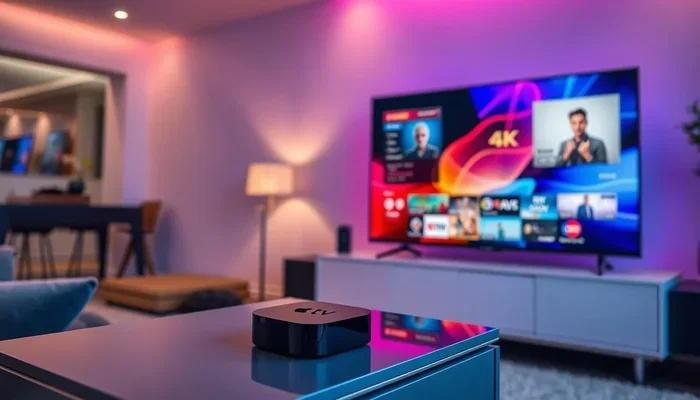
Can You Stream 4k Over Wifi Everything You Should Know
Yes, you can stream 4K over WiFi, but it depends on several key factors like your wifi speed, router quality, and network setup. Streaming 4K video demands at least 25 Mbps of stable bandwidth, and a weak wireless signal can cause constant buffering. This guide covers everything you need to know about 4K streaming over WiFi, from minimum speed requirements to expert tips for a smooth experience.
Have you ever settled in for a movie night, hit play on your favorite show, and watched the quality drop to blurry mess? That frustration is real, and it often comes down to one question: can you stream 4K over WiFi? The short answer is yes. But the full answer involves a few important details that can make or break your viewing experience.
Streaming 4K content over a wireless connection has become a hot topic as more people cut the cord and move to services like Netflix, Disney+, and Apple TV+. These platforms serve up stunning 4K video quality with HDR, and they expect your home network to keep up. But not every WiFi setup is ready for that kind of demand.
In this article, we will walk you through everything you need to know. We will cover bandwidth requirements, wifi speed basics, the best streaming devices, and practical tips to get the most out of your home network. Whether you are streaming on a smart TV, a Fire Stick, or a laptop, this guide has you covered.
Key Takeaways
- 4K streaming over WiFi is absolutely possible: With the right speed and equipment, you can enjoy stunning 4K video wirelessly.
- Minimum 25 Mbps is required: Your internet plan should deliver at least 25 Mbps for a single 4K stream without issues.
- WiFi 6 makes a huge difference: Newer routers with WiFi 6 handle 4K streaming far better than older models.
- Placement matters: The distance between your router and streaming device affects quality significantly.
- Network congestion kills performance: Multiple devices sharing bandwidth can ruin your 4K experience.
- Ethernet is still king: For the most reliable 4K streaming, a wired connection beats WiFi every time.
- Mesh networks solve dead zones: A mesh system can extend strong WiFi coverage to every room in your home.
📑 Table of Contents
- What Does Streaming 4K Over WiFi Actually Mean?
- Can You Stream 4K Over WiFi? The Speed Requirements
- WiFi Standards and 4K Streaming: Does Your Router Matter?
- Common Problems When Streaming 4K Over WiFi
- How to Improve 4K Streaming Over WiFi
- WiFi vs Ethernet for 4K Streaming: Which Is Better?
- Best Streaming Devices for 4K Over WiFi
- Expert Insights: What Professionals Say About 4K WiFi Streaming
- Key Takeaways
- Frequently Asked Questions
- Conclusion
What Does Streaming 4K Over WiFi Actually Mean?
When we talk about 4K streaming over WiFi, we mean watching video content in ultra-high definition (3840 x 2160 pixels) through a wireless network. Your wireless router sends data to your TV, laptop, or streaming stick without any cables. The video quality you see depends on how fast and stable that wireless connection is.
4K video looks incredible. The detail is sharp, colors are rich, and the experience feels cinematic. But all that visual quality comes at a cost. 4K video files carry a lot more data than standard HD. That means your network performance needs to be strong enough to handle the constant flow of information.
How Much Data Does 4K Streaming Use?
Here is a quick look at data usage for 4K streaming:
- Netflix 4K: About 16 GB per hour
- Disney+ 4K: Around 16 GB per hour
- YouTube 4K: Roughly 15-20 GB per hour
- Amazon Prime 4K: About 15 GB per hour
That is a lot of data moving through your wireless network every single hour. If your internet connection cannot keep up, you will notice stuttering, pixelation, or constant buffering.
Can You Stream 4K Over WiFi? The Speed Requirements
The big question everyone wants answered is whether their WiFi can handle 4K streaming. The answer lies in bandwidth requirements and data transfer rate. Let us break it down clearly.
Minimum Internet Speed for 4K Streaming
Most streaming services recommend a minimum speed for 4K video quality:
- Netflix: 15 Mbps minimum
- Disney+: 25 Mbps minimum
- Amazon Prime Video: 25 Mbps minimum
- YouTube TV: 20 Mbps minimum
As you can see, 25 Mbps is a safe number to aim for. But here is the catch: that is the speed needed for one device streaming at a time. If other people in your household are online, gaming, or downloading files, you need significantly more.
Why Your Actual Speed Might Be Lower
Your internet plan might say 100 Mbps, but your real-world speed could be much lower. Several factors affect wireless streaming performance:
- Distance from the router: Walls, floors, and furniture weaken the signal.
- Network congestion: Too many devices sharing the same connection slows things down.
- Interference from other devices: Microwaves, baby monitors, and Bluetooth devices can disrupt your wireless signal.
- Older router hardware: Outdated equipment cannot handle modern 4K bandwidth demands.
All of these factors can turn a smooth 4K stream into a frustrating experience. Understanding them is the first step toward fixing the problem.
WiFi Standards and 4K Streaming: Does Your Router Matter?
Not all WiFi is created equal. The wireless router you use plays a massive role in whether 4K streaming works well. Let us look at the different WiFi standards and what they mean for your streaming experience.
WiFi 5 (802.11ac)
This is the most common router standard you will find in homes today. WiFi 5 can handle 4K streaming just fine for a single device. It offers speeds up to 3.5 Gbps under ideal conditions. However, it struggles when multiple devices connect at the same time.
WiFi 6 (802.11ax)
WiFi 6 is a game-changer for 4K wireless streaming. It offers faster speeds, better efficiency, and improved handling of multiple devices. If you have a smart home with many connected gadgets, WiFi 6 keeps your streaming devices running smoothly. The data transfer rate is significantly better, and latency drops considerably.
WiFi 6E and WiFi 7
The newest standards go even further. WiFi 6E opens up the 6 GHz band, reducing interference and boosting network performance. WiFi 7 pushes speeds even higher and handles more simultaneous streams with ease. If you are serious about 4K streaming, these newer standards deliver the best results.
Common Problems When Streaming 4K Over WiFi
Even with a fast internet plan, you might run into trouble. Understanding common problems helps you troubleshoot faster and enjoy better video quality.
Buffering and Stuttering
Buffering is the enemy of a good movie night. It happens when your internet connection cannot deliver data fast enough. The video pauses to load more data, and the experience becomes annoying. Network congestion is the most common cause. When other devices use bandwidth, your 4K stream gets squeezed.
Dropped Frames and Pixelation
Sometimes the picture breaks into blocks or looks blurry. This is called pixelation, and it means your wireless network is losing data packets. A weak signal or interference often causes this. Moving closer to your router can help, but a mesh network is a more permanent fix.
Slow Startup Times
Does your streaming device take forever to start playing? Slow startup often means the connection between your router and device is too slow to handle 4K resolution right away. Upgrading your router or adjusting your home network settings can solve this.
How to Improve 4K Streaming Over WiFi
The good news is that you can fix most 4K streaming problems without spending a fortune. Here are practical steps that make a real difference.
1. Place Your Router in the Right Spot
Your router’s location matters more than you think. Keep it in a central area of your home, elevated off the floor, and away from walls. Avoid hiding it inside a cabinet or behind furniture. The goal is to give your streaming devices the strongest possible wireless signal.
2. Use the 5 GHz Band
Most modern routers broadcast two bands: 2.4 GHz and 5 GHz. The 5 GHz band is faster and less crowded, making it ideal for 4K streaming. The 2.4 GHz band travels farther but is slower. Connect your streaming device to the 5 GHz network whenever possible.
3. Upgrade to a Mesh WiFi System
If you have a large home or thick walls, a single router may not reach every room. A mesh network uses multiple nodes to spread strong WiFi coverage throughout your space. This eliminates dead zones and gives every streaming device a reliable connection.
4. Limit Other Network Activity
When you are watching a 4K movie, ask others in your home to pause heavy downloads or large uploads. Network congestion is one of the biggest killers of wireless streaming quality. Prioritizing your streaming device through Quality of Service (QoS) settings can also help.
5. Keep Your Router Firmware Updated
Router manufacturers release updates that improve network performance and fix bugs. Check your router’s settings regularly and install the latest firmware. This small step can boost your 4K streaming experience noticeably.
Quick Tips for Better 4K WiFi Streaming
- Restart your router once a week to clear cache and refresh connections.
- Use an ethernet cable for your main TV when possible.
- Close background apps on your streaming device.
- Set your streaming app to auto-adjust quality if bandwidth drops.
- Invest in a WiFi analyzer app to find the least crowded channel.
WiFi vs Ethernet for 4K Streaming: Which Is Better?
We have talked a lot about streaming 4K over WiFi, but let us address the elephant in the room: ethernet. A wired connection always beats wireless when it comes to 4K video quality. Here is a simple comparison:
| Feature | WiFi | Ethernet |
|---|---|---|
| Speed | Fast (with WiFi 6) | Faster and more consistent |
| Convenience | No cables needed | Requires cable run |
| Stability | Good, but varies | Excellent and consistent |
| Interference | Susceptible to interference | No interference |
| Setup | Easy and instant | Requires physical setup |
| Best For | Most homes and casual streamers | Home theaters and power users |
For most people, WiFi is perfectly fine for 4K streaming. You get the freedom to place your TV anywhere without running cables. But if you want the absolute best streaming resolution with zero interruptions, ethernet wins every time. Think of WiFi as the convenient choice and ethernet as the premium choice.
Best Streaming Devices for 4K Over WiFi
Not all streaming devices are created equal. Some handle 4K WiFi streaming much better than others. Here are top picks that deliver excellent 4K video quality:
- Apple TV 4K: Excellent wireless performance and supports the latest WiFi standards.
- Roku Ultra: Reliable and affordable with strong 4K streaming capability.
- Amazon Fire TV Stick 4K Max: Great value with solid WiFi 6 support.
- Chromecast with Google TV 4K: Smooth wireless streaming and easy setup.
- NVIDIA Shield TV Pro: Premium choice for power users who want the best network performance.
Choose a device that supports WiFi 5 or WiFi 6 for the best results. Older devices with WiFi 4 or lower may struggle with 4K bandwidth requirements.
Expert Insights: What Professionals Say About 4K WiFi Streaming
Network engineers and AV professionals agree on a few key points about 4K streaming over WiFi. First, WiFi 6 has made wireless 4K streaming reliable for most homes. Second, router placement is the single most impactful thing you can do. Third, a mesh network solves most coverage issues that plague larger homes.
Professionals also recommend checking your actual internet speed with a speed test before troubleshooting streaming issues. Often, the problem is not your WiFi setup but your internet plan itself. Always verify your data transfer rate matches what your streaming services require.
Key Takeaways
- 4K streaming over WiFi is absolutely possible: With the right speed and equipment, you can enjoy stunning 4K video wirelessly.
- Minimum 25 Mbps is required: Your internet plan should deliver at least 25 Mbps for a single 4K stream without issues.
- WiFi 6 makes a huge difference: Newer routers with WiFi 6 handle 4K streaming far better than older models.
- Placement matters: The distance between your router and streaming device affects quality significantly.
- Network congestion kills performance: Multiple devices sharing bandwidth can ruin your 4K experience.
- Ethernet is still king: For the most reliable 4K streaming, a wired connection beats WiFi every time.
- Mesh networks solve dead zones: A mesh system can extend strong WiFi coverage to every room in your home.
Frequently Asked Questions
Can you stream 4K on a 50 Mbps WiFi connection?
Yes, a 50 Mbps connection is more than enough for 4K streaming. Most services need 15-25 Mbps for 4K content. With 50 Mbps, you can stream on one device comfortably and still have bandwidth left for light browsing or other devices on the network.
Why does my 4K stream buffer over WiFi but not on Ethernet?
WiFi signals can weaken due to distance, walls, and interference from other devices. Ethernet provides a direct, stable connection with no signal loss. If your 4K stream buffers on WiFi but works fine on a cable, your wireless signal is the likely culprit. Consider moving closer to your router or switching to the 5 GHz band.
Does the number of connected devices affect 4K streaming over WiFi?
Absolutely. Every device connected to your network uses a portion of your available bandwidth. If multiple people are streaming, gaming, or downloading at the same time, your 4K stream will compete for resources. This is called network congestion, and it directly impacts your streaming quality.
Is WiFi 6 necessary for 4K streaming?
WiFi 6 is not strictly necessary, but it makes a big difference. It handles multiple devices better, offers faster speeds, and reduces latency. If you have a modern home with many connected devices, WiFi 6 will improve your 4K streaming experience significantly. For a single device setup, WiFi 5 works fine.
Can a mesh WiFi system improve 4K streaming?
Yes, a mesh network can dramatically improve 4K streaming in larger homes. It eliminates dead zones and ensures every room gets a strong, stable signal. This means fewer buffering issues and better video quality no matter where your TV is located.
What is the best WiFi channel for 4K streaming?
The best channel is the one with the least interference. Use a WiFi analyzer app to scan your surroundings and find the clearest channel. Switching to a less crowded channel on the 5 GHz band can boost your 4K streaming performance and reduce buffering.
Conclusion
Can you stream 4K over WiFi? Yes, and millions of people do it every day without any problems. The key is understanding what your network needs and making sure your setup delivers. From wifi speed and router placement to choosing the right streaming devices, every detail matters.
Start by checking your internet plan and running a speed test. Make sure your router supports modern standards like WiFi 6. Place it strategically, reduce interference, and limit unnecessary network activity during streaming hours. These simple steps transform your 4K streaming experience from frustrating to fantastic.
Wireless 4K streaming has come a long way, and with the right setup, you can enjoy cinema-quality video from the comfort of your couch. Take action today, apply the tips in this guide, and never settle for less than stunning 4K video quality again.