Do Hdmi To Usb C Cables Work And Why You Need One Today
Yes, HDMI to USB C cables work and they are a game-changer for anyone who wants to connect modern laptops, tablets, and phones to external displays. These cables carry both video and audio signals through a single connection, making them essential for home offices, classrooms, and entertainment setups. Whether you need to mirror your screen or extend your display, understanding how HDMI to USB C cables work helps you choose the right one for your needs.
Do HDMI to USB C cables really work? The short answer is yes. But there is more to the story than a simple yes or no. If you have a modern laptop, a tablet, or a smartphone with a USB C port, you can connect it to a TV, monitor, or projector using the right cable. This guide breaks down everything you need to know about HDMI to USB C cables and why they have become essential accessories for work, school, and entertainment.
Many people ask this question because the world of cables and connectors has gotten confusing. We used to have just one or two types of ports on our devices. Now we have USB C, Thunderbolt, Mini HDMI, Micro HDMI, and more. The good news is that HDMI to USB C cables simplify things. They let you plug one end into your device and the other into any HDMI display. It is a clean, simple solution that works across many brands and models.
Just like checking if baby monitors are connected to Wi-Fi helps parents stay connected, understanding your cable connections keeps your devices working the way they should. Let us dive into the details of how HDMI to USB C cables work and what you need to look for when buying one.
Key Takeaways
- HDMI to USB C cables work reliably for most modern devices that support video output over USB C.
- Active and passive adapters serve different purposes, and choosing the right one matters for performance.
- 4K resolution and audio support are standard on most quality HDMI to USB C cables today.
- Compatibility depends on your device’s port capabilities, not just the cable itself.
- Buying tips like checking cable length, brand reputation, and certification prevent common issues.
- Quick setup makes HDMI to USB C cables ideal for presentations, gaming, and home theater use.
📑 Table of Contents
- What Is an HDMI to USB C Cable?
- How Do HDMI to USB C Cables Work?
- Which Devices Support HDMI to USB C Connections?
- Active vs Passive Adapters: What Is the Difference?
- Common Uses for HDMI to USB C Cables
- How to Choose the Right HDMI to USB C Cable
- Common Mistakes People Make with HDMI to USB C Cables
- Expert Insights on HDMI to USB C Cables
- Conclusion
What Is an HDMI to USB C Cable?
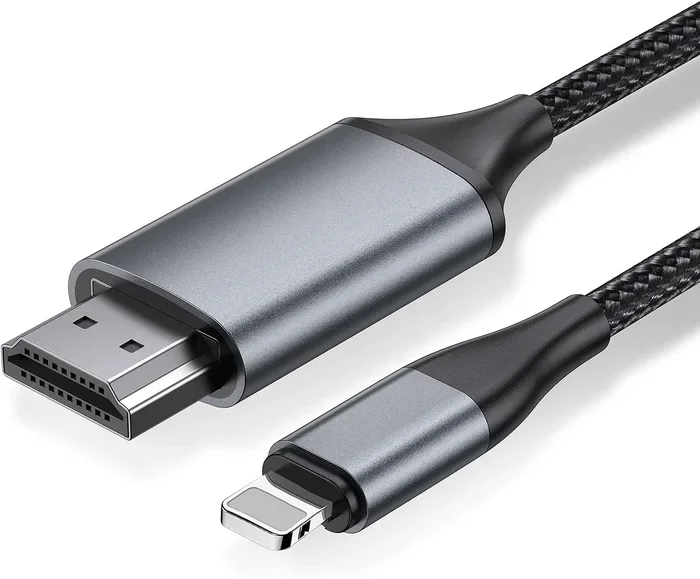
An HDMI to USB C cable is a connector cable that links a USB C port on your device to an HDMI port on a display. One end plugs into your laptop, phone, or tablet. The other end plugs into your TV, monitor, or projector. The cable carries the video signal from your device to the bigger screen.
These cables are not just one single product. They come in different forms. Some are all-in-one cables with USB C on one end and HDMI on the other. Others are adapters or dongles that you pair with a standard HDMI cable. Both options get the job done, but they work a little differently.
Why Do People Need Them?
More and more devices are dropping older ports. Many new laptops no longer have HDMI ports. Instead, they rely on USB C for charging, data transfer, and video output. This means you need a way to connect those USB C ports to HDMI displays. That is where these cables come in. They fill the gap between modern devices and traditional displays.
Here are some common reasons people buy HDMI to USB C cables:
- Presenting at work or school from a laptop to a projector or TV screen.
- Streaming movies from a tablet or phone to a larger television.
- Extending your desktop to a second monitor for more screen space.
- Gaming on a bigger screen by connecting a gaming laptop to a TV.
- Setting up a home office with an external monitor for better productivity.
Each of these use cases relies on the same basic function. The HDMI to USB C cable takes the digital signal from your device and converts it into a format that your HDMI display can read and show.
How Do HDMI to USB C Cables Work?
The technology behind HDMI to USB C cables is straightforward once you understand the basics. Your USB C port on a device can do many things. It charges your battery, transfers files, and sends video signals. When you use an HDMI to USB C cable, the cable or adapter handles the signal conversion for you.
The USB C connector sends out a digital signal that includes both video and audio data. The HDMI end of the cable receives this signal and translates it into the HDMI format. Your TV or monitor then displays the picture and plays the sound. All of this happens in real time with no noticeable delay on most setups.
The Role of Signal Conversion
Signal conversion is the key process here. Not all USB C ports support video output. The port must support something called DisplayPort Alt Mode. This mode allows the USB C port to carry a video signal. When the port supports this, an HDMI to USB C cable can pass the video through to your display.
Some devices use a technology called Thunderbolt 3 or Thunderbolt 4 over USB C. These connections also support video output. They offer even better performance in many cases. Thunderbolt connections can handle higher resolutions and refresh rates than standard USB C video output.
If your device does not support video output over USB C, a cable alone will not work. You would need a device that can convert the signal. This is an important detail that many people overlook when shopping for cables.
Do HDMI to USB C Cables Support Audio?
Yes, they do. HDMI cables carry both video and audio signals. When you connect your device to a TV or monitor with an HDMI to USB C cable, the sound comes through the display’s speakers or connected audio system. You do not need a separate audio cable in most cases. This makes setup quick and easy. You plug in one cable and get both picture and sound.
Which Devices Support HDMI to USB C Connections?
Not every device works with HDMI to USB C cables. Compatibility depends on the port and the hardware inside your device. Here is a breakdown of the devices that typically support this connection.
Laptops and Computers
Most modern laptops come with USB C ports that support video output. Brands like Dell, HP, Lenovo, Apple, and Microsoft all use USB C on many of their newer models. MacBooks, for example, use USB C or Thunderbolt ports exclusively. Chromebooks also commonly feature USB C ports with display output support.
If you are unsure whether your laptop supports video over USB C, check the manufacturer’s specifications. Look for terms like “DisplayPort Alt Mode” or “video output supported” in the product details.
Tablets and Smartphones
Many Android tablets and phones now use USB C as their main charging and data port. Samsung, Google Pixel, and OnePlus devices all support USB C. iPads are a different story. Apple uses its own Lightning connector on most iPads, though the iPad Pro models use USB C.
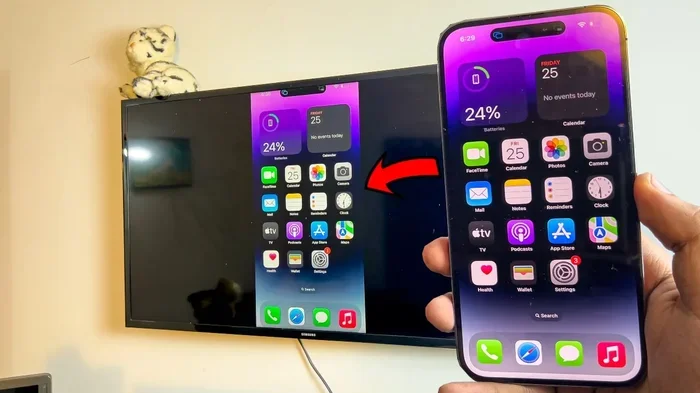
For Android devices, an HDMI to USB C cable usually works well for screen mirroring or extending your display. The experience is smooth for watching videos, giving presentations, or playing games on a bigger screen.
Gaming Consoles and Other Devices
Some portable gaming devices use USB C for video output. The Nintendo Switch uses a USB C dock for TV play. Steam Deck and other handheld gaming PCs also support USB C video output. If you want to connect any of these to a TV or monitor, an HDMI to USB C cable or adapter is your best bet.
For those exploring alternatives to Dish Network and DirectTV, connecting streaming devices to a TV via HDMI to USB C can be part of a modern cord-cutting setup, especially when using laptops or tablets as media hubs.
Active vs Passive Adapters: What Is the Difference?
When shopping for HDMI to USB C solutions, you will see two main types: active adapters and passive cables. Understanding the difference helps you avoid buying the wrong product.
Passive HDMI to USB C Cables
A passive cable does not have any built-in electronics. It simply carries the signal from one end to the other. Passive HDMI to USB C cables work when your device already supports video output over USB C. They are usually cheaper and thinner than active options. If your laptop or tablet has full USB C video support, a passive cable is all you need.
Active HDMI to USB C Adapters
An active adapter has a chip inside that helps convert the signal. Active adapters are needed when your device sends a signal that is not natively compatible with HDMI. They can also boost the signal over longer cable runs. Active adapters tend to cost more but offer wider compatibility.
Here is a quick comparison of the two types:
- Passive cables are best for devices with full USB C video support. They are affordable and simple to use.
- Active adapters are needed for devices that do not natively support HDMI output over USB C. They cost more but work with more devices.
- Cable length matters for both types. Longer cables may need active signal boosting to maintain quality.
- Brand quality affects performance in both cases. Cheap cables may not support high resolutions or stable connections.
As a rule of thumb, check your device specs first. If your USB C port supports video output, start with a passive cable. If it does not, look for an active adapter that handles the conversion for you.
Common Uses for HDMI to USB C Cables
HDMI to USB C cables serve many purposes in daily life. Here are some of the most popular ways people use them.
Home Entertainment Setups
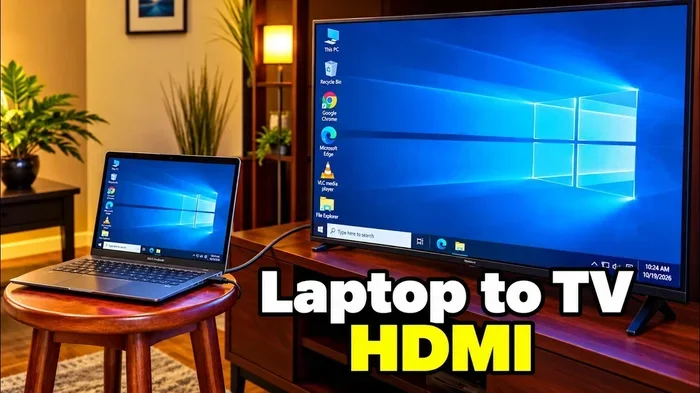
Connecting a laptop or tablet to your TV lets you watch content on a bigger screen. Whether you are streaming a movie, showing family photos, or casting a presentation, HDMI to USB C cables make it easy. You get high-quality picture and sound through a single cable connection.
Work and Productivity
Many professionals use HDMI to USB C cables to connect their laptops to office monitors and projectors. This setup gives you more screen space for multitasking. You can have your laptop open for notes while presenting on a large display. USB C cables also charge your device while transmitting the video signal, which is a huge convenience.
Education and Classrooms
Teachers and students use HDMI to USB C connections to share content from tablets and laptops with the whole class. A USB C to HDMI adapter plugged into a classroom projector works quickly and reliably. No need for special adapters or proprietary connectors. Just plug and play.
Gaming and Media
Gamers love HDMI to USB C cables because they can play on a TV or external monitor with minimal setup. Handheld gaming devices and laptops benefit from the simple plug-and-play nature of these cables. You get low latency and crisp visuals on a bigger screen.
How to Choose the Right HDMI to USB C Cable
Not all HDMI to USB C cables are created equal. Here are the key factors to consider before you buy.
Check Your Device Compatibility
The first step is to confirm your device supports video output over USB C. Look at your device manual or check the manufacturer website. Search for terms like “USB C display output” or “Thunderbolt support.” This one step saves you from buying a cable that will not work.
Resolution and Refresh Rate Support
Different cables support different maximum resolutions. Basic cables handle 1080p Full HD. Mid-range cables support 4K at 30Hz or 60Hz. Premium cables handle 4K at 60Hz or even 8K resolution. Think about what you need. For everyday use, 4K at 30Hz is fine. For gaming or video editing, you want 4K at 60Hz or higher.
Cable Length and Build Quality
Shorter cables generally provide a stronger signal. If you need a longer cable, look for one with built-in signal boosting. A quality cable with good shielding reduces interference and maintains a stable connection. Avoid ultra-thin cables from unknown brands. They often fail to support the resolutions they claim.
Certification Matters
Look for cables that are certified by HDMI Licensing or USB Implementers Forum. Certified cables meet strict standards for performance and reliability. They are tested to work with the devices and resolutions they claim to support. A certified HDMI to USB C cable gives you peace of mind.
Price vs. Performance
You do not need to spend a fortune on an HDMI to USB C cable. Good quality cables are available at reasonable prices. Expect to pay between $10 and $30 for a reliable cable that supports 4K resolution. Very cheap cables under $5 may not perform well or could stop working after a few months.
Common Mistakes People Make with HDMI to USB C Cables
Even with the right cable, people sometimes run into issues. Here are the most common mistakes and how to avoid them.
Mistake 1: Assuming all USB C ports support video. Not every USB C port carries video signals. Some ports are charge-only. Always verify your device specifications before buying a cable.
Mistake 2: Buying the wrong adapter type. Passive cables and active adapters serve different purposes. Using a passive cable with a device that needs an active adapter leads to frustration. Know which type your device requires.
Mistake 3: Ignoring cable length limits. Longer passive cables lose signal quality. If you need a cable longer than 6 feet, consider an active option with signal boosting.
Mistake 4: Skipping certification checks. Non-certified cables may claim to support resolutions they cannot deliver. Always look for HDMI or USB certification marks on the packaging.
Mistake 5: Forgetting about audio settings. Sometimes the picture shows up but there is no sound. Check your device audio output settings and make sure HDMI is selected as the audio output device.
Expert Insights on HDMI to USB C Cables
Technology experts agree that HDMI to USB C cables are one of the most useful accessories for modern device users. The universal nature of the USB C connector makes it a standout choice. One cable can charge your device, transfer data, and output video to a display. This versatility is why USB C has become the standard port on so many devices.
Experts also recommend buying from reputable brands. Anker, Belkin, Cable Matters, and AmazonBasics all offer reliable HDMI to USB C options. These brands test their cables for compatibility and performance. They also offer warranties and customer support if something goes wrong.
Another expert tip is to keep your cables organized and stored properly. Coiling cables tightly or bending them at sharp angles can damage the internal wiring over time. Use cable ties or a carrying case to keep your HDMI to USB C cables in good condition for years.
Conclusion
So do HDMI to USB C cables work? Absolutely. They are a simple, effective way to connect your modern devices to HDMI displays. Whether you need to present at work, watch movies at home, or game on a bigger screen, these cables deliver reliable performance. The key is to choose the right type of cable or adapter for your specific device and needs.
Take a moment to check your device specifications. Confirm your USB C port supports video output. Choose between passive and active options based on your needs. Pick a certified cable from a reputable brand. Follow these steps and you will have a smooth, hassle-free connection every time.
HDMI to USB C cables are small accessories that make a big difference. They bridge the gap between modern devices and traditional displays. Once you start using one, you will wonder how you ever managed without it. Invest in a quality cable today and enjoy the freedom of connecting any device to any display with ease.
Frequently Asked Questions
Do all laptops with USB C ports support HDMI to USB C connections?
No, not all USB C ports support video output. Some laptops have USB C ports that only charge the battery and transfer data. Check your laptop specifications for terms like “DisplayPort Alt Mode” or “video output supported” to confirm compatibility before buying a cable.
Can I use an HDMI to USB C cable for 4K resolution?
Yes, most quality HDMI to USB C cables support 4K resolution. However, the refresh rate may vary. Basic cables support 4K at 30Hz while premium cables handle 4K at 60Hz. Check the cable specifications to ensure it meets your resolution and refresh rate needs.
What is the difference between a passive and an active HDMI to USB C adapter?
A passive adapter simply carries the existing signal from your device to the display without any internal electronics. An active adapter contains a chip that converts or boosts the signal. Active adapters are needed when your device does not natively support HDMI output over USB C or when you need longer cable runs.
Do HDMI to USB C cables carry audio as well as video?
Yes, HDMI to USB C cables transmit both video and audio signals through a single connection. When you plug into a TV or monitor with built-in speakers, you will get both picture and sound. No separate audio cable is needed in most setups.
Are expensive HDMI to USB C cables worth the money?
Not always. Many mid-range cables priced between $10 and $30 offer excellent performance for 4K video and audio. Very expensive cables may offer better build quality or longer durability, but for most users, a certified mid-range cable works perfectly well.
Can I charge my device while using an HDMI to USB C cable?
Yes, in most cases. USB C ports support power delivery alongside data and video signals. However, if you are using a passive cable that only has two functions, it may not support charging simultaneously. Look for cables or docking stations that support power delivery if you need to charge while displaying video.