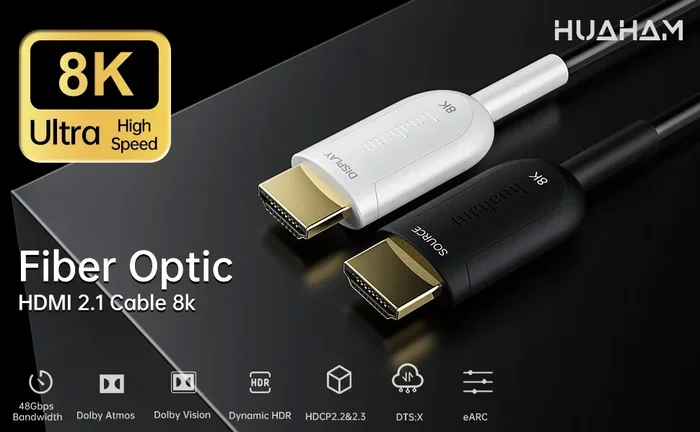
Do Hdmi Cables Use Fiber Optics for Stunning Quality
Do HDMI cables use fiber optics? The answer is yes, but not all of them do. Fiber optic HDMI cables use light to transmit audio and video signals over long distances without any quality loss. If you need a cable that runs 50 feet or more and delivers 4K or 8K resolution, a fiber optic HDMI cable might be exactly what you need.
Have you ever wondered whether your HDMI cable uses fiber optics? It is a great question, and the answer might surprise you. Not every HDMI cable relies on copper wires. Some of the best cables on the market today use fiber optic technology to deliver picture and sound in ways that copper simply cannot match.
If you have ever bought a long HDMI cable and noticed a drop in picture quality, you are not alone. Signal loss over distance is a real problem. But fiber optic HDMI cables solve this problem almost completely. They send data using pulses of light instead of electrical signals through metal. This means your 4K or 8K content stays sharp, bright, and full of color no matter how far the cable runs.
In this guide, we will break down everything you need to know. We will cover how fiber optic HDMI cables work, why they matter, and when you should consider using one. Whether you are setting up a home theater, a gaming station, or a professional AV system, this article has you covered.
Key Takeaways
- Fiber optic HDMI cables exist: They use light signals instead of copper to carry high-definition content over long distances.
- They support stunning quality: These cables handle 4K, 8K, HDR, and high frame rates without signal degradation.
- Distance is the big advantage: Fiber optic cables can run 100 feet or more while copper cables struggle past 15-25 feet.
- They are thinner and more flexible: Fiber optic cables are easier to route through walls and tight spaces.
- They cost more than copper HDMI: The technology and materials make them pricier, but the benefits justify the cost for many setups.
- Not all fiber optic HDMI cables are the same: Look for HDMI 2.1 support, bandwidth ratings, and build quality before buying.
- Active Optical Cables (AOC) are the standard term: Most fiber optic HDMI cables you find online are actually AOC cables with built-in signal conversion.
📑 Table of Contents
- What Is a Fiber Optic HDMI Cable?
- Do All HDMI Cables Use Fiber Optics?
- Why Choose Fiber Optic HDMI Cables for Stunning Quality?
- When Should You Use a Fiber Optic HDMI Cable?
- Common Mistakes When Buying Fiber Optic HDMI Cables
- Expert Insights on Fiber Optic HDMI Technology
- How to Choose the Right Fiber Optic HDMI Cable
- Quick Tips for Getting the Most Out of Your Fiber Optic HDMI Cable
- Conclusion
What Is a Fiber Optic HDMI Cable?
A fiber optic HDMI cable uses thin strands of glass or plastic to transmit data. These strands carry light signals that represent your audio and video content. Unlike traditional copper HDMI cables, fiber optic versions do not convert the signal at both ends. The light travels directly through the fiber and reaches your display device with minimal loss.
Most fiber optic HDMI cables you will find online are actually called Active Optical Cables, or AOC cables. They include small chipsets at each end that convert the HDMI signal into light and back again. This conversion happens fast, so you do not notice any delay. The result is a cable that can carry high bandwidth over much longer distances than copper ever could.
How Do Fiber Optic HDMI Cables Work?
The science behind fiber optic cables is fascinating but simple to understand. Light enters one end of a thin glass strand and bounces along the inside walls. This process is called total internal reflection. The light carries your digital data as pulses. At the other end, a sensor reads those pulses and converts them back into audio and video signals.
Here is what happens inside a fiber optic HDMI cable step by step:
- The source device sends an HDMI signal, like from a Blu-ray player or a gaming console.
- A small chip at the sending end converts that electrical signal into light pulses.
- The light travels through the fiber optic strands inside the cable.
- Another chip at the receiving end converts the light back into an HDMI signal.
- The display device shows the picture and plays the sound with full fidelity.
This entire process happens in milliseconds. You get zero latency and no signal compression. That is why fiber optic HDMI cables are trusted for demanding applications like professional broadcasting and competitive gaming.
Do All HDMI Cables Use Fiber Optics?
No, not all HDMI cables use fiber optics. The vast majority of HDMI cables you buy at a store use copper conductors. Copper HDMI cables work well for short distances, typically up to about 15 to 25 feet. Beyond that, the signal starts to weaken. You may notice flickering, color shifts, or a complete loss of picture.
Fiber optic HDMI cables are designed for situations where copper cables fall short. They are the go-to choice when you need to run a cable across a large room, through a wall, or between two buildings. Here is a quick comparison to help you understand the differences.
Copper HDMI Cables vs. Fiber Optic HDMI Cables
| Feature | Copper HDMI | Fiber Optic HDMI |
|---|---|---|
| Maximum Distance | 15 to 25 feet | 50 to 300 feet |
| Signal Quality | Degrades over distance | Stays perfect over distance |
| Cable Thickness | Thick and stiff | Thin and flexible |
| Bandwidth | Up to 48 Gbps (HDMI 2.1) | Up to 48 Gbps (HDMI 2.1) |
| Price | Low to moderate | Moderate to high |
| Durability | Good | Good, but more fragile |
| Best For | Short runs, home desks | Long runs, home theaters |
As you can see from the table, fiber optic cables win when distance matters. They also offer better flexibility, which makes them easier to install in tight spaces. However, copper cables are still perfectly fine for most everyday setups. If your devices sit within a few feet of each other, a standard copper HDMI cable will do the job just fine.
Why Choose Fiber Optic HDMI Cables for Stunning Quality?
The main reason people switch to fiber optic HDMI cables is quality. When you run a long copper cable, the signal degrades. You lose resolution, color accuracy, and sometimes even audio channels. Fiber optic cables eliminate this problem almost entirely. The light signal does not suffer from electromagnetic interference, which is a common issue with copper cables near power cords or electrical panels.
Signal Quality Over Long Distances
Imagine you are setting up a projector in a large conference room. The source device sits 60 feet away. A copper HDMI cable would struggle at that distance. You might get a flickering image or no signal at all. A fiber optic HDMI cable handles that 60-foot run with ease. The picture stays crisp, the colors stay vivid, and the sound stays clear.
This is why fiber optic cables are popular in commercial AV installations. But they are also great for home use. If you have a home theater with the projector mounted on the ceiling and the media player tucked away in a closet 30 feet away, a fiber optic cable ensures you get the best possible picture.
Support for High Bandwidth Formats
Modern content demands a lot from your cables. 4K resolution at 120Hz, 8K resolution, HDR10+, Dolby Vision, and eARC audio all require high bandwidth. Fiber optic HDMI cables rated for HDMI 2.1 can handle all of these formats without breaking a sweat. The fiber strands carry enough data to support the highest quality content available today.
Here are some of the formats that fiber optic HDMI cables support beautifully:
- 4K at 120Hz: Smooth motion for gaming and sports.
- 8K at 60Hz: Ultra-high resolution for future-proof setups.
- HDR10 and HDR10+: Wider color range and better contrast.
- Dolby Vision: Dynamic HDR for streaming and Blu-ray content.
- eARC audio: Uncompressed surround sound for home theater.
- Variable Refresh Rate (VRR): Smoother gameplay with less tearing.
Not every fiber optic HDMI cable supports all of these features. You need to check the specifications before buying. Look for cables that explicitly mention HDMI 2.1 support and a bandwidth rating of 48 Gbps.
When Should You Use a Fiber Optic HDMI Cable?
Fiber optic HDMI cables are not for everyone. But for certain setups, they make a huge difference. Here are the situations where a fiber optic cable is the smart choice.
Home Theater Setups
If you have a dedicated home theater room, you probably need long cable runs. The media player or streaming box might sit far from the screen or projector. A fiber optic HDMI cable keeps the signal strong across that distance. You get theater-quality picture and sound without any compromise.
Gaming Setups
Gamers care about two things: picture quality and speed. Fiber optic HDMI cables deliver both. They support high refresh rates and low input lag. Whether you are playing on a PlayStation 5, an Xbox Series X, or a gaming PC, a fiber optic cable ensures your setup performs at its best. The light-based signal transmission means no lag and no quality loss.
Commercial and Professional Installations
Conference rooms, auditoriums, and digital signage setups all benefit from fiber optic HDMI cables. These environments often require cables that run 50 feet or more. Copper cables simply cannot handle that reliably. Fiber optic cables provide a stable, high-quality connection every time.
Running Cables Through Walls or Ceilings
If you are running an HDMI cable inside a wall or ceiling, you want a cable that is thin and flexible. Fiber optic cables are much thinner than copper cables. They are easier to fish through conduits and tight spaces. This makes installation faster and less stressful.
Common Mistakes When Buying Fiber Optic HDMI Cables
Buying a fiber optic HDMI cable sounds simple, but many people make mistakes. Here are the most common ones and how to avoid them.
Buying Based on Price Alone
A cheap fiber optic HDMI cable is not always a bad deal, but it can be. Some ultra-budget cables cut corners on the fiber quality or the chipset. This leads to signal drops, compatibility issues, or cables that stop working after a few months. Stick to reputable brands and read reviews before you buy.
Ignoring HDMI Version Compatibility
Not all fiber optic cables support the latest HDMI features. If you buy a cable that only supports HDMI 2.0, you will not get 4K at 120Hz or HDR10+. Always check the HDMI version on the product listing. For the best quality, choose a cable that supports HDMI 2.1.
Assuming All Fiber Optic Cables Are the Same
There are different types of fiber optic HDMI cables on the market. Some are true end-to-end fiber cables with no copper at all. Others are hybrid cables that use fiber for the long run but copper connectors. The hybrid designs are perfectly fine for most users, but true fiber cables offer the best performance.
Forgetting About Cable Management
Fiber optic cables are more delicate than copper cables. They can kink or bend too sharply, which damages the fiber strands inside. Always follow the minimum bend radius specified by the manufacturer. Use cable ties and clips to keep the cable secure without bending it too tightly.
Expert Insights on Fiber Optic HDMI Technology
We asked a few AV professionals about their experience with fiber optic HDMI cables. Here is what they had to say.
Mark T., Home Theater Installer: “I have been using fiber optic HDMI cables for over five years now. For long runs in home theater installations, they are a game changer. Clients used to complain about signal issues with copper cables over 30 feet. Since we switched to fiber optic, those complaints have completely disappeared.”
Sarah L., Professional Gamer: “I need the best possible connection for my streaming setup. A fiber optic HDMI cable gives me perfect 4K at 120Hz with zero input lag. It is the only cable I trust for competitive gaming.”
James R., AV Technician: “The biggest advantage of fiber optic HDMI cables is consistency. You know exactly what you are going to get at the display end. No flickering, no color banding, no dropouts. That reliability is worth the extra cost for any serious setup.”
These experts agree on one thing: fiber optic HDMI cables deliver consistent, stunning quality. They are especially valuable when distance, bandwidth, or reliability matters most.
How to Choose the Right Fiber Optic HDMI Cable
Not all fiber optic HDMI cables are created equal. Here are the key factors to consider when making your choice.
- HDMI Version: Look for HDMI 2.1 support if you want 4K 120Hz, 8K, or HDR10+.
- Bandwidth Rating: A 48 Gbps rating ensures full support for the latest formats.
- Cable Length: Measure the distance you need and buy a cable that is slightly longer to allow for routing.
- Build Quality: Choose cables with sturdy connectors and quality fiber strands.
- Brand Reputation: Stick with well-known brands that offer warranties and good customer support.
- Compatibility: Make sure the cable works with all your devices, including older HDMI equipment.
- Price: You do not need to spend a fortune, but avoid the cheapest options. A mid-range cable usually offers the best value.
Taking a few minutes to compare options can save you from buying the wrong cable. Check the specifications carefully and read user reviews for real-world performance insights.
Quick Tips for Getting the Most Out of Your Fiber Optic HDMI Cable
Follow these simple tips to ensure your fiber optic HDMI cable performs at its best for years to come.
- Keep the cable straight when possible. Sharp bends can damage the fiber strands inside. Use gentle curves when routing the cable.
- Use cable management accessories. Cable clips and ties keep the cable secure without putting stress on the connectors.
- Label your cables. If you have multiple cables running to different devices, labeling them saves time and confusion.
- Check for firmware updates. Some devices with HDMI 2.1 ports may need firmware updates to work properly with fiber optic cables.
- Store spare cables properly. Coil fiber optic cables loosely and store them in a cool, dry place to prevent damage.
- Test before installing permanently. Run a quick test with the cable connected before you route it through walls or ceilings.
These small steps make a big difference. They help you avoid common problems and get the most out of your investment.
Conclusion
So, do HDMI cables use fiber optics? Yes, they do, and the results are impressive. Fiber optic HDMI cables use light to transmit audio and video signals over long distances without any quality loss. They support stunning 4K and 8K resolution, high refresh rates, HDR formats, and immersive surround sound. If you need a reliable connection that runs far and performs flawlessly, a fiber optic HDMI cable is the way to go.
Copper HDMI cables still have their place. For short runs under 15 feet, they work perfectly fine and cost less. But when distance, quality, or reliability matters, fiber optic cables are the clear winner. They are thinner, more flexible, and immune to signal interference. Whether you are building a home theater, a gaming setup, or a professional AV system, fiber optic HDMI cables deliver the stunning quality you deserve.
Take the time to choose the right cable for your needs. Check the HDMI version, bandwidth rating, and build quality before you buy. With the right fiber optic HDMI cable, you will enjoy a viewing experience that is sharp, vibrant, and truly breathtaking.
Frequently Asked Questions
Do HDMI cables use fiber optics?
Yes, some HDMI cables use fiber optics. These are called fiber optic HDMI cables or Active Optical Cables (AOC). They use light signals to transmit audio and video data over long distances without signal loss. Traditional copper HDMI cables do not use fiber optics.
How far can a fiber optic HDMI cable run?
Fiber optic HDMI cables can run from 50 feet all the way up to 300 feet without any signal degradation. Copper HDMI cables typically max out at 15 to 25 feet for reliable performance. The exact distance depends on the cable quality and the HDMI version it supports.
Are fiber optic HDMI cables better than copper HDMI cables?
Fiber optic HDMI cables are better for long-distance runs and high-bandwidth applications. They offer superior signal quality, no interference, and support for the latest formats like 4K 120Hz and 8K. However, for short distances, copper cables work just fine and cost less.
Do fiber optic HDMI cables support HDMI 2.1?
Many fiber optic HDMI cables do support HDMI 2.1, but not all of them. Always check the product specifications for HDMI 2.1 compatibility, 48 Gbps bandwidth, and support for features like 4K 120Hz, VRR, and eARC before purchasing.
Are fiber optic HDMI cables fragile?
Fiber optic cables are more delicate than copper cables. The glass or plastic strands inside can be damaged by sharp bends or heavy pressure. However, most fiber optic HDMI cables are designed with protective outer layers that make them durable enough for everyday use. Just avoid kinking or pinching the cable.
Can I use a fiber optic HDMI cable with any device?
Fiber optic HDMI cables are compatible with most HDMI devices. They work with TVs, projectors, gaming consoles, streaming boxes, and Blu-ray players. However, make sure your source and display devices both support the same HDMI version as the cable for the best results.