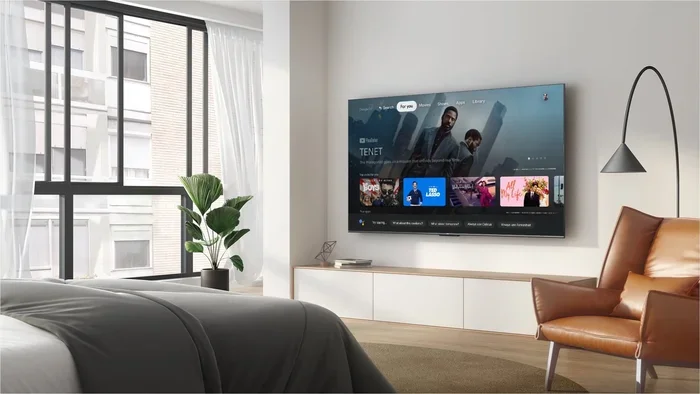
Can You Watch 4k Through Hdmi For Crystal Clear Viewing
Yes, you can absolutely watch 4K through HDMI and enjoy crystal clear viewing on your screen. The right HDMI cable and HDMI port make all the difference in delivering stunning 4K resolution and vibrant colors. Whether you are streaming 4K content, gaming, or watching 4K Blu-ray movies, this guide covers everything you need to know.
Have you ever plugged something into your TV and wondered if it really supports 4K? Maybe you just bought a new 4K TV and want to know if your current setup can deliver that stunning picture quality. The good news is that watching 4K through HDMI is not only possible but also incredibly common today.
HDMI has been the go-to connection for high-definition video for years. And with the latest versions, you can enjoy crystal clear viewing with incredible detail and vibrant colors. In this guide, we will walk you through everything you need to know about getting 4K content through your HDMI connection. From cables and ports to bandwidth and refresh rates, we have you covered.
Whether you are a movie lover, a gamer, or someone who just wants the best picture on your screen, understanding how 4K through HDMI works will help you make smarter choices. Let us dive in and explore what makes this technology tick.
Key Takeaways
- You can watch 4K through HDMI: Modern HDMI cables and ports fully support 4K resolution for crystal clear viewing.
- HDMI 2.0 and HDMI 2.1 matter: These versions determine the bandwidth and features available for 4K content.
- The right cable is essential: Using an outdated or low-quality HDMI cable can limit your 4K experience.
- 4K gaming and streaming work great: Both are fully supported through HDMI with the right setup.
- Backward compatibility is a plus: HDMI works with older devices too, so upgrading is seamless.
- HDR and color depth enhance visuals: These features make 4K content look even more realistic.
- Check your devices first: Not all HDMI ports and cables support 4K, so verify before buying.
📑 Table of Contents
- What Is HDMI and Why Does It Matter for 4K?
- Can You Watch 4K Through HDMI? The Short Answer
- HDMI Versions Explained: Which One Do You Need for 4K?
- Choosing the Right HDMI Cable for 4K
- 4K Gaming Through HDMI
- Streaming 4K Content Through HDMI
- Common Problems and How to Fix Them
- Expert Tips for the Best 4K HDMI Experience
- Conclusion
What Is HDMI and Why Does It Matter for 4K?
HDMI stands for High-Definition Multimedia Interface. It is the standard cable connection used to carry both video and audio from a source device to a display. Think of it as the bridge between your 4K Blu-ray player, gaming console, or streaming box and your 4K TV or monitor.
Not all HDMI connections are the same, though. Older versions of HDMI may not support the high bandwidth needed for 4K resolution. This is why knowing which version you have matters so much. The version of HDMI determines how much data can flow through the cable at one time, which directly affects the quality of the picture you see.
How HDMI Handles High Resolution
When you send a 4K signal through an HDMI cable, the cable needs to carry a lot of data. 4K resolution means roughly 8.3 million pixels on your screen at once. That is four times the detail of standard high-definition (1080p). To handle all those pixels, your HDMI cable and port must support enough bandwidth.
Here is a simple way to think about it. Imagine a highway. A standard HDMI cable is like a two-lane road. It can handle traffic, but it gets congested with large amounts of data. A newer HDMI cable is like a multi-lane highway. It can handle the heavy traffic of 4K content without any slowdown.
Can You Watch 4K Through HDMI? The Short Answer
The short answer is yes. You can watch 4K through HDMI as long as your devices and cables support it. But the details matter. The version of HDMI on both your source device and your display plays a huge role in whether you get true crystal clear viewing or a downgraded picture.
Most 4K TVs and monitors made in the last several years come with HDMI 2.0 or newer ports. These ports can handle 4K at 60 frames per second, which is smooth and detailed. If you have an even newer setup with HDMI 2.1, you can push beyond that to 4K at 120 frames per second or even higher.
Why Some Setups Fail at 4K
Sometimes people plug in their device and do not get 4K. Why does this happen? Often, it comes down to one of three things:
- The HDMI cable is too old. Older cables may only support 1080p or 4K at 30Hz, which looks choppy.
- The HDMI port is not 4K compatible. Some older devices have HDMI ports that cannot process 4K resolution signals.
- The source device is not outputting 4K. Your streaming box or console needs to be set to output 4K in its settings.
So before you blame the cable, check all three parts of your setup. A small setting change can sometimes unlock crystal clear viewing immediately.
HDMI Versions Explained: Which One Do You Need for 4K?
Understanding HDMI versions is the key to getting the best 4K experience. Each version brings improvements in bandwidth, resolution support, and features. Let us break down the versions that matter most for 4K content.
HDMI 1.4
HDMI 1.4 was a big step forward when it came out. It introduced support for 4K resolution at 30Hz. That means you can display a 4K picture, but it may not look as smooth as you want. For movies and static content, 30Hz works fine. But for fast-moving content like sports or video games, it can look a bit choppy.
HDMI 2.0
HDMI 2.0 is the sweet spot for most 4K viewers right now. It supports 4K at 60Hz, which gives you smooth, fluid motion. It also increased the bandwidth to 18 gigabits per second. This version can handle HDR (High Dynamic Range), which makes colors pop and details shine in both bright and dark scenes.
Most modern 4K TVs and streaming devices use HDMI 2.0. If you have a TV bought after 2014, there is a good chance it has an HDMI 2.0 port. This is more than enough for an amazing 4K viewing experience.
HDMI 2.1
HDMI 2.1 is the latest and greatest. It offers a massive bandwidth of up to 48 gigabits per second. This allows for 4K at 120Hz, 8K resolution, and advanced features like eARC (Enhanced Audio Return Channel). If you are a serious 4K gamer or a home theater enthusiast, HDMI 2.1 is the way to go.
Gaming consoles like the PlayStation 5 and Xbox Series X take full advantage of HDMI 2.1. You get incredibly smooth gameplay at 4K resolution with stunning detail and vibrant color depth. It is a game changer for anyone who wants the absolute best picture.
Quick Comparison of HDMI Versions
| Feature | HDMI 1.4 | HDMI 2.0 | HDMI 2.1 |
|---|---|---|---|
| Max 4K Support | 30Hz | 60Hz | 120Hz |
| Bandwidth | 10.2 Gbps | 18 Gbps | 48 Gbps |
| HDR Support | Limited | Yes | Yes |
| Best For | Basic 4K viewing | Most 4K setups | Gaming and premium viewing |
As you can see, the version you choose makes a real difference. For most people, HDMI 2.0 is perfectly fine. But if you want the absolute best crystal clear viewing, HDMI 2.1 is worth the investment.
Choosing the Right HDMI Cable for 4K
Not all HDMI cables are created equal. Using the wrong cable can prevent you from getting true 4K resolution on your screen. Let us look at what to look for when picking a cable for crystal clear viewing.
What to Look for in a 4K HDMI Cable
When shopping for an HDMI cable for 4K, keep these tips in mind:
- Check the version rating. Look for cables labeled “Premium High Speed HDMI” or “Ultra High Speed HDMI.” These are certified for 4K content.
- Go for 18 Gbps or higher. This ensures the cable can handle the bandwidth needed for 4K at 60Hz.
- Avoid ultra-thin or unbranded cables. Cheap cables often have poor shielding and cannot carry a clean 4K signal.
- Look for Ethernet and ARC support. These features add convenience if you use your TV as a hub for multiple devices.
- Length matters. Longer cables can lose signal quality. Keep your cable runs under 15 feet for the best results.
Do You Need an Expensive Cable?
Here is a common question: do you need to spend a fortune on an HDMI cable? The answer is no. A well-made, certified cable from a reputable brand works just as well as an expensive one. What matters is the bandwidth rating, not the price tag.
Many people overspend on cables because they think higher price means better quality. In reality, a $15 cable that meets the HDMI 2.0 or HDMI 2.1 standards will deliver the same 4K resolution as a $100 cable. Save your money for good content instead.
Common Cable Mistakes to Avoid
Here are some mistakes that can ruin your 4K viewing experience:
- Using an HDMI splitter without checking its specs. Many splitters downgrade the signal to 1080p.
- Running long cables without a signal booster. Over 15 feet, signal loss becomes a real problem.
- Bending or pinching the cable. This can damage the internal wiring and degrade the 4K signal.
- Using a cable that is not High Speed rated. Standard cables cannot handle 4K resolution properly.
Avoid these mistakes, and your 4K content will look fantastic every time.
4K Gaming Through HDMI
4K gaming is one of the most demanding uses of HDMI technology. Games require smooth motion, fast response times, and incredible detail. The right HDMI setup can make your gaming experience truly immersive.
What You Need for 4K Gaming
To enjoy 4K gaming through HDMI, you need three things working together:
- A 4K-capable display. Your TV or monitor must support 4K resolution and have the right HDMI port.
- A powerful source device. A gaming console like the PS5 or Xbox Series X, or a gaming PC with a strong graphics card.
- An appropriate HDMI cable. For 4K at 120Hz, you need an Ultra High Speed HDMI cable that supports HDMI 2.1.
When all three pieces are in place, the results are breathtaking. You get sharp visuals, smooth motion, and rich colors that pull you right into the game world. The pixel density of 4K makes every texture, shadow, and light source look incredibly realistic.
Refresh Rate and Why It Matters
Refresh rate refers to how many times per second your screen updates the image. A 60Hz display refreshes 60 times per second. A 120Hz display refreshes 120 times per second. For 4K gaming, higher refresh rates mean smoother motion and less blur during fast action.
HDMI 2.0 supports 4K at 60Hz, which is great for most gamers. But if you want 4K at 120Hz, you need HDMI 2.1. This is especially important for competitive gamers who need every millisecond of advantage. The difference in smoothness is immediately noticeable once you make the switch.
Streaming 4K Content Through HDMI
Streaming 4K content has become the norm thanks to services like Netflix, Disney+, Amazon Prime, and Apple TV+. Watching these services through HDMI is straightforward, but there are a few things to keep in mind for the best results.
What Devices Support 4K Streaming via HDMI?
Most modern streaming devices work great with 4K through HDMI:
- Apple TV 4K outputs stunning 4K resolution through HDMI.
- Roku Ultra supports 4K HDR streaming via HDMI.
- Amazon Fire TV Stick 4K delivers 4K content through a standard HDMI port.
- Chromecast with Google TV also supports 4K streaming via HDMI.
- Gaming consoles like PS5 and Xbox Series X double as powerful streaming devices.
All of these devices connect directly to your 4K TV with an HDMI cable. As long as your cable and port support 4K resolution, you will enjoy beautiful, detailed streaming content.
Tips for the Best Streaming Experience
Want to get the most out of your streaming 4K content? Follow these tips:
- Set your streaming device to output 4K. Go into the settings and make sure 4K is enabled.
- Use a strong internet connection. Streaming 4K requires at least 25 Mbps of stable internet speed.
- Enable HDR if your TV supports it. This dramatically improves color and contrast in your 4K content.
- Keep your HDMI cable updated. A certified cable ensures the full 4K signal reaches your TV without any loss.
- Close other apps on your device. This frees up processing power for smoother playback.
With these simple steps, your streaming sessions will look and feel incredible. You will wonder how you ever watched anything else.
Common Problems and How to Fix Them
Even with the right setup, you might run into issues when trying to get 4K through HDMI. Here are the most common problems and how to solve them.
Problem 1: No 4K Signal
If your screen shows a lower resolution than 4K, start by checking the output settings on your source device. Many devices default to 1080p or 1080i for compatibility. Go into the display settings and manually select 4K output. Also, make sure your HDMI cable is firmly plugged into both devices.
Problem 2: Flickering or Intermittent Signal
Flickering usually points to a faulty cable or a loose connection. Try a different HDMI cable and make sure it is fully inserted into the HDMI port. If the problem persists, the cable may be damaged or too long for a clean signal.
Problem 3: 4K Works but HDR Does Not
Sometimes you get 4K resolution but miss out on HDR. This happens when the HDMI cable or port does not support the color depth needed for HDR. Use a certified Premium High Speed or Ultra High Speed cable to fix this. Also, make sure HDR is turned on in both your source device and your TV settings.
Problem 4: Audio Issues with 4K
Some people notice that audio drops out or sounds compressed when using 4K over HDMI. This is often related to ARC or eARC settings. Make sure your HDMI port supports ARC, and check that your audio settings on both devices are properly configured. HDMI 2.1 with eARC support provides the best audio experience for 4K content.
Expert Tips for the Best 4K HDMI Experience
Want to squeeze every bit of quality out of your 4K HDMI setup? Here are some expert tips that make a real difference:
- Label your HDMI ports. If your TV has multiple ports, label the one you use for 4K devices so you always know which one to use.
- Use a quality HDMI switch if you have many devices. A good switch lets you connect multiple devices to one HDMI port without losing 4K quality.
- Update your device firmware. Manufacturers often release updates that improve 4K compatibility and performance.
- Keep cables away from power cords. Electromagnetic interference from power cables can degrade your 4K signal.
- Test with a known 4K source. If you are troubleshooting, try a 4K Blu-ray or a known working streaming app to isolate the problem.
These small steps add up to a much better viewing experience. You will notice sharper images, smoother motion, and richer colors every time you turn on your 4K TV.
Conclusion
Watching 4K through HDMI is not only possible but also easy when you have the right setup. The key is making sure your HDMI cable, HDMI port, and source device all support 4K resolution and the bandwidth needed for stunning visuals. Whether you are streaming movies, gaming, or watching live sports, the right HDMI connection delivers crystal clear viewing every single time.
Remember to check your HDMI version, use a certified cable, and keep your settings optimized. With these simple steps, you will enjoy incredible detail, vibrant colors, and smooth motion that brings your favorite content to life. 4K through HDMI is the standard now, and with the right knowledge, you can make the most of it every day.
So go ahead and plug in that 4K content source. With the right HDMI cable and a compatible setup, you are in for a truly breathtaking viewing experience. Your eyes will thank you.
Frequently Asked Questions
Do all HDMI cables support 4K?
No, not all HDMI cables support 4K. Older cables like standard HDMI cables may only handle 1080p. To get true 4K resolution, you need a cable rated as High Speed or Premium High Speed. Look for the HDMI 2.0 or HDMI 2.1 certification on the packaging.
Can I use an HDMI splitter for 4K content?
Yes, but only if the splitter supports 4K resolution and enough bandwidth. Many cheap splitters downgrade the signal to 1080p. Always check the specs before buying a splitter for 4K content. Look for ones that explicitly state 4K support at 60Hz or higher.
What is the difference between HDMI 2.0 and HDMI 2.1 for 4K?
HDMI 2.0 supports 4K at 60Hz with 18 Gbps of bandwidth. HDMI 2.1 supports 4K at 120Hz with up to 48 Gbps. For most streaming and casual gaming, HDMI 2.0 is plenty. For competitive gaming and future-proofing, HDMI 2.1 is the better choice for crystal clear viewing.
Does cable length affect 4K quality through HDMI?
Yes, longer cables can lose signal quality, especially beyond 15 feet. For the best 4K resolution, keep your HDMI cable as short as possible. If you need a longer run, consider using a high-quality active cable or a signal booster to maintain a clean 4K signal.
Can I watch 4K on an older TV through HDMI?
It depends on the TV. If your older TV has an HDMI port that supports 4K resolution, you can watch 4K content. However, many older TVs only support 1080p or 4K at 30Hz. Check your TV manual or look for an HDMI 2.0 label on the ports to confirm 4K support.
Do I need a special HDMI port for 4K gaming?
For the best 4K gaming experience, you need an HDMI 2.1 port on both your TV and your gaming console. This allows 4K at 120Hz for ultra-smooth gameplay. If you only have HDMI 2.0 ports, you can still game at 4K but limited to 60Hz, which is still excellent for most games.