Can You Run Hdmi Cable 100 Feet Without Signal Loss
Can You Run HDMI Cable 100 Feet? The short answer is yes, but only with the right cable and equipment. Standard passive HDMI cables will fail beyond 50 feet, leading to signal loss and poor picture quality. To achieve a reliable long-distance HDMI connection, you need active HDMI cables, fiber HDMI options, or signal boosters. This guide explains exactly how to run HDMI 100 feet without losing your 4K signal.
Can You Run HDMI Cable 100 Feet Without Signal Loss? The short answer is yes, but you must choose the right technology. A standard passive HDMI cable will struggle past 50 feet, and at 100 feet you will see signal loss, flickering, or no picture at all. To get a reliable long-distance HDMI connection, you need active HDMI cables, fiber HDMI options, or an extender system. This guide breaks down exactly how to run HDMI 100 feet without losing your 4K signal or audio. You will learn the best cable types, common mistakes, and expert tips that save time and money.
Many people assume all HDMI cables are the same, but distance changes everything. The HDMI signal is a high-speed digital stream that degrades over long runs. Understanding how HDMI cable length affects performance is the first step to a perfect setup. Whether you are mounting a projector in a large room or connecting a TV in a basement, the right approach makes all the difference. I will walk you through each option so you can make a confident choice.
In this article, we will cover the truth about running HDMI 100 feet, the best cable types for the job, and how to avoid signal degradation. You will also discover practical solutions like HDMI extenders and fiber optic HDMI cables that keep your picture crisp. Let us dive in and solve your long HDMI run problem.
You might be wondering if a regular HDMI cable can handle a 100-foot run. The honest truth is that most standard cables are not built for this distance. HDMI signals are fragile, and the longer the cable, the more resistance and interference they face. In a typical home setup, HDMI cables rarely exceed 25 feet. When you stretch that to 100 feet, you enter the territory of specialized cables and signal boosters. This matters if you are setting up a home theater, a digital signage display, or a conference room projector.
The good news is that modern technology offers several reliable ways to achieve a 100-foot HDMI run. From active copper cables to fiber optic options, you have choices that fit different budgets and needs. Let us explore what works and what does not.
Key Takeaways
- Passive HDMI cables fail at 100 feet. You need active, fiber, or extender solutions for reliable runs.
- Fiber optic HDMI cables deliver perfect 4K quality over 100 feet with zero signal loss.
- Active HDMI cables have built-in boosters and work well for most 100-foot home setups.
- HDMI extenders and HDBaseT offer flexible, long-distance options for permanent installations.
- Test your cable at the exact length before hiding it in walls or conduits.
- Avoid common mistakes like using passive cables, ignoring power needs, or running HDMI near power lines.
📑 Table of Contents
Can You Run HDMI Cable 100 Feet Without Signal Loss?
The Truth About Long HDMI Runs
The HDMI Forum specifies that passive copper cables should not exceed 50 feet for reliable performance. Beyond that, the digital signal starts to weaken. You may notice sparkles, dropouts, or a completely black screen. This is not a defect; it is physics. The high-speed data rate of HDMI requires a clean, uninterrupted path. When you run a cable 100 feet, you are asking it to carry a massive amount of data over a long distance. Standard cables simply cannot maintain that integrity.
To put it in perspective, a 100-foot run is four times the recommended maximum for passive cables. You need a solution that actively boosts or regenerates the signal. The next section will show you the exact types of cables that make this possible.
Why Distance Matters for HDMI Signals
HDMI uses TMDS (Transition Minimized Differential Signaling) to transmit data. This technology is fast but sensitive to resistance and electromagnetic interference. As the cable lengthens, resistance increases, and the signal amplitude drops. At 100 feet, a passive cable might only deliver a fraction of the needed bandwidth. The result is a loss of resolution, color depth, or audio channels. You might get a 1080p picture instead of 4K, or you might get no picture at all.
Environmental factors also play a role. Running HDMI cable near power lines, fluorescent lights, or motors introduces noise. The longer the cable, the more it picks up interference. This is why cable quality and shielding matter so much for long runs.
Quick Tips
- Check your cable length first. Measure the exact distance from source to display.
- Add 10 percent extra length for cable management and bending.
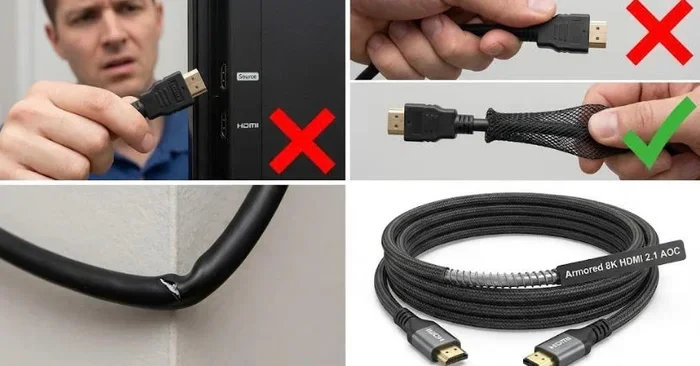
- Avoid sharp bends that kink the cable and damage internal conductors.
Common Mistakes
- Using a passive cable for a 100-foot run. This will almost always fail.
- Ignoring HDMI version compatibility. An older cable may not support 4K even if it is short.
- Buying the cheapest cable online. Unbranded cables often use thin gauge wire and poor shielding.
Expert Insights
Professional AV installers rarely use passive HDMI cables beyond 50 feet. They switch to active cables or extender systems at that point. The key is to match the cable technology to the distance and the resolution you need. A 4K 60Hz signal demands more bandwidth than a 1080p signal, so long runs require even better solutions.
Types of HDMI Cables for 100-Foot Runs
Standard Copper HDMI Cables
Standard copper HDMI cables are the ones you find in most stores. They use copper conductors and are affordable. However, their effective length is limited. For 1080p content, a high-quality copper cable might work up to 50 feet. For 4K, the safe limit is often 25 to 30 feet. At 100 feet, a passive copper cable will not work for modern resolutions. You will see sparkles, color banding, or a black screen.
Active HDMI Cables
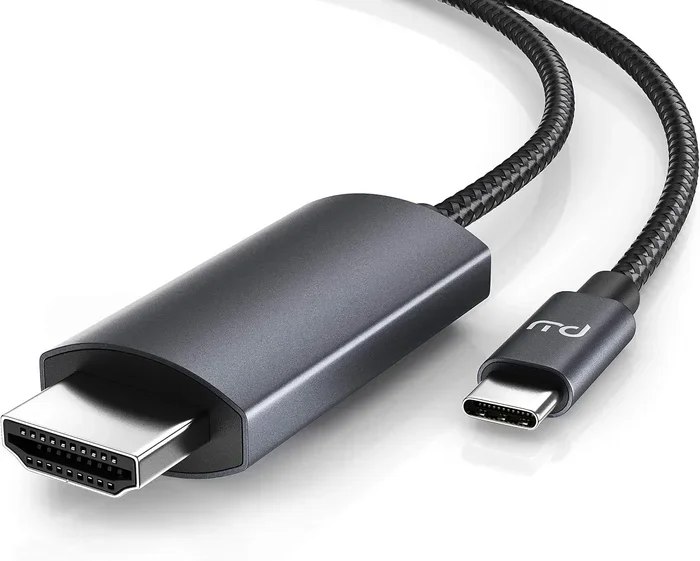
Active HDMI cables have built-in electronics that boost the signal. They require power, usually drawn from the HDMI port itself or from a USB cable. These cables can reliably run 100 feet for 4K content. They look and behave like regular HDMI cables, which makes them easy to install. The trade-off is that they cost more and may not work with every source device if the port cannot provide enough power.
Fiber Optic HDMI Cables
Fiber optic HDMI cables use light to transmit data. They are immune to electromagnetic interference and can carry HDMI signals over 100 feet or more with zero signal loss. These cables are thin, flexible, and ideal for in-wall installations. They are also the most expensive option. However, for a permanent 100-foot run, fiber HDMI is the gold standard. You get perfect 4K 120Hz or even 8K quality without any degradation.
Comparison Table
| Cable Type | Max Reliable Length (4K) | Requires Power | Price Range | Best For |
|---|---|---|---|---|
| Passive Copper | Up to 30 ft | No | $10 – $30 | Short runs, 1080p only |
| Active Copper | Up to 100 ft | Yes (USB or HDMI power) | $40 – $100 | Medium-long runs, easy install |
| Fiber Optic | 100+ ft | Yes (often included power supply) | $80 – $250 | Permanent installs, in-wall, 4K/8K |
Common Mistakes
- Assuming all active cables are the same. Some active cables only support 1080p at 100 feet. Check the spec for 4K.
- Forgetting to power the active cable. If it needs USB power and you do not connect it, the signal will drop.
- Bending fiber optic cables too sharply. Fiber has a minimum bend radius. Kinking can break the glass inside.
Expert Insights
When choosing a fiber HDMI cable, look for ones with a built-in signal equalizer. These cables are tested for 100-foot runs and come with a warranty. Brands like Ruipro, FIBBR, and Cable Matters offer reliable options. Always buy from a reputable retailer to avoid counterfeit fiber cables that look real but perform poorly.
Signal Loss and Degradation Explained
What Causes HDMI Signal Loss Over Distance?
HDMI signal loss happens because of three main factors: resistance, capacitance, and interference. Resistance in the copper wire increases with length, weakening the signal. Capacitance between the shield and the inner conductors smears the digital edges, causing errors. Interference from nearby power cables introduces noise that the HDMI receiver cannot correct. At 100 feet, all three factors combine to create a high risk of HDMI signal degradation.
The digital nature of HDMI means that signal loss is not gradual like analog video. You either get a perfect picture or no picture at all. This is called the cliff effect. A cable that works at 95 feet might suddenly fail at 100 feet. That is why you need headroom and the right technology.
How to Test for Signal Degradation
You can test your long HDMI run before you commit to a permanent install. Connect the source and display with the cable you plan to use. Play a 4K test pattern or a high-motion video. Watch for sparkles, macroblocking, or audio dropouts. If you see any issues, the cable is not suitable for that length. A HDMI signal tester can give you objective measurements of the signal integrity.
Quick Tips
- Use a 4K test pattern from a Blu-ray player or a streaming test channel.
- Check the HDMI cable certification. Look for Premium High Speed HDMI or Ultra High Speed HDMI labels.
- Test at the exact length you will install. A 90-foot cable tested at 50 feet may fail at 100 feet.
Common Mistakes
- Testing the cable coiled up on the floor. A coiled cable has different electrical properties than a straight run. Always test it in the installed configuration.
- Ignoring the HDMI version. HDMI 1.4 cables cannot carry 4K 60Hz, even if they are short. For 100-foot 4K runs, you need HDMI 2.0 or 2.1 certified cables.
Expert Insights
Signal degradation is not just about the cable. The source device and the display matter too. Some TVs and projectors have weaker HDMI receivers. A high-quality cable with a strong signal booster can compensate for a weak receiver. Conversely, the best cable cannot fix a source that does not output a clean signal.
Solutions to Extend HDMI Beyond 100 Feet
HDMI Extenders and Repeaters
An HDMI extender uses a pair of devices: a transmitter and a receiver. You connect the source to the transmitter, run a short Ethernet or coaxial cable, and then connect the receiver to the display. This effectively extends the HDMI distance to 300 feet or more. Extenders are great for permanent installations where you cannot run a single long HDMI cable. They convert the HDMI signal to a format that travels well over long twisted-pair or coaxial cable.
HDMI over HDBaseT and Ethernet
HDBaseT technology allows you to send HDMI signals over a single Cat5e or Cat6 Ethernet cable. An HDBaseT transmitter and receiver pair can extend HDMI up to 330 feet. This is a popular choice for commercial installations. You can also run USB, power, and control signals over the same cable using the HDBaseT passthrough. This simplifies cabling and reduces costs.
Using an HDMI Matrix or Splitter
An HDMI matrix switcher lets you route multiple HDMI sources to multiple displays over long distances. Some matrix systems use Cat6 or fiber backbones. They are ideal for conference rooms and control rooms where you need flexible routing. A splitter duplicates a signal to multiple displays, but it does not extend the distance by itself. You still need an extender or a long cable for each run.
Quick Tips
- Choose an extender that supports your resolution. Not all extenders handle 4K 60Hz or HDR.
- Use shielded Cat6 cable for HDBaseT runs to minimize interference.
- Check the latency if you are using the setup for gaming or live video.
Common Mistakes
- Using a cheap HDMI splitter without a booster. A splitter divides the signal, making it weaker. You may need an active splitter or a repeater after the splitter.
- Running HDMI and power cables in the same conduit. This causes electromagnetic interference. Keep them separated by at least 12 inches or use a shielded cable.
Expert Insights
Professional installers often use HDBaseT extenders for in-wall runs because Cat6 cable is easier to pull through walls than a thick HDMI cable. The HDBaseT standard also supports PoE (Power over HDBaseT), which can power the receiver without a separate power outlet. This is a huge advantage for mounted TVs and projectors.
Best Practices for 100-Foot HDMI Installations
Cable Management and Placement
Proper cable management prevents signal loss and physical damage. When running HDMI 100 feet, avoid tight bends. The minimum bend radius for most HDMI cables is about 1 inch. Use gentle curves in your cable runs. Secure the cable every few feet with clips or straps. This prevents pulling and stress on the connectors. If you are running the cable in-wall, use CL2 or CL3 rated in-wall cables to meet fire safety codes.
Power and Grounding Considerations
Active cables and extenders need power. Make sure you have a nearby outlet or USB port to power the device. Ground loops can cause humming in audio. To avoid ground loops, use an HDMI extender with galvanic isolation or a ground loop isolator. Proper grounding also protects your equipment from electrical surges.
Key Takeaways
- Measure twice, install once. Know the exact distance before buying a cable or extender.
- Match the cable to the resolution. 4K 60Hz requires active or fiber cables at 100 feet.
- Avoid interference. Keep HDMI cables away from power lines and motors.
- Test before you hide the cable. Run the cable temporarily and verify the signal.
- Invest in quality. A reliable long HDMI run saves you from troubleshooting later.
Common Mistakes
- Forgetting to account for cable slack. You need extra length for routing around corners and through walls.
- Using the wrong connector type. Standard HDMI Type A is most common, but some projectors use larger connectors. Check both ends.
- Ignoring the HDMI cable weight. Long fiber HDMI cables can be heavy. Ensure your wall plates and connectors support the weight.
Expert Insights
Many AV pros recommend labeling both ends of a long HDMI cable. When you have multiple cables in a rack or wall plate, labels save hours of troubleshooting. Use a label maker and write the source and display on each end. This small step pays off big time during installation and future upgrades.
Conclusion: Can You Run HDMI Cable 100 Feet?
Final Verdict
Can You Run HDMI Cable 100 Feet? Yes, you can, but you must use the right tools. A passive copper cable will fail. An active HDMI cable or a fiber HDMI cable will succeed. For the most reliable long-distance HDMI experience, fiber optic is the best choice. It delivers perfect 4K quality over 100 feet with no signal loss. If you need a budget-friendly option, an active copper cable with a built-in signal booster also works well.
The key is to plan your installation carefully. Measure the distance, choose the right cable type, and test the signal before you hide the wires. Avoid common mistakes like using passive cables or ignoring power requirements. With the right approach, you can enjoy a flawless HDMI connection no matter how far apart your devices are.
Your Next Steps
Now that you know the options, decide which solution fits your setup. If you need a quick, easy fix, grab an active HDMI cable. If you are building a permanent installation, invest in a fiber HDMI cable or an HDBaseT extender system. Check the specifications carefully, and do not be afraid to ask the manufacturer if the cable supports your resolution at 100 feet. A little planning today saves you from frustration tomorrow.
Frequently Asked Questions
Can you run HDMI 100 feet without a booster?
It is possible with a high-quality active HDMI cable or a fiber HDMI cable. Standard passive cables will fail at 100 feet. Active cables have built-in boosters, and fiber cables use light to transmit the signal without degradation. Choose the right type for your resolution and distance.
What is the best HDMI cable for 100 feet?
For 4K content, a fiber optic HDMI cable is the best choice. It offers zero signal loss over 100 feet and supports the highest bandwidth. If you need a more affordable option, an active copper HDMI cable with a built-in signal booster works well for most 4K setups.
Does HDMI cable length affect quality?
Yes, length directly affects quality. Longer cables increase resistance and interference, which can cause signal loss. At 100 feet, a passive cable will drop resolution or lose audio entirely. Using the right cable technology ensures you maintain full 4K quality and deep color depth.
How can I extend HDMI over 100 feet?
You have several options. Use an active HDMI cable for runs up to 100 feet. For longer distances or permanent installs, use an HDMI extender with Cat6 cable or an HDBaseT system. Fiber HDMI cables also work well for in-wall runs up to 150 feet or more.
Is fiber HDMI better than active HDMI for long runs?
Fiber HDMI is generally better for long runs because it uses light instead of copper. It is immune to electromagnetic interference and has virtually no signal loss. Active HDMI cables are easier to install and cost less, but they may not support the highest resolutions at 100 feet.
Can you run HDMI 2.1 100 feet?
Running HDMI 2.1 at 100 feet is challenging but possible with the right cable. You need an Ultra High Speed HDMI certified cable, either active or fiber. Passive HDMI 2.1 cables will fail at that distance. Always check the manufacturer’s specifications for 100-foot 48Gbps support.