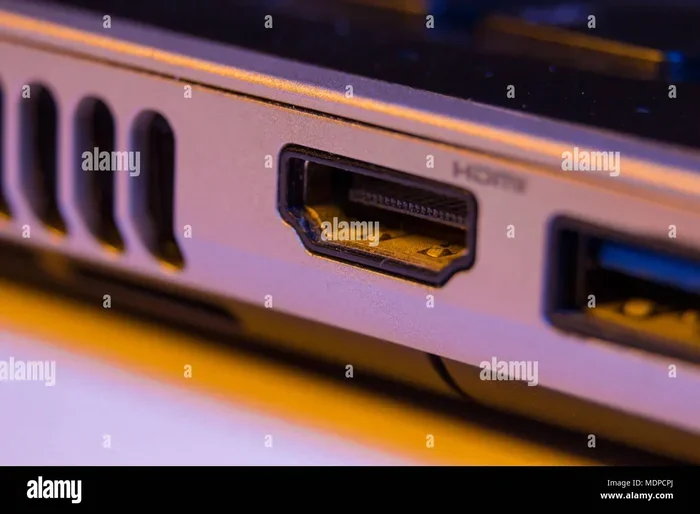
Can You Put A Hdmi 2 1 Cable In A 2 0 Port And What Happens
Yes, you can plug an HDMI 2.1 cable into an HDMI 2.0 port, and it will work. However, the cable will only operate at HDMI 2.0 speeds, meaning you will not get the full 48 Gbps bandwidth or features like 8K at 60Hz. Your device will automatically adjust to the lower standard, so no damage occurs.
This is a comprehensive guide about Can You Put A Hdmi 2 1 Cable In A 2 0 Port.
Key Takeaways
- Physical Fit: HDMI 2.1 cables fit perfectly into HDMI 2.0 ports because they share the same connector design.
- No Damage Risk: Plugging a newer cable into an older port will not harm your devices.
- Speed Caps: The cable will default to HDMI 2.0 speeds, limiting bandwidth to 18 Gbps.
- Resolution Limits: You can still enjoy 4K, but you may miss out on higher refresh rates and advanced features.
- Backward Compatible: HDMI is designed to be backward compatible across all versions.
- Smart Shopping: You do not need to buy a new cable just because you upgraded your port or TV.
[FEATURED_IMAGE_PLACEHOLDER]
Can You Put An HDMI 2.1 Cable In A 2.0 Port And What Happens
Have you ever picked up an HDMI 2.1 cable and stared at your older HDMI 2.0 port, wondering if it would even work? You are not alone. This is one of the most common questions people ask when they upgrade their TV, gaming console, or home theater setup. The short answer is yes. You can absolutely put an HDMI 2.1 cable into a 2.0 port. But the full story is a bit more interesting than a simple yes or no.
In this guide, we will walk through exactly what happens when you connect a newer cable to an older port. We will cover the technical side in plain language, share practical tips, and help you decide whether you actually need an HDMI 2.1 cable at all. Whether you are a gamer chasing smooth frame rates or someone who just wants a clean picture on your TV, this article has you covered.
The good news is that there is no risk of damage. HDMI is built to be backward compatible, which means newer cables work with older ports and vice versa. So relax, grab a cup of coffee, and let us break this down for you in a way that actually makes sense.
What Is The Difference Between HDMI 2.0 And HDMI 2.1
Before we dive into what happens when you mix cables and ports, it helps to understand what each version brings to the table. Think of HDMI versions like road highways. A newer highway can handle more lanes and faster traffic, but an older highway still works for regular cars.
HDMI 2.0: The Reliable Workhorse
HDMI 2.0 came out in 2013 and has been the standard for years. It supports 4K resolution at 60Hz, which is plenty for most TV watching and gaming. The bandwidth cap sits at 18 Gbps, which is still very capable for everyday use. If you have a 4K TV and a standard streaming setup, HDMI 2.0 will serve you well.
HDMI 2.1: The Next Generation
HDMI 2.1 arrived in 2019 and brought some serious upgrades. It bumps the bandwidth up to 48 Gbps, which is nearly three times faster than HDMI 2.0. This means you can push 8K resolution at 60Hz or 4K at a buttery smooth 120Hz. It also introduces features like Variable Refresh Rate, Auto Low Latency Mode, and enhanced Audio Return Channel. These are big deals for serious gamers and home theater enthusiasts.
Here is a quick side-by-side look at the two versions:
- HDMI 2.0: 18 Gbps bandwidth, 4K at 60Hz, standard HDR support, 32-channel audio.
- HDMI 2.1: 48 Gbps bandwidth, 4K at 120Hz or 8K at 60Hz, dynamic HDR, eARC, VRR, ALLM.
The physical connector has not changed between these versions. That is the key reason an HDMI 2.1 cable can physically plug into an HDMI 2.0 port without any issues.
What Happens When You Use An HDMI 2.1 Cable In A 2.0 Port
Now let us get to the heart of the matter. You have an HDMI 2.1 cable and an HDMI 2.0 port. What actually happens when you connect them? The answer depends on a few factors, but the overall experience is straightforward.
The Cable Will Work, But At Reduced Speeds
When you plug an HDMI 2.1 cable into an HDMI 2.0 port, the connection will negotiate down to HDMI 2.0 standards automatically. This process is called feature negotiation. Your devices will communicate and agree on the highest common standard they both support. Since HDMI 2.0 is the older standard in this pairing, it becomes the limiting factor.
In practical terms, this means:
- Your cable will carry a 4K signal at 60Hz. This is the maximum HDMI 2.0 supports.
- You will not get 4K at 120Hz. That higher refresh rate requires the extra bandwidth of HDMI 2.1.
- Features like VRR and ALLM may not be available. These are HDMI 2.1-specific technologies.
- eARC audio will not work. Enhanced Audio Return Channel is exclusive to HDMI 2.1.
Will It Damage Anything
Absolutely not. This is one of the biggest myths in the tech world. You cannot damage your TV, your cable box, your gaming console, or your HDMI 2.1 cable by plugging it into an older port. HDMI is designed with built-in safety mechanisms. The devices will simply communicate and settle on the best shared standard.
Think of it like plugging a USB-C cable into a USB 3.0 port. The cable works, but it only charges at USB 3.0 speeds. No harm done. The same principle applies here.
What About 8K Content
If you were hoping to watch 8K content through this setup, you will be disappointed. HDMI 2.0 simply does not have the bandwidth to handle 8K signals. The connection will either downscale the resolution to 4K or show a black screen and reset the signal. Most content today is still 4K anyway, so this is rarely a real-world problem.
Why Would Someone Use An HDMI 2.1 Cable With An Older Port
This is a great question. If the cable will just run at HDMI 2.0 speeds anyway, why bother with an HDMI 2.1 cable? There are actually several smart reasons to do this.
Future-Proofing Your Setup
Buying an HDMI 2.1 cable now is a smart investment. If you plan to upgrade your TV or console in the future, you already have the right cable ready to go. There is no need to buy a new one later. HDMI 2.1 cables are becoming the new standard, and prices have dropped significantly.
You Already Own The Cable
Maybe you bought an HDMI 2.1 cable for a different device in your home. Your PlayStation 5 came with one, or you picked one up for your new gaming monitor. There is no reason to dig it out and replace it with an older HDMI 2.0 cable just because one of your ports is HDMI 2.0.
Cable Quality Often Matters More Than Version
Here is something many people overlook. A high-quality HDMI 2.1 cable often performs better than a cheap HDMI 2.0 cable, even when both are plugged into HDMI 2.0 ports. Premium cables tend to have better shielding, thicker conductors, and more reliable connectors. So using an HDMI 2.1 cable can actually improve your signal quality in some cases.
One Cable To Rule Them All
Having the same cable type throughout your entertainment setup simplifies things. You do not need to keep track of which cable goes where. A single HDMI 2.1 cable can work across multiple devices and ports, even if some of those ports are older versions.
Common Mistakes People Make With HDMI Cables
There are a few mistakes that people make frequently when dealing with HDMI cables and ports. Knowing these can save you time, money, and frustration.
Assuming A Cable Version Equals Port Version
Many people believe that if a cable is labeled HDMI 2.1, it will somehow magically unlock HDMI 2.1 features on an older port. This is not true. The cable version and the port version must match for full functionality. The cable can only go as fast as the port allows.
Buying Expensive Cables You Do Not Need
On the flip side, some people buy a cheap HDMI 2.0 cable and then wonder why they cannot get 4K at 120Hz. Always match your cable to the highest port version in your setup for the best results.
Ignoring Cable Length
Longer HDMI cables can lose signal strength, especially at higher resolutions. If you need a cable longer than 6 feet, invest in a quality one with proper shielding. Signal degradation is real and can cause flickering or no signal at all.
Not Checking The Port Version
Not all HDMI ports on your TV or device are the same version. Some ports might be HDMI 2.1 while others are HDMI 2.0. Check your device manual or look for the HDMI port labeling on the back of your TV before assuming.
Using The Wrong Cable For Gaming
Gamers need low latency and high refresh rates. Using an HDMI 2.0 cable with an HDMI 2.0 port will cap you at 60Hz for 4K content. If you have an HDMI 2.1 port on your TV and an HDMI 2.1-capable console, you need an HDMI 2.1 cable to unlock 120Hz gameplay.
Quick Tips For Getting The Best HDMI Experience
Want to make sure you are getting the most out of your HDMI connections? Here are some quick and easy tips:
- Check your port versions. Look at the back of your TV or device. Many manufacturers now label ports as HDMI 2.0 or HDMI 2.1.
- Buy certified cables. Look for Ultra High Speed HDMI cables that are officially certified for HDMI 2.1.
- Keep cables short. Shorter cables deliver better signal quality and less latency.
- Firmly seat the cable. A loose connection can cause signal drops, flickering, or no picture at all.
- Update your device firmware. Sometimes a simple firmware update can unlock better HDMI compatibility.
- Use the right port. If your TV has a mix of HDMI 2.0 and HDMI 2.1 ports, plug your device into the HDMI 2.1 port for the best performance.
Expert Insights On HDMI Cable Compatibility
According to HDMI Licensing administrators, all HDMI cables are backward compatible by design. This means an HDMI 2.1 cable will work with any HDMI 2.0 or earlier port, and an HDMI 2.0 cable will work with any HDMI 2.1 port. The standard was built this way to ensure seamless connectivity across devices from different generations.
Tech experts also point out that the cable itself does not “know” what version it is. The HDMI version is determined by the port and the devices on each end. The cable simply carries the signal that the devices agree upon during feature negotiation.
For those building a home theater or gaming setup, the consensus is clear. Match your cable to your highest port version for the best experience. But if you already have an HDMI 2.1 cable and only HDMI 2.0 ports, you are perfectly fine. The cable will work, and your setup will run smoothly.
Key Takeaways
- HDMI 2.1 cables are fully compatible with HDMI 2.0 ports. They fit and work without any issues.
- The connection will default to HDMI 2.0 speeds. You get 18 Gbps bandwidth and 4K at 60Hz.
- No damage can occur. HDMI is designed to be backward and forward compatible.
- Advanced HDMI 2.1 features will not be available. VRR, ALLM, eARC, and higher refresh rates require HDMI 2.1 ports.
- Using an HDMI 2.1 cable with older ports is safe and practical. It is a good way to future-proof your cable collection.
- Always match cables to ports for the best performance. But do not worry if they do not match perfectly.
Conclusion
So, can you put an HDMI 2.1 cable in a 2.0 port? Yes, and it works just fine. You will not break anything, and your devices will communicate to find the best shared standard. The cable will run at HDMI 2.0 speeds, which means 4K at 60Hz and 18 Gbps bandwidth. You will miss out on the fancy HDMI 2.1 features like 120Hz refresh rates, VRR, and eARC, but the connection will still deliver a great picture and sound.
The bottom line is that HDMI compatibility is designed to be simple and forgiving. You do not need to stress about which cable goes into which port. If you have an HDMI 2.1 cable lying around, go ahead and use it. If you are buying a new cable and only have HDMI 2.0 ports, an HDMI 2.0 cable will do the job perfectly.
Understanding how HDMI versions work gives you the confidence to make smart decisions about your home entertainment setup. You will save money, avoid confusion, and enjoy a great viewing experience no matter which combination of cables and ports you use.
Frequently Asked Questions
Will an HDMI 2.1 cable damage an HDMI 2.0 port?
No, it will not. HDMI is designed to be backward compatible across all versions. The devices will negotiate the best shared standard automatically, and no damage will occur to your port, cable, or any connected device.
Can I get 4K 120Hz with an HDMI 2.1 cable in a 2.0 port?
No, you cannot. HDMI 2.0 ports max out at 4K at 60Hz. To get 4K at 120Hz, you need both an HDMI 2.1 cable and an HDMI 2.1 port on your TV or display.
Do HDMI 2.1 cables cost more than HDMI 2.0 cables?
They used to, but prices have dropped significantly. Today, you can find certified HDMI 2.1 cables at very reasonable prices. The cost difference between the two is minimal, making HDMI 2.1 cables a smart buy for most people.
Can I use an HDMI 2.0 cable in an HDMI 2.1 port?
Yes, you can. An HDMI 2.0 cable will work in an HDMI 2.1 port, but it will only operate at HDMI 2.0 speeds. You will not get the full 48 Gbps bandwidth or any HDMI 2.1 features unless you upgrade to an HDMI 2.1 cable.
How do I know if my port is HDMI 2.0 or HDMI 2.1?
Check your device manual or look for labels on the back of your TV or monitor. Many manufacturers now clearly mark HDMI ports with their version number. You can also check the manufacturer’s website for detailed specifications of your specific model.
Do I need an HDMI 2.1 cable for gaming?
It depends on your setup. If you have an HDMI 2.1 port on your TV and a console that supports 120Hz gaming, then yes, you need an HDMI 2.1 cable to unlock the full experience. If your TV only has HDMI 2.0 ports, an HDMI 2.0 cable is all you need for 4K at 60Hz gaming.
Frequently Asked Questions
What is Can You Put A Hdmi 2 1 Cable In A 2 0 Port?
Can You Put A Hdmi 2 1 Cable In A 2 0 Port is an important topic with many practical applications.