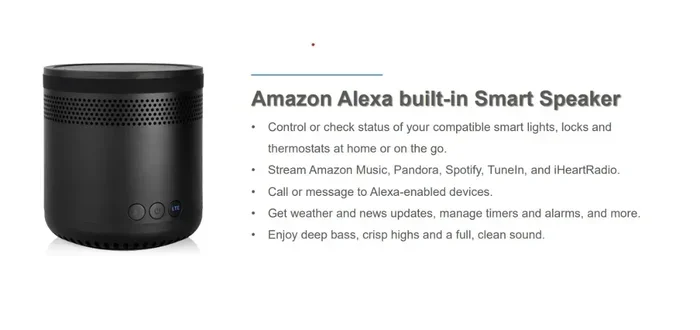
Can You Connect To Alexa Via Bluetooth And Stream Music
Yes, you can connect Alexa via Bluetooth and stream music from any compatible device. This guide walks you through the full process of pairing your phone, tablet, or laptop to an Alexa-enabled speaker in just a few simple steps. Whether you own an Echo Dot, Echo Show, or any other Alexa device, you will learn how to establish a Bluetooth wireless connection and enjoy your favorite playlists without any hassle.
This is a comprehensive guide about Can You Connect To Alexa Via Bluetooth.
Key Takeaways
- Bluetooth Connectivity: Most Alexa devices support Bluetooth pairing, letting you stream audio from your phone or laptop directly to your speaker.
- Easy Setup Process: Connecting your device to Alexa via Bluetooth takes less than a minute using the Alexa app or voice commands.
- Wide Device Compatibility: Echo Dot, Echo Show, Echo Studio, and many other Alexa devices all work with Bluetooth streaming.
- Troubleshooting Tips: If your Bluetooth connection drops, simple fixes like resetting the connection or moving closer to the speaker can solve the problem.
- Multiple Device Support: You can pair multiple devices with one Alexa speaker and switch between them easily.
- Best Practices: Keeping your devices updated and staying within Bluetooth range ensures a smooth and reliable music streaming experience.
[FEATURED_IMAGE_PLACEHOLDER]
Have you ever wanted to play music from your phone through your Alexa speaker without using Wi-Fi? Maybe your internet is down, or you just want a simpler way to listen to your favorite playlist. The good news is that connecting Alexa via Bluetooth is straightforward and works with most Alexa devices.
In this guide, we will show you exactly how to pair your phone or tablet with Alexa using a Bluetooth connection. We will also cover which Alexa devices work best for Bluetooth streaming, how to fix common connection issues, and tips to get the best audio quality. Whether you are new to Alexa or have been using it for years, this article has something useful for you.
By the end of this read, you will know everything you need about streaming music through a Bluetooth connection with Alexa. Let us get started.
Understanding Bluetooth Connectivity with Alexa
What Is Bluetooth and How Does It Work with Alexa?
Bluetooth is a wireless technology that lets devices talk to each other over short distances. When you connect Alexa via Bluetooth, your phone sends audio signals directly to your Alexa speaker without needing Wi-Fi or an internet connection. This makes Bluetooth a handy backup option when your home network is not working.
Most modern Echo devices come with built-in Bluetooth capability. This means you can pair them with smartphones, tablets, laptops, and even other Bluetooth speakers. The connection is simple and does not require any extra cables or adapters.
Here are some key things to know about Bluetooth audio streaming with Alexa:
- Bluetooth range is typically around 30 feet, though walls and obstacles can reduce this distance.
- Bluetooth pairing uses a secure, short-range wireless signal to link two devices together.
- Audio quality depends on both your source device and the Alexa speaker’s built-in speakers.
- Bluetooth version matters — newer versions like Bluetooth 5.0 offer better range and sound quality.
- Only one Bluetooth audio source can be connected to an Alexa device at a time, though you can switch between paired devices.
Why Use Bluetooth with Alexa Instead of Wi-Fi?
There are several reasons why Bluetooth streaming is a great option. First, it works even when your internet is down. You do not need to worry about router issues or slow Wi-Fi speeds. Second, Bluetooth gives you more control over what plays on your speaker. You can play music from any app, not just Amazon Music or Spotify through Alexa skills.
Third, Bluetooth is useful when you want to use your Alexa speaker as a portable speaker. You can take it to a different room or even outside your home. As long as your phone is within range, you can stream music wirelessly.
Finally, Bluetooth lets you connect devices that do not have Alexa built in. For example, you can pair an older phone or a friend’s device with your Echo speaker and play music through it.
How To Connect Your Device to Alexa Via Bluetooth
Step-by-Step Bluetooth Pairing Guide
Pairing your phone to Alexa is quick and easy. Follow these simple steps to get started:
- Turn on your Alexa device and make sure it is powered on and connected to Wi-Fi.
- Open the Alexa app on your phone or tablet.
- Tap the Devices icon at the bottom of the screen.
- Select your Echo device from the list.
- Scroll down and tap Bluetooth Devices.
- Tap Pair a New Device.
- On your phone, go to Settings and turn on Bluetooth.
- Your phone will search for available devices. Tap on your Echo device when it appears.
- Wait for the confirmation message that says the devices are paired.
That is it! Your phone is now connected to Alexa via Bluetooth. You can start playing music from any app on your phone, and the audio will come through your Alexa speaker.
Using Voice Commands to Connect Bluetooth
If you prefer not to use the app, you can also use voice commands to manage your Bluetooth connection. Simply say, “Alexa, pair my Bluetooth device.” The speaker will enter pairing mode and be ready to connect.
Once your device is already paired, you can say commands like:
- “Alexa, Bluetooth connect my phone.”
- “Alexa, disconnect Bluetooth.”
- “Alexa, what Bluetooth devices are connected?”
- “Alexa, play music from my phone.”
These voice commands make it easy to manage your Bluetooth audio connection without ever touching your phone. It is one of the many reasons Alexa is so convenient.
Connecting Multiple Devices to One Alexa Speaker
Your Alexa device can remember multiple paired Bluetooth devices. This is great for households where more than one person uses the same speaker. To switch between devices, you can use the Alexa app or simply say a voice command.
Here is how to switch between paired devices:
- Say “Alexa, disconnect Bluetooth” to end the current connection.
- Say “Alexa, Bluetooth connect [device name]” to switch to another paired device.
- Or open the Alexa app, go to Bluetooth settings, and select a different device from the list.
This feature makes sharing music with family and friends very easy. Everyone can connect their phone and take turns playing songs.
Which Alexa Devices Support Bluetooth Streaming?
Most Alexa devices support Bluetooth connections, but the experience can vary depending on the model. Here is a quick look at the most popular Alexa-enabled speakers and their Bluetooth capabilities.
Echo Dot
The Echo Dot is one of the most popular Alexa devices, and it fully supports Bluetooth. You can pair your phone to an Echo Dot and stream music wirelessly. The compact size makes it perfect for bedrooms, kitchens, and small rooms.
The Echo Dot (4th generation and newer) has improved Bluetooth range and better audio quality compared to older models. If you want a small and affordable Bluetooth speaker that works with Alexa, the Echo Dot is an excellent choice.
Echo Show
Echo Show devices have screens and support Bluetooth audio streaming. You can pair your phone to an Echo Show and enjoy music while also using the screen for video calls, recipes, or smart home controls.
The Bluetooth connection on Echo Show devices works the same way as on other Echo models. You pair through the Alexa app or use voice commands. The added screen makes Echo Show a versatile device for both audio and visual content.
Echo Studio
The Echo Studio is designed for high-quality audio, and it supports Bluetooth 5.0. This means you get a stronger signal and better range when you stream music via Bluetooth. The Echo Studio also has built-in speakers that deliver rich, detailed sound.
If audio quality is your priority, the Echo Studio is one of the best Alexa devices for Bluetooth streaming. It handles everything from bass-heavy tracks to acoustic songs with ease.
Echo Dot for Kids and Echo Pop
Even the smaller and more affordable Echo devices support Bluetooth. The Echo Pop and Echo Dot for Kids both allow you to connect your phone wirelessly. These devices are great for children’s rooms or casual listening around the house.
While these models may not match the audio quality of the Echo Studio, they still provide a solid Bluetooth audio experience for everyday use.
Streaming Music Through Bluetooth Connection
Best Apps for Bluetooth Music Streaming
Once your phone is connected to Alexa via Bluetooth, you can use any music app you like. Here are some popular options:
- Spotify — One of the most popular music streaming services. Your playlists, podcasts, and albums all work through Bluetooth.
- Apple Music — Great for iPhone users. You can stream your entire library directly to your Alexa speaker.
- Amazon Music — The default music service for Alexa. Works seamlessly with Bluetooth streaming.
- Pandora — A classic radio-style streaming app that works well with Bluetooth connections.
- YouTube Music — Good for music videos and audio-only tracks from YouTube.
- Local music files — You can also play music stored on your phone through Bluetooth without needing an internet connection.
The beauty of Bluetooth streaming is that you are not locked into one service. You can switch between apps freely and play whatever you want.
Audio Quality Tips for Bluetooth Streaming
While Bluetooth is convenient, the audio quality can sometimes suffer compared to a wired connection. Here are some tips to improve your Bluetooth audio experience:
- Keep your phone close to the Alexa speaker. The closer they are, the stronger the signal and the better the sound.
- Avoid placing your Alexa speaker near walls or obstacles that can block the Bluetooth signal.
- Use high-quality music apps that stream at better bitrates for richer sound.
- If your Alexa device supports it, use the Alexa app to adjust the equalizer settings for better audio output.
- Make sure your phone’s Bluetooth is updated to the latest version for the best performance.
Following these simple tips can make a big difference in how your music sounds when streamed through Bluetooth.
Playing Podcasts and Audiobooks via Bluetooth
It is not just music that you can stream through Alexa Bluetooth. You can also play podcasts and audiobooks. Apps like Audible, Apple Podcasts, and Google Podcasts all work with Bluetooth streaming to your Alexa speaker.
This is especially useful for listening to podcasts in the kitchen or audiobooks while you cook. Just connect your phone to Alexa and start playing your content. The audio will come through your speaker clearly.
Troubleshooting Common Bluetooth Issues
Alexa Not Showing Up in Bluetooth Devices
If your Alexa device does not appear when you try to pair, try these steps:
- Make sure your Alexa device is turned on and in pairing mode. Say “Alexa, pair my Bluetooth device.”
- Check that Bluetooth is turned on in your phone’s settings.
- Move your phone closer to the Alexa speaker. Being too far away can prevent detection.
- Restart your Alexa device by unplugging it for 30 seconds and plugging it back in.
- Restart your phone’s Bluetooth and try again.
Most of the time, these simple steps will fix the problem and get your Bluetooth pairing working again.
Connection Keeps Dropping
A dropping Bluetooth connection can be frustrating. Here is what you can do:
- Check the distance between your phone and the Alexa speaker. Stay within 30 feet for the best connection.
- Remove any physical obstacles between the two devices, especially thick walls or metal objects.
- Make sure no other Bluetooth devices are interfering with the connection.
- Update the Alexa app and your phone’s operating system to the latest versions.
- Forget the Bluetooth device on both sides and pair them again from scratch.
If the problem continues, try resetting your Alexa device’s Bluetooth settings through the Alexa app. Go to the device settings, find Bluetooth, and clear all paired devices. Then start fresh with a new pairing.
Poor Audio Quality or Static Noise
Static or poor audio quality is usually caused by interference or distance. Try moving closer to the Alexa speaker and away from other wireless devices like microwaves or baby monitors. These can cause Bluetooth interference and degrade sound quality.
If the issue persists, restart both devices. This often clears up temporary glitches that affect audio output.
Tips To Get the Best Bluetooth Experience with Alexa
Keep Your Devices Updated
Software updates often include fixes for Bluetooth connectivity issues. Make sure your Alexa app, phone operating system, and Echo device firmware are all up to date. This simple habit can prevent many common Bluetooth problems.
Name Your Devices Clearly
When you pair multiple devices with Alexa, give them clear names. Instead of “iPhone” or “Samsung,” use names like “Kitchen Phone” or “Living Room Tablet.” This makes it much easier to switch between devices using voice commands.
Use Alexa Routines for Seamless Listening
You can create Alexa Routines that automatically connect Bluetooth when you say a specific phrase. For example, you can set up a routine called “Music Time” that says “Alexa, Bluetooth connect my phone” and starts playing your favorite playlist. This adds a nice touch of automation to your music listening.
Know When to Use Wi-Fi vs Bluetooth
While Bluetooth is great for many situations, Wi-Fi streaming usually offers better audio quality and more features. If you have a strong Wi-Fi connection, consider using Alexa skills for Spotify or Amazon Music instead of Bluetooth. Wi-Fi streaming also supports multi-room audio, which Bluetooth does not.
Use Bluetooth when you need a quick connection, when Wi-Fi is unavailable, or when you want to use a device that does not support Alexa skills directly.
Final Thoughts
Connecting Alexa via Bluetooth is a simple and useful feature that adds flexibility to your smart speaker setup. Whether you want to stream music from your phone, play a podcast, or listen to an audiobook, Bluetooth makes it all possible without needing Wi-Fi.
We have covered how to pair your device, which Alexa models support Bluetooth, how to troubleshoot common issues, and tips for getting the best audio quality. With these steps, you should be able to connect Alexa via Bluetooth and stream music with confidence.
Take some time to try the steps in this guide. Once you see how easy it is, you will use Bluetooth streaming with your Alexa speaker all the time. It is one of those features that makes your smart speaker even more versatile and fun to use.
Enjoy your music, and happy streaming!
Frequently Asked Questions
Can I connect any phone to Alexa via Bluetooth?
Yes, almost any smartphone or tablet with Bluetooth capability can connect to an Alexa device. This includes iPhones, Android phones, iPads, and even some laptops. The pairing process is the same regardless of your device type.
How many devices can I pair with one Alexa speaker via Bluetooth?
Most Alexa devices can remember up to 10 paired Bluetooth devices. You can switch between them easily using voice commands or the Alexa app. This is perfect for households with multiple users.
Does Bluetooth streaming use data from my phone plan?
Yes, streaming music over Bluetooth uses data from your phone. The Bluetooth connection itself does not use data, but the music app on your phone downloads the audio using your cellular data or Wi-Fi before sending it to the speaker.
Can I connect a Bluetooth speaker to Alexa?
No, you cannot use Alexa as a Bluetooth receiver to connect to another Bluetooth speaker. Alexa can only act as a Bluetooth receiver, not a transmitter. However, some Echo devices with a 3.5mm audio out port can connect to external speakers using a cable.
Why is my Bluetooth connection to Alexa so slow?
A slow Bluetooth connection is usually caused by distance, obstacles, or interference from other wireless devices. Moving closer to your Alexa speaker and reducing interference from microwaves or other electronics can significantly improve connection speed and stability.
Can I use Alexa Bluetooth without Wi-Fi?
Yes, you can use Bluetooth to connect your phone to Alexa even without Wi-Fi. However, you will need Wi-Fi or cellular data on your phone to stream music from online services. Bluetooth itself does not require Wi-Fi to establish a connection between devices.