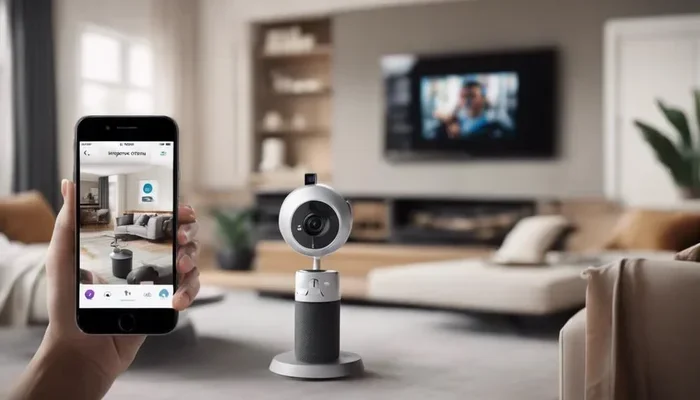
Can You Connect A Camera Through Bluetooth Wirelessly
Can You Connect A Camera Through Bluetooth wirelessly? Yes, absolutely. Many modern cameras now support Bluetooth connectivity, letting you transfer photos, control your camera remotely, and sync with your smartphone without cables. This guide covers everything you need to know about Bluetooth camera setup, range limits, and practical tips for getting the most out of your wireless camera connection.
Have you ever wanted to send photos from your camera to your phone without plugging in a cable? Or maybe you wanted to snap a group photo from across the room using your phone as a camera remote control. The good news is that can you connect a camera through Bluetooth is a question with a very clear answer: yes, you can. Bluetooth technology has made it possible to link your camera with smartphones, tablets, and even laptops in a breeze.
Over the past few years, Bluetooth connectivity in cameras has exploded. What once required messy cables and complicated software now happens with a few taps on your screen. Whether you shoot with a mirrorless camera, a DSLR, or even a compact point-and-shoot, there is a good chance your device supports wireless camera connection through Bluetooth. This guide will walk you through everything you need to know, from the basics of how it works to pro tips that will level up your game.
If you have been wondering about Bluetooth pairing with your camera or trying to figure out if your gear supports it, you are in the right place. We will cover how Bluetooth enabled camera devices work, what the benefits are, and how to troubleshoot common issues. Let us dive in.
Key Takeaways
- Bluetooth Enables Wireless Camera Connection: You can connect your camera to phones and tablets for easy photo sharing and remote control.
- Setup Is Simple: Most Bluetooth camera setup processes take just a few minutes with step-by-step pairing.
- Range Is Limited: Camera Bluetooth range typically reaches about 30 feet, which is great for close-up control but not long-distance streaming.
- Bluetooth vs WiFi Matters: Bluetooth uses less power and connects faster, but WiFi offers faster data transfer speeds.
- Many Cameras Support It: From mirrorless to action cameras, Bluetooth enabled camera options are more common than ever.
- Use the Right App: A dedicated Bluetooth camera app unlocks the full potential of wireless features.
📑 Table of Contents
- What Is Bluetooth Camera Connectivity?
- How Does Bluetooth Work With Cameras?
- Benefits of Connecting Your Camera Through Bluetooth
- Bluetooth Camera vs WiFi Camera: Which Is Better?
- How to Set Up Bluetooth on Your Camera
- Common Bluetooth Camera Problems and How to Fix Them
- Expert Tips for Better Bluetooth Camera Performance
- Frequently Asked Questions
- Conclusion
What Is Bluetooth Camera Connectivity?
Bluetooth camera connectivity is a short-range wireless technology that lets your camera talk to other devices. Think of it like a digital handshake. When your camera and your phone are paired, they can share data back and forth without any wires. This is the backbone of wireless photo transfer and wireless camera control for millions of photographers today.
How Bluetooth Differs from WiFi in Cameras
People often confuse Bluetooth with WiFi when talking about camera WiFi vs Bluetooth. Here is the simple difference. Bluetooth uses very little power and connects almost instantly. It is perfect for small tasks like sending one or two photos or triggering the shutter. WiFi, on the other hand, uses more battery but can transfer large files much faster. WiFi also allows you to do things like live view streaming over a network.
Most modern cameras use both Bluetooth and WiFi together. The Bluetooth stays on in the background for quick, low-energy tasks. WiFi kicks in when you need to move bigger files around. This combination gives you the best of both worlds.
What Devices Support Bluetooth Camera Connection?
Almost every camera brand now offers Bluetooth connectivity in at least some of their models. Here is a quick look at what is out there:
- Mirrorless Cameras: Brands like Sony, Fujifilm, Canon, and Panasonic widely support Bluetooth in their mirrorless lines.
- DSLR Cameras: Many newer DSLRs from Nikon and Canon include Bluetooth, though older models may not.
- Action Cameras: GoPro and similar action cameras often use Bluetooth for quick pairing with your phone.
- Compact Cameras: Even smaller point-and-shoot cameras are increasingly getting Bluetooth built in.
- Smartphone Cameras: Your phone can act as a Bluetooth device too, connecting to external camera lenses and accessories.
The takeaway is clear. If you have bought a camera in the last five years, there is a strong chance it supports Bluetooth connectivity for wireless connection.
How Does Bluetooth Work With Cameras?
Understanding how Bluetooth works with cameras is easier than you might think. Bluetooth uses radio waves to send small bursts of data between devices. When you pair your camera with your phone, they agree on a secure connection and can then share information back and forth.
The Pairing Process Explained
Bluetooth pairing is the first step in connecting your camera to another device. Here is what happens behind the scenes:
- Your camera broadcasts a signal saying it is ready to connect.
- Your phone or tablet detects this signal.
- You confirm the pairing on both devices.
- A secure link is established and data can flow.
Once paired, your devices remember each other. You usually do not need to repeat the pairing process every time. This makes Bluetooth camera setup a one-time effort that saves you tons of hassle later.
Low Energy Bluetooth and Why It Matters
Many modern cameras use something called low energy Bluetooth, also known as BLE. This version of Bluetooth sips power instead of gulping it. Your camera battery lasts much longer because Bluetooth is not draining it constantly. You get the convenience of wireless camera connection without sacrificing battery life.
Low energy Bluetooth is perfect for tasks like sending a photo to your phone or using your phone as a camera remote control. It is not meant for transferring huge video files, but for everyday quick tasks, it works beautifully.
How Far Can Bluetooth Reach?
The camera Bluetooth range is typically about 30 feet or roughly 10 meters. This is more than enough for most situations. You can stand across a room and trigger your shutter. You can walk around a group shot and snap the photo from your phone. For most photographers, this range is more than sufficient.
Keep in mind that walls, furniture, and other obstacles can reduce the range. If you are in a crowded room with lots of interference, you might notice the connection is less reliable at the far end of that 30-foot limit.
Benefits of Connecting Your Camera Through Bluetooth
So why should you bother with Bluetooth connectivity on your camera? The benefits are real and practical. Here is why connecting your camera through Bluetooth is worth your time.
Instant Wireless Photo Transfer
The biggest draw of wireless photo transfer is speed and convenience. Instead of pulling out your SD card and plugging it into your computer, you can send photos directly to your phone over Bluetooth. From there, you can post to social media, send to friends, or back up to the cloud. The whole process takes seconds.
Imagine you are at a birthday party. A great moment happens and you want to share it right away. With Bluetooth, you can send the photo from your camera to your phone in under a minute. No cables, no fuss, no waiting.
Remote Camera Control
Using your phone as a camera remote control is a game changer. You can frame your shot on your phone screen and hit the shutter button from across the room. This is perfect for:
- Group photos where you do not want to run back and forth
- Self-portraits where you need more flexibility in framing
- Time-lapse photography where the camera stays in one spot
- Wildlife photography where you do not want to scare animals
Bluetooth Shutter Release Made Easy
A Bluetooth shutter release lets you trigger your camera without touching it. This reduces camera shake and gives you sharper images. Some Bluetooth camera app options even let you adjust settings like aperture, shutter speed, and ISO right from your phone screen. It turns your phone into a powerful camera control hub.
Save Time in Post-Processing
When you can send photos wirelessly from your camera to your phone, your workflow gets faster. You can quickly pick your best shots, do basic edits on your phone, and post them online before the event even ends. This is a huge advantage for wedding photographers, journalists, and content creators who need to deliver images quickly.
Wireless Camera Accessories Work Better
Bluetooth also makes wireless camera accessories more useful. GPS trackers, wireless flashes, and smart remotes all connect through Bluetooth in many cases. This creates a seamless ecosystem where all your gear talks to each other without cables getting in the way.
Bluetooth Camera vs WiFi Camera: Which Is Better?
The camera WiFi vs Bluetooth debate comes up a lot. Both technologies have their strengths, and the best choice depends on what you need. Let us break it down.
Speed and Data Transfer
WiFi wins hands down when it comes to speed. If you need to transfer a batch of high-resolution photos or a video file, WiFi is the way to go. Bluetooth is slower and better suited for smaller files like individual JPEG images.
Battery Usage
Bluetooth uses far less power than WiFi. If battery life is a concern, Bluetooth is the clear winner. You can keep Bluetooth on all day without worrying about draining your battery quickly.
Connection Speed
Bluetooth connects almost instantly. WiFi takes a bit longer to establish a connection. For quick tasks like sending one photo or triggering the shutter, Bluetooth is faster and more convenient.
Range
WiFi generally has a longer range than Bluetooth. You can connect to your camera from across a house or venue with WiFi. Bluetooth is limited to about 30 feet, which is fine for most on-site use.
Comparison Table
| Feature | Bluetooth | WiFi |
|---|---|---|
| Data Transfer Speed | Slower | Faster |
| Battery Usage | Low | High |
| Connection Time | Instant | A few seconds |
| Range | About 30 feet | Up to 100+ feet |
| Best For | Quick transfers, remote control | Large file transfers, live streaming |
| Setup Complexity | Very simple | Moderate |
The Best Approach: Use Both
Here is the real secret. Most photographers get the best results by using both Bluetooth and WiFi together. Keep Bluetooth on for quick, low-energy tasks like remote control and sending a single photo. Switch to WiFi when you need to transfer a lot of files or stream live video. This hybrid approach gives you speed, convenience, and great battery life.
How to Set Up Bluetooth on Your Camera
Setting up Bluetooth camera setup is straightforward. While every camera brand has slight differences, the general process is very similar. Here is how to get started.
Step-by-Step Bluetooth Pairing Guide
- Turn on Bluetooth on both your camera and your phone or tablet.
- Open your camera settings and look for a Bluetooth or wireless connection option.
- Select the option to search for nearby devices.
- On your phone, open the camera manufacturer’s app (like Sony Imaging Edge, Canon Camera Connect, or Fuji X App).
- Your phone should detect your camera. Tap on it to pair.
- Confirm the connection on both devices if prompted.
- You are now connected and ready to go.
Once paired, your devices will usually auto-connect when Bluetooth is turned on. This makes your daily shooting workflow much smoother.
Downloading the Right Bluetooth Camera App
Every major camera brand has its own Bluetooth camera app. These apps are free and unlock features like remote control, photo transfer, and firmware updates. Here are some popular options:
- Canon Camera Connect for Canon cameras
- Sony Imaging Edge for Sony cameras
- Fujifilm X App for Fujifilm cameras
- Nikon SnapBridge for Nikon cameras
- Panasonic Lumix Sync for Panasonic cameras
Make sure you download the app that matches your camera brand. Using the wrong app can cause pairing issues and frustration.
Quick Tips for a Smooth Setup
- Always update your camera firmware before pairing. Updates often fix Bluetooth bugs.
- Keep your phone and camera close during the initial pairing process.
- Restart both devices if the pairing fails the first time.
- Turn off Bluetooth on other nearby devices to reduce interference.
- Check that your camera battery is charged enough. Low battery can weaken Bluetooth signals.
Quick Tip: If your camera does not show up during pairing, try turning Bluetooth off and on again on both devices. This simple trick fixes most connection issues.
Common Bluetooth Camera Problems and How to Fix Them
Even with the best Bluetooth connectivity, you may run into issues from time to time. Here are the most common problems and how to solve them.
Camera Will Not Pair with Phone
This is the number one issue people face with Bluetooth pairing. The fix is usually simple. First, make sure Bluetooth is turned on both devices. Second, restart both your camera and your phone. Third, delete any old pairings and try again. Fourth, check that you are using the correct app for your camera brand.
Slow Transfer Speeds
Bluetooth is not designed for speed. If you are trying to transfer a large batch of photos and it feels slow, that is normal. For faster transfers, switch to WiFi mode. Or transfer a smaller batch at a time. Keep your expectations in check and Bluetooth will serve you well for quick, everyday transfers.
Connection Drops Frequently
If your wireless camera connection keeps dropping, distance is usually the culprit. Stay within 30 feet of your camera. Also, other Bluetooth devices in the area can cause interference. Turn off Bluetooth on devices you are not using, and try again.
Battery Drains Too Fast
While low energy Bluetooth is designed to save battery, some cameras still drain power if Bluetooth is left on constantly. If you notice your battery dying quickly, turn off Bluetooth when you are not actively using it. This simple habit can extend your shooting time significantly.
App Crashes or Freezes
Sometimes the Bluetooth camera app itself causes problems. Make sure you have the latest version installed. Clear the app cache on your phone. Uninstall and reinstall the app if problems persist. Also, check that your phone operating system is up to date.
Common Mistake: Many people forget to enable Bluetooth on their camera after updating the firmware. Always double-check that Bluetooth is turned on in your camera settings after any update.
Expert Tips for Better Bluetooth Camera Performance
Want to get the most out of your wireless camera connection? Here are some expert Bluetooth camera tips that will help you perform better.
Keep Your Firmware Updated
Camera manufacturers regularly release firmware updates that improve Bluetooth connectivity and fix bugs. Check for updates at least once a month. A simple firmware update can dramatically improve your pairing experience and connection stability.
Use Bluetooth for Quick Tasks, WiFi for Big Jobs
This is the golden rule of camera WiFi vs Bluetooth. Use Bluetooth for quick photo sends, remote triggering, and basic control. Use WiFi when you need to transfer large batches of files or stream live video. Using each technology for what it does best keeps everything running smoothly.
Organize Your Photos Before Transferring
Instead of sending every single photo over Bluetooth, sort through your shots first. Pick the best images on your camera screen and transfer only those. This saves time, reduces frustration, and keeps your phone storage from filling up too fast.
Invest in a Bluetooth Camera Adapter if Needed
If your older camera does not have built-in Bluetooth, you can still get wireless camera connection with a Bluetooth camera adapter. These small devices plug into your camera’s USB or hot shoe mount and add Bluetooth capability. They are affordable and open up a world of wireless possibilities for older gear.
Pair Multiple Devices for Flexibility
Some cameras let you pair with multiple devices at once. This means you can have your phone and a tablet connected simultaneously. It is handy when you want a friend to view the shot on their screen while you control the camera from yours.
Use Bluetooth to Back Up Photos on the Go
One of the best uses of wireless image transfer is automatic backup. Set your camera to send copies of every photo to your phone as you shoot. Even if your camera’s SD card gets corrupted later, you still have the images safely stored on your phone.
Expert Insight: Professional photographers often use Bluetooth as their primary method for getting images to editors and clients in the field. The speed and simplicity of wireless photo transfer through Bluetooth beats pulling out cables every single time.
Frequently Asked Questions
Can you connect any camera through Bluetooth?
Not every camera supports Bluetooth, but most modern cameras do. If you have bought a camera in the last five years, there is a good chance it has Bluetooth built in. Check your camera’s manual or settings menu to confirm. Older cameras may need a Bluetooth camera adapter to add wireless capability.
How far can you be from your camera when using Bluetooth?
The typical camera Bluetooth range is about 30 feet or 10 meters. This is enough for most shooting situations like group photos or remote triggering. Walls and obstacles can reduce this range, so staying within a clear line of sight gives you the best results.
Does Bluetooth drain camera battery?
Low energy Bluetooth uses very little power compared to WiFi. Most cameras handle Bluetooth well without significant battery drain. However, if you leave Bluetooth on 24/7, you may notice some battery loss. Turning it off when not in use is a good habit for preserving battery life.
Can I use Bluetooth to transfer videos from my camera?
Bluetooth can transfer videos, but it is slow for large files. Short clips under a minute work fine. For longer videos or high-resolution files, WiFi is a much better choice. Bluetooth is best suited for quick photo transfers and remote control tasks.
Is Bluetooth safe for transferring photos?
Yes, Bluetooth pairing uses encrypted connections that are very secure. Your photos are safe during transfer. Unlike some open WiFi networks, Bluetooth connections are private and limited to the two paired devices, making it a safe way to move your images around.
What is the best Bluetooth camera app?
The best app depends on your camera brand. Canon users should try Canon Camera Connect, Sony users should use Sony Imaging Edge, and Fujifilm shooters will love the Fuji X App. These free apps are designed specifically for their respective cameras and offer the most reliable Bluetooth camera setup experience.
Conclusion
Can you connect a camera through Bluetooth? Absolutely yes. Bluetooth connectivity has transformed the way photographers share, control, and back up their images. From quick photo transfers to remote shutter control, the benefits are clear and practical for photographers of all skill levels.
Whether you use a mirrorless camera, a DSLR, or an action camera, setting up Bluetooth camera setup is simple and takes just a few minutes. Pair your camera with your phone, download the right app, and you are ready to go wireless. The camera Bluetooth range covers most shooting situations, and low energy Bluetooth keeps your battery life intact.
Remember the key distinction between camera WiFi vs Bluetooth. Use Bluetooth for quick, low-energy tasks and WiFi for large file transfers. Combining both gives you the ultimate wireless shooting experience. With the right Bluetooth camera app and a few Bluetooth camera tips in your back pocket, you will wonder how you ever shot without wireless camera connection.
Now that you know the ins and outs of connecting your camera through Bluetooth, it is time to put this knowledge into action. Grab your camera, pair it with your phone, and start exploring the freedom of wireless photo transfer and wireless camera control. Your workflow will never be the same.