Can I Use Ring Camera Without Paying for Subscription
Yes, you can use a Ring camera without paying for a subscription. You still get live viewing, motion detection alerts, and two-way audio for free. However, you lose cloud video storage, advanced features, and professional monitoring that require a paid plan.
So you bought a Ring camera and now you are wondering if you actually need to pay a monthly fee to make it work. The short answer is no. You can absolutely use a Ring camera without subscription and still get a lot of value out of it. But the longer answer comes with some important trade-offs that every homeowner should understand before making a decision.
Ring cameras have become one of the most popular smart home devices on the market. They offer peace of mind, let you watch your property from anywhere, and send instant alerts when something unusual happens. But Ring also pushes hard to get people onto its paid plans. This leaves many users asking whether the free experience is enough or if they are missing out on critical features.
In this article, we will walk through everything you need to know about using your Ring camera without a subscription. We will cover what works for free, what you lose, and how to decide if going paid is worth it for your situation. Whether you are a budget-conscious renter or a homeowner exploring options, this guide has you covered.
Key Takeaways
- Free usage is possible: Ring cameras work without a subscription for basic functions like live view and motion alerts.
- You lose video history: Without a plan, recorded clips are not saved to the cloud and cannot be reviewed later.
- Motion detection still works: Free users receive real-time alerts when motion is detected by the camera.
- Two-way audio remains active: You can still speak and listen through the camera at no extra cost.
- Local storage is an option: Some users save footage to a microSD card or use alternative methods to avoid monthly fees.
- Subscription adds value for security: Paid plans offer video recording, sharing, and emergency response features that free users miss.
- Evaluate your needs: Whether the free plan is enough depends on how you plan to use your Ring camera.
📑 Table of Contents
- What You Get With Ring Camera for Free
- What Happens When You Cancel or Skip a Subscription
- How Ring Camera Without Subscription Still Works
- Ring Camera Without Paying for Subscription – Is It Worth It?
- Comparison Table: Free vs. Paid Ring Camera Features
- Quick Tips for Using Ring Camera Without a Subscription
- Common Mistakes People Make With Free Ring Cameras
- Expert Insights on Ring Camera Without Subscription
- Conclusion
What You Get With Ring Camera for Free
Many people do not realize that Ring cameras come with a solid set of free features right out of the box. You do not need to enter a credit card or sign up for any plan to start using your device. Here is what you can do without paying a single dollar.
Live View on Demand
You can open the Ring app and check your camera feed anytime you want. This is called Live View, and it works just like looking through a window into your home or driveway. You get a real-time video stream as long as your camera has power and an internet connection. This feature alone makes a free Ring camera very useful for checking on deliveries, pets, or children.
Motion Detection Alerts
Even without a subscription, your Ring camera will detect motion and send you a notification on your phone. You can adjust the motion sensitivity settings to reduce false alerts. This means you still get the core security benefit of a surveillance camera without spending anything extra.
Two-Way Audio
The built-in speaker and microphone on most Ring cameras work for free. You can speak to someone at your door or scare off a stray animal without needing a paid plan. This is especially handy if you want to communicate with delivery drivers while you are away from home.
Snapshots and Still Images
Ring cameras capture still images when motion is detected. These snapshots are available in the app even on the free plan. While they are not full video clips, they give you a quick visual record of what triggered the alert.
Basic Night Vision
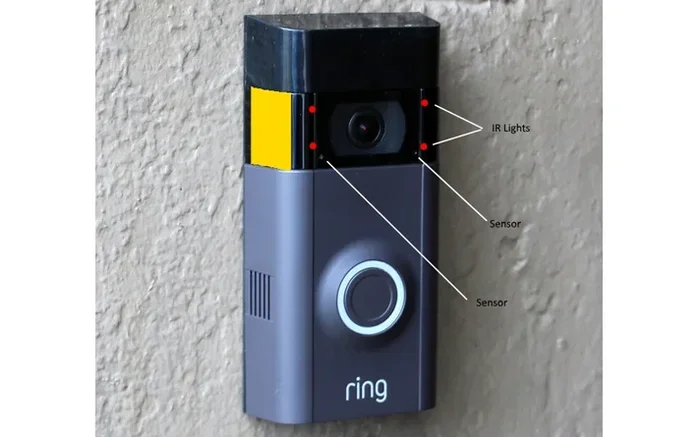
Most Ring cameras include infrared night vision that works automatically in low-light conditions. This feature does not require a subscription and helps you monitor your property around the clock.
What Happens When You Cancel or Skip a Subscription
When you decide not to pay for a Ring plan or when your free trial ends, your camera does not stop working. The device stays connected and continues to perform its basic functions. However, several important features become unavailable to you. Let us break down exactly what changes.
Features That Stay Active Without a Plan
- Live streaming: You can still view your camera feed in real time through the Ring app.
- Motion alerts: Your phone will still notify you when the camera detects movement.
- Two-way talk: The speaker and microphone remain fully functional.
- Snapshot images: You will still receive still images when motion is triggered.
- Night vision: Infrared night mode continues to work as expected.
- Device settings: You can adjust sensitivity, zones, and other settings without restrictions.
Features You Lose Without a Subscription
- Video recording: This is the biggest loss. Without a paid plan, your Ring camera does not save any video clips to the cloud. You cannot rewind or review footage after the moment passes.
- Video sharing: You cannot share recorded videos with neighbors, family members, or authorities through the Ring platform.
- Extended event history: Free users get very limited access to past events compared to paid subscribers.
- Professional monitoring: Features like Ring Alarm professional monitoring are not available without a subscription.
- Person detection: Advanced AI features that distinguish between people and other motion sources require a paid plan.
- Customizable recording schedules: Paid plans offer more control over when and how your camera records.
How Ring Camera Without Subscription Still Works
Using a Ring camera without a subscription is straightforward. You set up the device just like you normally would, connect it to your Wi-Fi network, and download the Ring app. From there, the free features kick in automatically. Let us look at how the core functions operate without any paid plan.
Live View and Motion Detection
When you open the Ring app, you see a live feed from your camera the moment you tap on the device. This live stream uses data from your internet connection, so make sure you have a reliable Wi-Fi signal where your camera is installed. Motion detection works in the background at all times. The camera is constantly scanning for changes in its field of view. When it detects something, it sends a push notification to your phone. You can then open the app and switch to Live View to see what is happening in real time.
Two-Way Audio and Notifications
The two-way audio feature works seamlessly without a subscription. If a delivery person arrives at your door, you can tap the speaker icon in the app and speak to them directly. The microphone picks up your voice and transmits it through the camera. Similarly, you can hear what is happening around your property through the built-in speaker. These notifications keep you connected to your home whether you are at work, on vacation, or simply in another room.
Snapshot Images as a Free Alternative
One thing that surprises many users is that Ring still captures snapshots even without a subscription. These are still images taken at the moment motion is detected. They appear in your Ring app feed and give you a quick visual of what triggered the alert. While they are not full video recordings, they serve as a useful reference point. You can scroll through your snapshot history to see a timeline of activity around your property.
Ring Camera Without Paying for Subscription – Is It Worth It?
This is the question most people really want answered. The truth is, it depends entirely on what you need from your security camera. Let us look at two different scenarios to help you decide.
Who Benefits From the Free Plan?
- Casual users: If you just want to check on your front door or backyard occasionally, the free plan is more than enough.
- Renters: People who rent a home may not want to commit to a long-term subscription for a device they might take with them when they move.
- Budget-conscious households: Families watching their monthly expenses can still get solid security value without paying extra.
- People with other cameras: If you already have a different security system that records video, a Ring camera without subscription can serve as a supplementary tool.
Who Needs a Subscription?
- Homeowners wanting full coverage: If you want recorded video evidence of any incident on your property, a paid plan is essential.
- Families with children or elderly members: Video history helps you review events and ensure everyone is safe.
- People in high-crime areas: Recorded footage can be valuable for law enforcement and insurance claims.
- Frequent travelers: If you are often away from home, having stored video clips gives you a security blanket.
Comparison Table: Free vs. Paid Ring Camera Features
| Feature | Without Subscription | With Subscription |
|---|---|---|
| Live View | Available | Available |
| Motion Detection Alerts | Available | Available |
| Two-Way Audio | Available | Available |
| Snapshot Images | Available | Available |
| Night Vision | Available | Available |
| Cloud Video Recording | Not Available | Available |
| Video Sharing | Not Available | Available |
| Person Detection | Not Available | Available |
| Extended Event History | Limited | Full Access |
| Professional Monitoring | Not Available | Available |
| Custom Recording Schedules | Not Available | Available |
Quick Tips for Using Ring Camera Without a Subscription
Even without a paid plan, you can get more out of your Ring camera by following a few simple tips. These tricks help you maximize the free features and improve your overall experience.
- Adjust motion sensitivity carefully: Set your motion zones to focus on areas that matter most. This reduces unnecessary alerts and saves battery life on wireless cameras.
- Use Live View proactively: Instead of waiting for alerts, manually check your camera feed at regular intervals throughout the day.
- Enable notifications for all devices: Make sure your phone settings allow Ring alerts to come through without being silenced.
- Keep your firmware updated: Ring regularly releases updates that improve performance and fix bugs. Check for updates in the app settings.
- Position your camera wisely: Place your camera at a height and angle that captures the most relevant activity. Avoid pointing directly at trees or streets where wind causes false triggers.
- Use a strong Wi-Fi signal: A weak connection causes lag in Live View and missed alerts. Consider a Wi-Fi extender if your camera is far from your router.
Common Mistakes People Make With Free Ring Cameras
There are several pitfalls that free Ring camera users fall into. Avoiding these mistakes helps you get the most out of your device without spending extra money.
Assuming you have video history. This is the number one mistake new users make. They see a motion alert, assume the event is saved, and then cannot find the recording later. Without a subscription, no video is stored in the cloud. If reviewing past events matters to you, you need a paid plan or an alternative storage solution.
Ignoring battery maintenance. Battery-powered Ring cameras lose charge faster when motion detection is active. Without a subscription, you still rely on the camera working properly. Check your battery level regularly and recharge or replace batteries as needed.
Not using motion zones. Many users leave motion detection set to the default wide range. This causes constant alerts from passing cars, animals, and moving trees. Taking five minutes to set up custom motion zones dramatically improves your experience.
Relying only on snapshots. Still images give you limited information compared to video. A snapshot might show a person standing near your door, but it cannot tell you if they were waving or reaching for a handle. Keep this limitation in mind when evaluating events.
Expert Insights on Ring Camera Without Subscription
Security professionals and smart home experts often weigh in on the debate of free versus paid Ring plans. Here is what the experts say about using Ring cameras without a subscription.
Start with the free plan and evaluate. Many experts recommend installing your Ring camera and using it on the free plan for a few weeks. This gives you a feel for how often you actually check the live feed and how useful motion alerts are in your daily routine. After this trial period, you can make an informed decision about whether to upgrade.
Consider local storage alternatives. Some tech-savvy users explore options like microSD cards or third-party cloud storage services to save video without paying Ring’s subscription fee. While Ring does not officially support local storage on all models, certain devices work with microSD cards. This approach can significantly reduce your costs while still giving you access to recorded footage.
Think about your overall security strategy. A Ring camera without subscription is just one piece of the puzzle. Combine it with good lighting, secure locks, and neighborhood watch programs for a comprehensive home security approach that does not rely on expensive monthly fees.
Conclusion
Using a Ring camera without subscription is entirely possible and can work well for many households. You get live viewing, motion alerts, two-way audio, night vision, and snapshot images all at no cost. The main trade-off is the lack of cloud video recording, which means you cannot review past events or store evidence of incidents.
If your goal is basic monitoring and real-time awareness, the free plan serves you well. But if you need recorded video history, advanced detection features, or professional monitoring, a paid Ring subscription becomes necessary. The best approach is to understand your needs, try the free features first, and then decide whether upgrading makes sense for your situation.
Your home security journey does not have to start with a monthly bill. A Ring camera without paying for a subscription gives you a strong foundation to protect your property, watch your loved ones, and stay connected to your home no matter where you are.
Frequently Asked Questions
Can I still get motion alerts if I do not pay for a Ring subscription?
Yes, absolutely. Motion detection alerts are a core free feature of all Ring cameras. You will receive push notifications on your phone whenever the camera detects movement, regardless of whether you have a subscription or not.
Does a Ring camera record video without a subscription?
No, Ring cameras do not save video recordings to the cloud without a paid subscription. You can view a live stream at any time, but past events are not stored or saved for later review unless you use an alternative local storage method.
Can I share Ring camera footage with others without a subscription?
Sharing recorded video through the Ring platform requires a subscription. Without a paid plan, you cannot share clips with neighbors or family members through the official Ring app. However, you can take screenshots or record your screen during a live stream as a workaround.
Is the Ring Protect Plan worth the cost for most users?
It depends on your needs. If you want video history, person detection, and the ability to share clips, the Ring Protect Plan adds significant value. For casual users who only need live alerts and occasional live views, the free plan is sufficient and saves money every month.
Can I use a microSD card to store Ring camera footage instead of paying for a subscription?
Some Ring camera models support microSD card storage, which allows you to save recordings locally without a subscription. Check your specific camera model to see if it has a microSD slot. This is a great option for users who want recorded footage without recurring monthly fees.
What happens to my Ring camera if I never set up a subscription at all?
Your camera continues to work normally with all free features active. You can use live view, receive motion alerts, use two-way audio, and view snapshot images. The only thing missing is cloud video recording and advanced features that require a paid plan.