How Do I Connect My Airpods To Flight Entertainment
Connecting your AirPods to flight entertainment is easier than you think. This guide walks you through Bluetooth pairing, airline compatibility, and troubleshooting tips so you can enjoy your favorite shows and music at 30,000 feet. Whether you fly Delta, United, or JetBlue, you will find everything you need right here.
There is nothing worse than settling into your seat on a long flight, ready to binge your favorite show, only to find that the headphone jack is broken or the provided earbuds are terrible. If you own a pair of AirPods, you are in luck. Most major airlines now let you connect your wireless earbuds to their flight entertainment systems. This means you can enjoy crystal-clear audio from your own comfortable headphones instead of relying on old, scratchy airline earbuds.
In this guide, we will walk you through everything you need to know about connecting AirPods to flight entertainment. We will cover how Bluetooth works on airplanes, which airlines support it, the step-by-step pairing process, and what to do when things do not go as planned. Whether you are a frequent flyer or planning your first trip in a while, this guide has you covered.
Before we dive in, it is worth noting that using your own wireless earbuds on a plane is not just about comfort. It is also about hygiene. You avoid sharing earpieces with hundreds of other passengers, and you get better sound quality. Plus, if you have ever tried the old-school foam earbuds airlines provide, you know they sound like you are listening to music through a pillow. Your AirPods are a huge upgrade.
Key Takeaways
- Most modern airlines now support Bluetooth connectivity for wireless earbuds like AirPods.
- You can connect AirPods directly to seatback screens or use the airline’s app for streaming.
- Airplane mode does not block Bluetooth, so you can stay connected during your flight.
- Bringing a Bluetooth adapter can help if your airline does not support wireless audio.
- Troubleshooting steps like resetting your AirPods often solve in-flight connection problems.
- Some airlines require you to download their app before boarding for the best experience.
- Keeping your AirPods charged and within range ensures uninterrupted entertainment.
📑 Table of Contents
- Why Connect AirPods to Flight Entertainment?
- How Bluetooth Works on Airplanes
- Step-by-Step: Connecting AirPods to In-Flight Systems
- Which Airlines Support AirPods and Bluetooth Audio?
- Troubleshooting Common Connection Issues
- Tips for the Best Audio Experience on Planes
- Common Mistakes to Avoid
- Final Thoughts
Why Connect AirPods to Flight Entertainment?
More and more airlines are upgrading their in-flight systems to support Bluetooth audio. This shift makes it possible for passengers to use their own headphones without any extra adapters. Here is why this matters and why you should take advantage of it.
Better Sound Quality
The sound quality on airline-provided earbuds is almost always disappointing. They are basic, uncomfortable, and often produce muffled audio. When you connect your AirPods to the flight entertainment system, you get rich, clear sound that makes movies, shows, and music come alive. You will notice details in soundtracks and dialogue that you never heard before.
Comfort During Long Flights
Long flights can be exhausting. Having your own wireless headphones means you can relax without dealing with hard plastic earpieces that hurt after an hour. AirPods are lightweight and fit snugly, making them ideal for hours of listening. If you have ever wondered whether you can use your AirPods for extended periods, the answer is yes. Check out our guide on Can I Use Airpods As Earplugs for more tips on comfortable long-term use.
Hygiene and Personal Preference
Nobody wants to put someone else’s earphones in their ears. Using your own Bluetooth earbuds ensures you are only hearing through your own gear. This is especially important for health-conscious travelers who want to avoid shared equipment. It also means you get your preferred fit, noise cancellation, and volume levels.
Skip the Headphone Adapter Hassle
Many airlines still offer only a 3.5mm headphone jack or a proprietary audio port. This forces you to carry a special adapter. With Bluetooth support, you simply pair your AirPods and go. No extra cables, no adapter hunting, no frustration.
How Bluetooth Works on Airplanes
You might wonder how Bluetooth works when you are supposed to have all wireless devices off during a flight. The truth is that airplane mode does not block Bluetooth. You can turn Bluetooth back on after enabling airplane mode, and your device will still connect to the airplane’s entertainment system safely.
Understanding Airplane Mode and Bluetooth
When you switch on airplane mode, it disables cellular, Wi-Fi, and other radio signals that could interfere with the plane’s navigation systems. However, Bluetooth operates on a different frequency band. This means you can safely turn Bluetooth back on while in airplane mode. Your AirPods will connect to the seatback screen or the airline’s app without any risk to the aircraft’s systems.
The Role of the Seatback Screen
Most airlines with Bluetooth support have a seatback screen or a personal device screen that acts as the hub for inflight entertainment. You browse movies, TV shows, and music on this screen, and the audio streams directly to your paired AirPods. The screen serves as the source, while your AirPods act as the output device.
Do You Need Wi-Fi for This?
Some airlines require you to connect to their in-flight Wi-Fi to stream content to your personal device. In these cases, you may need to connect to the airline’s Wi-Fi network even if it is a captive portal. If you are unsure how to connect to Wi-Fi without a password on a plane, check out our guide on How Can I Connect To Wi Fi Without Security Key for helpful tips.
Step-by-Step: Connecting AirPods to In-Flight Systems
Now let us get into the practical part. Here is exactly how to connect your AirPods to the flight entertainment system on most airlines that support Bluetooth audio.
Step 1: Put Your AirPods in Pairing Mode
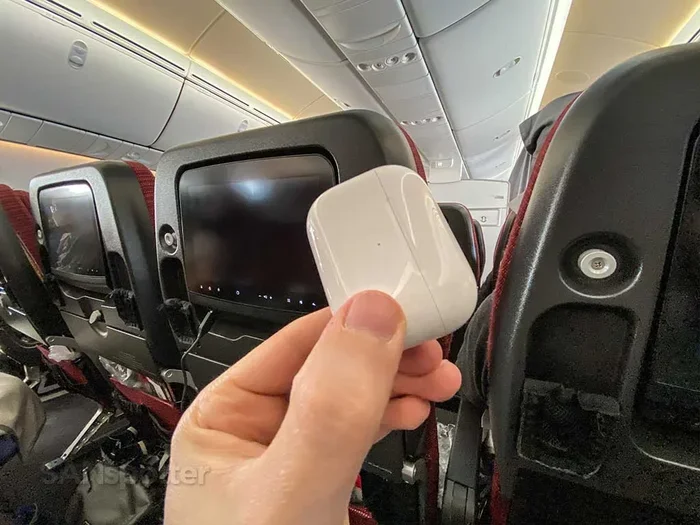
Open the lid of your AirPods case. Press and hold the small button on the back of the case until the LED light starts flashing white. This tells your AirPods they are ready to be found by other devices. If you are using AirPods Pro or the latest AirPods generation, the process is the same.
Step 2: Enable Bluetooth on Your Device
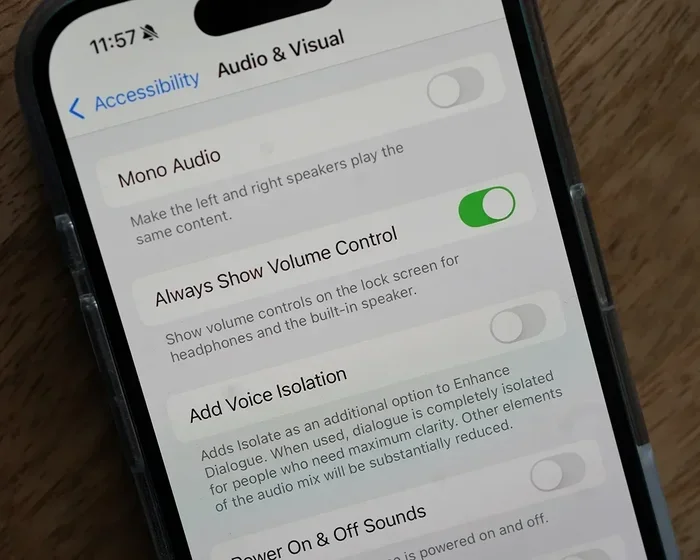
Swipe up from the bottom of your iPhone screen (or go to Settings) and turn on Bluetooth. Make sure your phone is in airplane mode with Bluetooth toggled on. You can also do this on an iPad or any Bluetooth-enabled device you plan to use.
Step 3: Find the Airline’s Entertainment System
On the seatback screen, look for a Bluetooth or wireless audio option. This is usually found in the settings or audio menu. Select the option to search for available devices. Your AirPods should appear in the list.
Step 4: Pair and Connect
Tap on your AirPods when they show up on the screen. You may hear a confirmation chime in your AirPods, and the screen will display a connected status. From that point on, all audio from the seatback screen will stream directly to your AirPods.
Step 5: Adjust Volume and Start Watching
Use the seatback screen or your AirPods’ volume controls to set the volume to a comfortable level. Browse the entertainment library, pick a movie, and enjoy. If you want to learn more about using Bluetooth with other devices, our article on Can I Pair Bluetooth Headphones To My Lg Tv offers additional pairing insights.
Which Airlines Support AirPods and Bluetooth Audio?
Not all airlines have jumped on the Bluetooth bandwagon yet, but many major carriers now offer wireless audio support. Here is a look at some of the most popular airlines and their flight entertainment Bluetooth capabilities.
Airlines That Support Bluetooth AirPods
- Delta Air Lines: Delta offers Bluetooth audio on most of its equipped aircraft. You can pair your AirPods directly with the seatback system.
- United Airlines: United supports Bluetooth connectivity on many of its planes, especially on newer aircraft with updated entertainment systems.
- American Airlines: American Airlines has been rolling out Bluetooth support across its fleet, making it easier to use personal earbuds.
- JetBlue: JetBlue is known for its excellent inflight entertainment and supports Bluetooth audio on most flights.
- Southwest Airlines: Southwest allows Bluetooth connectivity on many of its aircraft, though availability depends on the plane type.
Airlines That Still Require Wired Connections
Some airlines, especially on shorter domestic routes or older aircraft, may not yet support Bluetooth audio. In these cases, you will need a 3.5mm headphone jack or a Bluetooth adapter. If you find yourself on a flight where Bluetooth is not an option, you can still use your AirPods with a simple Bluetooth transmitter plugged into the seatback audio jack.
How to Check Before You Fly
The easiest way to find out if your airline supports Bluetooth audio is to check their website or contact their customer service before your flight. Many airlines list their inflight amenities on their booking pages. You can also look for seat maps and aircraft details when you check in online. Knowing this ahead of time saves you from disappointment at 35,000 feet.
Troubleshooting Common Connection Issues
Even with the best preparation, things can go wrong. Here are the most common problems you might face when trying to connect your AirPods to flight entertainment and how to fix them.
AirPods Not Showing Up on the Screen
If your AirPods do not appear in the list of available devices, try putting them back in pairing mode. Open the case, hold the button down for five seconds, and wait for the white light to flash. Also, make sure Bluetooth is turned on and that your device is not connected to another Bluetooth source nearby.
Audio Delay or Lag
Bluetooth audio can sometimes have a slight delay, especially on older airplane systems. If you notice the audio is out of sync with the video, try moving your device closer to the seatback screen. Bluetooth range is typically around 30 feet, so staying within a reasonable distance helps. If the lag persists, consider using the airline’s app on your personal device instead.
Connection Keeps Dropping
Interference from other devices can cause your Bluetooth connection to drop. Turn off any other Bluetooth devices nearby, such as smartwatches or fitness trackers. If you are using AirPods with a phone, make sure no other phone in your row is trying to pair to the same system. A quick fix is to unpair and re-pair your AirPods.
No Sound at All
If you see the connected status but hear nothing, check the volume on both the seatback screen and your AirPods. Sometimes the seatback audio is muted by default. Also, make sure your AirPods are selected as the audio output device. If none of this works, restarting your AirPods by placing them back in the case for 30 seconds often resolves the issue.
When to Use a Bluetooth Adapter
If your airline does not support wireless audio at all, a small Bluetooth adapter can be a lifesaver. These plug into the 3.5mm audio jack on the seatback screen and transmit audio to your AirPods wirelessly. They are inexpensive, lightweight, and easy to pack in your carry-on bag. This is a great backup plan for frequent travelers.
Tips for the Best Audio Experience on Planes
Getting your AirPods connected is only half the battle. Here are some expert tips to make sure you get the best possible audio experience during your flight.
Charge Your AirPods Before You Fly
There is nothing worse than running out of battery mid-movie. Make sure your AirPods and their case are fully charged before you head to the airport. A full charge gives you several hours of playback, which is more than enough for most flights.
Use Noise Cancellation for a Better Experience
If you have AirPods Pro or AirPods Max, turn on noise cancellation. This blocks out engine hum and cabin noise, letting you focus on your entertainment at a lower volume. Lower volume is better for your ears, especially during long flights. For more AirPods tips, check out our article on Can I Use Airpods With Cardo for additional usage ideas.
Download Content Before You Board
Some airlines let you stream content through their app, but Wi-Fi on planes can be spotty. Download your favorite movies or shows to your device before you leave for the airport. This way, you are not stuck waiting for a video to buffer at 30,000 feet.
Bring a Backup Pair of Earbuds
Technology can be unpredictable. Even the best wireless earbuds can run into issues. Packing a small pair of wired earbuds as a backup ensures you are never stuck without entertainment. It is a small addition to your carry-on that can make a big difference.
Be Considerate of Fellow Passengers
While AirPods are great for private listening, keep your volume at a reasonable level. You do not want to disturb the passenger next to you if your audio leaks out. Noise cancellation helps with this, but it is always good practice to keep the volume respectful.
Common Mistakes to Avoid
Connecting AirPods to flight entertainment is straightforward, but a few common mistakes can cause frustration. Here is what to watch out for.
- Forgetting to turn on Bluetooth after airplane mode: Airplane mode disables all wireless connections. You must manually turn Bluetooth back on after enabling airplane mode.
- Not putting AirPods in pairing mode: If your AirPods are already connected to your phone, they will not show up on the seatback screen. Put them back in the case and restart pairing.
- Ignoring airline-specific instructions: Some airlines have unique steps for connecting wireless audio. Always check the airline’s inflight entertainment guide or ask a flight attendant.
- Using AirPods with a low battery: A low battery can cause connection drops and poor audio quality. Always start your flight with a full charge.
- Assuming all flights support Bluetooth: Even if an airline supports Bluetooth on most routes, not every aircraft in their fleet may have the feature. Check the specific aircraft type when booking.
Final Thoughts
Connecting your AirPods to flight entertainment is one of the simplest ways to upgrade your flying experience. It gives you better sound, more comfort, and the convenience of using your own gear. Most major airlines now support Bluetooth audio, and the pairing process is quick and easy once you know the steps.
Remember to check your airline’s Bluetooth compatibility before your flight, charge your AirPods fully, and keep the troubleshooting tips in mind in case anything goes wrong. With a little preparation, you can enjoy your favorite movies, shows, and music in high-quality audio from takeoff to landing.
Flying does not have to mean settling for terrible earbuds and scratchy audio. Your AirPods are a powerful tool for making your time in the air more enjoyable. So next time you board a plane, put on your AirPods, pair them to the entertainment system, and sit back and relax. Happy travels.
Frequently Asked Questions
Can I Connect My AirPods to Any Airline’s Entertainment System?
Not all airlines support Bluetooth audio yet. Major carriers like Delta, United, American Airlines, JetBlue, and Southwest increasingly offer Bluetooth connectivity, but it depends on the specific aircraft. Always check with your airline before your flight to confirm whether wireless audio is available on your route.
Do I Need to Turn Off Airplane Mode to Connect My AirPods?
No, you do not need to turn off airplane mode. Airplane mode disables cellular and Wi-Fi, but you can keep Bluetooth turned on while in airplane mode. This is safe and is the standard way to connect wireless earbuds on flights.
What Should I Do If My AirPods Will Not Connect to the Seatback Screen?
First, make sure your AirPods are in pairing mode by holding the button on the back of the case until the light flashes white. Then, ensure Bluetooth is enabled on your device. If the issue persists, restart your AirPods by placing them in the case for 30 seconds and try again. You can also ask a flight attendant for assistance.
Can I Use AirPods With the Airline’s App Instead of the Seatback Screen?
Yes, many airlines now let you stream entertainment through their mobile app. Simply connect to the airline’s Wi-Fi, download their app, and pair your AirPods via Bluetooth. This method often gives you access to a wider selection of content and better audio quality.
Is It Safe to Use Bluetooth on an Airplane?
Yes, it is completely safe. Bluetooth operates on a low-power frequency that does not interfere with aircraft navigation or communication systems. The FAA and most aviation authorities around the world allow Bluetooth use during all phases of flight, including takeoff and landing.
Do I Need a Special Adapter for My AirPods on a Plane?
You only need a Bluetooth adapter if the airline does not support wireless audio. A small Bluetooth transmitter that plugs into the 3.5mm headphone jack can send audio to your AirPods wirelessly. These adapters are inexpensive and easy to carry in your carry-on bag.