Do You Need A Karaoke Machine Or Just A Microphone
You don’t always need a fancy karaoke machine to have a great time singing your favorite songs. A good microphone paired with your phone or laptop can deliver surprisingly solid results. However, a dedicated karaoke machine offers better audio quality, built-in effects, and a more seamless experience for regular singers.
There’s nothing quite like grabbing a mic and belting out your favorite tune. Whether you’re at a party, hanging out with friends, or just enjoying a quiet evening alone, karaoke brings people together. But here’s the question that keeps popping up: do you actually need a full karaoke machine, or can you get away with just a microphone?
The answer isn’t as straightforward as you might think. It depends on how often you plan to sing, what kind of experience you want, and how much you’re willing to spend. Some people are perfectly happy with a simple mic and their phone. Others swear by the full karaoke setup that includes a dedicated machine, speakers, and a screen.
In this guide, we’ll break down everything you need to know. We’ll compare the two options side by side, look at real-world scenarios, and help you decide which route makes the most sense for you. By the end, you’ll know exactly what to buy.
Key Takeaways
- A microphone alone can work: Pair it with your phone or laptop and a speaker for a budget-friendly setup.
- Karaoke machines add value: They offer built-in echoes, reverb, and song libraries that enhance the experience.
- Cost matters: A basic mic setup costs less, but a karaoke machine gives you more features per dollar over time.
- Portability is a factor: Portable karaoke machines and wireless microphones both offer flexibility for different settings.
- Audio quality varies: Dedicated machines handle sound processing better than phone-based setups.
- Your needs decide the choice: Occasional singers can get by with just a mic, while frequent users benefit from a full system.
📑 Table of Contents
- What Is a Karaoke Machine?
- What Can You Do With Just a Microphone?
- Karaoke Machine vs. Microphone: Head-to-Head Comparison
- Who Should Choose a Karaoke Machine?
- Who Should Choose Just a Microphone?
- Can You Use Your TV for Karaoke?
- Common Mistakes to Avoid
- Final Verdict: Which Option Is Right for You?
What Is a Karaoke Machine?
A karaoke machine is a dedicated device designed specifically for singing along to music. It typically includes a built-in audio processor, echo effects, and a way to display lyrics on a screen. Some models come with speakers built right in, while others need external audio equipment.
Modern karaoke systems have evolved a lot over the years. You can now find portable versions that fit in a backpack, all-in-one units with built-in screens, and even smart karaoke machines that connect to apps. The core idea stays the same: remove the original vocal track and let your voice take center stage.
How Karaoke Machines Work
Most machines work by playing a backing track — the music without the lead vocals — through built-in speakers. You sing into a connected microphone, and the machine applies real-time audio effects like reverb and echo. Some advanced models let you adjust pitch, change the key, and even record your performance.
The karaoke experience feels more polished with these machines because everything is optimized for singing. The audio processing is built specifically for vocal enhancement, which makes a noticeable difference compared to generic speakers or phone setups.
What Can You Do With Just a Microphone?
Using just a microphone for karaoke is surprisingly versatile. You can plug a mic into your phone, laptop, or even a Bluetooth speaker and access thousands of songs through apps and streaming services. Many people already own a decent mic and don’t even realize they can use it for karaoke.
The simplest setup involves three things: a microphone, a device to play music, and a way to amplify the sound. That’s it. No special machine required. For casual singers or people who only karaoke occasionally, this minimal approach works great.
Setting Up a Basic Microphone Karaoke System
Start by choosing the right microphone. A wireless Bluetooth microphone offers the most flexibility since you can move around freely. You can connect it to your phone or tablet, open a karaoke app, and start singing. If you want better sound, plug the mic into a Bluetooth speaker for fuller audio.
One thing to keep in mind: your phone’s built-in speakers usually aren’t loud enough for a group. That’s where an external speaker comes in handy. You can also check if your TV supports audio input from a microphone — some smart TVs let you do this directly.
For those wondering whether a TV can double as a karaoke screen, you might want to look into whether you can turn your TV into a karaoke machine. Many modern setups use the TV just for displaying lyrics while the audio comes from a separate speaker or mic system.
Karaoke Machine vs. Microphone: Head-to-Head Comparison
Let’s get into the real comparison. Both options have strengths and weaknesses, and the right choice depends on your situation.
| Feature | Karaoke Machine | Microphone Only |
|---|---|---|
| Audio Quality | Excellent — built-in vocal processing | Good — depends on external speaker |
| Cost | Higher upfront cost | Lower — uses existing devices |
| Portability | Varies — portable models exist | Very portable |
| Ease of Use | Plug and play | Requires app setup |
| Song Library | Built-in or app-based | App-based only |
| Audio Effects | Built-in reverb, echo, pitch shift | Limited — depends on app |
| Screen for Lyrics | Often included | Requires separate TV or device |
As you can see, the karaoke machine wins on audio quality and built-in features. But the microphone-only approach wins on cost and simplicity. If you’re someone who only sings at parties a few times a year, the mic route makes a lot of sense.
Audio Quality Differences
The biggest difference between the two options is sound quality. A dedicated karaoke machine processes vocals in real time with professional-grade effects. The echo, reverb, and vocal clarity enhancements are tuned specifically for singing. When you use just a microphone, you’re relying on your phone or app to handle audio processing, which usually falls short.
That said, if you pair a good microphone with a quality Bluetooth speaker, the gap narrows considerably. You won’t get the same level of vocal tuning, but the overall sound can still be impressive for casual use.
Who Should Choose a Karaoke Machine?
A karaoke machine makes more sense for certain people and situations. If any of these sound like you, a dedicated machine is probably the way to go.
You karaoke regularly. If you host karaoke nights at home or attend them frequently, the investment pays off quickly. A good machine lasts for years and delivers consistent performance every time.
You want professional-sounding results. Built-in vocal processing makes you sound better without any effort. The effects alone can transform an average singing performance into something that feels polished and professional.
You need a self-contained setup. All-in-one machines include everything you need — screen, speakers, and audio processing. You don’t need to worry about connecting multiple devices or troubleshooting compatibility issues.
You host parties often. When you have guests over, a dedicated machine creates a focal point for entertainment. It’s more engaging than someone holding up a phone and singing through a tiny speaker.
Best Karaoke Machines for Home Use
There are many options on the market, ranging from budget-friendly to premium. Portable machines like the ones you can find at most electronics stores offer a great balance of features and affordability. Some models even include microphone inputs for two singers, which is perfect for duets.
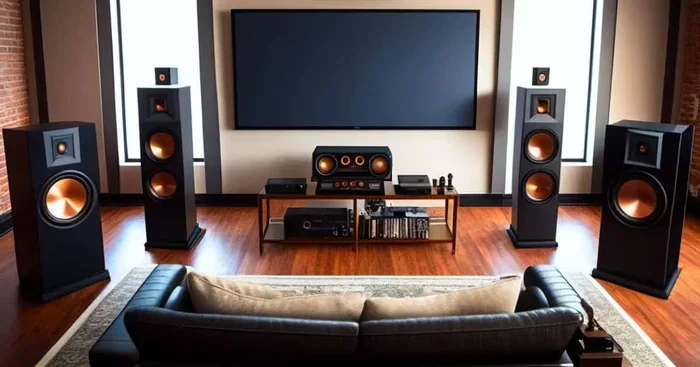
Before buying, consider where you’ll use it most. A portable unit works well for both indoor and outdoor gatherings. A larger all-in-one machine is better suited for a dedicated game room or home theater setup.
Who Should Choose Just a Microphone?
On the other hand, a microphone-only setup works well for people in different situations. Here’s when keeping it simple makes the most sense.
You only karaoke occasionally. If you sing at parties once or twice a year, buying a full machine is overkill. A decent microphone and your phone handle the job just fine.
You’re on a tight budget. A good microphone costs significantly less than a karaoke machine. You can get a solid wireless mic for under fifty dollars and use it for multiple purposes beyond karaoke.
You already own compatible devices. If you have a Bluetooth speaker and a smartphone, you’re halfway there. You just need a microphone to complete the setup.
You value portability. A wireless mic is easy to carry anywhere. You can set up a karaoke station at a friend’s house, outdoors, or even at a hotel room with minimal effort.
Making the Most of a Microphone-Only Setup
To get the best results with just a microphone, focus on three things: audio quality, app selection, and speaker choice. A Bluetooth speaker with good bass response makes a big difference. Look for apps that offer high-quality backing tracks and accurate lyrics. And choose a microphone with clear vocal pickup so your voice sounds natural.
One popular option people explore is plugging a microphone directly into a JBL speaker. This creates a simple, effective karaoke setup without any extra equipment. Many JBL speakers have a microphone input that works surprisingly well for casual singing.
Can You Use Your TV for Karaoke?
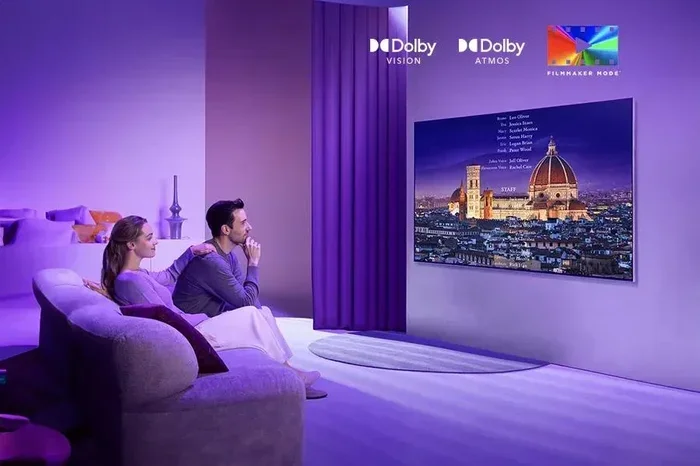
Your TV can absolutely serve as a karaoke screen. Many people use their television to display lyrics while the audio comes from a separate source. This is a great middle ground between a full machine and a microphone-only setup.
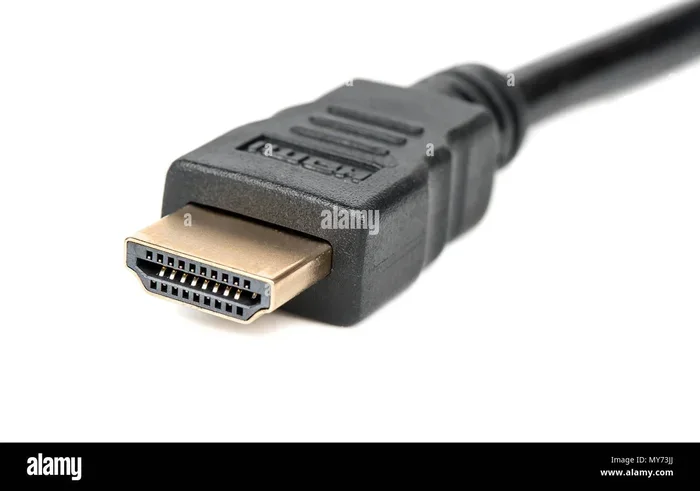
You can connect your phone or laptop to the TV using an HDMI cable or wireless casting. Then, open a karaoke app or website on your device and let the TV display the lyrics. The audio can come through your TV speakers or a connected Bluetooth speaker for better quality.
Some people wonder whether they can turn their TV into a full karaoke machine by itself. While a TV can display lyrics, it typically lacks the audio processing needed for a true karaoke experience. That’s where an external microphone and speaker setup comes in.
If you’re traveling or looking for a karaoke solution on the go, you might also consider whether you can buy pocket WiFi at an airport in Japan, where karaoke culture is huge and portable solutions are widely available.
Common Mistakes to Avoid
Whether you choose a machine or a microphone setup, there are a few mistakes that can ruin your experience. Here’s what to watch out for.
- Skipping the speaker: Your phone’s tiny speaker won’t cut it for group singing. Always use an external speaker for decent volume and sound quality.
- Ignoring audio effects: Even basic reverb makes a huge difference. Without it, your voice can sound flat and unpolished.
- Choosing the wrong mic: Not all microphones are created equal for singing. Look for one with good vocal range and minimal background noise.
- Forgetting about lyrics: A setup isn’t complete without a way to display lyrics clearly. Use a TV, tablet, or laptop for this purpose.
- Overcomplicating the setup: You don’t need ten devices connected together. Keep it simple and focus on the essentials: mic, speaker, and songs.
Final Verdict: Which Option Is Right for You?
The decision between a karaoke machine and just a microphone comes down to your personal needs and how often you plan to use it. If you’re a casual singer who enjoys a few songs at gatherings, a microphone paired with your phone and a Bluetooth speaker is all you need. It’s affordable, portable, and easy to set up.
But if you’re serious about singing, host regular karaoke events, or want the best possible audio experience, a dedicated karaoke machine is worth the investment. The built-in effects, screen display, and optimized audio processing create an experience that’s hard to replicate with a basic mic setup.
Either way, the most important thing is that you have fun. Karaoke is about enjoying music and sharing good times with others. Don’t let equipment decisions get in the way of that.
Start with what you have, experiment with different setups, and upgrade when you’re ready. The best karaoke system is the one that gets used regularly and brings joy to you and everyone around you.
Frequently Asked Questions
Can I use my phone as a karaoke machine?
Yes, you can use your phone as a basic karaoke machine by downloading a karaoke app and connecting it to a speaker. The phone plays the backing track and displays lyrics, while the speaker amplifies the sound. It won’t match the audio quality of a dedicated machine, but it works great for casual use.
Do I need a special microphone for karaoke?
No, you don’t need a special microphone. Any decent microphone — wired or wireless — can work for karaoke. However, a microphone with good vocal pickup and minimal background noise will give you a better experience. Wireless Bluetooth mics offer the most convenience for moving around.
Is a karaoke machine worth the money?
A karaoke machine is worth it if you plan to use it regularly or host frequent karaoke events. The built-in audio effects, screen display, and dedicated speakers justify the cost over time. For occasional singers, a microphone and phone setup is a more budget-friendly option.
Can I connect a microphone to my TV for karaoke?
Some smart TVs support microphone input directly, but most require an external speaker or audio system to handle the sound. You can connect your phone to the TV for lyrics and use a separate speaker for audio. This creates a solid karaoke setup without needing a dedicated machine.
What’s the best budget karaoke setup?
The best budget setup is a wireless microphone paired with your phone and a decent Bluetooth speaker. Total cost can be under fifty dollars. Add a karaoke app, and you have a functional system that works well for casual singing at home or with friends.
Can I use a JBL speaker for karaoke?
Yes, many JBL speakers work well for karaoke. Models with a microphone input let you plug in directly for better sound. Even without a mic input, you can connect via Bluetooth and use your phone to play backing tracks while you sing into a wireless mic. The sound quality from a JBL speaker is typically much better than phone speakers alone.