Do Bluetooth Microphones Work and Are They Worth It
Do Bluetooth microphones work? Yes, they do. These wireless mics connect to phones, tablets, TVs, and computers using Bluetooth technology. They offer great freedom of movement, easy setup, and solid sound quality for most everyday uses like podcasting, streaming, karaoke, and hands-free calls.
Wireless technology has changed the way we record, stream, and communicate. If you have ever wondered do Bluetooth microphones work well enough for real use, you are in the right place. This guide covers everything you need to know about Bluetooth microphones, from how they function to whether they are worth your money.
People buy wireless mics for many reasons. Some want to record podcasts without being tied to a desk. Others need a mic for karaoke nights or live streaming. Whatever your reason, Bluetooth microphones have become more popular in recent years. But do they actually deliver on their promises? Let us find out.
The short answer is yes. Bluetooth microphones work for a wide range of activities. They connect easily to phones, tablets, laptops, and even smart TVs. However, like any wireless device, they come with trade-offs. In this article, we will break down how they work, what to look for, and whether they are the right choice for you.
Key Takeaways
- Bluetooth microphones work reliably for most casual and semi-professional uses.
- They offer wireless freedom so you can move around without cable limits.
- Audio latency can be an issue for professional music recording or live performances.
- Battery life matters — most Bluetooth mics last between 4 and 10 hours on a single charge.
- They are worth it for podcasters, streamers, karaoke lovers, and home users.
- Wired mics still win for studio-quality audio and zero latency needs.
📑 Table of Contents
How Do Bluetooth Microphones Work?
Understanding how Bluetooth microphones function helps you make a smarter buying decision. The technology behind them is simpler than you might think.
A Bluetooth microphone uses radio waves to send audio from the mic to a receiving device. Instead of a cable, it relies on a short-range wireless connection. This connection is called Bluetooth pairing. Once paired, the mic sends your voice as a digital signal through the air.
The Bluetooth Pairing Process
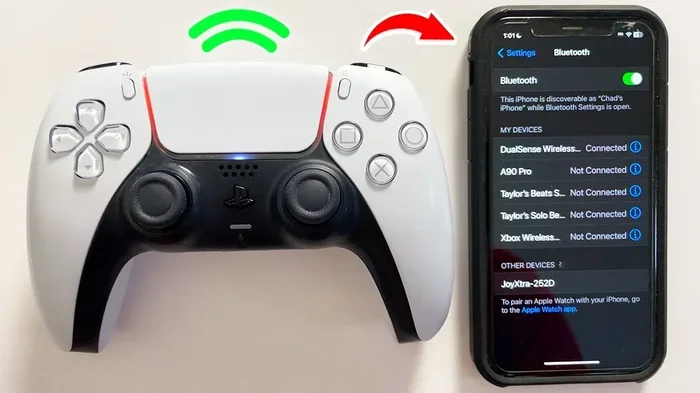
Pairing a Bluetooth microphone to your device is usually straightforward. Here is how it typically works:
- Turn on the microphone and enable Bluetooth on your device.
- Put the mic into pairing mode.
- Search for available devices on your phone or computer.
- Select the mic from the list.
- Wait for the connection to confirm.
Once paired, the Bluetooth microphone stays connected within a certain range. Most mics work well within 30 feet of the paired device. Some premium models offer a longer range. The connection uses a Bluetooth codec to compress and send audio data in real time.
What Is a Bluetooth Codec?
A Bluetooth codec is the software that encodes and decodes the audio signal. Different codecs affect sound quality and latency. The most common codecs for wireless microphones include SBC, AAC, and aptX. Higher-quality codecs like aptX reduce audio delay and improve sound clarity. If you care about audio quality, look for a mic that supports advanced codecs.
What Can You Use Bluetooth Microphones For?
Bluetooth microphones are versatile tools. They fit into many different use cases. Here are the most popular ways people use them.
Podcasting and Voice Recording
Many podcasters use Bluetooth microphones for recording interviews and solo episodes. The wireless setup lets you move freely during recording. For basic podcasting, a Bluetooth mic works well. However, serious podcasters who need studio-grade sound may prefer a wired USB microphone or a condenser microphone with an audio interface.
Streaming and Content Creation
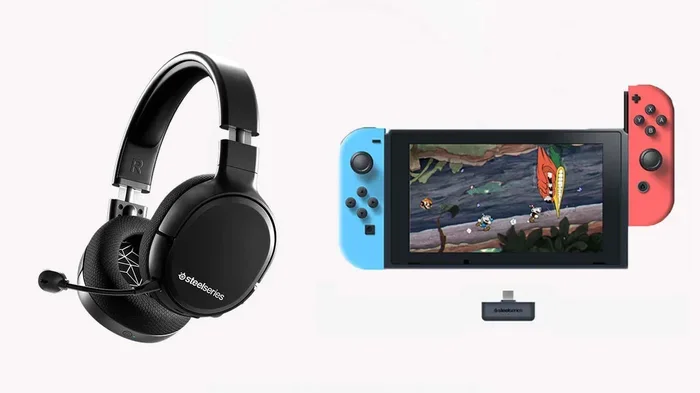
Streamers on platforms like Twitch and YouTube often use wireless headsets with built-in microphones. A Bluetooth microphone can work great for streaming. Just keep in mind that some streamers experience slight delays. For most viewers, this delay is not noticeable. If you are streaming gameplay or casual content, a Bluetooth mic will serve you well.
Karaoke and Singing
Karaoke is one of the most fun uses for a Bluetooth microphone. Many portable Bluetooth mics connect directly to phone apps that turn your device into a karaoke machine. You can sing anywhere — at home, at a party, or even outdoors. Some models also let you play my record player through Bluetooth for a full music experience.
Hands-Free Calling and Meetings
Need to take calls without holding your phone? A Bluetooth microphone works perfectly for hands-free calling. You can walk around your home or office while talking. Many business professionals use wireless mics for virtual meetings. They offer convenience and freedom that wired mics simply cannot match.
Using Bluetooth Microphones with TVs
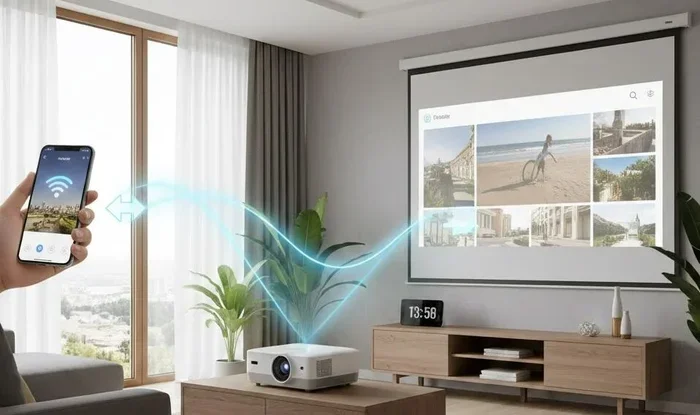
Want to use a Bluetooth microphone with your television? You can, but it depends on your TV’s capabilities. Some smart TVs have built-in Bluetooth support. If yours does not, you can use a Bluetooth adapter to add wireless functionality. This lets you connect a mic for voice commands, karaoke, or even recording voiceovers while watching your favorite shows.
For those who want to use Alexa as a Bluetooth speaker for my TV, a wireless mic can integrate nicely into your smart home setup. You can control your entertainment system with voice commands through a paired Bluetooth microphone.
Bluetooth Microphone vs Wired Microphone
Choosing between a Bluetooth microphone and a wired mic is an important decision. Each type has its strengths and weaknesses. Let us compare them side by side.
| Feature | Bluetooth Microphone | Wired Microphone |
|---|---|---|
| Connection Type | Wireless (Bluetooth) | Cable (USB or XLR) |
| Mobility | High — move freely up to 30 ft | Low — limited by cable length |
| Audio Quality | Good to very good | Excellent — studio quality |
| Setup | Easy — pair and go | Moderate — may need drivers |
| Latency | Slight delay possible | Zero latency |
| Battery Required | Yes — 4 to 10 hours typical | No — powered by device |
| Price Range | $20 to $200+ | $15 to $500+ |
| Best For | Casual use, streaming, calls | Studio recording, professional use |
The table above shows that Bluetooth microphones win in convenience and mobility. Wired mics win in pure audio quality and reliability. Your choice depends on what matters most to you.
When to Choose Bluetooth
Pick a Bluetooth microphone if you value wireless freedom and easy setup. They are great for people who record on the go, host virtual meetings, or enjoy karaoke. If you do not want to deal with cables, a wireless mic is the way to go.
When to Choose Wired
Choose a wired mic if you need the best possible audio quality. Professional singers, voice-over artists, and studio engineers almost always prefer wired connections. Zero latency and consistent sound make wired mics the standard for critical audio work.
Key Features to Look For in a Bluetooth Microphone
Not all Bluetooth microphones are created equal. Here are the features that matter most when shopping for one.
Battery Life
Battery life is one of the most important factors. Most wireless microphones last between 4 and 10 hours on a full charge. If you plan to use your mic for long recording sessions or all-day events, look for a model with at least 8 hours of battery life. Some premium models offer fast charging, which is a nice bonus.
Microphone Range
The microphone range tells you how far you can move from the connected device. Most Bluetooth mics have a range of 20 to 30 feet. For home use, this is more than enough. If you need to move around a large stage or venue, consider a model with extended range.
Noise Cancellation
Background noise can ruin your recordings. Look for a Bluetooth microphone with built-in noise cancellation. This feature filters out unwanted sounds like fans, traffic, or chatter. Some mics use advanced algorithms to isolate your voice clearly. This is especially important for podcasting and streaming.
Sound Clarity and Frequency Response
Sound clarity is what separates a good mic from a great one. Check the frequency response range of the mic. A wider frequency range captures more detail in your voice. For singing, look for a mic that handles both low and high frequencies well. For speech, a focused mid-range response works best.
Compatibility
Make sure the Bluetooth microphone you choose works with your devices. Most mics connect to any device with Bluetooth 4.0 or higher. This includes iPhones, Android phones, Windows laptops, and Macs. Some mics also support wired connections through USB or a 3.5mm jack, giving you extra flexibility.
Build Quality and Portability
If you plan to carry your mic around, portability matters. Look for a lightweight, durable design. Some Bluetooth microphones come with carrying cases, which is a great bonus. A solid build ensures your mic lasts through daily use.
Common Problems with Bluetooth Microphones and How to Fix Them
Even the best Bluetooth microphones can have issues. Here are the most common problems and simple fixes.
Audio Latency or Delay
Latency is the delay between speaking and hearing your voice through the device. This is the biggest complaint about wireless microphones. To reduce latency, make sure both your mic and device support the same Bluetooth codec. Lowering the Bluetooth version or moving closer to the device can also help. For critical recording, a wired mic is still the best choice.
Connection Drops
Sometimes a Bluetooth microphone disconnects unexpectedly. This usually happens when you move too far from the device or when there are walls between you. To fix this, stay within the recommended range and reduce interference from other wireless devices like Wi-Fi routers.
Poor Audio Quality
If your Bluetooth mic sounds muffled or unclear, try these steps. First, make sure the mic is fully charged. Low battery can reduce audio quality. Second, check that your device’s Bluetooth is up to date. Third, move away from sources of wireless interference. If the problem continues, reset the Bluetooth connection and pair the mic again.
Short Battery Life
If your wireless microphone dies faster than expected, the battery may be degrading. Most rechargeable batteries last for 300 to 500 charge cycles. To extend battery life, avoid letting the mic fully drain before recharging. Store it in a cool, dry place when not in use.
Are Bluetooth Microphones Worth It?
So, are Bluetooth microphones worth the investment? The answer depends on your needs and how you plan to use them.
If you are a casual user who wants to record voice notes, host virtual meetings, or have fun with karaoke, a Bluetooth microphone is absolutely worth it. They are affordable, easy to use, and offer great convenience. You can find solid options for under $50 that perform well for everyday tasks.
If you are a professional content creator or musician, the answer is more nuanced. Bluetooth microphones work well for streaming and live performances. But for studio recording where every detail matters, a wired USB microphone or a high-end condenser microphone will give you better results. Many professionals use both — a wired mic in the studio and a wireless mic for on-the-go recording.
The bottom line is this. Do Bluetooth microphones work? Yes, they do. They offer a great balance of convenience and quality for most users. As wireless technology continues to improve, Bluetooth mics are getting better every year. The gap between wireless and wired audio quality is closing fast.
If you want the freedom to record or speak without being tied to a desk, a Bluetooth microphone is a smart purchase. Just set realistic expectations and choose a model that fits your specific needs.
One thing to keep in mind — if you plan to use your mic with a TV or smart home device, make sure your setup supports Bluetooth connectivity. You can also explore options like making your TV have Bluetooth support to expand what you can do with a wireless mic.
For those who enjoy listening to audio through their devices, consider pairing your setup with Bluetooth headphones for a fully wireless experience. Just make sure your headphones and mic work well together on your device of choice.
Final Thoughts
Bluetooth microphones have come a long way. They offer a practical, wireless solution for recording, streaming, calling, and entertainment. Whether you are a beginner or a seasoned content creator, there is a Bluetooth mic that fits your budget and needs.
Remember to focus on the features that matter most to you. Battery life, range, noise cancellation, and sound clarity should guide your decision. Avoid the temptation to buy the cheapest option if you need reliable performance. Investing a little more upfront saves you frustration later.
Now that you know do Bluetooth microphones work and what to look for, you are ready to make a confident choice. Pick the right mic, set it up properly, and enjoy the freedom of wireless audio.
Frequently Asked Questions
Can I use a Bluetooth microphone with my phone?
Yes, most Bluetooth microphones work with both Android and iPhone devices. Simply pair the mic through your phone’s Bluetooth settings. Once connected, you can use the mic for calls, recording, and voice apps. Make sure your phone supports Bluetooth 4.0 or higher for the best experience.
Do Bluetooth microphones have lag or delay?
Some Bluetooth microphones may have slight audio latency, especially with lower-quality codecs. This delay is usually not noticeable for casual use like calls or streaming. For music recording or live performances, the delay can be more apparent. Choosing a mic with aptX or a similar low-latency codec helps reduce this issue significantly.
How far can I move away from my device with a Bluetooth microphone?
Most Bluetooth microphones have a range of 20 to 30 feet from the paired device. Walls and other wireless signals can reduce this range. For best results, stay within a clear line of sight to your device. Premium models may offer extended range of up to 50 feet or more.
Can I use a Bluetooth microphone for karaoke?
Absolutely. Bluetooth microphones are popular for karaoke setups. Many portable Bluetooth mics connect directly to karaoke apps on your phone or tablet. You can also pair the mic with a speaker for louder output. Some users even connect their setup to a TV for a bigger karaoke experience.
Are Bluetooth microphones good for podcasting?
Yes, Bluetooth microphones work well for podcasting, especially for beginners and casual creators. They offer easy setup and wireless freedom. However, for professional podcasting with multiple hosts or studio-quality sound, a wired setup with an audio interface may be better. Many podcasters use Bluetooth mics for remote interviews and on-the-go recording.
How long do Bluetooth microphone batteries last?
Battery life varies by model, but most Bluetooth microphones last between 4 and 10 hours on a single charge. Some premium models offer up to 12 hours or more. Charging time typically ranges from 1 to 3 hours. To extend battery life, turn off the mic when not in use and avoid extreme temperatures during storage.