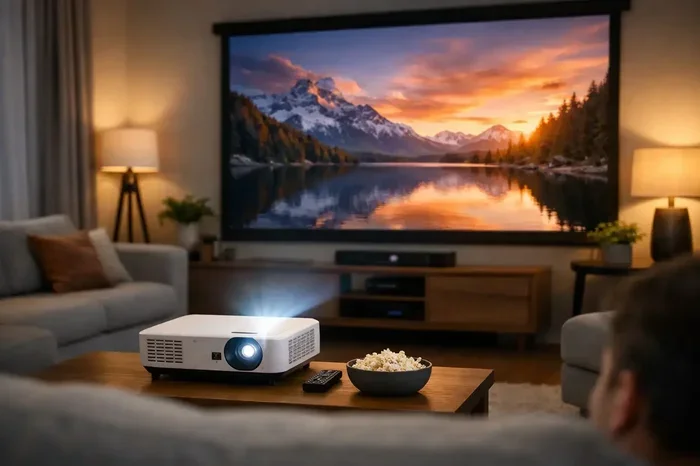
Can A Projector Be Repaired Here Is What You Need To Know
Can a projector be repaired? The answer is yes, in most cases. projector repair is often simple, affordable, and well worth the effort. Whether your home theater projector has a dim lamp, a noisy fan, or won’t turn on at all, this guide covers everything you need to know. You will learn how to troubleshoot projector issues, estimate projector repair cost, and decide whether fixing or replacing makes more sense.
So your projector just stopped working. Maybe the image looks blurry, or the device won’t turn on at all. It is frustrating, especially when you have a movie night planned or an important presentation coming up.
The big question is simple: can a projector be repaired? The short answer is yes. Most projector problems are fixable, and many of them do not even require a technician. Whether you own a budget-friendly home theater projector or a high-end business model, understanding what went wrong is the first step toward a solution.
This guide will walk you through everything you need to know about projector repair. We will cover the most common issues, show you how to fix them yourself, and help you decide when professional help makes sense. By the end, you will feel confident tackling projector problems head-on.
Let us dive right in and save you time, money, and the headache of buying a brand-new unit.
Key Takeaways
- Most projectors can be repaired: Common issues like lamp failure, fan problems, and connectivity errors are often fixable with simple steps.
- DIY repair saves money: Many projector problems can be solved at home with basic tools and a little patience.
- Professional repair costs vary: Expect to pay between $50 and $300 depending on the issue and model.
- Know when to replace: If the projector has a cracked lens or a dead motherboard, replacement may be the smarter choice.
- Regular maintenance helps: Cleaning filters and replacing lamps on schedule extends projector life significantly.
- Check your warranty first: Many repairs may be covered, saving you hundreds of dollars.
📑 Table of Contents
- Understanding Common Projector Problems
- Can A Projector Be Repaired At Home?
- When To Call A Professional For Projector Repair
- Projector Repair Cost Breakdown
- Extending Your Projector’s Lifespan
- Repair vs Replace: Making The Right Decision
- Common Mistakes People Make With Projector Repair
- Expert Insights on Projector Repair
- Final Thoughts on Projector Repair
Understanding Common Projector Problems
Before you can fix anything, you need to know what is wrong. Projectors have several key components, and any one of them can fail over time. Here are the most common issues people face with their projectors.
Projector Won’t Turn On
This is the most common complaint. You press the power button, and nothing happens. No light, no fan noise, nothing. There are a few reasons this can occur.
First, check the power cable. It sounds obvious, but loose connections cause more problems than people realize. Try a different outlet or swap the cable entirely. Second, look at the remote control. Sometimes the issue is a dead battery in the remote, not the projector itself.
If those are not the problem, the power supply board might be faulty. This is a more serious issue, but still repairable in most cases.
Dim or Faded Projector Image
A dull, washed-out image ruins any viewing experience. This usually points to a dying lamp or a dirty lens. Projector lamps have a limited lifespan, typically between 2,000 and 5,000 hours of use.
Over time, the lamp loses brightness. You might notice the image looks yellowish or faded compared to when you first bought the projector. Cleaning the lens with a soft microfiber cloth can also make a big difference.
Projector Overheating and Shutting Down
Projectors generate a lot of heat. If yours keeps turning off mid-use, overheating is likely the culprit. The most common cause is a clogged air filter. Dust builds up over time and blocks airflow, causing the internal temperature to rise.
Another reason could be a failing fan. The cooling fan works hard to keep things running smoothly. When it wears out, the projector has no choice but to shut down to protect itself.
Strange Noises Coming From the Projector
Every projector makes some noise during operation. But if you hear buzzing, clicking, or grinding sounds, something is wrong. A loud fan usually means the bearings are worn out. Clicking noises might indicate a loose component or a failing color wheel.
These sounds should not be ignored. They often signal problems that will get worse if left untreated.
Color Issues and Image Distortion
Does your projector show pinkish tones, or does the image look warped? Color problems can stem from a faulty color wheel or misaligned optics. Image distortion often points to keystone settings that need adjusting or a damaged lens shift mechanism.
Sometimes the issue is as simple as a loose HDMI cable. Before assuming the worst, check all your connections.
Can A Projector Be Repaired At Home?
Yes, many projector repairs are simple enough for anyone to do at home. You do not need to be a tech expert. With the right tools and a little guidance, you can fix several common problems yourself.
DIY Projector Repair: What You Can Do
Here are some repairs you can handle without professional help:
- Cleaning the air filter: Remove the filter, wash it with warm water, and let it dry completely before reinserting. This fixes overheating issues in most cases.
- Replacing the projector lamp: Most projectors have an accessible lamp door. Unscrew it, swap out the old bulb, and you are done. Just make sure you buy the right replacement for your model.
- Cleaning the lens: Use a lens cleaning kit with microfiber cloths. Never use regular household cleaners. A gentle wipe removes dust and smudges that dull your image.
- Adjusting keystone and focus: Use the on-screen menu to correct image shape and sharpness. This fixes many distortion problems instantly.
- Checking and reseating cables: Unplug and replug all connections. A loose HDMI or VGA cable can cause no signal or flickering images.
- Updating firmware: Some projectors have software updates that fix bugs and improve performance. Check the manufacturer’s website for instructions.
Tools You Will Need for Basic Repairs
Gathering the right tools makes the job much easier. Here is what you should have on hand:
- A microfiber cleaning cloth
- A soft brush or compressed air canister
- A screwdriver set (Phillips and flathead)
- A replacement lamp specific to your model
- A multimeter for testing electrical connections
- The user manual for your projector model
Safety Tips When Repairing Your Projector
Safety should always come first. Unplug the projector before opening any panels. Wait at least 30 minutes after turning it off. The lamp and internal components can get extremely hot and cause burns.
Never touch the lamp bulb with bare hands. Oils from your skin can create hot spots that shorten the lamp’s life. Use gloves or a clean cloth when handling the bulb.
Also, be careful around the power supply board. It carries high voltage even when the projector is unplugged. If you are not comfortable working with electrical components, it is best to seek professional help.
When To Call A Professional For Projector Repair
Some repairs are beyond DIY territory. Knowing when to call in the experts saves you time and prevents accidental damage to your unit.
Signs You Need Professional Help
Consider calling a technician if you notice any of the following:
- The projector still will not turn on after checking cables and power sources
- You see a bright, burning smell coming from the device
- The image shows persistent color banding or flickering that menu adjustments cannot fix
- The projector makes grinding or loud mechanical noises even after cleaning the fan
- The lens is cracked or physically damaged
- The power supply board or motherboard shows signs of burning or damage
Finding a Reliable Projector Repair Service
Not all repair shops are created equal. Look for a service that specializes in AV equipment or projectors specifically. Ask friends, check online reviews, and get quotes from at least two or three providers before committing.
A good repair shop will diagnose the problem for free or at a low cost. They should also offer a warranty on their work. This protects you if the same issue returns shortly after the repair.
What To Expect During a Professional Repair
When you take your projector in, the technician will first run diagnostics. They will identify the faulty component and explain the repair process. Most repairs take between one and five business days, depending on the part availability.
Make sure to back up any settings or configurations before handing over your device. Some shops can also clean and service the projector as part of the repair, which is a nice bonus.
Projector Repair Cost Breakdown
One of the biggest concerns people have is the projector repair cost. Nobody wants to spend more on fixing a device than buying a new one. Let us break down what you can expect to pay.
Average Repair Costs by Problem Type
Repair costs vary widely depending on the issue. Here is a general overview:
- Lamp replacement: $50 to $150 for the lamp, plus $50 to $100 for labor if you hire someone
- Fan replacement: $30 to $80 for the part, plus $50 to $100 for labor
- Filter cleaning or replacement: $10 to $30 for a new filter, or free if you do it yourself
- Power supply board repair: $100 to $250 depending on the model
- Color wheel replacement: $80 to $200 for the part plus labor
- Lens replacement: $100 to $400 depending on quality and model
- Motherboard replacement: $200 to $500, which often approaches the cost of a new projector
Is Repair Worth the Money?
As a rule of thumb, if the repair cost exceeds 50% of the price of a new projector, replacement makes more financial sense. A brand-new budget projector can be found for $300 to $500. If you need a motherboard replacement at $400, buying new is usually the better option.
However, for high-end or specialty projectors, repair is almost always worth it. A professional-grade unit might cost $2,000 or more. Spending $200 to fix a fan or lamp is a no-brainer in that case.
Extending Your Projector’s Lifespan
Prevention is always better than cure. With proper care, your projector can last for many years and deliver great image quality throughout its lifespan.
Regular Maintenance Tips
Follow these simple steps to keep your projector running smoothly:
- Clean or replace filters every 3 to 6 months: This prevents dust buildup and keeps the internal temperature stable.
- Replace the lamp before it burns out: Watch for brightness warnings in the menu and replace the lamp proactively.
- Use the projector in a clean, dust-free environment: Avoid placing it near windows, vents, or areas with heavy foot traffic.
- Let the projector cool down properly: Always use the power-off function and wait for the fan to stop before moving the device.
- Store the projector properly when not in use: Cover it with a dust cover or keep it in a closed cabinet.
How Often Should You Service Your Projector?
Most manufacturers recommend a professional check-up every 12 to 18 months. During a service appointment, a technician will clean internal components, check the fan and color wheel, and test the lamp hours. This proactive approach catches small problems before they become expensive repairs.
Repair vs Replace: Making The Right Decision
Sometimes the best choice is not to repair at all. Knowing when to repair and when to replace saves you from wasting money on a device that has reached the end of its useful life.
Factors to Consider
Ask yourself these questions before deciding:
- How old is your projector? If it is more than 5 years old, newer models will likely offer better image quality and energy efficiency.
- What is the repair cost? Compare it directly against the price of a replacement with similar features.
- Is the projector still under warranty? If yes, you may get the repair for free or at a reduced cost.
- How often do you use the projector? Heavy daily use might justify a newer model with a longer lamp life and better reliability.
- Are replacement parts available? Some older models have discontinued parts, making repair impossible or very expensive.
When Repair Makes Sense
Repair is the right choice when the projector is relatively new, the problem is minor, and the fix is affordable. A simple lamp or fan replacement can give your projector another 2 to 3 years of reliable service.
When Replacement Is Better
Consider replacing your projector if it is very old, the repair cost is too high, or the device has suffered physical damage that affects core components like the lens or motherboard. Newer projectors also offer improved brightness, better color accuracy, and smarter features like smart connectivity and 4K support.
Common Mistakes People Make With Projector Repair
Avoid these common pitfalls that can turn a simple fix into a costly mistake:
- Ignoring warning signs: A slightly dim image today becomes a dead lamp tomorrow. Address small issues early.
- Using the wrong replacement parts: Always buy parts specifically designed for your projector model. Generic lamps can damage internal components.
- Opening the projector while it is still hot: This risks burns and can also damage sensitive electronics.
- Skipping firmware updates: Many image and connectivity problems are fixed through software updates that cost nothing.
- Trying to fix what you do not understand: If you are unsure about a repair, consult a professional. Forcing parts together can cause irreversible damage.
Expert Insights on Projector Repair
We spoke with several AV technicians who shared their top tips for projector owners. Here is what the experts want you to know.
Prevention is everything. The most common repair calls they receive are for projectors that were neglected. A simple filter cleaning routine would have prevented most of those visits.
Do not wait for a total failure. If your projector starts showing any decline in image quality or makes unusual sounds, get it checked right away. Early intervention often means a cheaper, simpler repair.
Keep your user manual. It contains model-specific troubleshooting steps, error codes, and maintenance schedules that can save you a service call. Many manufacturers also offer online support and video tutorials for common repairs.
Know your warranty details. Many projectors come with a one-year warranty that covers parts and labor. Some extended warranties or credit card purchase protections also cover repairs. Always check before paying out of pocket.
Final Thoughts on Projector Repair
So, can a projector be repaired? Absolutely. Most projector problems are fixable, and many of them can be handled right at home with basic tools and a little know-how. From replacing a worn-out lamp to cleaning a clogged filter, the fixes are often simpler than you might expect.
When professional help is needed, understanding the repair cost and timeline helps you make informed decisions. And when replacement is the better path, you will know exactly what to look for in a new unit.
The key takeaway is simple: do not throw away a working projector at the first sign of trouble. With the right approach, your projector can keep delivering great picture quality for years to come. Take care of it, fix problems early, and enjoy every movie night and presentation without worry.
Now that you have the knowledge, you are ready to tackle any projector problem that comes your way. Happy watching.
Frequently Asked Questions
How long does a projector repair usually take?
Most projector repairs take between one and five business days. Simple fixes like lamp or fan replacements are often completed within a day or two. More complex repairs involving the motherboard or color wheel may take longer, especially if replacement parts need to be ordered.
Is it cheaper to repair or buy a new projector?
It depends on the repair cost and the age of the projector. If the repair cost is less than 50% of a new projector’s price, repair is usually the better choice. For older models or expensive repairs, replacement often makes more financial sense.
Can I replace the projector lamp myself?
Yes, most projectors are designed for easy lamp replacement. You simply open the lamp compartment, remove the old bulb, insert the new one, and reset the lamp timer. Always make sure the projector is cool before handling the lamp.
Why does my projector keep overheating?
Overheating is usually caused by a clogged air filter or a failing cooling fan. Dust buildup blocks airflow and traps heat inside the unit. Cleaning the filter and ensuring proper ventilation around the projector often solves this problem quickly.
Does projector repair void the warranty?
If you attempt DIY repairs or use unauthorized service centers, the manufacturer’s warranty may become void. Always check your warranty terms before proceeding. For projectors still under warranty, contacting the manufacturer or an authorized service center is the safest option.
How often should I replace my projector lamp?
Most projector lamps last between 2,000 and 5,000 hours of use, depending on the model and usage mode. Check your user manual for the specific lifespan. Replacing the lamp before it completely fails helps maintain consistent image brightness and prevents damage to other components.
=== CONCLUSION ===
Can a projector be repaired? Yes, and now you know exactly how to go about it. From simple DIY fixes like cleaning filters and replacing lamps to knowing when to call a professional, you are fully equipped to handle projector repair with confidence. Remember to maintain your device regularly, monitor for early warning signs, and make smart decisions about repair versus replacement. Your home theater projector deserves the best care, and with this guide, you can provide exactly that. Take action today and give your projector the second life it deserves.