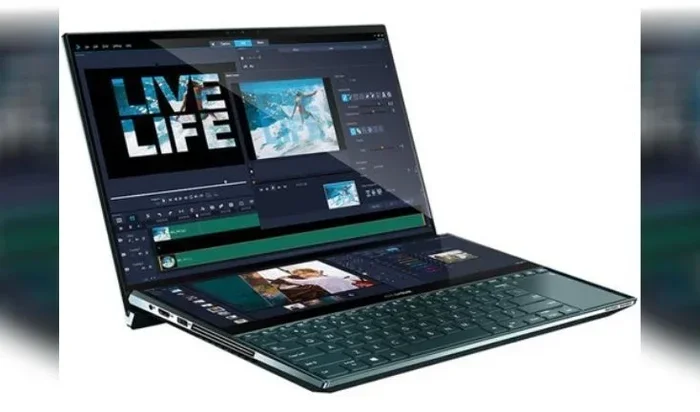
Can A Gaming Laptop Actually Be Used For Everything
A gaming laptop can absolutely be used for everything from work and school to video editing and content creation. These powerful machines deliver top-tier performance, stunning display quality, and multitasking capabilities that rival desktops. However, they come with trade-offs like shorter battery life and heavier weight. Let us break down exactly what a gaming laptop can and cannot do.
Can a gaming laptop really do everything? That is the question many people ask when they are shopping for a new computer. Maybe you want one machine for work, school, gaming, and creative projects. Or perhaps you are tired of carrying two laptops everywhere you go. A gaming laptop promises to be your one-and-only device. But is that promise real, or is it just marketing hype?
The short answer is yes. A gaming laptop can be used for nearly everything. These machines pack powerful processors, dedicated graphics cards, and lots of memory. They can handle office work, video editing, programming, streaming, and of course, gaming. But there are some downsides too. They tend to be heavier, louder, and have shorter battery life than regular laptops. In this article, we will explore every angle of using a gaming laptop for everyday tasks. You will learn what it excels at, where it falls short, and how to decide if it is the right choice for you.
Key Takeaways
- Versatile Performance: A gaming laptop handles work, study, creative tasks, and entertainment with ease.
- Trade-Offs Exist: Battery life and portability are weaker points compared to standard laptops.
- Great for Content Creation: Video editing, graphic design, and streaming benefit from powerful hardware.
- Upgrade Options Vary: Some models allow RAM and storage upgrades, but GPUs are usually fixed.
- Thermal Management Matters: Gaming laptops run hot, so cooling pads and proper placement help.
- Software Compatibility Is Strong: Nearly all productivity and creative software runs well on gaming laptops.
- Value for Money: You pay a premium, but you get a machine that truly does it all.
📑 Table of Contents
- What Makes a Gaming Laptop Different from a Regular Laptop
- Using a Gaming Laptop for Work and Productivity
- Can a Gaming Laptop Handle Creative Work
- Gaming on the Go: Entertainment and Streaming
- The Downsides: Where Gaming Laptops Fall Short
- Who Should Buy a Gaming Laptop
- How to Get the Most Out of Your Gaming Laptop
- Conclusion
What Makes a Gaming Laptop Different from a Regular Laptop
Before we dive into the uses, let us understand what sets a gaming laptop apart. These machines are built with higher-end components than standard laptops. The differences go beyond just looks.
Powerful Processors
A gaming laptop usually has a high-performance CPU. These processors handle complex tasks with ease. Whether you are running multiple apps at once or editing a 4K video, the processor keeps up. Regular laptops often use energy-efficient chips that save battery but sacrifice speed.
Dedicated Graphics Cards
This is the biggest difference. A graphics card dedicated to gaming means smooth visuals and fast rendering. It also helps with creative work like video editing and 3D modeling. Regular laptops rely on integrated graphics, which are fine for basic tasks but struggle with heavy workloads.
More RAM and Storage
Most gaming laptops come with at least 16 GB of RAM. Many offer 32 GB or more. This means you can have dozens of browser tabs open, plus apps running, without slowdowns. Storage is also better, with fast SSDs that load programs and files in seconds.
Better Displays
Gaming laptops often feature high refresh rate screens. Some offer 144 Hz or even 240 Hz displays. The colors are vibrant, and the resolution is sharp. This makes everything from reading documents to watching movies a better experience.
Using a Gaming Laptop for Work and Productivity
Many people wonder if a gaming laptop is overkill for office work. The truth is, it is more than enough. In fact, it can make your workday smoother and faster.
Office Tasks and Multitasking
Running Microsoft Office on a gaming laptop is a breeze. You can have Word, Excel, PowerPoint, and a browser with 20 tabs open all at the same time. There will be zero lag. The powerful processor and ample RAM handle multitasking like a champ.
Video Conferencing and Remote Work
With a good webcam and microphone, a gaming laptop works great for Zoom calls and Teams meetings. The display quality makes it easy to share your screen or view presentations clearly. The built-in speakers are usually better than those on standard laptops too.
Programming and Development
Programmers love gaming laptops. The fast processor compiles code quickly. Running virtual machines, Docker containers, and multiple IDEs simultaneously is no problem. The large storage space handles all your projects and databases with room to spare.
Quick Tip: If you use your gaming laptop for work in coffee shops or libraries, consider using a dark mode and lowering the brightness. This saves battery and reduces eye strain.
Can a Gaming Laptop Handle Creative Work
Creative professionals need serious hardware. A gaming laptop delivers exactly that. Let us look at the creative tasks it can handle.
Video Editing and Animation
Editing videos in Adobe Premiere Pro or DaVinci Resolve requires a lot of power. A gaming laptop with a dedicated graphics card renders videos faster and smoother. You can work with 4K footage without stuttering. Animation and motion graphics also benefit from the extra GPU power.
Graphic Design and Photo Editing
Running Photoshop or Illustrator on a gaming laptop is a smooth experience. The high-quality display shows accurate colors and sharp details. Large photo files load quickly thanks to the fast storage. You can edit dozens of high-resolution images without any slowdown.
Music Production
Even music production works well on a gaming laptop. DAWs like Ableton Live or FL Studio run smoothly with many tracks and plugins. The fast processor handles real-time audio processing without glitches.
3D Modeling and Rendering
If you work in architecture, product design, or game development, a gaming laptop is a solid choice. Software like Blender, AutoCAD, and SolidWorks runs well on these machines. The dedicated graphics card speeds up rendering times significantly.
Expert Insight: Many freelance designers and videographers prefer gaming laptops because they offer desktop-level performance in a portable package. This lets them work from anywhere without sacrificing power.
Gaming on the Go: Entertainment and Streaming
Of course, the main draw of a gaming laptop is gaming itself. But entertainment goes far beyond just playing games.
Playing Modern Games
A gaming laptop can run the latest AAA titles at high settings. Games that would crash a regular laptop run smoothly here. You can enjoy ray tracing, high frame rates, and beautiful graphics wherever you are.
Streaming Content
Watching Netflix, YouTube, or Twitch on a gaming laptop is a fantastic experience. The bright, colorful display and strong speakers make streaming feel immersive. You can also stream your own gameplay to platforms like Twitch or YouTube with ease.
Streaming as a Creator
If you want to be a streamer, a gaming laptop has you covered. You can run your game, OBS Studio, and a chat window all at the same time. The powerful processor and graphics card handle the encoding and rendering without breaking a sweat.
Virtual Reality
Some gaming laptops support VR headsets like the Meta Quest or Valve Index. This opens up a whole new world of immersive gaming and even virtual workspace experiences. Not every gaming laptop supports VR, so check the specs before buying.
The Downsides: Where Gaming Laptops Fall Short
No machine is perfect. A gaming laptop has some clear weaknesses that you should know about before buying.
Battery Life
This is the biggest complaint. A gaming laptop rarely lasts more than 4 to 6 hours on a charge under normal use. When you are gaming, it might last only 1.5 to 2 hours. If you need a laptop for long flights or all-day classes without a charger, this is a real problem.
Weight and Portability
Gaming laptops are heavy. Most weigh between 5 and 8 pounds. Some models even exceed 10 pounds. Carrying one around all day can be tiring. They are not as slim or light as ultrabooks or regular laptops.
Noise and Heat
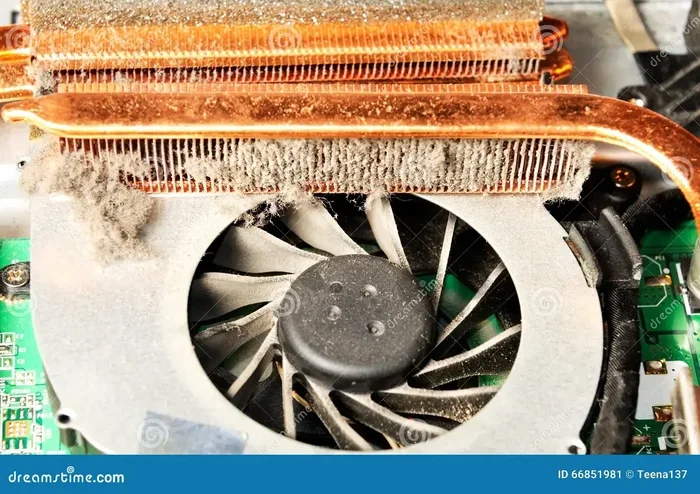
These machines generate a lot of heat. The fans work hard to keep things cool, which means they can get loud. During heavy tasks, the noise can be distracting. Thermal management is a constant challenge in a thin laptop chassis.
Price
Gaming laptops cost more than regular laptops with similar specs. You are paying a premium for the graphics card and cooling system. A good gaming laptop starts around $1,000 and can go well above $3,000.
Upgrade Limitations
Unlike desktop PCs, you cannot upgrade a gaming laptop easily. The processor and graphics card are soldered to the motherboard. You can usually upgrade the RAM and storage, but that is about it. This means your laptop may become outdated faster than a desktop.
| Feature | Gaming Laptop | Regular Laptop |
|---|---|---|
| Processor | High-performance CPU | Energy-efficient CPU |
| Graphics | Dedicated GPU | Integrated GPU |
| RAM | 16 GB or more | 8 GB typical |
| Battery Life | 4-6 hours | 8-12 hours |
| Weight | 5-8 lbs | 2-4 lbs |
| Price Range | $1,000 – $3,000+ | $400 – $1,200 |
| Display Quality | High refresh, vibrant | Standard IPS or TN |
| Upgrade Options | Limited | Limited |
Who Should Buy a Gaming Laptop
Now that we have covered the pros and cons, let us talk about who should actually buy a gaming laptop. This will help you decide if it is the right choice for your needs.
Gamers Who Also Work or Study
If you are a student who loves gaming, a gaming laptop is a perfect fit. You get a powerful machine for schoolwork and a great gaming device in one. You do not need to carry two separate laptops.
Content Creators on a Budget
Video editors, graphic designers, and streamers need powerful hardware. A gaming laptop offers desktop-level performance at a lower price than a dedicated workstation. It is a smart investment for freelancers and solo creators.
Remote Workers Who Travel
If you work remotely and travel often, a gaming laptop gives you a powerful and versatile machine. Just be mindful of the weight and battery life. You might want to invest in a good backpack with padding.
People Who Want One Device for Everything
If you are tired of switching between devices, a gaming laptop can be your single solution. It handles work, entertainment, creative projects, and gaming all in one package.
Common Mistakes to Avoid:
- Ignoring battery life: Do not buy a gaming laptop without checking how long it lasts on a charge. Test it in reviews before purchasing.
- Overlooking weight: If you carry your laptop daily, the extra weight of a gaming laptop can cause strain. Consider a lighter model.
- Skipping thermal solutions: A cooling pad can significantly improve performance and reduce noise. Do not skip this accessory.
- Not checking upgrade options: Before buying, confirm whether the RAM and storage can be upgraded. Some models are sealed and cannot be modified.
How to Get the Most Out of Your Gaming Laptop
Once you have a gaming laptop, there are simple steps you can take to maximize its potential for everyday use.
Optimize Your Power Settings
Switch to a balanced power mode when you are not gaming. This saves battery and reduces heat. Use the performance mode only when you need extra speed for heavy tasks.
Keep Your Software Updated
Regular updates improve software compatibility and fix bugs. Keep your graphics card drivers, operating system, and apps up to date for the best experience.
Use a Cooling Pad
A cooling pad helps your laptop stay cool during long work sessions. This improves thermal management and can even boost performance by preventing thermal throttling.
Manage Your Storage
Keep at least 20% of your storage free for optimal speed. Use cloud storage for files you do not need on the go. This keeps your laptop running fast and responsive.
Invest in Good Accessories
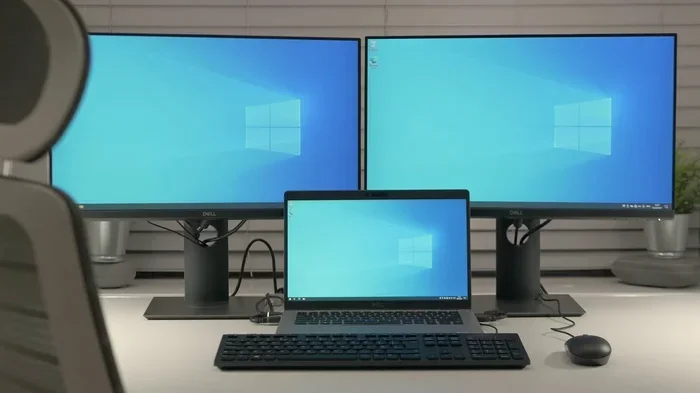
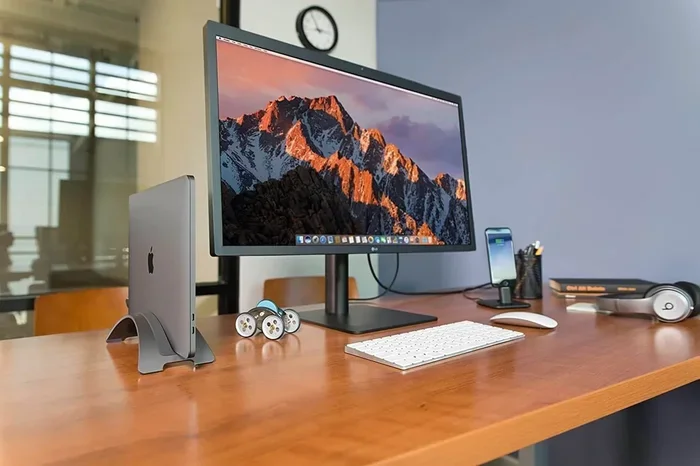
A comfortable external keyboard, a mouse, and an external monitor can transform your gaming laptop into a powerful workstation. When at home, plug in your peripherals for a better experience.
Conclusion
The answer to the question “Can a gaming laptop be used for everything?” is a clear yes. These machines are incredibly versatile. They handle work, school, creative projects, entertainment, and gaming with impressive performance. The processor, graphics card, RAM, and display quality make them suitable for almost any task you can think of.
However, they are not perfect. Battery life is short, the weight is heavy, and the price is high. If you need a laptop that lasts all day without a charger, a regular laptop might be a better choice. But if you want one powerful machine that does it all, a gaming laptop is hard to beat.
Consider your needs carefully. Think about what you will use the laptop for most. If gaming and creative work are priorities, a gaming laptop is an excellent investment. If you mainly need something for browsing, emails, and light tasks, a simpler and lighter laptop might serve you better. Either way, now you have the full picture to make the right decision.
Frequently Asked Questions
Can a gaming laptop be used for schoolwork?
Absolutely. A gaming laptop handles schoolwork with ease. You can take notes, write essays, browse the web, and even run demanding software like MATLAB or AutoCAD. The powerful processor and RAM make multitasking smooth and fast.
Is a gaming laptop good for office work?
Yes, a gaming laptop is more than enough for office work. It runs Microsoft Office, Google Workspace, and all common productivity apps flawlessly. The only downside is that it might be heavier and have shorter battery life than a standard office laptop.
Can you use a gaming laptop for video editing?
Definitely. Gaming laptops are excellent for video editing. The dedicated graphics card and powerful processor speed up rendering and playback. You can edit 4K videos smoothly in programs like Premiere Pro and DaVinci Resolve.
How long does a gaming laptop battery last for everyday use?
For everyday tasks like browsing and office work, a gaming laptop typically lasts 4 to 6 hours. When gaming or running heavy apps, battery life drops to 1.5 to 2 hours. Using power-saving modes and lowering brightness can help extend battery life.
Can you upgrade a gaming laptop?
You can usually upgrade the RAM and storage on a gaming laptop. However, the processor and graphics card are typically soldered to the motherboard and cannot be replaced. Always check the specific model before buying to confirm upgrade options.
Are gaming laptops worth the extra money?
If you need a powerful, versatile machine that can handle gaming, creative work, and heavy multitasking, a gaming laptop is worth the investment. You get desktop-level performance in a portable form. For basic tasks only, a regular laptop is more cost-effective.