Can I Use 2 Wifi Extenders And How To Set Them Up Properly
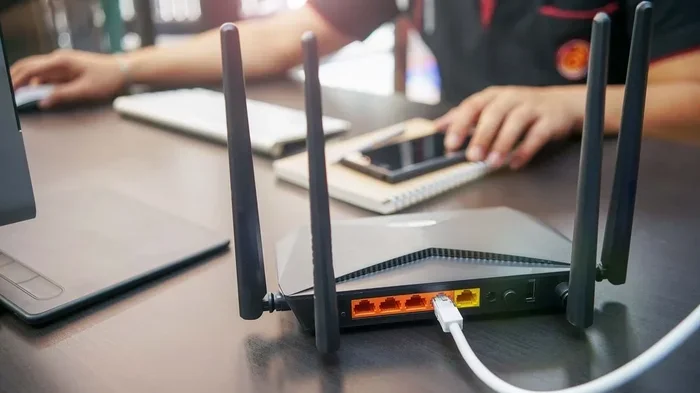
Yes, you can use 2 wifi extenders to boost your home network coverage. Setting up two extenders properly can eliminate dead zones and improve your wireless signal strength throughout your home. This guide walks you through the setup process, best practices, and common mistakes so you get the most out of your wifi range extender setup.
Do you have a big home with wifi that just doesn’t reach everywhere? Maybe your bedroom upstairs gets zero bars, or the backyard is a dead zone. You are not alone. Millions of people struggle with poor wireless coverage in their homes.
So, can you use 2 wifi extenders to fix this problem? The short answer is yes. But the real question is whether you should and how to do it right. Using two wifi range extenders can dramatically improve your internet coverage. However, setting them up incorrectly can cause more harm than good. In this guide, we will walk you through everything you need to know.
We will cover how two extenders work together, step-by-step setup instructions, the best places to position them, and the mistakes most people make. By the end, you will have a clear plan to fix your wireless signal problems for good.
Key Takeaways
- You can use 2 wifi extenders: Most routers support multiple extenders, and using two can significantly improve your home network coverage.
- Placement matters a lot: Position your extenders halfway between your router and the dead zone for the best results.
- Avoid daisy chaining: Connecting one extender to another can slow down your network and increase latency.
- Use different channels: Setting each extender on a different wifi channel reduces interference and boosts performance.
- Consider mesh systems: If you need coverage for a large home, a mesh network may be a better long-term solution than multiple extenders.
- Update firmware regularly: Keeping your extenders updated ensures stability, security, and optimal performance.
📑 Table of Contents
- Can I Use 2 Wifi Extenders? Yes, Here Is Why
- How Two Wifi Extenders Work Together
- How To Set Up Two Wifi Extenders Properly
- Best Practices For Placing Your Extenders
- Common Mistakes People Make With Two Extenders
- When To Consider Alternatives To Two Extenders
- Expert Tips For Maximizing Your Two-Extender Setup
- Final Thoughts On Using Two Wifi Extenders
Can I Use 2 Wifi Extenders? Yes, Here Is Why
The short answer is a confident yes. Can I use 2 wifi extenders and get good results? Absolutely. Most modern routers are designed to handle multiple wireless signal boosters at the same time. You just need to set them up the right way.
When you use one wifi extender, it picks up your router’s signal and rebroadcasts it. When you add a second one, you extend that coverage even further. Think of it like throwing two pebbles into a pond. Each ripple reaches a little farther than the last one.
But here is the catch. Two extenders do not automatically mean double the speed. In fact, if you set them up wrong, you can actually slow things down. That is why understanding how they work is so important.
How Two Extenders Improve Your Network
Using two wifi extenders helps you cover more ground. Here are the key benefits:
- Broader coverage: Your wireless signal reaches far corners of your home.
- Fewer dead zones: Rooms that had no signal now get connected.
- More connected devices: Smart TVs, phones, and IoT devices all stay online.
- Better stability: Devices can connect to the nearest extender with a stronger signal.
The goal is to fill in the gaps. Your router handles the main area, and each extender picks up where the signal starts to fade. This creates a seamless home network with solid internet coverage everywhere.
How Two Wifi Extenders Work Together
Understanding the basics helps you set things up correctly. Let us break down how two wifi extenders communicate with your router.
The Signal Relay Process
Here is what happens behind the scenes. Your router sends out a wireless signal. The first extender receives that signal. It then rebroadcasts it to a wider area. The second extender picks up the signal from the first one (or directly from the router) and pushes it even farther.
Each extender acts like a relay runner. It catches the signal and passes it along. The more extenders you add, the farther the signal travels. But there is a trade-off.
Bandwidth Splitting And Speed Loss
Every time a signal gets rebroadcast, some speed is lost. This is called bandwidth splitting. One extender might reduce your speed by 30 to 50 percent. Two extenders can reduce it even more.
That does not mean you should avoid using two extenders. It just means you need to be smart about it. The way you set them up makes a huge difference in how much speed you keep.
Here are some key points to remember:
- Dual-band wifi extenders lose less speed than single-band ones.
- Ethernet backhaul (wired connection) keeps speeds much higher.
- Signal strength drops the farther the signal travels.
- Network latency can increase with each hop.
Single-Band Vs Dual-Band Extenders
Not all wifi extenders are the same. A single-band extender only works on the 2.4GHz frequency. A dual-band extender works on both 2.4GHz and 5GHz. Dual-band models are much better for two extender setups because they give you more flexibility.
If you can, choose dual-band wireless signal boosters for both extender positions. You will get faster speeds and less interference from other devices.
How To Set Up Two Wifi Extenders Properly
Now for the part you have been waiting for. How do you actually set up two wifi extenders without messing things up? Let us walk through it step by step.
Step 1: Check Your Router Compatibility
Before you buy or set up anything, check your router. Most modern routers support multiple wifi extenders. Look at your router manual or log into the admin panel. You want to make sure your router can handle more than one extended device at a time.
Some older routers may struggle with two extenders. If your router is more than five years old, consider upgrading first. A modern router makes the whole process smoother.
Step 2: Choose The Right Extenders
Not every wifi range extender is built the same. Here is what to look for:
- Dual-band support: Works on both 2.4GHz and 5GHz frequencies.
- AC1200 or higher rating: Faster speeds and better range.
- Same brand compatibility: Some brands work better with their own routers.
- Ethernet port: Allows wired backhaul for better speeds.
- Easy setup app: Makes the process faster and simpler.
You do not need two identical extenders, but it helps. Matching models reduce compatibility issues and make management easier.
Step 3: Position The First Extender
Place the first extender about halfway between your router and the area with weak signal. It needs to receive a strong signal from the router to rebroadcast effectively.
If you put it too far from the router, it will rebroadcast a weak signal. If you put it too close, it will not extend the coverage far enough. Finding the sweet spot is key.
Quick tip: Walk around your home with your phone. Note where the signal drops. That is where your first extender should go.
Step 4: Position The Second Extender
Place the second extender in the area that the first extender covers but where the signal is still weak. It should be within good range of the first extender.
Never place the second extender too far from the first one. If the signal between them is weak, your network speed will drop significantly.
Quick tip: Think of your extenders as a chain. Each link needs to be strong for the whole chain to work well.
Step 5: Configure Each Extender
Now it is time to set them up. Most extenders come with a setup app or a web portal. Here is the general process:
- Plug in the first extender and wait for the light to turn solid.
- Open the setup app on your phone or computer.
- Select your main wifi network and enter the password.
- Choose a unique name for the extended network (or use the same name).
- Repeat the process for the second extender.
Pro tip: Give each extender a unique name temporarily during setup. This helps you confirm each one is working before you merge them into a single network name.
Step 6: Test And Adjust
Once both extenders are set up, test your internet coverage. Walk around your home and check the signal in each room. Use a speed test app to measure performance.
If a room still has weak signal, try moving one of the extenders slightly. Even a few feet can make a big difference. Extender placement is an iterative process. Do not be afraid to experiment.
Best Practices For Placing Your Extenders
Getting the most out of your two wifi extenders comes down to where you put them. Bad placement can ruin even the best equipment. Here are the rules to follow.
The Golden Rule Of Extender Placement
Your extender should always be within good range of the device it is extending. For the first extender, that means good range from the router. For the second extender, that means good range from the first extender.
Think of it like a conversation. If two people are too far apart, they cannot hear each other. The same goes for your wireless signal. Each extender needs a clear line of communication with the source.
Ideal Locations For Each Extender
Here are some common scenarios and where to place your extenders:
- Two-story home: Place the first extender on the first floor near the stairs. Place the second on the second floor in the hallway.
- Long hallway or ranch-style home: Place extenders evenly spaced along the length of the house.
- Home with a basement: Place one extender near the top of the basement stairs and another in the basement itself.
- Backyard or garage: Place the second extender near a window that faces the outdoor area.
Things To Keep Away From Extenders
Certain objects and locations weaken your wireless signal. Keep your extenders away from:
- Thick walls and concrete: These block wifi signals significantly.
- Metal objects: Metal reflects wifi signals and causes interference.
- Microwaves and cordless phones: They operate on the same 2.4GHz frequency.
- Fish tanks: Water absorbs wifi signals and weakens them.
- Corners and closets: Signals bounce off walls and lose strength.
Common Mistakes People Make With Two Extenders
Setting up two wifi extenders is not complicated, but people do make mistakes. Here are the ones to avoid.
Daisy Chaining Extenders
This is the biggest mistake. Daisy chaining means connecting extender two to extender one instead of connecting both to the router. This creates a bottleneck. The signal has to pass through two extenders before reaching your device, which kills your speed.
Always connect both extenders directly to the main router. Do not chain them together.
Using The Same Channel
If both extenders broadcast on the same channel, they interfere with each other. This causes network latency and slow speeds. Set each extender on a different channel to avoid overlap.
Most setup apps let you choose the channel manually. Pick channels that are far apart, like channel 1 and channel 11 for 2.4GHz.
Ignoring Firmware Updates
Outdated firmware causes all kinds of problems. It can lead to dropped connections, slow speeds, and security vulnerabilities. Always update the firmware on both extenders after setup.
Quick tip: Turn on automatic updates if your extender supports it. This saves you the hassle of checking manually.
Placing Extenders Too Far Apart
It is tempting to spread your extenders as far apart as possible. But if they are too far from each other, the signal between them becomes weak. This creates a laggy, unreliable connection.
Keep them close enough to maintain a strong link but far enough apart to cover different areas.
Forgetting About Connected Devices
Every device on your network shares the available bandwidth. If you have 20 smart home devices, two extenders, and a router all fighting for airtime, things slow down. Consider how many devices you have and whether your setup can handle them.
When To Consider Alternatives To Two Extenders
Using two wifi extenders works great for many homes. But it is not the only solution. In some cases, a different approach works better.
Mesh Wifi Systems
A mesh network uses multiple nodes that work together as one seamless system. Unlike traditional extenders, mesh nodes talk to each other intelligently. They route traffic through the fastest path automatically.
If you have a large home (2500+ square feet) or multiple floors, a mesh system might be the better choice. Brands like Eero, Google Nest Wifi, and TP-Link Deco make great options.
Powerline Adapters
Powerline adapters use your home’s electrical wiring to carry internet signals. They are a great alternative if your home has thick walls that block wifi. You plug one adapter near the router and another in the room that needs coverage.
Powerline adapters do not suffer from the same speed loss as wireless extenders. They provide a stable, wired connection to any room.
Access Point Mode
Some routers can be set to access point mode. This turns a second router into a dedicated signal broadcaster. It works better than an extender because it does not split bandwidth the same way.
If you have an old router lying around, you can repurpose it as an access point. This is a free and effective way to extend your coverage.
Expert Tips For Maximizing Your Two-Extender Setup
Want to get the absolute most out of your wifi extender setup? Here are some expert-backed tips.
- Use ethernet backhaul when possible: If your extender has an ethernet port, connect it to the router with a cable. This eliminates wireless speed loss entirely.
- Name your networks the same: Use the same SSID and password for all extenders. This allows your devices to switch seamlessly between them.
- Reboot regularly: Restart your extenders once a week to clear memory and maintain performance.
- Monitor connected devices: Remove devices that no longer need to be on your network. Fewer devices means more bandwidth for the ones that matter.
- Run speed tests regularly: Check performance in different rooms monthly. This helps you catch problems early.
- Keep extenders in the open: Never hide them inside cabinets or behind furniture. Airflow and clear space improve signal strength.
Final Thoughts On Using Two Wifi Extenders
So, can I use 2 wifi extenders? Yes, and when set up correctly, they can transform your home network. You get better internet coverage, fewer dead zones, and stronger signals in every room.
The key is in the setup. Choose the right extenders, place them strategically, avoid daisy chaining, and keep them updated. Follow the tips in this guide, and you will enjoy a faster, more reliable wireless network all around your home.
Do not let weak wifi hold you back anymore. With two wifi extenders and the right approach, you can say goodbye to buffering, dropped connections, and frustrating dead zones. Your wireless signal will finally reach every corner of your home, just the way it should.
Start with the steps in this article today. Test your coverage, adjust your placement, and enjoy a stronger, faster network tomorrow. Your home deserves better wifi, and now you know exactly how to make it happen.
Frequently Asked Questions
Can I use 2 wifi extenders from different brands?
Yes, you can use two wifi extenders from different brands together. They just need to connect to your main router’s network. However, using the same brand can sometimes make setup and management easier. Always check compatibility with your router before purchasing.
Will using 2 wifi extenders slow down my internet speed?
Using two extenders can reduce your speed slightly because each one rebroadcasts the signal. Dual-band extenders and wired backhaul help minimize this speed loss. Proper placement and channel settings also keep speeds as high as possible.
Can I connect one wifi extender to another?
You can, but it is not recommended. Connecting one extender to another is called daisy chaining, and it significantly reduces your network speed. Always connect both extenders directly to your main router for the best performance.
How far apart should my two wifi extenders be?
Place the first extender halfway between your router and the weak signal area. Place the second extender in the area covered by the first extender but still has weak signal. They should be close enough to maintain a strong link with each other and the router.
Do I need a special router to use 2 wifi extenders?
Most modern routers support multiple extenders without any special requirements. If your router is older than five years, it may have trouble handling two extenders. Check your router manual or admin panel to confirm compatibility before setting up.
Is a mesh system better than using 2 wifi extenders?
A mesh system often works better than two extenders for large homes. Mesh nodes communicate intelligently and route traffic through the fastest path. Extenders are more budget-friendly, but mesh systems offer a more seamless and reliable experience for bigger spaces.