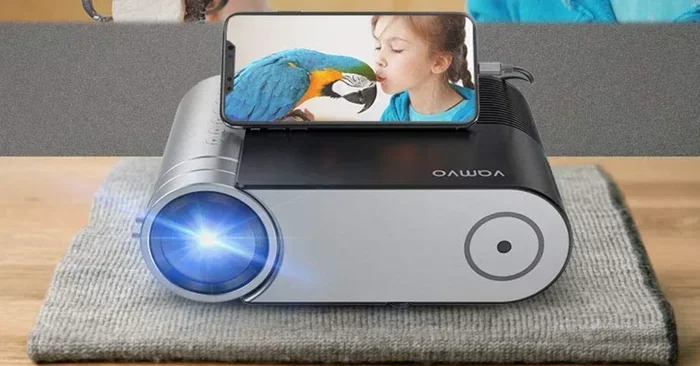
Does Phone Projector App Work or Is It Worth Trying
A phone projector app lets you cast your phone screen to a bigger display using Wi-Fi or wired connections. These apps work well for casual movie nights, presentations, and gaming, but they have limits compared to real projectors. Understanding how they perform helps you decide if they’re worth your time and storage space.
Have you ever wanted to watch your favorite show on a big screen without buying expensive equipment? A phone projector app promises to do exactly that. You just download an app, connect your phone to your TV or wall, and boom — you have a big screen right in your living room.
But here is the real question. Does a phone projector app actually work? Or is it just another gimmick that wastes your time? I have tested many of these apps over the past few years, and I am here to give you the honest truth. In this article, I will walk you through how these apps work, what you can expect, and whether they are worth trying in 2024.
If you have ever searched for “does phone projector app work” on Google, you are not alone. Thousands of people ask this every single day. The short answer is yes, they do work. But the long answer depends on your setup, your expectations, and what you plan to use them for. Let me break it all down for you.
Key Takeaways
- Phone projector apps do work: They use screen mirroring technology to display your phone content on a larger screen.
- They work best on Wi-Fi: A strong and stable Wi-Fi connection makes all the difference in performance.
- Free and paid options exist: Many apps offer basic features for free, while paid versions unlock better quality.
- Brightness is a limitation: Phone projector apps cannot match the brightness of a real projector in bright rooms.
- Battery drain is real: Extended use can drain your phone battery quickly.
- They shine for casual use: For home movie nights and quick presentations, they are a great budget-friendly option.
📑 Table of Contents
- How Does a Phone Projector App Actually Work?
- What Can You Do With a Phone Projector App?
- Top Phone Projector Apps Worth Trying
- Does It Really Work as Well as a Real Projector?
- Common Problems and How to Fix Them
- Is a Phone Projector App Worth Your Time?
- Quick Tips for Getting the Best Results
- Expert Insights
- Final Verdict
How Does a Phone Projector App Actually Work?
A phone projector app is not magic. It uses real technology to send your phone screen to another device. Understanding how this works helps you set expectations and avoid frustration.
The Technology Behind Screen Mirroring
Most screen mirroring apps use one of two methods. The first is wireless casting through Wi-Fi. Your phone sends video and audio signals to your TV or projector over your home network. The second method uses a wired connection, like an HDMI adapter, to plug your phone directly into a display.
Wireless casting relies on protocols like Chromecast, AirPlay, or Miracast. These are built into many modern TVs and projectors. When you tap the cast button in your phone projector app, it uses these protocols to mirror what is on your screen in real time.
Wired connections tend to be more stable. They do not depend on Wi-Fi strength or network congestion. But they require extra hardware, like a USB-C to HDMI cable or a Lightning adapter. For most people, the wireless route is the easiest and most convenient option.
Wi-Fi vs Wired Connections
Let me compare the two methods side by side so you can decide what works best for you.
- Wi-Fi connections are wireless and convenient. You do not need any extra cables. But they can suffer from lag if your Wi-Fi signal is weak.
- Wired connections offer a more stable and lag-free experience. They work well for presentations where timing matters. But you need the right adapter and cable.
- Wi-Fi Direct is a middle ground. Some apps create their own Wi-Fi network, so you do not need a router. This works great in rooms with poor internet coverage.
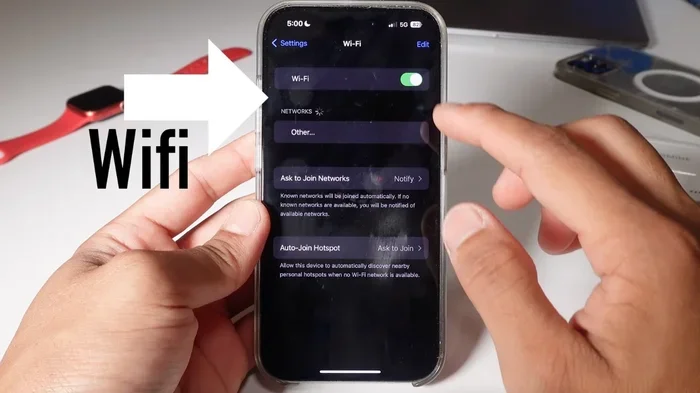
Most people will do fine with a basic Wi-Fi setup. Just make sure your phone and your TV are on the same network. This simple step solves many connection problems right away.
What Can You Do With a Phone Projector App?
A phone projector app opens up a lot of possibilities. Let me walk you through the most common and useful things you can do with one.
Streaming Movies and Shows
This is the number one reason people download a phone projector app. You can cast Netflix, YouTube, Disney Plus, or any streaming app right to your TV or wall. It works just like a smart TV, except you control everything from your phone.
The experience is surprisingly good for casual viewing. You can watch movies with friends, enjoy a movie night on a big wall, or catch up on your favorite series in higher quality than a small phone screen allows. The video quality depends on your app choice and your Wi-Fi speed, but most modern apps deliver smooth and clear results.
Presentations and Work Use
If you need to give a presentation at work or school, a phone projector app can save you a lot of hassle. Instead of carrying a laptop, you can present directly from your phone. This is especially handy for quick meetings or when you are on the go.
Many apps let you mirror your entire screen or just specific apps. You can share slides, documents, or even websites with a room full of people. The setup is fast, and you do not need any extra equipment beyond a TV or projector that supports wireless display.
Gaming on a Big Screen
Here is something not many people talk about. You can use a phone projector app for gaming too. Casual games look great on a big screen. Games like Candy Crush, Subway Surfers, or even mobile versions of popular titles feel completely different when played on a wall-sized display.
Of course, there is some lag with wireless connections. Fast-paced action games might not feel as responsive. But for relaxed gaming sessions, this is a fun and unexpected use case that many people enjoy.
Top Phone Projector Apps Worth Trying
Not all apps are created equal. Some work better than others, and choosing the right one makes a huge difference in your experience. Let me share some of the best options available right now.
Free vs Paid Options
You will find both free and paid phone projector apps in the app store. Free apps usually work well for basic screen mirroring. They let you cast your screen to a TV with minimal setup. However, they may show ads or limit the resolution of your output.
Paid apps typically offer better image quality, no ads, and extra features like screen recording or annotation tools. If you plan to use the app regularly for work or entertainment, paying a small fee is usually worth it. The improved experience is noticeable, especially when you are watching movies or giving important presentations.
Features to Look For
When choosing a mobile projection app, look for these key features:
- Easy setup: The app should connect to your TV or projector within seconds.
- High resolution support: Look for apps that support 1080p or even 4K output for crisp image quality.
- Low latency: This means less lag between what you do on your phone and what appears on the big screen.
- Audio support: Good apps let you cast both video and sound to external speakers or your TV.
- Cross-platform compatibility: The best apps work with both Android and iOS devices.
Do not just grab the first app you see. Spend a few minutes reading reviews and testing a couple of options. Your experience will be much better if you pick the right one from the start.
Does It Really Work as Well as a Real Projector?
This is the question most people want answered. A phone projector app turns your phone into a projector of sorts. But how does it compare to an actual projector? Let me be honest with you here.
Brightness and Image Quality
The biggest difference is brightness. A real projector has a bright lamp that makes the image visible even in a well-lit room. A phone projector app relies on your phone screen brightness, which is much weaker. In a dark room, the results look great. In a bright room, the image can look washed out and hard to see.
Image quality also depends on the surface you are projecting onto. A white wall works fine for casual use. A dedicated projector screen gives much better results. If you want the best picture quality, consider investing in a portable projector screen. It makes a noticeable difference without costing much.
Sound Quality Comparison
Phone speakers are small and not designed for big room audio. When you use a phone projector app, the sound comes from your phone unless you connect to external speakers. For movies, this can be a letdown. For presentations, it is usually fine.
The good news is that most modern TVs and smart speakers support Bluetooth or Wi-Fi audio. You can easily connect your phone to a better sound system and enjoy rich audio along with your big screen image. This simple upgrade transforms the whole experience.
Common Problems and How to Fix Them
Using a phone projector app is not always smooth sailing. You may run into some common issues. Here is what to watch out for and how to solve them.
Lag and Latency Issues
Lag is the most common complaint. You tap something on your phone, and the big screen takes a second to respond. This happens because wireless casting sends data over your Wi-Fi network, and any delay in that network causes lag.
Here is how to fix it. First, make sure you are on a 5GHz Wi-Fi network, not a 2.4GHz one. The 5GHz band is faster and less crowded. Second, keep your phone close to your router. Third, close other apps running in the background. These simple steps reduce lag significantly and make your screen sharing app feel much more responsive.
Compatibility Troubles
Not every phone projector app works with every TV or projector. Some apps only work with smart TVs that support Chromecast or AirPlay. Others need a specific type of projector or display adapter.
Before you download any app, check if your TV or projector supports wireless display. Most smart TVs made after 2018 do. Older TVs may need a Chromecast stick or an HDMI adapter. Doing a quick compatibility check before buying or downloading saves you a lot of frustration.
Battery Drain and Overheating
Streaming video from your phone to a big screen uses a lot of power. Your phone works hard to encode and send the video signal. This causes battery drain and sometimes overheating, especially during long movie sessions.
To avoid this, keep your phone plugged in while using a phone projector app for extended periods. Use a fast charger so your phone stays powered. Also, lower your phone screen brightness while casting, since the TV or projector is doing the actual displaying. These small habits extend your phone battery and keep your device cool.
Is a Phone Projector App Worth Your Time?
After all this, you are probably wondering if a phone projector app is really worth trying. Let me give you a clear answer based on different situations.
When It Makes Sense
A phone projector app is worth trying if you fall into any of these categories:
- You want a quick and cheap big screen: You do not want to spend hundreds of dollars on a projector. An app is free or costs a few dollars.
- You travel often: You can cast from your phone to any TV with a spare HDMI port or a Chromecast device.
- You give occasional presentations: A quick screen share from your phone is faster and easier than setting up a laptop.
- You host casual movie nights: For backyard screenings or sleepovers, casting from your phone works surprisingly well.
When to Skip It
On the other hand, a phone projector app might not be the right choice if you need:
- Professional-grade image quality: For boardroom presentations or cinema-quality viewing, a real projector is the way to go.
- Use in bright environments: If you need a bright image in a sunny room, phone screen brightness simply cannot compete.
- Long gaming sessions: The lag and battery drain make extended gaming sessions frustrating.
For most everyday users, a phone projector app is a fun and useful tool. It is not a replacement for a real projector, but it is a great supplement. Think of it as a portable and affordable way to go big when you need to, without the bulk and cost of dedicated hardware.
Quick Tips for Getting the Best Results
Want to squeeze every bit of performance out of your phone projector app? Follow these quick tips for a better experience.
- Use a dark room: Your phone screen looks best when the surrounding light is low. Dim the lights for the clearest image.
- Clean your phone lens: A smudgy camera lens can affect the quality of certain projection methods. Wipe it before you start.
- Update your app regularly: Developers fix bugs and improve performance with each update. Keeping your app current ensures the best results.
- Restart your devices: A simple restart of your phone, TV, and router can fix most connection issues instantly.
- Use a wall or white sheet: A flat, white surface gives the clearest and brightest image when projecting from your phone.
These tips take just a few minutes to follow, but they make a real difference. You will notice sharper images, less lag, and fewer connection drops. Small adjustments lead to big improvements in your wireless display experience.
Expert Insights
Many tech experts agree that phone projector apps have come a long way in recent years. The casting technology behind apps like Chromecast and AirPlay has improved dramatically. What used to be choppy and unreliable now feels smooth and natural for most everyday tasks.
However, experts also caution that expectations matter. If you expect a phone projector app to replace a $500 projector, you will be disappointed. But if you see it as a convenient and budget-friendly alternative for casual use, you will likely be happy with the results.
The rise of smart projector technology also means that some newer projectors have built-in casting features. This makes using a phone projector app even easier, since the compatibility is built right into the hardware. If you are in the market for a projector anyway, look for one with native Wi-Fi casting support.
Final Verdict
So, does a phone projector app work? Absolutely. It is a real and functional tool that can turn your phone into a projector for movies, presentations, and more. The technology works well, the apps are easy to use, and many of them are free to try.
Is it worth trying? For most people, yes. The low cost and convenience make it a no-brainer to test out. You have nothing to lose and a big screen to gain. Just keep your expectations realistic, set up your connection properly, and enjoy the experience.
Whether you are hosting a movie night, giving a work presentation, or just want to see your photos on a bigger wall, a phone projector app delivers. Give it a try, and you might be surprised by how well it works for your everyday needs.
Frequently Asked Questions
Can any phone projector app work on any TV?
Most phone projector apps work with smart TVs that support Chromecast, AirPlay, or Miracast. Older TVs without smart features may need a streaming stick or an HDMI adapter to receive the signal from your phone.
Do phone projector apps drain battery quickly?
Yes, extended use of a screen mirroring app can drain your phone battery faster than normal. The phone works hard to encode and send video. Keeping your phone plugged in while casting helps prevent battery issues.
Is the video quality good with a phone projector app?
Video quality depends on your Wi-Fi speed, the app you use, and the resolution of your phone. Most modern apps support HD or even 4K output. In a dark room with a strong Wi-Fi connection, the quality looks very good for casual viewing.
Can I use a phone projector app for work presentations?
Yes, phone projector apps work well for work presentations. They let you share your screen quickly without carrying a laptop. For formal boardroom settings, you may want a wired connection for more stability and reliability.
Are free phone projector apps safe to use?
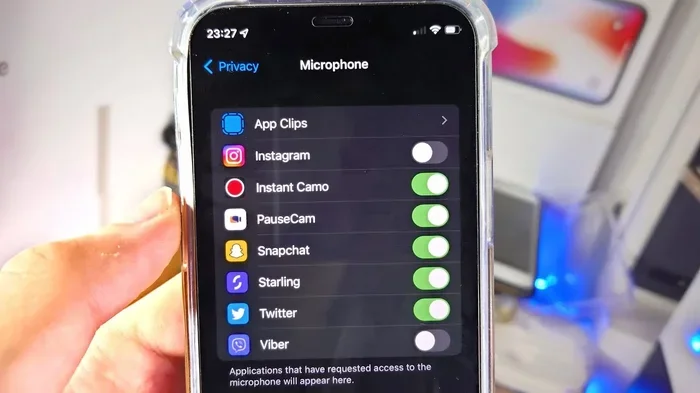
Most free apps from official app stores are safe. However, always check reviews and permissions before installing. Avoid apps from unknown developers that ask for unnecessary access to your personal data or files.
What is the difference between a phone projector app and a real projector?
A phone projector app uses your phone screen to display content on a bigger surface, while a real projector uses a built-in light source and lens to project images. Real projectors are brighter, sharper, and better for well-lit rooms. Phone apps are more portable and affordable for casual use.
=== CONCLUSION ===
A phone projector app is a practical and accessible way to enjoy big-screen content without spending a fortune on equipment. Whether you want to watch movies, share presentations, or play games on a larger display, these apps deliver real results for most everyday situations.
The technology works, the apps are easy to use, and the cost is minimal compared to buying a dedicated projector. While they do have limitations like brightness and battery drain, the convenience and portability make them a great choice for casual users and occasional use cases.
So go ahead and try a phone projector app today. Pick one from the list above, follow the tips in this guide, and see for yourself how well it works. You might just discover your new favorite way to enjoy content on the big screen.