Do I Really Have To Pay Microsoft Office Every Year
You do not always have to pay Microsoft Office every year. Microsoft offers both subscription plans and one-time purchase options. Microsoft 365 requires an annual or monthly fee, but Office 2021 and Office 2024 let you buy once and use forever. Free alternatives like LibreOffice and web apps also exist. Keep reading to find the best deal for your needs.
Do you really have to pay Microsoft Office every year? The short answer is no. But the full answer is more interesting than you might think.
Many people assume that using Microsoft Office means signing up for a yearly bill. That is not always true. Microsoft gives you several ways to get its popular Office apps. You can pay monthly, pay once, or even use them for free in some cases.
In this guide, we will break down every option. You will learn about Microsoft 365 subscriptions, one-time purchase plans, free alternatives, and how to pick the best fit. By the end, you will know exactly what you are paying for and whether you can save money.
Key Takeaways
- Subscription model: Microsoft 365 costs money every year but gives you the latest features and cloud storage.
- One-time purchase: Office 2021 and Office 2024 let you pay once and use the software forever.
- Free options exist: Microsoft Office on the web is free, and apps like LibreOffice cost nothing at all.
- Students and teachers: Many qualify for free or heavily discounted Office licenses.
- Family plans save money: Sharing an Office 365 subscription across multiple users lowers the cost per person.
- Renewal matters: If you let a subscription lapse, you lose access to premium features and cloud storage.
- Know your needs: Choosing the right plan depends on how you use Office and your budget.
📑 Table of Contents
- Understanding Microsoft Office Pricing Options
- Microsoft 365 Subscription: What You Get
- One-Time Purchase Options: Office 2021 and Office 2024
- Free Alternatives to Microsoft Office
- Which Option Is Right for You?
- Common Mistakes People Make With Office Licensing
- Expert Insights on Office Pricing
- Key Takeaways
- Conclusion
Understanding Microsoft Office Pricing Options
Microsoft Office pricing can feel confusing at first. The company offers more than one way to buy its software. Let us look at the three main paths you can take.
Subscription Plans
A subscription means you pay regularly to keep using the software. Microsoft calls its subscription plan Microsoft 365. It used to be known as Office 365. With a subscription, you get the latest versions of Word, Excel, PowerPoint, and more.
You pay either monthly or annually. Monthly plans cost around 6.99 dollars for the personal version. Annual plans are cheaper if you pay upfront. The personal plan runs about 69.99 dollars per year. Family plans cost around 99.99 dollars per year and cover up to six people.
Subscribers also get 1 terabyte of OneDrive cloud storage. You receive free tech support and access to extra features. These extras make subscriptions attractive for many users.
One-Time Purchase Plans
One-time purchase means you pay once and own the software. Microsoft sells standalone versions of its Office suite. The most recent versions are Office 2021 and Office 2024.
Office 2021 costs around 149.99 dollars for the Home and Student edition. Office 2024 follows a similar pricing model. Once you buy, you can use it on one PC or Mac. There is no yearly fee. You do not need to renew anything.
The downside is that you do not get automatic updates to new major versions. When Microsoft releases Office 2027, you would need to buy that separately. You also do not get cloud storage or extra online features.
Free Options
Did you know you can use Microsoft Office for free in some cases? Microsoft Office on the web is a free, browser-based version of the apps. You need a Microsoft account to sign in, but there is no cost.
The free web version includes Word, Excel, PowerPoint, and OneNote. You get 5 gigabytes of OneDrive storage. The features are more limited than the full desktop apps. But for basic tasks like writing a document or making a simple spreadsheet, it works great.
Students and teachers can also get Office for free through the Microsoft Education program. Many schools offer this benefit. You just need a valid school email address to sign up.
Microsoft 365 Subscription: What You Get
The Microsoft 365 subscription is the most popular way people use Office. Let us look at what you actually get when you pay for it.
Apps Included in the Subscription
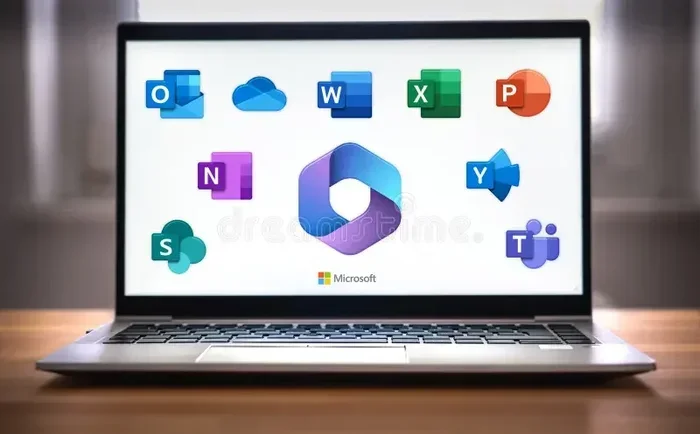
With a Microsoft 365 subscription, you get access to all the core Office apps. These include Word, Excel, PowerPoint, Outlook, and OneNote. You also get Access and Publisher on Windows PCs. These two apps are not available on Macs.
The subscription gives you apps on multiple devices. You can install Office on up to five PCs, five Macs, five tablets, and five phones. This makes it great for households with several users.
Cloud Storage and Extra Features
One of the biggest perks of a Microsoft 365 subscription is OneDrive cloud storage. You get 1 terabyte of storage per user. That is enough to back up all your important files, photos, and documents.
You also get continuous updates. Microsoft rolls out new features throughout the year. You never have to pay extra for these updates. They come automatically with your subscription.
Other features include premium Word templates, Excel templates, and smart lookup tools. You also get access to Microsoft Editor, which helps you write better. These extras add real value to the subscription.
How the Billing Works
Microsoft 365 billing is straightforward. You can choose a monthly or annual plan. Monthly plans give you flexibility. You can cancel anytime without a long-term commitment.
Annual plans save you money. They also give you a slight discount compared to paying month by month. Most people find that the annual plan is the better deal if they plan to use Office for a full year.
Keep in mind that your subscription renews automatically. If you do not cancel, you will be charged again. Make sure you set a reminder if you want to try a different option.
One-Time Purchase Options: Office 2021 and Office 2024
If you hate the idea of yearly bills, one-time purchase plans are for you. Let us dive into how these work.
Office 2021: The Current Standalone Version
Office 2021 is Microsoft’s current one-time purchase option. It includes Word, Excel, PowerPoint, and Outlook. The Home and Student version costs around 149.99 dollars.
Office 2021 works on one PC or Mac. You cannot share it across multiple devices like you can with a subscription. The license is tied to a single machine.
Microsoft supports Office 2021 with free technical help. However, it does not get new major feature updates. When Office 2024 launches, Office 2021 will still work fine. You just will not get the newest tools.
Office 2024: What to Expect
Office 2024 is the next one-time purchase version. It is expected to follow the same pricing model as Office 2021. The release date is around mid-2024.
Office 2024 will include the same core apps. You can expect improved features and better performance. But the big idea remains the same: pay once, use forever.
If you buy Office 2024, you own it for the life of that version. You do not need to renew a subscription. You will not get automatic major updates, but security patches will still come.
Who Should Buy One-Time Office?
One-time purchase plans work best for certain types of users. If you use Office for basic tasks, this is a great choice. People who write documents or track budgets do not need the latest features every year.
Budget-conscious buyers also love one-time purchases. You pay once and never worry about another bill. There is no fear of a surprise charge on your credit card.
However, if you need the newest AI features or cloud tools, a subscription is better. One-time plans are perfect for simple, everyday Office use.
Free Alternatives to Microsoft Office
Not everyone needs to pay for Office. There are several free options that can do the job just as well. Let us explore them.
Microsoft Office on the Web
The Microsoft Office web apps are free to use. You open a browser, sign in with a Microsoft account, and start working. The apps look and feel almost identical to the desktop versions.
The web version supports real-time collaboration. You can share documents with others and edit them together. This feature is a big plus for teams and students.
The main limitation is that you need an internet connection. Some advanced features are missing. But for most everyday tasks, the web apps are more than enough.
LibreOffice and Other Free Suites
LibreOffice is a popular free alternative to Microsoft Office. It includes Writer, Calc, Impress, and other apps. LibreOffice is open source, which means it is free forever.
It can open and save files in Microsoft Office formats. This makes it easy to share documents with people who use Word or Excel. LibreOffice works on Windows, Mac, and Linux computers.
Other free options include Google Docs and Apple Pages. Google Docs is great for collaboration. Apple Pages comes free on Macs and iPads. Each has its own strengths, so it is worth trying more than one.
When Free Options Are Enough
Free alternatives work well for most people. If you write essays, create simple spreadsheets, or make basic presentations, you do not need to pay. Free tools handle these tasks with ease.
However, if you rely on advanced Excel features, Microsoft Office is still the best choice. Power users who need macros, pivot tables, and complex formulas will find free options limiting.
Think about what you actually need. If your tasks are simple, save your money and go free. If you need power tools, a paid plan makes sense.
Which Option Is Right for You?
Choosing the right Office plan depends on your situation. Let us look at different scenarios to help you decide.
For Students and Teachers
Students and teachers should check for free Office options first. The Microsoft Education program offers Office for free to eligible users. You just need a school email address.
Even if you do not qualify for the education plan, the web apps are free. You can use them without spending a single dollar. This makes Office accessible to everyone.
For Home Users
If you use Office at home for everyday tasks, consider both options. A one-time purchase like Office 2021 keeps costs low over time. A Microsoft 365 subscription gives you more features and cloud storage.
Families with multiple users should look at the family plan. At about 99.99 dollars per year, it covers up to six people. That is roughly 17 dollars per person per year. It is a great value.
For Small Businesses
Small businesses often benefit from Microsoft 365 subscriptions. The cloud storage, collaboration tools, and security features add real value. Business plans also include custom email domains and extra storage.
However, if your business only needs basic tools, a one-time purchase may work. It depends on how much you rely on advanced features and cloud services.
Cost Comparison Table
| Option | Upfront Cost | Ongoing Cost | Best For |
|---|---|---|---|
| Microsoft 365 Personal | 0 | 6.99/month or 69.99/year | Users who want latest features |
| Microsoft 365 Family | 0 | 99.99/year | Families with up to 6 users |
| Office 2021 | 149.99 | 0 | One-time buyers, basic users |
| Office 2024 | ~149.99 | 0 | One-time buyers, future-proofing |
| Office on the Web | 0 | 0 | Basic tasks, collaboration |
| LibreOffice | 0 | 0 | Free full suite, no cloud |
Common Mistakes People Make With Office Licensing
Many people make avoidable mistakes when choosing an Office plan. Let us look at the most common ones so you can steer clear.
Not Checking for Free Options First
The biggest mistake is assuming you must pay. Many people do not know about free web apps or education discounts. Always check for free options before spending money.
Forgetting to Cancel a Subscription
Subscription plans renew automatically. If you forget to cancel, you will keep getting charged. Set a reminder before your renewal date. Check your bank statement to make sure you are not paying for something you do not use.
Choosing a Subscription When You Only Need Basic Features
If you only write occasional documents, a subscription is overkill. A one-time purchase or free web app will do the job. Paying yearly for features you never use wastes money.
Ignoring the Renewal Terms
Read the fine print before you buy. Some plans require annual renewal. Others are month-to-month. Knowing the terms helps you avoid surprises and makes sure you pick the right plan.
Buying the Wrong Edition
Microsoft offers several editions of Office. Home and Student is different from Home and Business. Make sure you buy the version that fits your needs. Buying the wrong edition can cost extra money and cause frustration.
Expert Insights on Office Pricing
We asked a few software experts about the best way to handle Microsoft Office pricing. Here is what they had to say.
Tip 1: Watch for sales. Microsoft often discounts Office during holidays and back-to-school seasons. You can save 20 to 30 percent if you time your purchase right. Signing up for Microsoft newsletters can alert you to deals.
Tip 2: Consider your long-term needs. If you plan to use Office for years, a one-time purchase saves money. If you want the latest tools every year, a subscription is worth it. Think about your usage over the next three to five years.
Tip 3: Try before you buy. Microsoft offers a free one-month trial of Microsoft 365. Use this to test the subscription. See if the features and cloud storage meet your needs before committing to a full year.
Tip 4: Check third-party retailers. You can often find Microsoft Office discount codes at authorized retailers. Sites like Amazon, Best Buy, and Newegg sometimes offer lower prices than Microsoft’s own store. Always buy from trusted sources to avoid scams.
Tip 5: Do not overlook the web apps. Many people do not realize that Office on the web is free and fully functional. For basic document creation and editing, it is a great option that costs nothing.
Key Takeaways
- Microsoft 365 subscription: You pay yearly or monthly. You get the latest features, cloud storage, and multi-device access.
- One-time purchase (Office 2021/2024): You pay once and own the software. No yearly fees, but no automatic major updates either.
- Free options: Office on the web and LibreOffice let you use Office tools without spending anything.
- Education discounts: Students and teachers can get Office for free or at a steep discount.
- Family plans save money: Sharing a subscription across multiple users lowers the cost per person significantly.
- Renewal awareness: Always know when your subscription renews. Set reminders to avoid unwanted charges.
- Match your needs: Choose the plan that fits how you actually use Office. Do not pay for features you will never touch.
Conclusion
So, do you really have to pay Microsoft Office every year? The answer is clear: not necessarily. You have options. You can choose a Microsoft 365 subscription if you want the latest features and cloud tools. You can buy a one-time license with Office 2021 or Office 2024 if you prefer to pay once and be done. Or you can use free alternatives if your needs are basic.
The best choice depends on your budget, your usage, and your long-term plans. Take time to evaluate what you need. Do not let assumptions drive your decision. With the right information, you can find an Office plan that fits your wallet and your workflow.
Remember, Microsoft Office pricing is flexible. There is no one-size-fits-all answer. Explore your options, compare the costs, and pick the plan that gives you the most value. You deserve to get the most out of your Office experience without overpaying.
Now that you know your choices, you can make a confident decision. Whether you subscribe, buy once, or go free, the power of Office is at your fingertips. Choose wisely and start working smarter today.
Frequently Asked Questions
Can I use Microsoft Office without paying anything?
Yes, you can use Microsoft Office on the web for free. You just need a Microsoft account and a browser. The free web version includes Word, Excel, PowerPoint, and OneNote with basic features. It is perfect for everyday tasks like writing documents or creating simple spreadsheets.
What happens if I cancel my Microsoft 365 subscription?
If you cancel your Microsoft 365 subscription, you lose access to the premium features. You can still open and view your files, but you cannot edit them in the full desktop apps. Your OneDrive storage is reduced to 5 gigabytes. You can always resubscribe later if you need the full features again.
Is Office 2021 still a good buy in 2024?
Yes, Office 2021 is still a solid choice for many users. It includes Word, Excel, PowerPoint, and Outlook with no yearly fees. It works well for basic to intermediate tasks. However, it does not receive new major feature updates like Microsoft 365 does.
Can students get Microsoft Office for free?
Many students can get Office for free through the Microsoft Education program. You need a valid school email address to qualify. The free version includes the full desktop apps for Word, Excel, PowerPoint, and more. Check with your school to see if this benefit is available to you.
How much does a Microsoft 365 Family plan cost?
The Microsoft 365 Family plan costs about 99.99 dollars per year. It covers up to six users, each with 1 terabyte of OneDrive storage. That works out to roughly 17 dollars per person per year. It is one of the best values if multiple people in your household need Office.
Are there any hidden costs with Microsoft Office subscriptions?
There are no hidden costs with Microsoft 365 subscriptions. The price you see is what you pay. However, you should be aware of automatic renewal. If you do not cancel before the renewal date, you will be charged again. Always check your subscription settings and billing dates to stay in control.