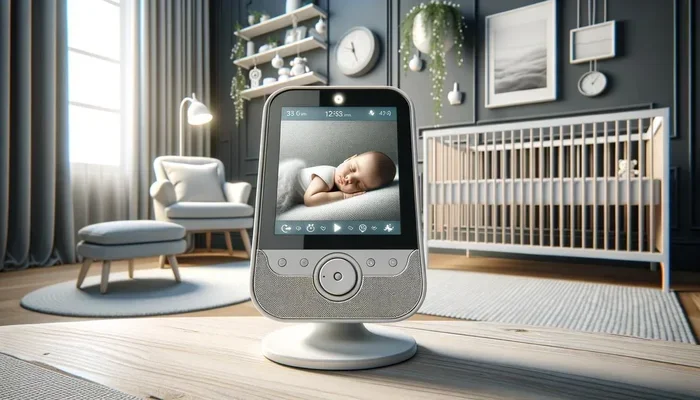
Are Baby Monitors Connected To Wi Fi Worth Considering
Are baby monitors connected to Wi Fi? Yes, many modern baby monitors use your home wireless network to stream video and audio to your phone or tablet. A Wi Fi baby monitor gives you remote access, smart alerts, and HD video, but it also comes with privacy and security considerations. This guide covers everything you need to know to decide if a wireless baby monitor is the right choice for your family.
You just brought your baby home, and suddenly every sound matters. You want to hear every little coo and cry. That is where a baby monitor comes in. But here is the question many new parents ask: are baby monitors connected to Wi Fi?
The short answer is yes. Many modern baby monitors use your home wireless network to send video and audio straight to your phone. But not all monitors work this way. Some use dedicated handheld receivers, while others rely completely on your internet connection. Understanding the difference can save you time, money, and a lot of frustration.
In this guide, we will walk through everything you need to know about Wi Fi baby monitors. We will cover how they work, what they offer, what to watch out for, and how to pick the best one for your home. By the end, you will know exactly whether a wireless baby monitor is worth it for your family.
Key Takeaways
- Wi Fi baby monitors use your home network: They connect to your router and stream live video and audio to your smartphone or tablet from anywhere.
- Remote access is a major benefit: You can check on your baby from work, the grocery store, or another room without any extra equipment.
- Privacy and security need attention: Unsecured monitors can be vulnerable to hacking, so strong passwords and updated firmware are essential.
- Not all Wi Fi monitors are the same: Some work with Alexa or Google Home, while others offer two-way talk, night vision, and motion alerts.
- Setup is usually simple: Most monitors connect to Wi Fi in just a few minutes using a free companion app.
- Consider your internet speed: A weak or slow connection can cause lag, freezing, or dropped feeds during monitoring.
📑 Table of Contents
- What Is a Wi Fi Baby Monitor and How Does It Work?
- Benefits of Wi Fi Connected Baby Monitors
- Potential Drawbacks and Concerns
- How to Choose the Right Wi Fi Baby Monitor
- Setting Up Your Wi Fi Baby Monitor
- Security and Privacy Tips for Wi-Fi Baby Monitors
- Wi-Fi Baby Monitors vs. Traditional Monitors
- Final Thoughts: Are Wi-Fi Baby Monitors Worth It?
What Is a Wi Fi Baby Monitor and How Does It Work?
A Wi Fi baby monitor is a device that connects to your home wireless network to let you watch and listen to your baby from a distance. Instead of using a separate radio frequency or a dedicated handheld unit, it sends data through your home network using your existing internet connection.
Here is how it works in simple terms. You place the camera unit in your baby’s room. The camera connects to your router just like your phone or laptop does. Then, you download a free app on your smartphone or tablet. Through that app, you can see live video, hear audio, and get alerts right from wherever you are, as long as you have an internet connection.
How the Connection Happens
Most Wi Fi baby monitors connect using your 2.4 GHz or 5 GHz band. Some monitors support both bands, which gives you more flexibility. The camera streams video and audio data to the cloud or directly to your device, depending on the brand and model.
Here is a quick look at the basic process:
- The baby monitor camera connects to your wireless network.
- The camera captures video and audio in real time.
- Data is sent through your internet connection to a cloud server or directly to your device.
- You access the feed using the manufacturer’s app on your phone or tablet.
This whole process happens in seconds. That is why so many parents love the convenience of a wireless baby monitor. You can check on your little one from the kitchen, the living room, or even while you are at work.
Benefits of Wi Fi Connected Baby Monitors
There are many reasons parents choose a Wi Fi baby monitor over a traditional one. Let us look at the biggest benefits.
Remote Access From Anywhere
This is the single biggest advantage. With a Wi Fi connected baby monitor, you are not stuck in one room. You can step outside to get the mail, take a shower, or even go to work and still keep an eye on your baby. As long as you have a data connection or Wi Fi, the monitor is right there on your phone.
High-Quality Video and Audio
Most internet-connected baby monitors offer HD video. Many now support 1080p or even 2K resolution. You can see your baby’s face clearly, even in the dark, thanks to built-in night vision technology. Audio quality is also excellent, with two-way talk features that let you soothe your baby from another room.
Smart Features and Alerts
Modern monitors come packed with smart features. You can get motion alerts, sound detection alerts, and even breathing movement tracking. Some monitors integrate with smart home systems like Alexa or Google Home, so you can check on your baby using voice commands.
No Extra Hardware Needed
Traditional monitors come with a handheld receiver that you carry around the house. A Wi Fi baby monitor eliminates that extra device. Everything runs through your phone or tablet, which you already carry with you everywhere. This means fewer gadgets to charge and manage.
Easy Sharing With Family
Most apps let you add multiple users. That means your partner, grandparents, or babysitter can all check on the baby from their own devices. Everyone stays connected, and you get peace of mind knowing your little one is being watched around the clock.
Potential Drawbacks and Concerns
Before you buy a wireless baby monitor, it is important to understand the downsides. No product is perfect, and knowing the drawbacks helps you make a smarter choice.
Dependence on Your Internet Connection
This is the biggest concern. If your Wi Fi goes down, your monitor stops working. A power outage, a router reset, or a slow internet connection can all interrupt your feed. Some parents find this risky, especially during nighttime checks when they need reliable access the most.
If you live in an area with frequent internet outages, a traditional monitor with a dedicated frequency might be a better backup option.
Privacy and Security Risks
Any device connected to the internet can be vulnerable. Baby monitor privacy is a real concern. Hackers have been known to access unsecured cameras, and no parent wants a stranger watching their child. This is why choosing a monitor from a reputable brand and following security best practices is so important.
Network Bandwidth Usage
A video baby monitor uses a fair amount of data, especially if it streams in high definition. If you have multiple smart home devices on your network, the monitor could slow down your internet speed. This is something to consider if you have a limited data plan or a crowded network.
Setup Can Be Tricky
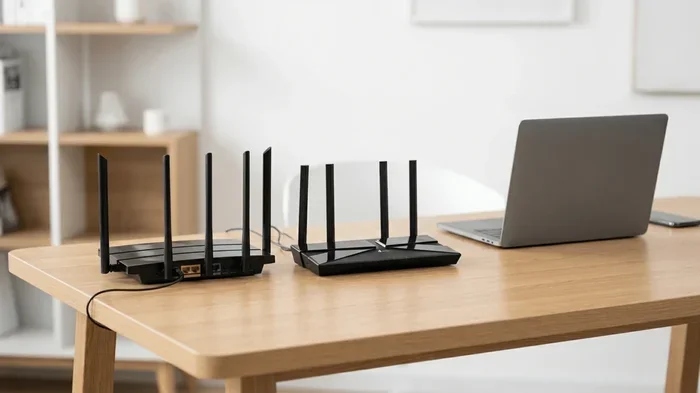
While most Wi Fi baby monitors are designed for easy setup, not every connection goes smoothly. Some routers have compatibility issues. Weak signal strength in certain parts of the house can cause lag or dropped connections. You may need to reposition your router or add a mesh network booster.
How to Choose the Right Wi Fi Baby Monitor
Not all wireless baby monitors are created equal. Here are the key factors to consider before you buy.
Video Quality
Look for at least 720p resolution, but 1080p is ideal. Higher resolution means a clearer picture, which matters when you are checking on your baby from another room or across the house.
Night Vision Capability
You will be checking on your baby mostly at night. A good infrared night vision feature lets you see clearly in complete darkness without disturbing your baby’s sleep. Some monitors even offer color night vision for a more natural look.
Two-Way Audio
This feature lets you talk to your baby through the monitor. It is incredibly helpful for soothing a fussy baby without walking into the room. Look for monitors with clear, noise-free audio for the best experience.
Motion and Sound Alerts
These alerts notify you when your baby moves, cries, or makes unusual sounds. Some advanced monitors track breathing patterns and send alerts if movement stops. These features can add an extra layer of safety to your parental monitoring routine.
Smart Home Compatibility
If you already use smart home devices, look for a monitor that works with Alexa, Google Assistant, or Apple HomeKit. This lets you integrate the monitor into your daily routine and check on your baby using simple voice commands.
App Experience
The companion app is just as important as the camera. A good app should be easy to navigate, load quickly, and send push notifications without delay. Read user reviews to see how real families experience the app before making a purchase.
Setting Up Your Wi Fi Baby Monitor
Setting up a Wi Fi baby monitor is usually straightforward, but a few tips can make the process smoother.
Step-by-Step Setup Guide
- Place your camera in the right spot. Set it up in your baby’s room, ideally at a height where it can see the entire crib. Keep it away from curtains or blinds that might block the lens.
- Connect to your Wi Fi network. Open the manufacturer’s app on your phone and follow the on-screen instructions. You will need your Wi Fi password and a strong signal in the baby’s room.
- Test the connection. Check the live feed to make sure the video and audio are working properly. Walk around your house to see if the signal stays strong in different rooms.
- Set up alerts and preferences. Adjust motion sensitivity, sound detection, and notification settings to match your needs.
- Secure your account. Use a strong, unique password and enable two-factor authentication if the app supports it.
Quick Tips for a Smooth Setup
- Make sure your router firmware is up to date before you start.
- Place your router close to the baby’s room for the best signal strength.
- If your signal is weak, consider a Wi-Fi extender or mesh network system.
- Change the default login credentials on your monitor right away.
- Test the monitor during both day and night to confirm night vision works properly.
Security and Privacy Tips for Wi-Fi Baby Monitors
Because a Wi Fi baby monitor connects to your internet, it is important to protect your family’s privacy. Follow these simple steps to keep your monitor safe.
- Use a strong password. Never use the default password. Create a unique password with a mix of letters, numbers, and symbols.
- Enable two-factor authentication. This adds an extra layer of protection to your monitor account.
- Keep firmware updated. Manufacturers release updates that fix security vulnerabilities. Check for updates regularly.
- Secure your home network. Use WPA3 encryption on your router if available. Change your router’s default admin password.
- Turn off features you do not use. If you do not need remote access, disable it when you are at home and within range.
- Use a separate network. Some routers let you create a guest network. Put your baby monitor on this separate network to keep it isolated from your main devices.
Taking these precautions does not take much time, but it makes a big difference in protecting your baby monitor privacy. A secure setup means you can enjoy all the benefits of a wireless baby monitor without worrying about unwanted access.
Wi-Fi Baby Monitors vs. Traditional Monitors
Still not sure if a Wi Fi baby monitor is right for you? Let us compare the two main types side by side.
| Feature | Wi-Fi Baby Monitor | Traditional Monitor |
|---|---|---|
| Connection Type | Uses home wireless network | Uses dedicated radio frequency |
| Remote Access | Yes, from anywhere with internet | No, limited to home range |
| Video Quality | HD and 2K options available | Usually standard definition |
| Smart Features | Alerts, app integration, smart home | Basic audio and video only |
| Setup Complexity | Moderate, app-based setup | Simple, plug and play |
| Internet Dependence | Yes, needs Wi-Fi to work | No, works without internet |
| Price Range | Mid to high range | Low to mid range |
| Privacy Risk | Higher, internet-connected | Lower, closed frequency |
As you can see, each type has its strengths. If remote access and smart features matter most to you, a Wi Fi connected baby monitor is the clear winner. If you want a simple, reliable device that works even during internet outages, a traditional monitor might be the better fit.
Many families choose to use both. They keep a traditional monitor as a backup and use the wireless baby monitor for daily convenience. This gives you the best of both worlds.
Final Thoughts: Are Wi-Fi Baby Monitors Worth It?
The answer depends on your needs, your home setup, and your comfort level with technology. If you want the freedom to check on your baby from anywhere, crystal-clear video, and smart alerts at your fingertips, a Wi Fi baby monitor is absolutely worth considering.
Just remember that with great convenience comes great responsibility. You need to secure your network, choose a trusted brand, and stay on top of updates. Do those things, and a wireless baby monitor can be one of the most useful tools in your parenting toolkit.
Take your time, compare your options, and pick the monitor that fits your lifestyle. Your peace of mind is worth every penny.
Frequently Asked Questions
Do all baby monitors connect to Wi Fi?
No, not all baby monitors connect to Wi Fi. Some traditional monitors use a dedicated radio frequency and come with a separate handheld receiver. However, most modern monitors are Wi Fi enabled and connect to your home network for remote access and smart features.
Can I use a Wi-Fi baby monitor without the internet?
Generally, no. A Wi Fi baby monitor needs an active internet connection to stream video and send alerts to your phone. If your internet goes down, the monitor will not work unless it has a backup mode or local connection option.
Is it safe to put a baby monitor on Wi Fi?
Yes, it is safe as long as you take proper security steps. Use a strong password, enable two-factor authentication, and keep your monitor’s firmware updated. Choosing a reputable brand also helps ensure your baby monitor privacy is protected.
How much internet data does a Wi-Fi baby monitor use?
A video baby monitor typically uses between 50 and 200 MB of data per day, depending on the video quality and how often the app sends alerts. HD monitors use more data than standard definition ones. If you have a limited data plan, keep this in mind.
Can multiple people view the baby monitor at the same time?
Yes, most Wi Fi baby monitors let you add multiple users through the companion app. Your partner, grandparents, or babysitter can all access the live feed at the same time from their own devices.
What should I do if my baby monitor keeps disconnecting from Wi Fi?
First, check your Wi-Fi signal strength in the baby’s room. If the signal is weak, try moving your router closer or adding a Wi-Fi extender. Also make sure your monitor’s firmware is up to date and that your router is not overloaded with too many connected devices.