Can You Modify Any Laptop
Can You Modify Any Laptop is an essential topic that provides valuable insights.
Key Takeaways
- Understanding Can You Modify Any Laptop: Provides essential knowledge
📑 Table of Contents
What Does It Mean to Modify a Laptop?
Modify any laptop means making changes to its hardware, software, or appearance. These changes can be small, like adding a sticker or swapping the keyboard. They can also be big, like installing a new processor or building a liquid cooling system for your device.
Laptop modification falls into three main categories:
- Performance upgrades — Adding more RAM, switching to an SSD, or improving cooling to boost speed.
- Aesthetic changes — Custom paint jobs, RGB lighting, or replacing the case panels.
- Functional mods — Adding new ports, changing the display, or installing custom firmware.
The best part is that you don’t need a degree in computer science to get started. Many laptop upgrades are simple enough for beginners. Others require more advanced skills. The key is knowing what’s possible and what’s risky before you open that laptop case.
Laptops You Can and Cannot Modify
Not all laptops are created equal when it comes to laptop hardware modification. The design of your laptop plays a huge role in what you can and cannot do. Let’s break this down.
Laptops That Are Easy to Modify
Some laptops are designed with user accessibility in mind. These models have easy-access panels, replaceable parts, and widely available components.
- Gaming laptops — Brands like Lenovo Legion, ASUS ROG, and MSI often have accessible internals. They usually feature upgradeable RAM, storage, and even GPUs.
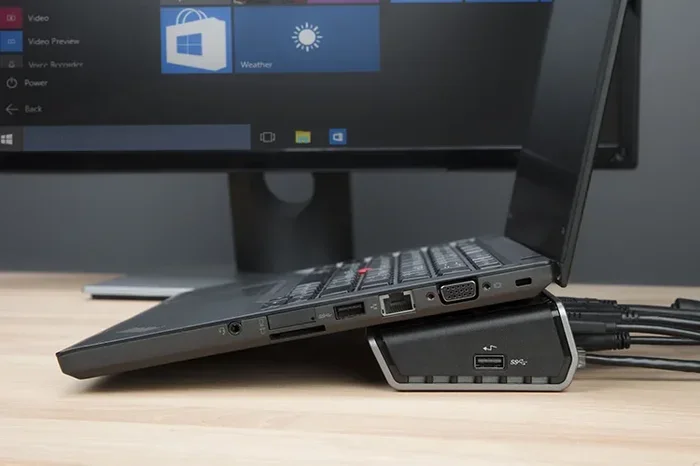
- Business laptops — Models like the ThinkPad series are built to be serviced. You can swap out batteries, RAM, and storage without much hassle.
- Older laptops — Older models often have standardized parts that are cheap and easy to find. Modify any laptop from 2015 or earlier is usually straightforward.
Laptops That Are Hard to Modify
Some modern laptops are built to be slim and sleek. Unfortunately, that often means they’re sealed shut.
- Ultrabooks — Thin laptops like the MacBook Air or Dell XPS have soldered components. Upgrading them is very difficult.
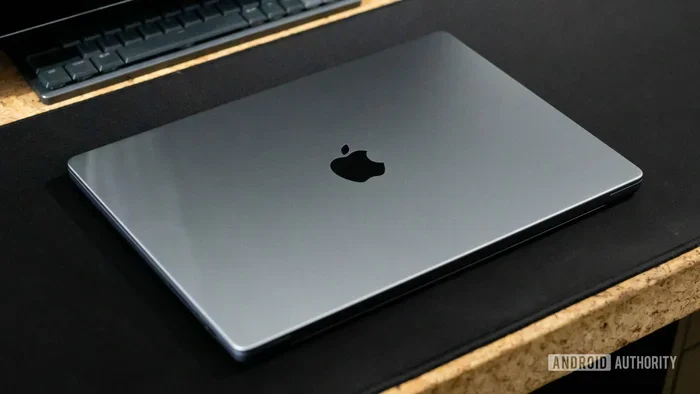
- MacBooks — Apple laptops have proprietary parts and limited user-serviceability. Laptop customization on a MacBook requires specialized tools and knowledge.
- Thin-and-light models — Many modern laptops sacrifice repairability for portability.
Popular Laptop Modifications You Can Try
If you’re ready to dive into DIY laptop mods, here are some of the most popular projects. These range from beginner-friendly to advanced.
1. Upgrade Your RAM
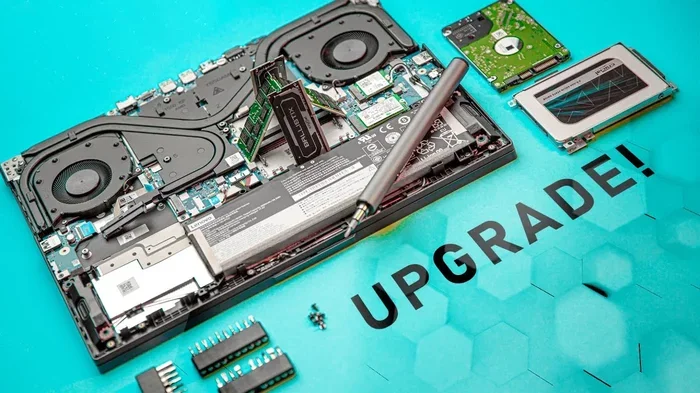
Adding more RAM is one of the easiest laptop performance boost methods. If your laptop feels slow when multitasking, more RAM can help.
- Check your laptop’s maximum supported RAM.
- Buy compatible DDR4 or DDR5 modules.
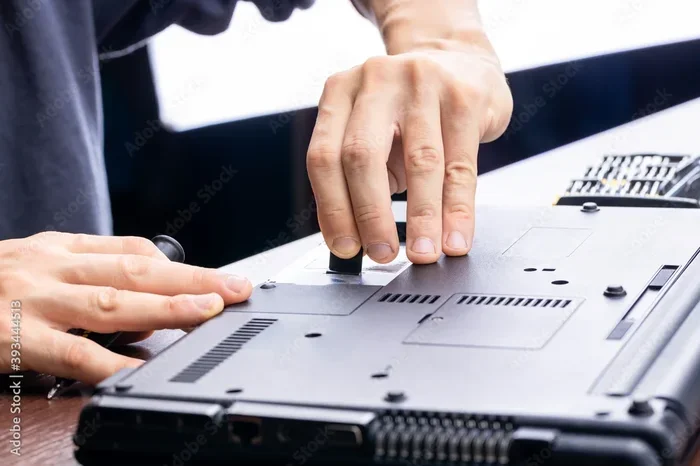
- Open the back panel, insert the new RAM, and secure it.
This simple laptop upgrade can make a noticeable difference in speed and responsiveness.
2. Swap to an SSD
Replacing an old hard drive with a solid-state drive is one of the best laptop hardware modification projects. SSDs are faster, quieter, and more reliable.
- Choose between a SATA SSD or an NVMe SSD based on your laptop’s support.
- Clone your existing drive or do a fresh install of your operating system.
- Enjoy faster boot times and snappier app loading.
3. Improve Laptop Cooling
Overheating is a common problem. Laptop cooling mod solutions can help keep your device running cool even under heavy loads.
- Repaste the CPU/GPU — Old thermal paste loses effectiveness over time. Replacing it can lower temperatures by 5-10 degrees.
- Add a cooling pad — External cooling pads are affordable and easy to use.
- Install custom fans — Some enthusiasts swap out factory fans for higher-performance options.
- Liquid cooling — Advanced users can set up a laptop liquid cooling system for serious thermal management.
4. Change the Keyboard or Trackpad
Want a better typing experience? You can often swap out the keyboard or trackpad on compatible laptops. Laptop keyboard swap projects are popular among mechanical keyboard enthusiasts.
5. Add RGB Lighting
Custom laptop build enthusiasts love adding RGB lighting. You can install LED strips under the display or around the chassis. Some even add addressable LEDs for custom light patterns. This is a fun and easy way to personalize your device.
6. Replace the Display
Upgrading your laptop screen is another option. You can swap a dull TN panel for a vibrant IPS display. Some users even install 4K screens for sharper visuals. Just make sure the new display is compatible with your laptop’s connector and mounting system.
How to Modify Your Laptop Safely
Modify any laptop comes with risks. You could damage components, void your warranty, or even cause electrical issues. Here’s how to stay safe while experimenting.
Before You Start
- Back up your data. Always save important files before opening your laptop.
- Check your warranty. Opening the case might void it. Know the terms before you proceed.
- Gather the right tools. You’ll need screwdrivers, spudgers, and anti-static wrist straps.
- Research your model. Watch teardown videos for your specific laptop. Know where every screw goes.
During the Modification
- Work on a clean surface. Avoid carpets and cluttered desks.
- Use anti-static precautions. Static electricity can fry sensitive components.
- Take your time. Rushing leads to mistakes. If a screw doesn’t come out easily, double-check your approach.
- Keep track of screws. Use a magnetic mat or a small container to organize them.
Quick Tips for Safe Modding
- Start with simple projects before attempting advanced mods.
- Never force parts into place — if it doesn’t fit, something is wrong.
- Test your laptop after each modification to catch problems early.
- Keep your laptop manual handy for reference.
Comparison: Modifying vs. Buying a New Laptop
One of the biggest questions is whether to modify your laptop or buy a new one. Here’s a quick comparison to help you decide.
| Factor | Modify Your Laptop | Buy a New Laptop |
|---|---|---|
| Cost | Usually cheaper for single upgrades | Full price for a new device |
| Customization | Highly personalized results | Limited to factory options |
| Time | Can take hours or days | Quick purchase, ready to use |
| Risk | Potential damage or voided warranty | Minimal risk with manufacturer warranty |
| Performance Gain | Targeted improvements (RAM, SSD, cooling) | Full system upgrade |
| Sustainability | Extends laptop lifespan, eco-friendly | Contributes to e-waste |
If your laptop is relatively recent and you just need a few improvements, laptop customization makes a lot of sense. If your device is old and outdated, buying new might be the smarter choice.
Common Mistakes When Modifying Laptops
Even experienced modders make mistakes. Here are some pitfalls to avoid when you try to modify any laptop.
Skipping Research
Every laptop model is different. What works for one might not work for another. Always research your specific model before buying parts or starting a project. Watch teardown videos and read forums for real-world advice.
Using Incompatible Parts
Not all RAM, SSDs, or coolers fit every laptop. Laptop modification requires precise compatibility checks. Always verify socket types, form factors, and voltage requirements before purchasing.
Ignoring Thermal Management
Some upgrades, like a faster GPU or more powerful CPU, generate more heat. If you don’t improve cooling at the same time, your laptop could overheat. Overclock laptop performance without proper thermal management is a recipe for disaster.
Being Too Aggressive with Disassembly
Laptop parts are delicate. Prying, pulling, or forcing components can cause irreversible damage. Use the right tools and be gentle. If something feels stuck, stop and reassess.
Forgetting to Test After Each Step
Don’t wait until everything is reassembled to test your laptop. Power on after each major step to make sure things work. This helps you isolate problems quickly.
Expert Insights on Laptop Modding
Professional modders and technicians share their thoughts on laptop hardware modification.
Start small and build confidence. According to veteran modders, the best way to learn is by doing. Begin with simple upgrades like RAM or storage. Once you’re comfortable, move on to more complex projects like cooling mods or display swaps.
Community is key. Online forums, Reddit groups, and YouTube channels dedicated to DIY laptop mods are invaluable resources. Learning from others’ mistakes saves you time and frustration.
Quality parts matter. Cheap components can cause problems. Invest in reputable brands for RAM, SSDs, thermal paste, and cooling solutions. A laptop performance boost depends on the quality of the parts you use.
Key Takeaways
- Not all laptops can be modified equally: Gaming and business laptops are easier to modify, while ultrabooks and MacBooks present more challenges.
- RAM and SSD upgrades are beginner-friendly: These are the safest and most effective ways to start laptop customization.
- Cooling modifications are essential for performance: Repasting, adding fans, or installing laptop liquid cooling can dramatically improve thermals.
- Safety should always come first: Back up data, check warranties, use proper tools, and work in a clean environment.
- Modifying is often cheaper than buying new: Targeted upgrades can extend your laptop’s life and save you money.
- Research is critical before every project: Always verify compatibility and watch model-specific teardown guides.
- Start with simple mods and grow your skills: Build confidence with basic upgrades before tackling advanced DIY laptop mods.
Conclusion
So, can you modify any laptop? The answer is yes — but with some important caveats. The extent of modification depends on your laptop model, your budget, and your comfort level with hardware. Whether you’re adding more RAM, upgrading to an SSD, improving cooling, or building a fully custom laptop build, the possibilities are wide open.
Laptop customization is a rewarding hobby that can breathe new life into an aging device. It saves money, reduces e-waste, and gives you a machine tailored exactly to your needs. Just remember to take it step by step, stay safe, and enjoy the process.
Now grab your screwdriver, do your research, and start modifying your laptop today. Your dream setup is closer than you think!
Frequently Asked Questions
Can I modify any laptop model?
Not all laptops are equally easy to modify. Gaming laptops and business models like ThinkPads are usually designed for upgrades. Ultrabooks and MacBooks are more challenging due to sealed designs and proprietary parts. Always check your specific model before starting a modification project.
What is the easiest laptop modification for beginners?
The easiest DIY laptop mods for beginners are upgrading RAM and swapping to an SSD. These projects require minimal tools, are relatively safe, and deliver significant laptop performance boost. Most can be completed in under 30 minutes with basic screwdrivers.
Will modifying my laptop void the warranty?
It depends on the manufacturer. Many brands void the warranty if you open the case or replace internal components. Always check your warranty terms before making any laptop hardware modification. Some manufacturers, like Lenovo, offer user-serviceable designs that don’t affect warranty.
How can I improve my laptop’s cooling for better performance?
You can improve cooling by repasting the CPU and GPU with high-quality thermal paste, using an external cooling pad, or installing better internal fans. Advanced users can explore laptop liquid cooling solutions. These laptop cooling mods help prevent thermal throttling and boost sustained performance.
Is it worth modifying an old laptop?
Yes, modifying an older laptop can be very worthwhile. Simple laptop upgrades like adding RAM, switching to an SSD, or improving cooling can make an old device feel brand new. This is a cost-effective alternative to buying a new machine and helps reduce e-waste.
Can I overclock my laptop after modifying it?
Yes, you can overclock a laptop after modifying it, especially if you’ve improved cooling. However, overclocking generates more heat and can strain components. Make sure your cooling solution is robust before attempting it. Always monitor temperatures and stability during and after laptop performance boost attempts.