Does Aruba Have Wi Fi Here Is What Travelers Need to Know
Does Aruba have Wi Fi? Yes, Wi Fi is widely available across Aruba in hotels, resorts, restaurants, and public areas. Most travelers can stay connected throughout the island, though speed and coverage vary depending on location and provider. Understanding your options helps you avoid frustration and keeps you online during your Caribbean getaway.
Planning a trip to Aruba and wondering about staying connected? The good news is that Wi Fi in Aruba is widely available and continues to improve every year. Whether you are lounging on Eagle Beach, exploring the historic streets of Oranjestad, or relaxing at a luxury resort, you will find wireless internet options that keep you plugged in.
But here is the thing. Not all Wi Fi in Aruba is created equal. Some connections are blazing fast, while others leave you staring at a loading screen. Understanding what to expect, where to find the best access, and how to troubleshoot common problems makes a huge difference. This guide covers everything you need to know about internet access in Aruba so you can travel with confidence.
From five-star resorts to local food trucks, Aruba offers a range of wireless internet options for every type of traveler. Whether you are a digital nomad who needs reliable work connectivity or a casual tourist who just wants to share sunset photos, this article has you covered.
Key Takeaways
- Wi Fi is available almost everywhere in Aruba, from luxury resorts to local cafes and public beaches.
- Hotel and resort Wi Fi is generally reliable, but free plans may have speed limits or data caps.
- Portable Wi Fi devices are a great backup option for travelers who need consistent connectivity on the go.
- Public Wi Fi spots are growing in Oranjestad, Palm Beach, and Eagle Beach areas.
- VPN usage is recommended when connecting to public networks for security and privacy.
- Mobile data plans from local carriers offer a strong alternative to Wi Fi for many travelers.
- Checking your Wi Fi password in device settings can save time when connecting to new networks.
📑 Table of Contents
Wi Fi Availability Across Aruba
Aruba has invested heavily in expanding its telecommunications infrastructure over the past decade. Today, the island offers solid wireless internet coverage in most populated areas. You will find Wi Fi in hotels, restaurants, shopping centers, and even some beachfront locations. The question is not really whether Aruba has Wi Fi, but rather where you will find the best connections.
Hotels and Resorts
The vast majority of hotels and resorts in Aruba provide complimentary Wi Fi to their guests. High-end properties like those along Palm Beach and Eagle Beach typically offer fast and reliable connections. Budget-friendly guesthouses and smaller boutique hotels also provide internet access, though the speeds may vary.
Here is what you should know about resort Wi Fi in Aruba:
- Free Wi Fi is standard at most hotels, but premium packages with faster speeds sometimes cost extra.
- Bandwidth is often shared among all guests in the property, so speeds drop during peak hours.
- Some resorts throttle streaming to manage network traffic, which can frustrate movie lovers.
- Lobby and pool areas usually have the strongest signal, while rooms further from the main building may experience weaker coverage.
Public Spaces and Beaches
Public Wi Fi in Aruba is becoming more common, especially in tourist-heavy areas. Oranjestad, the capital city, has several free Wi Fi hotspots in parks, plazas, and government buildings. Palm Beach, the main tourist strip, also offers connections at many restaurants and beach bars.
However, do not expect every beach to have Wi Fi. Some of the more remote beaches on the island may have limited or no coverage at all. If you plan to spend the day at a secluded spot, consider bringing a portable Wi Fi device as a backup option.
Cruise Port and Commercial Areas
The cruise port area in Oranjestad is well equipped with Wi Fi. Many shops, cafés, and tour operators offer free connections to visitors. The commercial district near the waterfront is one of the best places to find reliable wireless internet on the island. If you are docking briefly or spending a day ashore, these areas will keep you connected.
Internet Speed and Quality in Aruba
Speed is where things get interesting. Aruba’s internet infrastructure has improved significantly, but it still lags behind major cities in North America and Europe. Understanding what speeds you can realistically expect helps you plan your online activities accordingly.
What to Expect
Most hotel Wi Fi connections in Aruba deliver speeds between 5 and 25 Mbps for the average user. This is enough for browsing, checking email, and light social media use. However, video calls and 4K streaming may struggle on free plans, especially during busy periods when multiple guests are sharing the same network.
Here is a general breakdown of what you can expect from different types of connections:
- Luxury resort Wi Fi: 20 to 50 Mbps, usually stable and suitable for most activities.
- Mid-range hotel Wi Fi: 10 to 25 Mbps, good for everyday use but may slow down in the evenings.
- Free public Wi Fi: 2 to 10 Mbps, sufficient for browsing and messaging but not ideal for heavy downloads.
- Mobile data connections: 10 to 40 Mbps depending on your carrier and location.
Factors That Affect Connection Quality
Several factors influence the quality of your internet experience in Aruba. The time of day matters a lot. Networks get congested during peak hours, typically between 7 PM and 10 PM when most guests are back at their hotels. The physical location also plays a role. Walls, distance from the router, and even weather conditions can weaken your signal.
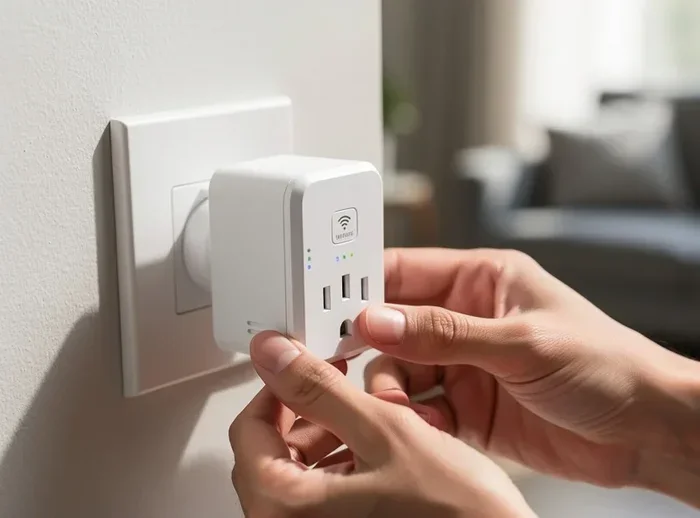
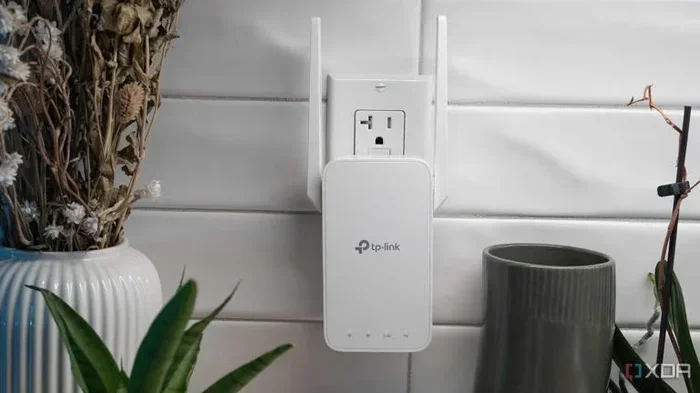
If you need a strong and stable connection for work, consider positioning yourself near a window or in a common area. For those who rely on consistent internet, a Wi Fi signal booster can make a noticeable difference, especially in older buildings or remote rental properties.
Staying Connected Outside Your Hotel
Not every moment of your Aruba vacation will happen inside your hotel room. Exploring the island, dining at local restaurants, and enjoying beach time all require connectivity on the move. Knowing where to find Wi Fi outside your accommodation helps you stay productive and entertained throughout your trip.
Free Wi Fi Hotspots
Aruba has a growing number of free Wi Fi hotspots in its main tourist areas. The following locations commonly offer free wireless internet:
- Restaurants and cafés in Oranjestad and Palm Beach
- Shopping malls like Plaza Mayor and Paseo Herencia
- Some public parks and beachfront promenades
- Tourist information centers and government offices
- Airport lounges and terminal areas
Keep in mind that free hotspots often come with limitations. Speeds may be slower, time limits may apply, and you may need to create an account or accept terms before connecting. Always have a backup plan, especially if you depend on the internet for work or navigation.
Mobile Data and SIM Cards
Another solid option for staying connected in Aruba is purchasing a local SIM card. Providers like SETAR and Digicel offer prepaid data plans that give you fast and reliable internet without relying on hotel networks. A local SIM card can be purchased at the airport or at retail stores throughout the island.
Mobile data is especially useful if you plan to explore areas where Wi Fi coverage is weak or nonexistent. It also gives you more privacy than public networks. For most travelers, a combination of hotel Wi Fi and mobile data provides the best coverage strategy.
Using a Portable Hotspot
If you travel frequently or need guaranteed connectivity, a portable hotspot device is worth considering. These compact devices create your own private Wi Fi network using cellular data, giving you reliable internet anywhere there is cell coverage. You can find more details about portable options in our guide on getting portable Wi Fi.
Portable hotspots are especially helpful for digital nomads, families traveling with multiple devices, and anyone who needs a secure connection for sensitive tasks like online banking.
Tips for Getting the Best Wi Fi in Aruba
Getting the most out of your internet experience in Aruba is not complicated. A few simple strategies can dramatically improve your connectivity and save you from frustration. Here are practical tips that real travelers swear by.
Connect to the Right Network
When you arrive at your hotel or resort, ask the front desk for the exact network name and password. Some properties use multiple networks for guests and staff, and connecting to the wrong one can cause slow speeds or connection issues. If you ever forget the password, you can usually find it saved in your device settings under the list of previously connected networks.
Forgetting a password is easy when you are juggling multiple networks across different hotels. If you need help retrieving a saved password, check out our guide on finding your Wi Fi password in settings.
Manage Your Data Usage
Even though many hotels offer unlimited Wi Fi, some plans restrict certain activities. Streaming services, video calls, and large file downloads may be slowed or blocked on free tiers. If you need to work remotely, consider upgrading to a premium internet package at your hotel or using mobile data as your primary connection.
Here are some quick tips for managing your data usage while traveling:
- Download maps and important documents before you leave your hotel
- Use offline modes for music and navigation apps
- Schedule large uploads and downloads during off-peak hours
- Turn off automatic app updates while on Wi Fi
- Use data-saving modes in your browser and apps
Optimize Your Device Settings
Your device settings can have a big impact on your Wi Fi experience. Make sure your phone or laptop is set to automatically connect to available networks. Disable auto-join for networks you do not recognize, as this can slow down your connection and pose security risks. Also, keep your device software updated, as updates often include improvements to wireless connectivity.
If you are spending a lot of time outdoors, a signal booster can help you maintain a stable connection. You can learn more about boosting your signal in our article on boosting your Wi Fi signal outside.
Common Mistakes Travelers Make
Many travelers run into Wi Fi problems in Aruba because of simple mistakes. Here are the most common ones to avoid:
- Assuming all Wi Fi is free. Some restaurants and cafés charge a fee for internet access. Always ask before you sit down.
- Not testing the connection early. If you experience issues, report them to hotel staff on your first day so they have time to resolve the problem.
- Connecting to open networks without protection. Always use a VPN when connecting to public Wi Fi to protect your personal data.
- Relying on one connection only. Having both hotel Wi Fi and mobile data ensures you are never left without internet.
- Ignoring time-of-day differences. Evening hours are the busiest for hotel networks. Schedule bandwidth-heavy tasks for the morning if possible.
Is Wi Fi in Aruba Safe to Use
Security is a real concern when using wireless internet, especially on public networks. Aruba is generally a safe destination for internet use, but taking precautions protects your personal information and keeps your devices secure.
Using a VPN
A virtual private network, or VPN, encrypts your internet traffic and hides your online activity from potential snoopers. This is especially important when you connect to public Wi Fi at cafés, airports, or hotels. A reliable VPN adds a layer of security that gives you peace of mind while traveling.
Avoiding Phishing and Scams
Public networks can expose you to phishing attacks and fake login pages. Always verify the network name with staff before connecting. Avoid entering sensitive information like banking credentials on public Wi Fi unless you are using a VPN. Stick to HTTPS websites, and consider using a password manager to avoid typing passwords on shared networks.
Keeping Your Devices Updated
Software updates often include security patches that protect against known vulnerabilities. Before your trip to Aruba, make sure your phone, laptop, and tablet are fully updated. This simple step reduces the risk of falling victim to cyber threats while traveling.
How Aruba Compares to Other Caribbean Destinations
How does Aruba stack up against other Caribbean islands when it comes to internet access? Generally, Aruba performs better than many of its neighbors. The island has a well developed telecommunications infrastructure supported by multiple providers. Compared to smaller or more remote Caribbean destinations, travelers in Aruba can expect faster and more reliable connections.
That said, Aruba is not the top performer in the Caribbean. Islands like Barbados and the Bahamas have invested heavily in fiber optic networks and offer faster average speeds. However, for most travelers, Aruba’s internet is more than sufficient for everyday use, streaming, and remote work.
Final Thoughts
So, does Aruba have Wi Fi? Absolutely. The island offers solid wireless internet coverage across most tourist areas, hotels, and public spaces. Whether you are staying at a luxury resort or a budget-friendly guesthouse, you will find options to keep you connected. The key is knowing what to expect and planning ahead so you are never caught off guard.
Bring a portable hotspot as a backup, use a VPN on public networks, and take advantage of local SIM cards for reliable mobile data. With the right preparation, staying connected in Aruba is easy and stress free. Enjoy your trip to this beautiful island and stay online without worry.
Frequently Asked Questions
Is Wi Fi free in Aruba hotels?
Most hotels in Aruba offer complimentary Wi Fi to their guests. However, some upscale resorts charge extra for premium internet packages that provide faster speeds and unlimited data. Always check with your hotel before booking if reliable internet is important to you.
How fast is the internet in Aruba?
Internet speeds in Aruba vary depending on the location and provider. Hotel connections typically range from 10 to 50 Mbps, while public hotspots offer 2 to 10 Mbps. Mobile data speeds can reach up to 40 Mbps in areas with good cellular coverage.
Can I work remotely from Aruba with the current Wi Fi?
Yes, many digital nomads work remotely from Aruba. Hotel Wi Fi and mobile data plans are generally sufficient for video calls, email, and cloud-based work. For the most reliable experience, consider using a portable hotspot or a local SIM card with a data plan.
Do I need a VPN in Aruba?
Using a VPN is highly recommended when connecting to public Wi Fi in Aruba. It encrypts your data and protects your privacy, especially on open networks found in restaurants, airports, and cafes. A VPN adds an essential layer of security while traveling.
What mobile carriers work best in Aruba?
SETAR and Digicel are the two main carriers in Aruba. Both offer prepaid SIM cards and data plans at the airport and retail locations. SETAR is the local provider and often has the widest coverage, while Digicel offers competitive pricing and good speeds.
Are there Wi Fi dead zones in Aruba?
Yes, some remote beaches and rural areas on the island have limited or no Wi Fi coverage. The northern and northeastern coasts can be particularly spotty. If you plan to explore off the beaten path, bring a mobile data plan or a portable hotspot to stay connected.
=== CONCLUSION ===
Does Aruba have Wi Fi? Yes, and the island offers travelers plenty of options to stay connected throughout their visit. From hotel networks to public hotspots and mobile data, you have multiple paths to reliable internet access. The key is planning ahead, managing your expectations, and using the right tools for your needs.
Aruba’s wireless internet infrastructure continues to grow, making it easier than ever to share your adventures in real time. Whether you are checking emails from a beachside café or video calling family from your resort room, you can count on solid connectivity across most of the island.
Pack smart, stay secure, and enjoy everything Aruba has to offer. With the tips in this guide, you will be fully prepared to navigate the island’s internet landscape like a pro. Happy travels and stay connected!