Can I Use USB Port To Charge My Phone Without Any Risk
Yes, you can use a USB port to charge your phone, but understanding the risks and differences in power output is essential. Not all USB ports deliver the same wattage, which affects charging speed and phone battery health. This guide covers everything you need to know about USB charging safety, speed comparisons, and best practices.
Have you ever been stuck in a hotel room, airport lounge, or office and wondered if you could just plug your phone into a USB port and get it charged up? The answer is yes, but there is more to it than just plugging in and walking away. Using a USB port to charge your phone is convenient, but not all ports are created equal. Some will juice up your battery quickly, while others will barely make a dent. In this article, we will walk you through everything you need to know about USB phone charging, including safety tips, speed differences, and how to avoid common mistakes that could damage your device.
Whether you are traveling for work, stuck at a co-working space, or just trying to declutter your desk, understanding how USB charging works can save you time and protect your phone. We will break down the different types of USB ports, compare their power output, and share practical advice so you can charge your phone with confidence. Let us dive in.
Key Takeaways
- USB ports can safely charge phones: Most standard USB ports deliver enough power for a full charge, but speed varies.
- Power output matters: USB 2.0 ports provide around 2.5W, while USB 3.0 and USB-C ports can deliver significantly more.
- Using the wrong cable or port can slow charging: Cheap or damaged cables reduce efficiency and may pose safety risks.
- Fast charging depends on the port and adapter: Look for USB-C with Power Delivery or USB ports rated for higher wattage.
- Protect your phone battery: Avoid charging from low-power ports for extended periods and unplug once fully charged.
📑 Table of Contents
- What Is a USB Port and How Does It Charge Your Phone?
- Can You Safely Charge Your Phone Through a USB Port?
- How Fast Can You Charge With a USB Port?
- Common Risks of Charging Your Phone Through a USB Port
- Best Practices for Safe USB Phone Charging
- USB Charging vs. Wall Charger: Which Is Better?
- Final Thoughts
What Is a USB Port and How Does It Charge Your Phone?
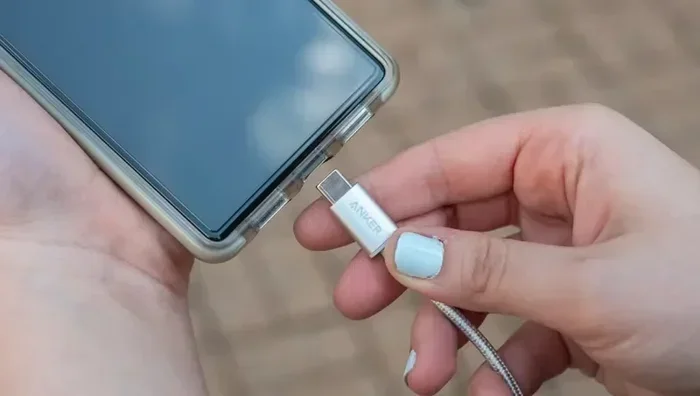
A USB port is a standard connection found on computers, laptops, wall adapters, power banks, and even some televisions. It was originally designed to transfer data, but it also delivers electrical power to charge devices. When you connect your phone to a USB port using a cable, electricity flows from the port into your phone’s battery. The speed and safety of this process depend on several factors, including the type of USB port, the cable quality, and the power source behind it.
Most modern smartphones use USB-C or Lightning connectors. Both can draw power from a USB port, but the amount of power they receive varies. A standard USB 2.0 port typically delivers about 2.5 watts of power. A USB 3.0 port can provide up to 4.5 watts. And a USB-C port with Power Delivery support can push 60 watts or more. This wide range means that where you plug in your phone matters a lot more than you might think.
Types of USB Ports You Will Encounter
Not all USB ports look the same, and they do not deliver the same amount of power. Here is a quick breakdown of the most common types you will find:
- USB Type-A: The classic rectangular port found on computers, wall chargers, and power strips. It usually provides 2.5W to 7.5W depending on the version.
- USB Type-B: Less common for phones. Typically found on printers and older devices.
- USB Type-C: The modern, reversible port found on most new Android phones and many laptops. It supports higher power delivery and faster charging.
- USB-C with Power Delivery (PD): The fastest option, capable of delivering up to 100W depending on the charger and device.
When you are choosing where to plug in, always check what type of port is available. A USB-C port will almost always charge your phone faster than a traditional USB-A port. If you want to learn more about how different charging setups compare, check out our guide on alternatives to traditional cable setups that can help you simplify your home tech.
Can You Safely Charge Your Phone Through a USB Port?
The short answer is yes. Charging your phone through a USB port is generally safe. Modern smartphones have built-in charging management chips that regulate the flow of electricity. These chips prevent overcharging, overheating, and short circuits. However, “generally safe” does not mean “risk-free.” There are situations where USB charging can cause problems if you are not careful.
Understanding Power Output and Your Phone’s Needs
Every phone has a specific charging requirement. Most modern phones need at least 5 watts to charge at a reasonable speed. Some fast-charging phones require 18W, 25W, or even higher to reach full speed. If you plug your phone into a low-power USB port, it will still charge, but it will take much longer. In some cases, the phone may barely charge at all if it is using power for other tasks like screen refresh or background apps.
Here is something many people do not realize. When you connect your phone to a computer’s USB port, the port may not provide enough power to charge the phone while you are using it. You might notice your phone actually losing battery instead of gaining it. This happens because the computer’s USB port is splitting power between data transfer and charging, and the charging side often loses out.
Safety Features Built Into Your Phone
Your phone is smarter than you might give it credit for. Inside every modern smartphone is a small circuit board that manages battery charging safely. This board handles several important tasks:
- Regulating voltage and current to match what your battery can handle
- Stopping the charge when the battery reaches 100%
- Monitoring temperature to prevent overheating
- Detecting faulty cables or power sources and shutting down if needed
These safety features mean that using a standard USB port to charge your phone is unlikely to cause damage under normal conditions. But using a damaged cable, a faulty port, or a low-quality adapter can bypass some of these protections. That is why it is always best to use certified cables and chargers from reputable brands.
How Fast Can You Charge With a USB Port?
Charging speed is one of the biggest concerns people have about USB port charging. The truth is, it varies widely depending on the port type, the cable, and the power source. Let us look at what you can expect from different setups.
USB 2.0 Charging Speed
A standard USB 2.0 port delivers about 2.5 watts of power. At this rate, charging a phone with a 3,000mAh battery would take roughly 4 to 5 hours. This is fine if you are just topping up your battery overnight, but it is not ideal if you need a quick boost during the day.
USB 3.0 Charging Speed
USB 3.0 ports provide up to 4.5 watts. This is a noticeable improvement over USB 2.0 and can charge your phone about 30 to 40 percent faster. Many modern laptops and desktop computers now include USB 3.0 or USB 3.1 ports, so you may already have a faster option available.
USB-C with Power Delivery
USB-C with Power Delivery is the gold standard for fast USB charging. These ports can deliver 18W, 30W, 60W, or more depending on the charger and the phone’s capabilities. With a compatible USB-C cable, you can charge most smartphones from zero to 50 percent in about 30 minutes. This makes USB-C the best option for quick phone charging on the go.
Comparison Table: USB Charging Speeds
| USB Type | Typical Power Output | Estimated Charge Time (0-100%) | Best For |
|---|---|---|---|
| USB 2.0 | 2.5W | 4-5 hours | Overnight charging |
| USB 3.0 | 4.5W | 3-4 hours | Desktop charging |
| USB-C (standard) | 10-18W | 1.5-2.5 hours | Fast daily charging |
| USB-C with PD | 18-60W | 30 min – 1.5 hours | Quick top-ups and travel |
As you can see, the type of USB port makes a huge difference. If speed matters to you, always look for a USB-C port with Power Delivery. It is the single best way to charge your phone quickly and safely through a USB connection.
Common Risks of Charging Your Phone Through a USB Port
While USB charging is generally safe, there are some real risks you should be aware of. Understanding these risks will help you make smarter choices about how and where you charge your phone.
Slow Charging and Battery Drain
The most common issue with USB port charging is slow speeds. If you plug your phone into a laptop or a low-power wall adapter, the charging might be so slow that your phone actually loses battery while you use it. This is frustrating and can catch you off guard if you are relying on the charge.
Using Cheap or Damaged Cables
Not all USB cables are created equal. Cheap, unbranded cables may not have the proper wiring to deliver consistent power. Worse, they might lack the safety features needed to protect your phone. A damaged cable can cause inconsistent charging, overheating, or even short circuits. Always inspect your cables before use and replace them if you notice fraying or exposed wires.
Overheating Concerns
Some USB ports deliver more power than your phone can safely handle, especially if you are using a port that is not designed for charging. Overheating is a real concern, though modern phones usually manage this well. If your phone feels unusually hot while charging, unplug it immediately and let it cool down. Persistent overheating can reduce your battery lifespan over time.
Data Port vs. Charging Port
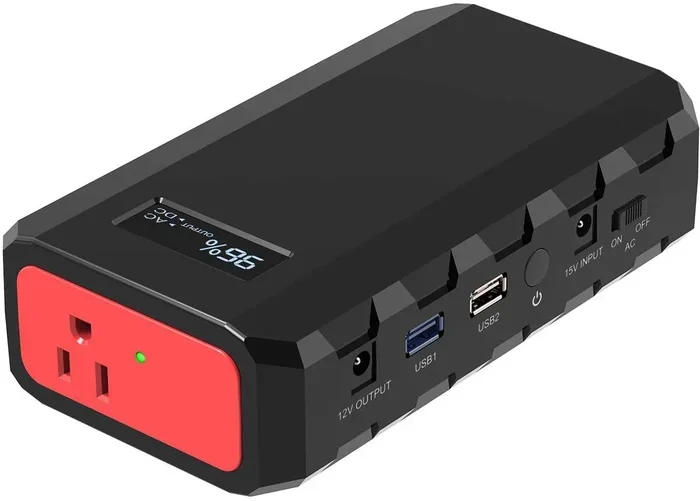
Here is an important distinction. Many USB ports on computers and public kiosks are primarily designed for data transfer, not charging. These ports may limit the power output to protect connected devices. If you have ever plugged your phone into a public USB charging station and noticed it charging very slowly, this is likely why. Some public ports also pose security risks, as they can potentially be used to access your phone’s data. This is why many experts recommend carrying your own portable power bank instead of relying on public USB ports.
Best Practices for Safe USB Phone Charging
Now that you understand the basics, here are some practical tips to help you charge your phone safely and efficiently through a USB port.
1. Use Quality Cables and Adapters
This is the single most important tip. Invest in certified USB cables from trusted brands. Look for cables that are USB-IF certified or MFi certified for Apple devices. These cables meet strict safety and performance standards and will protect your phone during charging.
2. Check the Port’s Power Rating
Before plugging in, try to find out how much power the USB port can deliver. Most ports list their output on the device or in the manual. If you are unsure, a USB-C port with Power Delivery is always a safe bet for fast and reliable charging.
3. Unplug Once Fully Charged
While modern phones stop drawing power once they reach 100%, it is still a good habit to unplug them. Leaving your phone connected to a USB port for hours after it is full can put unnecessary stress on the battery and reduce its overall lifespan over time.
4. Avoid Charging in Extreme Temperatures
Heat is the enemy of lithium-ion batteries. Do not charge your phone in direct sunlight or near heat sources. If your phone feels warm while charging, take it out of its case and let air circulate around it.
5. Keep Your Charging Port Clean
Dust and lint can accumulate in your phone’s charging port over time. This can cause poor connectivity, slow charging, or even prevent charging altogether. Use a soft brush or compressed air to gently clean the port every few weeks.
Quick Tips for On-the-Go Charging
- Carry a compact USB-C power bank for emergency charges
- Keep a spare cable in your bag or car
- Use a wall adapter with USB ports for faster home charging
- Enable battery saver mode while charging to speed up the process
- Turn off your phone or use airplane mode for the fastest charge
USB Charging vs. Wall Charger: Which Is Better?
It is a common question: should you charge your phone through a USB port or use a traditional wall charger? Both methods have their pros and cons, and the best choice depends on your situation.
A wall charger plugged directly into an outlet typically delivers the most consistent and fastest power. It is dedicated to charging and does not share power with other tasks. A USB port, on the other hand, is more convenient when you are already near a computer or using a multi-port charger. For everyday use at home or in the office, a wall charger is usually the faster option. But for travel, work, or shared spaces, USB charging is incredibly handy.
The key is to match your charging method to your needs. If you need a quick charge, use a wall charger or a USB-C port with Power Delivery. If you need a slow, steady top-up while working, a standard USB port will do the job just fine.
Final Thoughts
So, can you use a USB port to charge your phone without any risk? The answer is a confident yes, as long as you follow a few simple guidelines. Use quality cables, check the port’s power output, and avoid public charging stations when possible. Your phone’s built-in safety features will handle most of the heavy lifting, but you still play an important role in keeping your device safe and healthy.
USB charging is one of the most convenient and widely available ways to keep your phone powered up throughout the day. Whether you are at your desk, in a hotel room, or on a long flight, knowing how to charge safely through a USB port gives you peace of mind. Take care of your cables, be mindful of power output, and your phone battery will thank you for years to come. For more tips on simplifying your tech setup and exploring better connectivity options, you can explore our guide on alternatives to traditional cable setups that might help you streamline your entire home or office technology experience. Also, learn more about modern charging alternatives that can complement your USB charging routine and keep all your devices powered efficiently.
Remember, a little knowledge goes a long way when it comes to protecting your devices. Charge smart, charge safe, and never worry about running out of battery again.
Frequently Asked Questions
Is it safe to charge my phone using a public USB port?
Public USB ports can be convenient, but they come with some risks. They may charge slowly due to limited power output, and in rare cases, they can pose data security threats. To stay safe, use a data blocker adapter or carry your own portable charger whenever possible.
Will charging my phone through a USB port damage the battery?
No, charging through a USB port will not damage your battery if you use a good quality cable and a reliable power source. However, using cheap or damaged cables, or leaving your phone plugged in for extremely long periods, can reduce battery health over time.
How long does it take to charge a phone using a USB port?
It depends on the USB port type and your phone’s battery size. A USB 2.0 port may take 4 to 5 hours for a full charge, while a USB-C port with Power Delivery can charge your phone to 50 percent in about 30 minutes. Always check the port’s power rating for the best estimate.
Can I charge my iPhone using a USB port on my computer?
Yes, you can charge an iPhone using a USB port on a computer. However, the charging speed may be slower than using a wall charger, especially if you are using the phone while it charges. A USB 3.0 port or a USB-C port will charge faster than a USB 2.0 port.
What is the difference between USB 2.0 and USB-C for charging?
USB 2.0 ports typically deliver around 2.5 watts of power, which is slow for modern phones. USB-C ports, especially those with Power Delivery, can deliver 18 watts or more, enabling much faster charging speeds and more efficient power transfer.
Do I need a special cable to charge my phone via USB?
You do not need a special cable, but using a high-quality, certified cable makes a big difference. Look for cables that are USB-IF certified or MFi certified for Apple devices. These cables ensure safe and efficient power delivery to your phone.
=== CONCLUSION ===
Using a USB port to charge your phone is safe, convenient, and widely available. The key is understanding the different port types, their power outputs, and following a few simple best practices. By choosing the right cable, checking the port’s capabilities, and taking care of your battery, you can charge your phone confidently anywhere you go. Keep these tips in mind, and you will never have to worry about a dead battery again.