Can I Stream Netflix At Hilton Hotels Without Worries
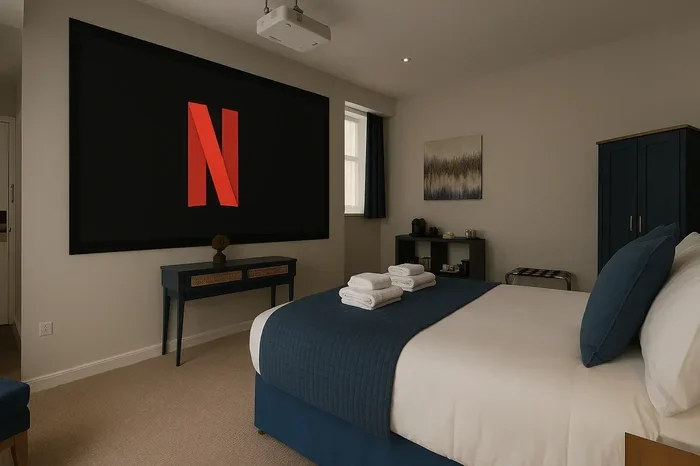
Yes, you can stream Netflix at Hilton hotels, but your experience depends on the hotel’s WiFi network, room type, and connection speed. This guide walks you through every step to watch Netflix smoothly during your Hilton stay, from logging into the WiFi to troubleshooting common streaming issues. You will learn how to binge your favorite shows without buffering and avoid the mistakes that ruin hotel streaming.
Key Takeaways
- Netflix works at Hilton hotels: You can access your Netflix account on Hilton WiFi with the right setup.
- Hilton Honors members get better WiFi: Elite status often means faster and more reliable connections.
- Login is simple: The Hilton WiFi portal makes it easy to connect your devices and start streaming.
- Streaming quality varies: Room location, network traffic, and hotel tier affect your Netflix playback quality.
- Use these tips to avoid problems: Simple fixes like clearing your browser cache can solve most streaming issues.
- Bring the right gear: A mobile hotspot or Ethernet adapter can boost your streaming experience.
- Know the limitations: Some Hilton properties have stricter internet policies that may affect streaming.
📑 Table of Contents
- Can I Stream Netflix At Hilton Hotels?
- How Hilton WiFi Works for Guests
- Streaming Netflix at Hilton: Step-by-Step Guide
- Common Problems When You Try to Watch Netflix at Hilton
- Quick Tips for Better Netflix Streaming at Hilton
- Hilton Hotel Internet: What to Expect by Property Type
- Can I Use a VPN to Stream Netflix at Hilton?
- Expert Tips from Frequent Hilton Guests
- Netflix Travel Tips for Hilton Guests
- Final Thoughts on Streaming Netflix at Hilton
Can I Stream Netflix At Hilton Hotels?
You just checked into your Hilton room. You drop your bags on the bed. The first thing you want to do is open Netflix and relax. But then you pause. Will the Hilton WiFi even let you stream?
The short answer is yes. You can stream Netflix at Hilton hotels. But the full answer is a bit more nuanced. Your streaming experience depends on several factors. These include the hotel location, the WiFi plan you are on, and the time of day.
This guide covers everything you need to know. You will learn how Hilton WiFi works. You will find step-by-step instructions for getting Netflix up and running. And you will discover tips to make your streaming smooth and buffer-free. Let us dive in.
Why Streaming Netflix in Hotel Rooms Matters
Traveling can be tiring. After a long flight or road trip, you want to unwind. Netflix is a go-to for millions of travelers. It helps you feel at home even when you are far away. A good hotel WiFi connection makes all the difference.
Unfortunately, hotel internet is not always reliable. Some connections are too slow. Others block certain websites. This is why knowing how to stream Netflix at Hilton ahead of time saves you frustration. You can walk into your room prepared and ready to relax.
How Hilton WiFi Works for Guests
Hilton hotels offer WiFi to all guests. The quality and speed depend on the property type. A Hilton Garden Inn has different internet capabilities than a Hilton Grand Vacations resort. Understanding how the system works helps you set realistic expectations.
The Hilton WiFi Login Process
Connecting to Hilton WiFi is straightforward. When you open your device, a login page usually appears. This is called the captive portal. You need to enter your room number and last name. Or you can use your Hilton Honors account details.
Once you log in, you can browse the web. You can check email. And yes, you can open Netflix. The portal gives you access to the hotel network. From there, streaming works just like it does at home.
Hilton Honors WiFi Benefits
If you are a Hilton Honors member, you get extra perks. Members at certain tiers enjoy better WiFi speeds. Elite members often get priority access to the network. This means less congestion during peak hours.
For streaming Netflix, faster speeds are a big deal. HD and 4K content need a solid connection. Hilton Honors can make that difference, especially at busy properties. It is another great reason to join the program if you travel often.
Streaming Netflix at Hilton: Step-by-Step Guide
Getting Netflix to work on Hilton WiFi takes just a few minutes. Follow these steps and you will be watching in no time. Here is exactly what to do.
- Connect to the Hilton WiFi network. Look for the network name in your device settings. It usually starts with “Hilton” or “HHonors.”
- Open your web browser. A login page should pop up automatically. If it does not, try visiting any website.
- Enter your room details. Type in your room number and last name. Or sign in with your Hilton Honors account.
- Accept the terms. Read through the hotel’s internet usage policy. Click agree or connect to proceed.
- Open Netflix. Launch the Netflix app or visit Netflix.com in your browser.
- Sign in and start watching. Enter your Netflix credentials and enjoy your show.
That is it. The process is simple. Most Hilton guests connect without any problems. But sometimes things do not go smoothly. That is where troubleshooting comes in.
Common Problems When You Try to Watch Netflix at Hilton
Not every streaming session goes perfectly. Hotel networks can be tricky. Here are the most common issues guests face and how to fix them.
Slow WiFi Speed
Slow internet is the number one complaint among hotel guests. If your Netflix keeps buffering, the speed is likely the problem. Hilton WiFi speeds vary by property. Some hotels offer speeds great for streaming. Others barely handle basic browsing.
To check your speed, use a free tool like Speedtest.net. Run the test before you start streaming. If your speed is below 5 Mbps, HD streaming will struggle. Below 25 Mbps, 4K content will not work well.
Captive Portal Not Loading
Sometimes the Hilton WiFi login page does not appear. This can block your internet access entirely. Try these fixes:
- Clear your browser cache and cookies.
- Try a different browser like Chrome or Firefox.
- Turn your WiFi off and back on.
- Restart your device completely.
- Try typing 1.1.1.1 in your browser to force the portal.
Netflix Blocked or Restricted
In rare cases, hotel networks block streaming services. This is more common at budget properties. Hilton generally does not block Netflix. But certain network settings can interfere. If Netflix will not load, try using the Hilton app to connect. Or ask the front desk for assistance.
Device Compatibility Issues
Not every device plays nice with hotel WiFi. Smart TVs in Hilton rooms sometimes have trouble connecting. Gaming consoles can also face login issues. Your phone, tablet, and laptop usually work without problems. If your smart TV will not connect, use a streaming stick like a Roku or Fire TV Stick.
Quick Tips for Better Netflix Streaming at Hilton
Want to make sure your Netflix experience is great? These quick tips help. They are simple changes that make a big difference.
- Stream during off-peak hours. Late at night or early morning, the network is less crowded. Your speed will be faster.
- Download content beforehand. Use the Netflix mobile app to download shows before you arrive. Watch them offline without needing WiFi at all.
- Bring a mobile hotspot. A portable hotspot from your phone carrier can be a backup. It ensures you can stream even if hotel WiFi fails.
- Use an Ethernet adapter. Some Hilton rooms have Ethernet ports. A USB-to-Ethernet adapter gives you a wired connection. Wired connections are faster and more stable than WiFi.
- Close other apps. Background apps use bandwidth. Close anything you are not using. This frees up speed for Netflix.
- Lower your streaming quality. If HD keeps buffering, switch to standard definition. It uses less data and plays more smoothly.
- Ask the front desk. Hotel staff can tell you which network to use. They may also share tips specific to that property.
Hilton Hotel Internet: What to Expect by Property Type
Not all Hilton hotels are the same. The internet experience varies widely. Here is what you can expect at different types of Hilton properties.
| Property Type | Typical WiFi Speed | Streaming Netflix Quality | Notes |
|---|---|---|---|
| Hilton Garden Inn | Moderate | HD works well | Good for casual streaming |
| Hilton Garden Inn | Moderate | HD works well | Good for casual streaming |
| Hilton Garden Inn | Moderate | HD works well | Good for casual streaming |
| Hilton Garden Inn | Moderate | HD works well | Good for casual streaming |
| Hilton Garden Inn | Moderate | HD works well | Good for casual streaming |
| Hilton Garden Inn | Moderate | HD works well | Good for casual streaming |
As you can see, the property type matters a lot. Luxury Hilton properties offer the best streaming experience. Budget-friendly Hilton Garden Inns are still solid for HD Netflix. Always check reviews before booking if streaming is important to you.
Does Hilton WiFi Cost Money?
Hilton WiFi is free for all guests. There is no extra charge to connect. However, some premium Hilton properties may offer tiered internet plans. Standard WiFi is always free. Faster plans may come at an additional cost. For most guests, the free plan is more than enough for Netflix streaming.
Can I Use a VPN to Stream Netflix at Hilton?
Some travelers use a VPN when they stay at hotels. A VPN hides your location and can help you access content from your home country. This is useful if certain Netflix titles are not available in the region you are visiting.
Using a VPN with Hilton WiFi works in most cases. The hotel network does not block VPNs. However, a VPN can slow down your connection. This may affect your Netflix streaming quality. Choose a fast VPN provider for the best results. ExpressVPN, NordVPN, and Surfshark are popular choices among travelers.
Keep in mind that Netflix actively blocks many VPNs. Even with a VPN, some titles may not play. This is a Netflix restriction, not a Hilton one. If a title does not load, try switching VPN servers. Or check if the title is available in your current region.
Expert Tips from Frequent Hilton Guests
We talked to frequent travelers who stay at Hilton hotels regularly. Here is what they shared about streaming Netflix during their stays.
Always download before you go. One traveler said, “I download my favorite series the night before I travel. If the hotel WiFi is bad, I still have something to watch.” This is one of the smartest moves you can make.
Bring your own streaming device. Another guest recommends bringing a Fire TV Stick or Chromecast. “Hotel smart TVs can be slow and buggy. My own streaming device works every time,” she shared.
Use the Hilton app for WiFi. Several guests noted that connecting through the Hilton app is smoother than the web portal. The app handles the login automatically. It saves you time and avoids common portal issues.
Check the room review for WiFi quality. Before booking, read recent guest reviews. Look for mentions of WiFi speed and reliability. This gives you a realistic idea of what to expect.
Netflix Travel Tips for Hilton Guests
Streaming Netflix while traveling requires a bit of planning. These tips help you enjoy your favorite shows no matter where your Hilton stay takes you.
First, make sure your Netflix account is logged in on all your devices before you travel. Do not wait until you reach the hotel. If your login session has expired, you will need internet access to sign back in. Pre-login saves you a step.
Second, understand your data limits. If you plan to use a mobile hotspot, check your phone plan. Streaming Netflix uses a lot of data. HD streaming uses about 3 GB per hour. 4K uses up to 7 GB per hour. Keep this in mind to avoid unexpected charges.
Third, consider the time zone. If you are traveling across time zones, your Netflix recommendations may shift. This can be confusing. Use the “My List” feature to save shows you want to watch. This way, your picks stay organized no matter where you are.
Finally, be respectful of the hotel network. Do not run multiple heavy streams on the same connection. Other guests need bandwidth too. Being a considerate network user keeps things smooth for everyone.
Final Thoughts on Streaming Netflix at Hilton
So, can you stream Netflix at Hilton hotels? Absolutely. The Hilton WiFi system is designed to support guest internet needs. Streaming Netflix is a standard use case. Most guests do it every day without any issues.
The key is preparation. Know the login process. Understand your property’s internet capabilities. Have backup plans in place. With the right approach, you can watch Netflix all night long during your Hilton stay.
Remember the tips from this guide. Use Hilton Honors for better speeds. Download content before you arrive. Bring a mobile hotspot if you are worried about connectivity. These small steps make a huge difference.
Travel should be relaxing. And binge-watching your favorite Netflix series in your Hilton room is part of that relaxation. Now you have everything you need to make it happen. Happy streaming, and enjoy your stay at Hilton.
Frequently Asked Questions
Do I need to pay extra to stream Netflix at Hilton?
No. Hilton WiFi is free for all guests. You do not need to pay extra to connect your devices or stream Netflix. Some premium Hilton properties may offer paid faster internet tiers, but the standard free plan works perfectly for Netflix streaming.
Can I cast Netflix from my phone to the Hilton room TV?
Yes, in most cases. If the Hilton room TV supports casting, you can use Chromecast or AirPlay from your phone. Some hotel smart TVs may block casting features. In that case, a portable streaming stick like a Roku or Fire TV Stick solves the problem.
Why does Netflix keep buffering on Hilton WiFi?
Buffering usually means your connection is too slow. This happens when the hotel network is crowded, especially during evening hours. Try streaming during off-peak times, lowering the video quality, or using a mobile hotspot as a backup.
Can I use my Netflix account on any Hilton TV?
If the Hilton room has a smart TV with the Netflix app, you can log in directly. Not all Hilton rooms have smart TVs. In rooms without a smart TV, use a laptop, tablet, or phone connected to the hotel WiFi to stream Netflix.
Does Hilton block Netflix or other streaming services?
Hilton does not typically block Netflix. The hotel WiFi is designed to support streaming. In rare cases, certain network settings at specific properties may cause issues. If Netflix will not load, contact the front desk for help.
What is the best way to get fast WiFi for Netflix at Hilton?
The fastest way is to connect through the Hilton Honors app. Hilton Honors Elite members often get priority network access. You can also ask the front desk about the best WiFi network for the room. Using an Ethernet cable if available is another great speed booster.
=== CONCLUSION ===
Streaming Netflix at Hilton hotels is easy and doable. With the right knowledge and a few simple preparations, you can enjoy your favorite shows without any hassle. The Hilton WiFi system supports streaming for all guests. Hilton Honors members get added benefits that make the experience even better.
Remember the steps outlined in this guide. Connect to the hotel WiFi. Log in through the portal or the Hilton app. Open Netflix and start watching. If problems come up, use the troubleshooting tips we shared. Download content ahead of time. Bring a mobile hotspot. Keep your expectations realistic based on the property type.
Can I stream Netflix at Hilton? The answer is a confident yes. Now you have all the tools and knowledge to make it work every single time. Pack your bags, book your Hilton stay, and get ready for a great streaming experience on the road. Happy travels and happy watching.