Can You Leave Your Laptop In Your Bag TSA Precheck
Yes, you can leave your laptop in your bag when using TSA PreCheck. This benefit saves time and keeps your electronics safe during airport screening. Understanding the rules helps you breeze through security with confidence and avoid common mistakes.
Traveling with a laptop can feel stressful. You stand in line at the airport, fumble with cords, and pray your computer survives the安检 bin. But what if I told you there is a way to skip all of that? If you have TSA PreCheck, you might be able to keep your laptop right inside your bag. Let us walk through everything you need to know about leaving your laptop in your bag TSA Precheck so you can travel smarter and less stressed.
The question can you leave your laptop in your bag TSA Precheck comes up all the time. And the answer is mostly yes. TSA PreCheck gives you access to a faster, simpler screening process. One of the biggest perks is keeping your electronics right where they belong. But there are a few rules and exceptions you should know before you count on it every single time. This guide covers all of them in detail.
Key Takeaways
- Laptops stay in bags: TSA PreCheck allows you to keep your laptop inside your carry-on at the security checkpoint.
- Faster screening: Leaving your laptop in your bag cuts down time spent at the airport security line.
- Not all travelers qualify: Only TSA PreCheck members enjoy this perk. Standard screening still requires removing laptops.
- Bag matters: TSA-approved bags with dedicated laptop compartments make the process even smoother.
- Follow the rules: Even with PreCheck, officers may ask you to remove your laptop if the X-ray image is unclear.
📑 Table of Contents
- What Is TSA PreCheck and Why Does It Matter?
- Can You Leave Your Laptop in Your Bag With TSA PreCheck?
- The Rules for Laptops and Bags at the Security Checkpoint
- Best Bags for TSA Precheck Laptop Travel
- Common Mistakes Travelers Make at TSA Precheck
- Expert Tips for a Smooth Airport Experience
- How TSA PreCheck Compares to Standard Screening
- Frequently Asked Questions
- Final Thoughts
What Is TSA PreCheck and Why Does It Matter?
TSA PreCheck is a trusted traveler program run by the Transportation Security Administration. It lets approved travelers go through a special security lane at participating airports. The experience is faster, simpler, and far less annoying than the standard line.
When you use TSA PreCheck, you keep your shoes on. You keep your light jacket on. You keep your belt on. And yes, you keep your laptop inside your bag. These small perks add up to big time savings. The average PreCheck lane takes less than five minutes from start to finish.
Who Qualifies for TSA PreCheck?
Not everyone automatically gets this benefit. You need to apply through a trusted traveler program. Options include:
- TSA PreCheck (the most common option)
- Global Entry (for international travelers)
- NEXUS (for cross-border travelers between the US and Canada)
- SENTRI (for travelers between the US and Mexico)
Each program requires an application, a background check, and an in-person appointment. The fee is typically around 78 dollars and is valid for five years. Many credit cards also reimburse this fee, which makes the cost even easier to handle.
How Does the PreCheck Screening Process Work?
When you arrive at the airport, look for the TSA PreCheck logo on your boarding pass. That little green symbol tells you that you can use the dedicated lane. At the checkpoint, you simply walk up to the conveyor belt, place your bag on the belt, and step through the scanner. You do not need to remove your laptop, your liquids, or your electronics. The whole process feels almost effortless.
But here is the important part. The TSA officer at the checkpoint still has the final say. They can ask you to remove your laptop if the X-ray image looks unclear. So while the general rule allows it, nothing is guaranteed every single time.
Can You Leave Your Laptop in Your Bag With TSA PreCheck?
This is the big question, and the answer is a qualified yes. The TSA official policy states that TSA PreCheck travelers can leave laptops and large electronics inside their carry-on bags. This is one of the signature benefits of the program. It sets PreCheck apart from standard screening lanes where you must remove every electronic device.
However, the phrase can you leave your laptop in your bag TSA Precheck comes with a few important caveats. Let me break them down clearly so there is no confusion.
The General Rule
For most TSA PreCheck travelers, the rule is simple. You keep your laptop in your bag. You walk through the body scanner. Your bag goes through the X-ray machine. You pick everything up on the other side and keep moving. No stopping. No pulling out your computer. No worrying about cables getting tangled or screens getting scratched.
This benefit applies to all laptops, tablets, and large electronics. Whether you carry a MacBook Pro, a Dell XPS, or a standard Lenovo ThinkPad, they all stay inside your carry-on. The same goes for your iPad, Samsung Galaxy Tab, or any other large digital device.
The Exceptions
Now for the exceptions. Even with TSA PreCheck, there are situations where an officer might ask you to remove your laptop. These include:
- Unclear X-ray images: If the bag is too packed or items overlap, the scan might not look clear.
- Random secondary screening: TSA sometimes pulls travelers for additional screening at random.
- Suspicious items: If something else in your bag triggers an alert, officers may need to inspect everything, including your laptop.
- New or updated policies: TSA rules can change. Always stay informed about current procedures before your trip.
These exceptions are rare, but they happen. Being prepared for them keeps you from feeling caught off guard at the checkpoint.
What About Standard Screening Lanes?
If you do not have TSA PreCheck, the rules are completely different. In standard screening lanes, you must remove your laptop from your bag. Place it in a separate bin by itself. This rule applies to all domestic US flights and most international flights departing from US airports.
The reason is simple. TSA needs a clear, unobstructed view of your laptop on the X-ray machine. A laptop surrounded by clothes, books, and toiletries can create a confusing image. Removing it ensures the officer can see everything clearly.
So if you are asking yourself can you leave your laptop in your bag TSA Precheck versus standard screening, the answer is a clear no for standard lanes and mostly yes for PreCheck lanes. Know which lane you are walking into before you pack your bag.
The Rules for Laptops and Bags at the Security Checkpoint
Understanding the specific rules around laptops and carry-on bags helps you prepare properly. Let us look at the key regulations and what they mean for you.
TSA Laptop Rules Explained
The TSA has specific guidelines for how electronics should be screened. For travelers in PreCheck lanes, these guidelines are much more relaxed. You do not need to do anything special with your laptop. Just keep it in your bag and let the X-ray machine do its job.
For travelers in standard lanes, the rules are stricter. You must remove the laptop and place it in its own bin. The same applies to tablets larger than 9.7 inches. Smaller devices like phones and e-readers can stay in your bag.
Bag Size and Placement Rules
Even with PreCheck, your bag still needs to fit on the conveyor belt. Standard carry-on dimensions are 22 by 14 by 9 inches. If your bag is oversized, you might need to check it at the gate. And checked bags have their own rules about lithium batteries and electronics, which we will cover in a moment.
Place your bag on the belt with the opening facing up. This helps the X-ray operator see the contents more clearly. A well-organized bag with nothing overlapping reduces the chance of a secondary inspection.
Lithium Battery Rules for Checked and Carry-On Bags
Lithium batteries have their own set of rules. TSA allows lithium-ion batteries in carry-on bags but generally prohibits them in checked luggage. The exceptions are batteries installed in the device itself, like a laptop battery. Spare batteries should always travel in your carry-on.
This rule exists for safety reasons. Lithium batteries can overheat and catch fire under certain conditions. Keeping them in the cabin where passengers and crew can monitor them is the safer option.
Best Bags for TSA Precheck Laptop Travel
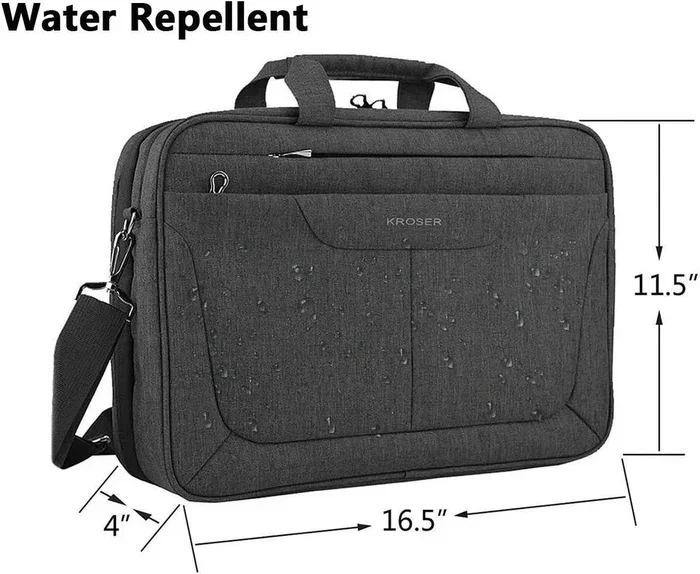
Choosing the right bag makes a huge difference. When you do not need to remove your laptop, you want a bag that allows the X-ray machine to get a clear image. Some bags are specifically designed to make this process easier.
TSA-Acceptable Bag Features
Look for bags with these features if you travel with TSA PreCheck regularly:
- Dedicated laptop sleeve: A padded compartment that keeps your computer secure and separated from other items.
- Open architecture: Bags that lay flat or have a clamshell design let the X-ray see everything clearly.
- Minimal padding over the laptop area: Too much padding can blur the X-ray image and trigger a secondary inspection.
- External laptop pocket: Some bags have a separate pocket on the back panel. This is TSA-friendly and very convenient.
- Durable, water-resistant material: Protects your laptop from spills and weather during your travels.
Top Bag Types for PreCheck Laptop Travel
Different bag styles work better than others for keeping your laptop inside during screening:
- Laptop backpacks: Many modern backpacks have a clamshell opening that lays completely flat. This is ideal for X-ray screening.
- Laptop messenger bags: Sleek and professional, these bags often have a dedicated laptop compartment on the bottom.
- Rolling carry-on bags: Some rolling bags have a laptop sleeve inside the main compartment. Just make sure it fits the size limits.
- TSA-friendly briefcases: These are designed specifically for business travelers who need quick access through security.
Bags to Avoid
Some bag designs can cause problems at the checkpoint. Avoid bags with:
- Excessive metal hardware that blocks the X-ray view
- Too many layers of thick padding over the laptop
- Overstuffed compartments that create overlapping images
- Opaque materials that hide the contents from view
Choosing the right bag is one of the easiest ways to ensure your laptop TSA Precheck experience goes smoothly every single time.
Common Mistakes Travelers Make at TSA Precheck
Even experienced travelers make mistakes at the security checkpoint. Knowing what to avoid saves you time and frustration.
Mistake 1: Assuming PreCheck Is Guaranteed
Not everyone in the PreCheck lane has PreCheck status. Sometimes TSA allows non-PreCheck travelers into the lane during slow periods. But do not count on it. Always have your laptop removal plan ready just in case you end up in a standard lane.
Mistake 2: Overpacking Your Bag
A stuffed bag creates blurry X-ray images. When the officer cannot see what is inside, they will pull you aside for a manual inspection. Keep your bag organized and avoid cramming too much inside. A loosely packed bag screens faster and more accurately.
Mistake 3: Forgetting to Remove Liquids When Required
Wait. TSA PreCheck does not require you to remove liquids either. So why mention this? Because some airports have slightly different procedures. And if your bag triggers an alert, you might be asked to remove everything including liquids. Stay prepared.
Mistake 4: Not Checking for the PreCheck Logo
Always verify that your boarding pass shows the TSA PreCheck logo. If it does not, you will need to follow standard screening procedures. This can happen if you applied for PreCheck but your Known Traveler Number was not added to your airline reservation.
Mistake 5: Ignoring Officer Instructions
The TSA officer at the checkpoint has the final authority. If they ask you to remove your laptop, do it politely and without argument. Arguing at the checkpoint will only slow you down and potentially cause more problems. Compliance is always the best approach.
Expert Tips for a Smooth Airport Experience
Travel experts and frequent flyers share a few insider tips that make the airport experience much better. Here is what I recommend.
Tip 1: Organize Your Bag Before You Arrive
Do not wait until you are standing in line to start digging through your bag. At home, make sure your laptop is in its sleeve, your cables are bundled, and nothing is sticking out. A pre-organized bag moves through the X-ray machine faster and cleaner.
Tip 2: Keep Your Boarding Pass and ID Ready
Have your boarding pass and identification in hand before you reach the checkpoint. Fumbling through your wallet while people are waiting behind you slows everyone down. A quick-access pocket on your bag or person makes this step effortless.
Tip 3: Wear Slip-On Shoes
Even though PreCheck lets you keep your shoes on, wearing slip-ons is still a smart move. If you ever get redirected to a standard lane, you will be grateful you did not have to untie laces or wrestle with boots.
Tip 4: Use a TSA-Approved Laptop Sleeve
A good laptop sleeve protects your computer and helps it scan cleanly. Look for sleeves that are slim, lightweight, and free of excessive metal zippers or clasps. The less interference with the X-ray, the better.
Tip 5: Stay Updated on TSA Policy Changes
TSA updates its policies regularly. Follow the official TSA website or app for the latest news. Policy changes can affect what you need to remove from your bag, so staying informed keeps you prepared.
Tip 6: Enroll in a Trusted Traveler Program
If you travel frequently, TSA PreCheck is worth every penny. The time savings alone pay for the application fee many times over. Add your Known Traveler Number to every airline reservation, and you will never have to worry about the laptop removal rule again.
How TSA PreCheck Compares to Standard Screening
Understanding the difference between PreCheck and standard screening helps you plan accordingly. Here is a side-by-side look at what to expect in each lane.
Comparison Table
Feature | TSA PreCheck | Standard Screening
Remove shoes | No | Yes
Remove laptop | No (usually) | Yes
Remove liquids | No | Yes
Remove light jacket | No | Yes
Remove belt | No | Yes
Average wait time | Under 5 minutes | 10-30 minutes
Body scanner | Yes | Yes
Bag X-ray | Yes | Yes
As you can see, TSA PreCheck offers a dramatically simpler experience. The laptop rule is one of the most appreciated benefits. When you do not have to remove and repack your computer every time you travel, it adds up to significant time savings over the course of a year.
Frequently Asked Questions
Can I leave my laptop in my backpack with TSA PreCheck?
Yes, in most cases you can leave your laptop inside your backpack when using TSA PreCheck. The dedicated PreCheck lanes allow electronics to stay in your bag during screening. However, if the X-ray image is unclear or you are selected for secondary screening, you may be asked to remove it.
What happens if TSA asks me to remove my laptop even with PreCheck?
This can happen occasionally. If the officer cannot get a clear image of your bag, they will ask you to remove the laptop. Simply comply and place it in the bin. This is rare but not unheard of, so do not be surprised if it happens.
Do I need a TSA PreCheck membership to keep my laptop in my bag?
Yes. The laptop-in-bag benefit is exclusive to TSA PreCheck members and travelers from certain trusted traveler programs. If you do not have PreCheck, you must remove your laptop during standard screening at all US airports.
Can I leave a tablet in my bag during TSA PreCheck screening?
Generally yes. Tablets and large e-readers can stay in your bag during TSA PreCheck screening, just like laptops. However, if the tablet is larger than 13 inches, some officers may still ask you to remove it for a clearer scan.
Is TSA PreCheck available at every airport in the United States?
No. TSA PreCheck is available at over 200 airports nationwide, but not every single airport has a PreCheck lane. You can check the TSA website to see if your departure airport offers PreCheck before your trip.
Does TSA PreCheck cost money, and is it worth it?
The application fee is 78 dollars and is valid for five years. For frequent travelers, it is absolutely worth it. The time saved at the airport, the ability to keep your laptop in your bag, and the overall smoother experience make it a valuable investment.
Final Thoughts
The answer to can you leave your laptop in your bag TSA Precheck is a reassuring yes for most travelers. TSA PreCheck has transformed the airport experience for millions of people. The ability to keep your laptop inside your carry-on bag is one of the best benefits of the program. It saves time, reduces stress, and protects your valuable electronics from damage.
But remember, no system is perfect. Occasionally, you may still be asked to remove your laptop. The key is to stay prepared, pack your bag wisely, and follow the officer’s instructions. With the right bag, the right mindset, and a valid TSA PreCheck membership, your airport screening experience can be quick and painless.
Next time you are packing for a trip, take a moment to appreciate how far airport security has come. TSA PreCheck makes traveling with a laptop easier than ever. So relax, keep your computer right where it belongs, and enjoy the ride to your destination.