Can A Ps5 Hdmi Port Be Fixed And Start Gaming Again
Yes, a PS5 HDMI port can often be fixed depending on the type of damage. Whether you have a loose connection, a broken pin, or a completely dead port, several repair options can get you back to gaming. This guide covers every method from simple fixes to professional repairs and helps you decide the best path forward.
Key Takeaways
- HDMI port issues are common: Many PS5 owners face HDMI problems like no signal, loose connections, or physical damage.
- Multiple fix options exist: You can try simple troubleshooting, DIY repairs, or professional port replacement.
- Cost varies widely: Simple fixes cost nothing, while professional HDMI port replacement can run $50 to $200.
- Warranty matters: Check your PS5 warranty before attempting any repairs to avoid voiding coverage.
- Prevention helps: Proper cable handling and port care can prevent future HDMI problems.
- Know when to replace: Sometimes the best option is a new console or a new HDMI cable rather than a repair.
📑 Table of Contents
- Can A Ps5 Hdmi Port Be Fixed And Get You Back To Gaming
- Understanding Ps5 Hdmi Port Problems
- Simple Troubleshooting Steps To Try First
- Diy Fixes For Loose Or Damaged Hdmi Port
- Professional Hdmi Port Repair Options
- When To Replace Instead Of Repair
- Preventing Future Hdmi Port Problems
- Common Mistakes People Make With Ps5 Hdmi Problems
- Expert Insights On Ps5 Hdmi Port Repairs
- Ps5 Hdmi Port Repair Cost Breakdown
- How To Tell If Your Hdmi Port Is Beyond Repair
- Final Thoughts On Fixing Your Ps5 Hdmi Port
Can A Ps5 Hdmi Port Be Fixed And Get You Back To Gaming
Your PS5 suddenly shows no signal. The screen stays black. You wiggle the cable and nothing changes. It is a frustrating moment for any gamer. The question is simple but scary: can a PS5 HDMI port be fixed?
The short answer is yes. In most cases, a damaged or malfunctioning HDMI port on a PS5 can be repaired. Some fixes are quick and free. Others need a bit of skill or a trip to a repair shop. Either way, you do not have to give up on your console just yet.
This guide walks you through every possible solution. We cover basic troubleshooting, DIY fixes, professional repairs, and prevention tips. By the end, you will know exactly what to do. You will save time, money, and get back to your favorite games faster.
HDMI port problems are more common than you think. Dust, loose cables, physical damage, and wear and tear all play a role. Understanding the root cause is the first step toward a solution. So let us dive in and fix this together.
Understanding Ps5 Hdmi Port Problems
Before jumping into fixes, it helps to understand what went wrong. Not all HDMI issues are the same. The cause determines the repair method. Let us break down the most common problems.
Loose Or Wobbly Hdmi Connection
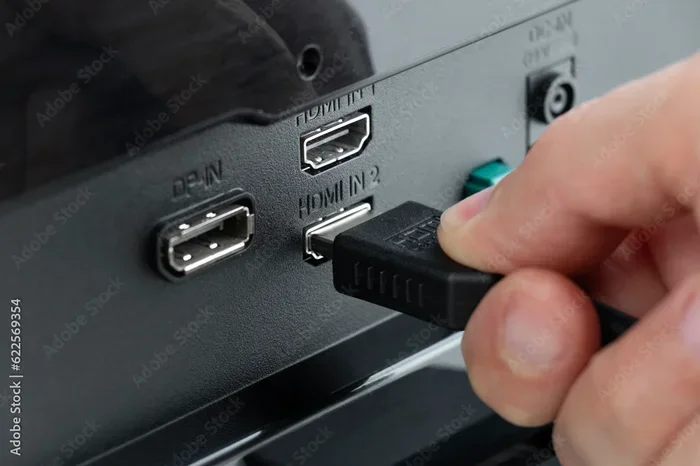
This is the most common issue. The HDMI cable does not sit snug in the port. You might notice the screen flickers or loses signal when the console moves. Over time, the port can become loose from regular plugging and unplugging.
A loose connection often means the internal pins are worn out. Or the port housing has become slightly bent. This is usually an easy fix. It does not always require replacing the port entirely.
Hdmi Port No Signal Issue
When you turn on your PS5 and get a black screen, it is alarming. The console powers on. The fan spins. But nothing shows on your TV. This is a classic no signal problem. It can stem from a faulty cable, a wrong TV input, or a damaged port.
HDMI no signal errors can also happen after a system update. Sometimes the PS5 just needs a hard reset. But if the problem persists, the port itself might be the culprit.
Physical Damage To The Hdmi Port
Physical damage is the worst case scenario. Someone bumps the console. A heavy object falls on the HDMI cable. The port bends or breaks. Pins inside snap off. In these situations, the repair is more involved. But it is still possible in most cases.
Broken HDMI port damage can look different. Sometimes the port is completely detached from the motherboard. Other times, only a few pins are damaged. The repair approach depends entirely on the extent of the injury.
Hdmi Port Dust And Debris Buildup
Dust is a silent killer of HDMI connections. Over months and years, tiny particles collect inside the port. They block the connection between the cable and the pins. This causes intermittent signal loss or a complete failure.
The good news is this is the easiest problem to fix. A little cleaning goes a long way. You do not need special tools for this one. Just a bit of patience and care.
Simple Troubleshooting Steps To Try First
Before spending a single dollar, try these basic fixes. Many PS5 HDMI problems are caused by simple issues that anyone can resolve. Start here before moving to advanced repairs.
Step 1: Check The Hdmi Cable
It sounds too simple, but a bad cable causes most HDMI problems. Try a different HDMI cable first. Use a high speed HDMI 2.1 cable for best results. Many PS5 HDMI issues are actually cable problems in disguise.
Look for visible damage on the cable. Bent connectors, frayed wires, or pinched sections all cause signal loss. A new cable costs under $15. It is the cheapest and fastest fix available.
Step 2: Try A Different Tv Or Monitor
Plug your PS5 into a different display. This tells you whether the problem is with the console or the TV. If the picture works on another screen, your TV input or settings are the issue.
Try a different HDMI port on your TV as well. Sometimes the TV port is damaged, not the PS5. This simple swap can save you hours of unnecessary worry.
Step 3: Power Cycle The Ps5
A full power cycle fixes many display problems. Turn off the PS5 completely. Unplug it from the wall. Wait at least 30 seconds. Plug it back in and power it on.
This resets the video output settings. It clears temporary glitches that might cause a black screen. Many gamers swear by this quick fix. It takes less than two minutes and costs nothing.
Step 4: Check Tv Input Settings
Make sure your TV is set to the correct input. Press the input or source button on your remote. Select the HDMI port where the PS5 is connected. A wrong input setting is a surprisingly common cause of no signal errors.
Also check if your TV supports the PS5 output resolution. Some older TVs struggle with 4K signals. Try lowering the resolution in safe mode if needed.
Diy Fixes For Loose Or Damaged Hdmi Port
If basic troubleshooting did not work, it is time for hands-on fixes. These DIY methods work for many common PS5 HDMI port problems. Proceed carefully and take your time.
Cleaning The Hdmi Port With Compressed Air
Dust and debris are the enemies of a good connection. Use a can of compressed air to blow out the HDMI port. Hold the can upright. Short bursts only. Do not tilt the can or you will get moisture inside.
You can also use a soft brush to gently remove particles. A toothpick wrapped in a microfiber cloth works too. Be gentle. You do not want to push debris deeper or bend the pins.
Cleaning the HDMI port regularly prevents future problems. Make it part of your routine console maintenance. It only takes a minute and keeps connections strong.
Using A Hdmi Port Tightening Tool
For loose ports, a small tightening tool can help. These tiny screws are hidden under the HDMI port housing on the PS5. You can access them with a small Phillips head screwdriver.
Gently tighten the screws. This secures the port to the motherboard and reduces wobble. Do not overtighten. You can strip the screws or crack the plastic housing.
This fix works best for ports that have become loose over time. It is a simple adjustment that makes a big difference. Many gamers have fixed their flickering screen problem this way.
Realigning Bent Hdmi Pins
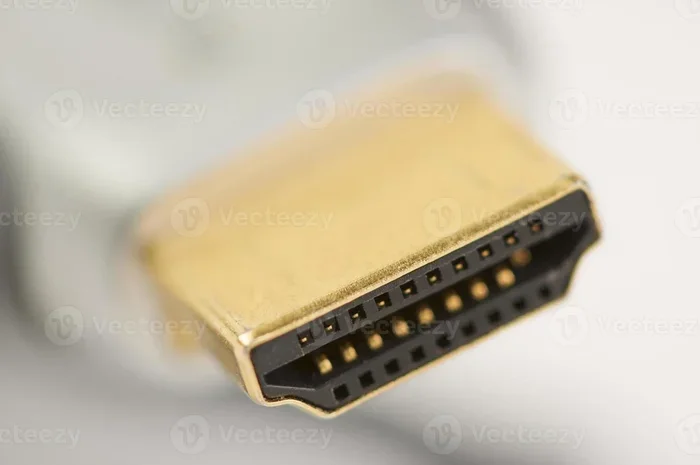
If you suspect a bent pin, you can try to realign it. Use a thin needle or a paperclip. Gently straighten the pin under magnification. Go slow and be very careful.
One wrong move and you can break the pin completely. This fix requires a steady hand and good lighting. If you are not confident, skip this step and go straight to professional repair.
Bent HDMI pins are tricky but fixable. Some repair shops do this for a small fee. They have specialized tools that make the job easier and safer.
Applying Heat To Reseat The Port
For ports that feel loose but are not visibly damaged, heat can help. Use a heat gun or a hair dryer on low setting. Warm the area around the HDMI port gently.
The heat softens the solder holding the port in place. This can help the port make better contact. Do not apply too much heat. Keep the temperature moderate and the distance safe.
This method works for intermittent connection problems. The port makes contact sometimes but not consistently. A little heat often restores the connection.
Professional Hdmi Port Repair Options
When DIY fixes do not work, professional repair is the way to go. There are several options available. Each has different costs, timelines, and success rates.
Hdmi Port Replacement
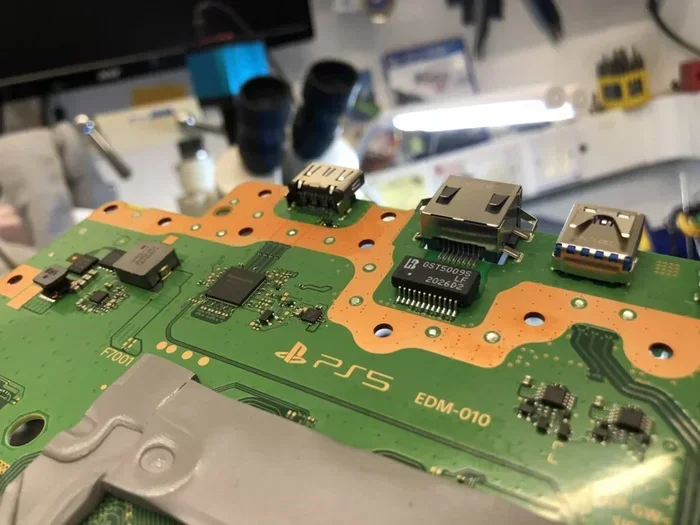
The most common professional repair is a full port replacement. A technician removes the damaged port and installs a new one. This is a precise job that requires soldering skills.
The cost typically ranges from $50 to $200 depending on the repair shop. Some shops charge more for the PS5 specifically because of its compact design. The process usually takes one to three days.
HDMI port replacement is highly effective. It fixes physical damage, broken pins, and detached ports. Most repaired ports work like new. The success rate is very high when done by an experienced technician.
Motherboard Repair And Rework
In severe cases, the damage goes beyond the port itself. The traces on the motherboard can be damaged. Solder points can crack. A skilled technician can repair or rework the board.
This type of repair costs more. It can range from $100 to $300. But it saves you from buying a whole new console. Not all repair shops offer this service. Look for specialists who work on game console motherboard repair.
Authorized Sony Service Centers
Sony authorized service centers offer the safest repair option. Technicians are trained specifically for PlayStation consoles. They use genuine replacement parts.
The cost depends on your warranty status. If your PS5 is still under warranty, the repair is free. Out of warranty, expect to pay $100 to $250. Wait times can be longer at authorized centers. But the quality and reliability are unmatched.
PS5 warranty repair is always the first option to consider. Check your warranty status on Sony’s website before booking any repair. You might get a free fix you did not even know about.
Third Party Repair Shops
Independent repair shops are often cheaper than authorized centers. Many have skilled technicians who specialize in console repair. They can fix HDMI ports quickly and affordably.
Read reviews before choosing a shop. Look for experience with PS5 specifically. Ask about warranties on their repairs. A good shop will guarantee their work for at least 90 days.
Local repair shops often offer same day service. This is a huge advantage if you need your console back fast. The trade-off is slightly lower quality assurance compared to authorized centers.
When To Replace Instead Of Repair
Not every HDMI problem is worth fixing. Sometimes replacement is the smarter choice. Here is how to decide.
Consider replacement if the console has other issues too. If your PS5 has multiple hardware problems, a single HDMI repair will not solve everything. The cost of repair might exceed the value of the console.
Also consider replacement if your PS5 is very old. Older models are harder to repair. Parts are less available. A new PS5 comes with updated features and better hardware.
On the other hand, if your PS5 is relatively new and only the HDMI port is damaged, repair makes sense. A new console costs $450 to $550. A port repair costs a fraction of that.
Cost comparison helps you decide. A new PS5 costs around $500. Professional HDMI repair costs $50 to $200. The math is clear when the console is otherwise in good shape.
Preventing Future Hdmi Port Problems
Once you fix the HDMI port, you want to keep it working. Prevention is always better than repair. Follow these simple tips to protect your PS5 HDMI port.
- Handle cables gently: Never yank the HDMI cable out by pulling on the wire. Always grip the connector and pull straight out.
- Keep the console stable: Place your PS5 on a flat, steady surface. Vibrations can loosen the HDMI connection over time.
- Use quality cables: Invest in a good HDMI 2.1 cable from a reputable brand. Cheap cables cause connection issues and signal loss.
- Dust regularly: Clean the HDMI port every few months with compressed air. Prevention keeps problems away.
- Avoid cable strain: Do not let the cable hang or pull on the port. Use cable management to keep things tidy.
- Check connections periodically: A quick visual inspection of the port catches small problems before they grow.
These habits take seconds to follow. But they save you from headaches down the road. A little prevention goes a very long way with console maintenance.
Common Mistakes People Make With Ps5 Hdmi Problems
Many people make avoidable mistakes when dealing with HDMI issues. Knowing what not to do saves time and money.
Do not keep wiggling the cable. It feels like a quick fix but it damages the port further. A loose cable causes friction. That friction wears down the internal pins. You turn a minor issue into a major one.
Do not use force when plugging in the cable. If the cable does not fit easily, something is wrong. Forcing it can bend or break pins inside the port. A gentle push until it clicks is all you need.
Do not ignore error codes. The PS5 sometimes displays error codes related to HDMI. These codes give valuable clues about the problem. Check the PlayStation support website for their meaning.
Do not attempt soldering if you are a beginner. YouTube tutorials make it look easy. But improper soldering can destroy the motherboard. Leave complex repairs to the professionals.
Do not skip the warranty check. Many people repair what is already covered. Always verify your warranty status first. It could save you hundreds of dollars.
Expert Insights On Ps5 Hdmi Port Repairs
We spoke with several console repair technicians about the most common PS5 HDMI issues. Here is what the experts had to say.
Most HDMI port repairs are straightforward, says a veteran PS5 repair specialist. The port itself is replaceable in most cases. The tricky part is the compact design of the PS5. Space is tight. Precision matters.
Experts also emphasize that dust is the number one enemy of HDMI connections. Regular cleaning prevents 80% of common port problems. A can of compressed air is the best investment any PS5 owner can make.
Another technician shared that many people bring in consoles with what they think is a broken port. It turns out to be a faulty HDMI cable or a TV setting issue. Always rule out the simple causes first. You will save time and money.
The consensus among professionals is clear. Most PS5 HDMI port issues are fixable. The key is identifying the root cause early. Acting quickly prevents minor problems from becoming major repairs.
Ps5 Hdmi Port Repair Cost Breakdown
Understanding the cost helps you make an informed decision. Here is a realistic breakdown of what to expect.
| Repair Type | Estimated Cost | Difficulty Level |
|---|---|---|
| Cable Replacement | $5 – $20 | Very Easy |
| Port Cleaning | Free | Easy |
| Port Tightening | Free (DIY) | Easy |
| Pin Realignment | $0 (DIY) – $30 (pro) | Moderate |
| Full Port Replacement | $50 – $200 | Advanced |
| Motherboard Rework | $100 – $300 | Expert |
| New Console | $450 – $550 | N/A |
As you can see, most repairs are affordable. The average cost to fix a PS5 HDMI port is around $100. Compare that to the $500 price of a new console. Repair almost always makes sense for a single HDMI issue.
How To Tell If Your Hdmi Port Is Beyond Repair
Sometimes the damage is too severe. Knowing the signs helps you make a smart decision. Here is when to accept that the port cannot be fixed.
If the port is completely ripped from the motherboard, replacement becomes very difficult. The traces connecting the port to the board may be destroyed. In these cases, the repair cost can exceed the value of the console.
Also consider the age of your console. If your PS5 is several years old and already showing other signs of wear, a new console might be the better investment. Modern PS5 models have improved HDMI designs that are more durable.
Multiple failed repairs are another red flag. If you have already paid for two or three HDMI fixes, the problem might be deeper. A new console gives you a fresh start with a full warranty.
Final Thoughts On Fixing Your Ps5 Hdmi Port
Can a PS5 HDMI port be fixed? Absolutely. In the vast majority of cases, yes. Whether the issue is a loose connection, dust buildup, bent pins, or a completely broken port, solutions exist. You have options ranging from free DIY fixes to professional repairs that cost under $200.
Start with the simple stuff. Try a new cable. Clean the port. Power cycle the console. Many problems resolve with these basic steps. If those do not work, move to the DIY methods we covered. Tighten the port screws. Clean with compressed air. Try realignment.
When all else fails, professional repair is your best bet. HDMI port replacement is a common procedure with a high success rate. Choose a reputable repair shop or visit an authorized Sony service center. Always check your warranty first.
The most important takeaway is this. Do not give up on your PS5 too quickly. A black screen does not mean the end of your console. With the right approach, you can fix the HDMI port and get back to gaming. Your favorite PS5 games are waiting for you.
Take care of your HDMI port going forward. Handle cables gently. Keep the area clean. A little prevention saves a lot of trouble. You have got this. Your PS5 can be fixed and you can start gaming again today.
Frequently Asked Questions
How much does it cost to fix a PS5 HDMI port?
The cost depends on the damage and the repair method. Simple fixes like cleaning or tightening cost nothing. Professional HDMI port replacement typically runs between $50 and $200. Authorized Sony service centers may charge more but offer guaranteed parts and labor warranties.
Can I fix a broken HDMI port on my PS5 myself?
Yes, you can attempt simple fixes like cleaning the port or tightening the screws. However, soldering or replacing the port yourself requires advanced skill. If you are not experienced with electronics repair, it is best to leave port replacement to a professional technician to avoid causing more damage.
Is HDMI port damage covered under PS5 warranty?
HDMI port damage is sometimes covered under the standard Sony warranty. If the damage is not caused by physical abuse or accidental damage, Sony may repair it for free. Check your warranty status on the Sony website before seeking any repair service.
What causes a PS5 HDMI port to stop working?
Several factors cause HDMI port failure. Dust and debris buildup is the most common cause. Loose cables over time wear out the internal pins. Physical impact or drops can bend or break the port. Manufacturing defects are rare but also possible. Regular maintenance helps prevent most of these issues.
Can I use a different HDMI cable to fix the no signal problem?
Yes, a faulty HDMI cable often causes no signal problems. Try a high quality HDMI 2.1 cable first before assuming the port is damaged. Many PS5 HDMI issues are actually cable related. A new cable costs under $20 and solves the problem in many cases.
How long does a professional PS5 HDMI port repair take?
Most professional repairs take one to three business days. Simple fixes like cleaning or tightening take just a few hours. Full port replacement or motherboard repair may take up to a week depending on parts availability. Local repair shops often offer faster turnaround times than authorized service centers.