Can A Dvd Player Be Bluetooth And Stream Wirelessly
A standard DVD player does not come with built-in Bluetooth, but you can easily add wireless streaming capability using a Bluetooth adapter or transmitter. This guide covers every method to make your DVD player Bluetooth-compatible, from simple plug-and-play devices to built-in upgrade options. Whether you want to stream audio to wireless headphones or connect to a Bluetooth speaker, these solutions work with almost any DVD player.
Have you ever wanted to watch a movie on your DVD player but wished you could listen through wireless headphones? Maybe you share a room with someone who sleeps during the day, or you simply want a cleaner setup without extra cables cluttering your space. The good news is that making your DVD player Bluetooth-compatible is easier than you think.
Most DVD players do not come with built-in Bluetooth. But that does not mean you are stuck with wired connections forever. Whether you own a basic portable DVD player or a full-sized home theater unit, there are simple ways to add wireless streaming to your setup. In this article, we will walk you through every option, from budget-friendly adapters to built-in upgrades that make your DVD player truly wireless.
Key Takeaways
- DVD players don’t have built-in Bluetooth: Most DVD players lack native wireless connectivity, but adding Bluetooth is simple and affordable.
- Bluetooth adapters are the easiest solution: A small Bluetooth transmitter or receiver can turn any DVD player wireless in minutes.
- Multiple connection methods exist: You can use optical audio, RCA outputs, or HDMI to connect a Bluetooth device to your DVD player.
- Wireless streaming improves convenience: You can listen through Bluetooth headphones or speakers without disturbing others in your home.
- Compatibility matters: Check your DVD player’s output options before buying a Bluetooth adapter to ensure a smooth setup.
- Common issues are easy to fix: Audio delay, pairing problems, and signal interference can be resolved with simple troubleshooting steps.
- Bluetooth technology enhances home entertainment: Adding wireless capability to your DVD player transforms your entire media setup.
📑 Table of Contents
- What Is Bluetooth And Why Do DVD Players Need It?
- Can You Add Bluetooth To A DVD Player?
- Best Ways To Make Your DVD Player Bluetooth-Compatible
- Benefits Of Wireless Streaming From Your DVD Player
- Common Problems And How To Fix Them
- Expert Tips For The Best Wireless DVD Experience
- Do You Need A New DVD Player With Built-In Bluetooth?
- How Bluetooth Technology Is Changing Home Entertainment
- Final Thoughts
What Is Bluetooth And Why Do DVD Players Need It?
Bluetooth is a wireless technology that lets devices communicate over short distances. It uses radio waves to send data like audio and video between gadgets. You probably use Bluetooth every day with your phone, wireless earbuds, or car stereo. The technology has been around for decades and keeps getting better.
DVD players have traditionally relied on wired connections. They use cables like HDMI, RCA, or optical audio to send sound to a TV or speaker system. While these connections work well, they limit your freedom. You are stuck near the TV, and running cables across a room can be messy. Adding Bluetooth to a DVD player removes all of that hassle.
How Bluetooth Works For Audio Streaming
Bluetooth audio streaming sends sound wirelessly from one device to another. Your DVD player sends an audio signal to a Bluetooth receiver or transmitter. That signal travels through the air to your Bluetooth headphones, speaker, or soundbar. The whole process happens in seconds with barely any delay.
Most modern Bluetooth versions support high-quality audio. Bluetooth 5.0 and newer offer better range, stronger connections, and improved sound quality. Even older DVD players can benefit from a simple Bluetooth adapter. The key is finding the right device for your setup.
Can You Add Bluetooth To A DVD Player?
The short answer is yes. Almost any DVD player can become Bluetooth-enabled with the right accessory. You do not need to buy a new DVD player or replace your entire entertainment system. A small add-on device does the job perfectly.
There are two main ways to add Bluetooth to a DVD player. The first is a Bluetooth transmitter. This device plugs into your DVD player’s audio output and sends sound wirelessly to your Bluetooth headphones or speakers. The second option is a Bluetooth receiver. This device receives a Bluetooth signal and plays it through your existing speakers. Which one you need depends on your setup.
Bluetooth Transmitter vs Receiver: What Is The Difference?
A Bluetooth transmitter sends audio out from your DVD player to wireless devices. You use this when you want to listen through Bluetooth headphones or wireless earbuds. A Bluetooth receiver takes a Bluetooth signal from your phone or tablet and plays it through wired speakers. For most DVD player setups, a transmitter is what you need.
Here is a quick comparison to help you understand:
- Bluetooth Transmitter: Plugs into DVD player output, sends audio wirelessly to headphones or speakers.
- Bluetooth Receiver: Connects to speakers, receives Bluetooth signals from phones or tablets.
- 2-in-1 Devices: Some adapters work as both a transmitter and receiver, giving you more flexibility.
Best Ways To Make Your DVD Player Bluetooth-Compatible
Now that you know it is possible, let us look at the best methods to add Bluetooth to your DVD player. Each method has its own advantages depending on your DVD player model and what you want to achieve.
Method 1: Bluetooth Transmitter Adapter
This is the most popular and easiest method. A Bluetooth transmitter plugs directly into the audio output on your DVD player. Most DVD players have either a 3.5mm headphone jack, RCA audio outputs, or an optical digital output. You pick the transmitter that matches your DVD player’s connections.
Once plugged in, the transmitter pairs with your Bluetooth headphones or speakers. You then control the volume through your headphones or speaker, not the DVD player. This method works great for late-night watching when you do not want to wake anyone up.
Some popular Bluetooth transmitters include models from brands like Avantree, 1Mii, and TaoTronics. They range from $15 to $50 depending on features. Look for one that supports aptX or aptX Low Latency for better sound quality and less audio delay.
Method 2: Bluetooth Receiver With External Speakers
If you want to stream audio to a Bluetooth speaker instead of headphones, a Bluetooth receiver works well. You pair the receiver with your DVD player’s audio output, then connect the receiver to your Bluetooth speaker. Some receivers plug directly into a speaker’s aux input, making the setup very simple.
This method is great for outdoor movie nights or when you want to move your DVD player around the house without dragging cables. Just keep in mind that Bluetooth range is typically around 30 feet. Stay within that distance for the best connection.
Method 3: Smart DVD Players With Built-In Wi-Fi
Some newer DVD players come with built-in Wi-Fi and smart features. These players may not have native Bluetooth, but they support wireless streaming through apps. You can connect them to your home network and stream content directly. A few smart DVD players also support screen mirroring, which lets you cast content from your phone to the TV.
If you are in the market for a new DVD player, consider one with wireless capabilities. Brands like LG, Samsung, and Sony offer models with smart features. These players give you more than just DVD playback. They let you access streaming services, browse the internet, and connect wirelessly to your home network.
Method 4: HDMI Audio Extractor With Bluetooth
If your DVD player only has HDMI output, you can use an HDMI audio extractor. This device splits the HDMI signal into video and audio. The video goes to your TV through HDMI, while the audio output connects to a Bluetooth transmitter. This method works well for home theater setups where HDMI is the only connection available.
HDMI audio extractors cost between $20 and $60. They are a great solution for older DVD players that lack analog audio outputs. Look for an extractor that supports HD audio formats like Dolby Digital or DTS for the best sound quality.
Benefits Of Wireless Streaming From Your DVD Player
Adding Bluetooth to your DVD player opens up a world of convenience. Here are the main benefits you will enjoy:
Freedom From Cables
Wireless streaming means no more tangled cables. You can place your DVD player anywhere in the room without worrying about reaching your speakers or headphones. Your living room looks cleaner, and your setup feels more modern.
Late-Night Watching Without Disturbing Others
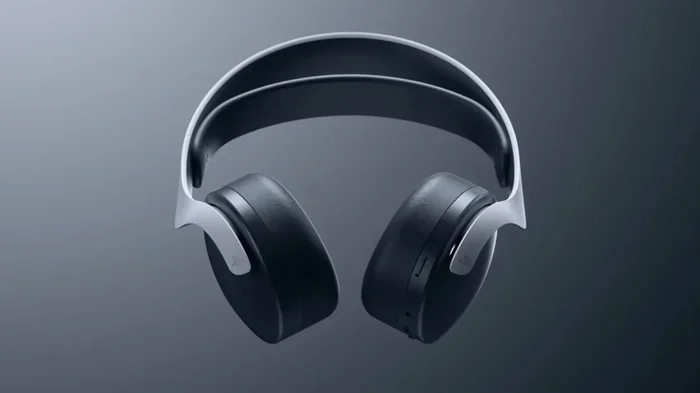
One of the biggest advantages of Bluetooth audio streaming is the ability to watch movies quietly. Plug in your wireless headphones, and you can enjoy a full movie at any volume without bothering anyone else in the house. This is perfect for families with different sleep schedules.
Better Sound Quality
Many Bluetooth adapters now support high-quality audio codecs. You can get rich, clear sound that rivals wired connections. With aptX or LDAC codecs, you will notice a big improvement over standard Bluetooth audio. Your DVD movie soundtracks will sound amazing through wireless speakers or headphones.
Multi-Device Flexibility
A good Bluetooth adapter lets you connect multiple devices. You can switch between your phone, tablet, and DVD player without unplugging anything. This flexibility makes your home entertainment setup more versatile and future-proof.
Portability
Portable DVD players become even more useful with Bluetooth. You can take your DVD player to the backyard, a camping trip, or a long car ride and listen wirelessly through Bluetooth headphones. No need to bring along extra speakers or worry about cable length.
Common Problems And How To Fix Them
While adding Bluetooth to a DVD player is straightforward, you may run into a few issues along the way. Here are the most common problems and their solutions.
Audio Delay Or Lag
Audio delay happens when the sound does not match the video on screen. This is common with Bluetooth connections because of the time it takes to encode and send the audio signal. To fix this, look for a Bluetooth transmitter that supports aptX Low Latency. This codec reduces delay significantly. You can also try lowering the audio buffer settings on your adapter if it has that option.
Pairing Issues
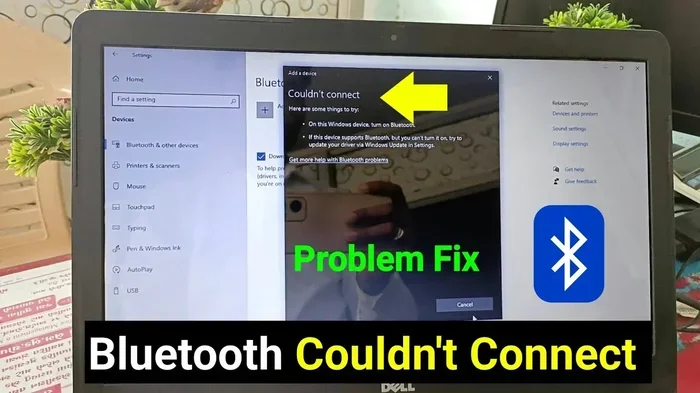
Sometimes your Bluetooth device will not connect to the adapter. First, make sure both devices are in pairing mode. Turn off Bluetooth on other nearby devices to avoid interference. If the problem continues, reset the Bluetooth adapter by unplugging it and plugging it back in. Keeping your devices within 10 feet of each other during pairing helps too.
Weak Signal Or Interference
Bluetooth signals can weaken if there are walls or other electronics between the transmitter and receiver. Microwaves, baby monitors, and other wireless devices can also cause interference. To fix this, move your DVD player closer to your Bluetooth device. Avoid placing the adapter near other electronics. Using a Bluetooth 5.0 adapter also helps because it has a stronger, more stable signal.
No Sound From The Bluetooth Device
If you get no sound at all, check the audio output settings on your DVD player. Make sure the volume is turned up and that the correct audio output is selected. On some DVD players, you need to switch from digital to analog output. Also, confirm that your Bluetooth device is connected and not muted.
Expert Tips For The Best Wireless DVD Experience
Getting the most out of your Bluetooth-enabled DVD player comes down to a few smart choices. Here are some expert tips that make a big difference.
Choose The Right Bluetooth Codec
Not all Bluetooth audio is the same. Codecs like aptX, aptX HD, and LDAC deliver much better sound than standard SBC. When buying a Bluetooth transmitter or receiver, check which codecs it supports. If your headphones or speakers support aptX, choose an adapter that does too. This small detail has a huge impact on sound quality.
Keep Your Firmware Updated
Many Bluetooth adapters receive firmware updates that improve performance and fix bugs. Check the manufacturer’s website or app for updates. A simple firmware update can solve connection problems and improve range. It takes just a few minutes and makes a noticeable difference.
Place Your Adapter Properly
The location of your Bluetooth adapter matters. Keep it close to your DVD player and away from other electronics. Avoid hiding it inside a closed cabinet where signals can get blocked. A clear line of sight between the adapter and your Bluetooth device gives you the strongest connection.
Charge Your Wireless Devices Fully
Bluetooth headphones and speakers need enough battery to maintain a strong connection. A low battery can cause audio dropouts or weak sound. Before a movie night, make sure all your wireless devices are fully charged. Some adapters also draw power from the DVD player’s USB port, so check if your player has one available.
Test With Different Audio Outputs
If you are not happy with the sound quality, try a different audio output on your DVD player. Optical digital output often gives the clearest signal. RCA analog outputs work well too but may pick up more interference. Experiment with different outputs to find the best sound for your setup.
Do You Need A New DVD Player With Built-In Bluetooth?
Adding a Bluetooth adapter to your existing DVD player is usually the most cost-effective option. But there are times when buying a new player makes sense. If your current DVD player is old and has limited output options, a new model with built-in wireless features might be a better long-term investment.
Modern DVD players with smart features offer much more than just disc playback. They come with Wi-Fi, built-in streaming apps, and sometimes Bluetooth. You get access to Netflix, YouTube, and other services directly on your TV. For many people, a smart DVD player replaces the need for a separate streaming device.
However, if your current DVD player works fine and you just want wireless audio, a Bluetooth adapter is the way to go. It is quick, affordable, and does not require replacing any equipment. You get all the benefits of wireless streaming without spending money on a whole new player.
How Bluetooth Technology Is Changing Home Entertainment
Bluetooth has transformed how we enjoy media at home. From wireless speakers to smart TVs, the technology makes entertainment more flexible and convenient. DVD players are no exception. Adding Bluetooth to your DVD player brings it into the modern era of wireless entertainment.
Many people have already made the switch. They use Bluetooth headphones for private listening, connect to wireless speakers for better sound, and enjoy a cleaner setup without cables. As Bluetooth technology continues to improve, we can expect even better audio quality and longer range in the future.
The best part is that you do not need to be tech-savvy to add Bluetooth to your DVD player. Most adapters work right out of the box. You plug them in, pair your device, and you are ready to go. It is one of the easiest upgrades you can make to your home entertainment system.
Final Thoughts
Can a DVD player be Bluetooth? Absolutely. While most DVD players do not come with built-in Bluetooth, adding wireless capability is simple and affordable. Whether you use a Bluetooth transmitter, receiver, or upgrade to a smart DVD player, you can enjoy wireless audio streaming from your DVD player in no time.
The methods we covered in this article give you plenty of options. You can choose a budget-friendly adapter or invest in a high-quality Bluetooth device for the best sound. Either way, you will gain the freedom and convenience that wireless streaming brings to your home entertainment setup.
Start with a Bluetooth transmitter if you want to listen through wireless headphones. Choose a receiver if you want to connect to a Bluetooth speaker. And if you are ready for a bigger upgrade, consider a smart DVD player with built-in wireless features. No matter which path you choose, your DVD player can absolutely become Bluetooth-compatible and stream wirelessly.
Take action today. Pick the method that fits your setup, grab the right adapter, and start enjoying your DVD movies without wires. Your ears and your living room will thank you.
Frequently Asked Questions
Can any DVD player be made Bluetooth?
Yes, almost any DVD player can be made Bluetooth-compatible using a Bluetooth transmitter or receiver. You just need to check what audio outputs your DVD player has, such as a 3.5mm jack, RCA ports, or HDMI, and choose the right adapter accordingly.
Is there audio delay when using Bluetooth with a DVD player?
Some audio delay can occur with Bluetooth connections, but it is usually minimal. Using a Bluetooth adapter that supports aptX Low Latency significantly reduces delay and keeps the audio in sync with the video on screen.
Do I need to buy a new DVD player to get Bluetooth?
No, you do not need to buy a new DVD player. A simple Bluetooth transmitter or receiver adapter costs between $15 and $50 and works with your existing DVD player. It is the most affordable way to add wireless streaming to your setup.
Can I use Bluetooth headphones with my DVD player?
Yes, you can use Bluetooth headphones with your DVD player by connecting a Bluetooth transmitter to the audio output. This lets you watch movies wirelessly without disturbing others, making it perfect for late-night viewing or shared spaces.
What is the best Bluetooth adapter for a DVD player?
The best Bluetooth adapter depends on your DVD player’s outputs. Popular options include the Avantree BT-CK45 for optical and RCA connections, the TaoTronics TT-BA07 for 3.5mm jacks, and the 1Mii B06 for aptX Low Latency support. Choose one that matches your DVD player’s audio output type.
Does Bluetooth affect DVD video quality?
No, Bluetooth only affects audio, not video. The video signal stays the same whether you use a wired or wireless audio connection. Bluetooth transmits audio separately from the video, so your movie picture quality remains unchanged.
=== CONCLUSION ===
Adding Bluetooth to your DVD player is one of the best upgrades you can make to your home entertainment setup. It brings wireless freedom, better convenience, and improved sound quality to your movie-watching experience. Whether you use a Bluetooth transmitter, a receiver, or upgrade to a smart DVD player, the result is the same: you get to stream audio wirelessly and enjoy your DVDs without cables holding you back.
The solutions shared in this article work with almost any DVD player and budget. You do not need technical skills or expensive equipment. A simple adapter and a few minutes of setup time are all it takes. Start exploring your options today and turn your DVD player into a wireless streaming device that fits your lifestyle perfectly.