Are Usb 3 0 Flash Drives Faster And Should You Upgrade
Are USB 3.0 flash drives faster? Yes, they are significantly quicker than older USB 2.0 drives. USB 3.0 flash drives offer up to 10x faster transfer speeds, making file transfers and backups much more efficient. Upgrading to USB 3.0 is a smart move if you regularly move large files or need reliable external storage. This guide covers speed tests, real-world performance, and whether the upgrade is worth your money.
This is a comprehensive guide about Are Usb 3 0 Flash Drives Faster.
Key Takeaways
- USB 3.0 is much faster: You get read speeds up to 200 MB/s and write speeds around 100 MB/s, dwarfing USB 2.0 limits.
- Backward compatibility works: USB 3.0 drives plug into USB 2.0 ports, but you only get USB 2.0 speeds.
- Upgrading makes sense for heavy users: If you transfer large files often, USB 3.0 saves real time.
- Price difference is small: USB 3.0 drives cost only slightly more than USB 2.0 models now.
- Not all USB 3.0 drives are equal: Brand, controller chip, and NAND flash type all affect real-world speed.
- USB 3.1 and 3.2 exist too: They offer even faster speeds if your devices support them.
[FEATURED_IMAGE_PLACEHOLDER]
Are USB 3.0 Flash Drives Faster? The Short Answer
If you have ever waited forever for a file to copy from a flash drive, you know how frustrating slow speeds can be. The answer to the question “Are USB 3.0 flash drives faster?” is a clear and definitive yes. USB 3.0 flash drives are dramatically quicker than the older USB 2.0 standard that has been around since the mid-2000s.
But what does “faster” actually mean in real life? It means copying a 4GB movie might take 30 seconds on a USB 3.0 drive instead of 5 minutes on a USB 2.0 drive. It means backing up your entire photo library in minutes instead of hours. The USB 3.0 speed advantage is real, and it matters more than most people think.
In this article, we will break down exactly how much faster USB 3.0 is, what the technical specs look like, and whether you should upgrade your current drive. We will also compare real-world performance, look at the different USB versions, and help you decide if spending a little extra money is worth it.
Understanding USB 3.0 Speed: What Makes It Faster
The Technical Difference Between USB 2.0 and USB 3.0
The main reason USB 3.0 flash drives are faster comes down to how they are built. USB 2.0 can handle a maximum data rate of about 480 megabits per second. That sounds fast, but in practice, real-world transfer speeds top out around 30 to 40 MB/s. USB 3.0, on the other hand, supports up to 5 gigabits per second. In practice, that translates to read speeds of 80 to 200 MB/s depending on the drive.
USB 3.0 also uses a different wiring design. It has more internal wires, which allows it to send and receive data at the same time. USB 2.0 could only handle one direction at a time. This full-duplex capability is a huge reason why USB 3.0 transfer speeds feel so much snappier.
Here is a simple comparison of the two standards:
- USB 2.0: Max theoretical speed of 480 Mbps. Real-world speeds of 25 to 40 MB/s.
- USB 3.0: Max theoretical speed of 5 Gbps. Real-world speeds of 80 to 200 MB/s.
- USB 3.1 Gen 1: Same as USB 3.0 at 5 Gbps but with a new naming convention.
- USB 3.1 Gen 2: 10 Gbps, offering even faster performance for compatible devices.
- USB 3.2 Gen 2×2: 20 Gbps for the latest devices with dual-lane support.
So when you ask, “Are USB 3.0 flash drives faster?” the answer is a resounding yes. The jump from USB 2.0 to USB 3.0 is one of the biggest improvements in portable external storage history.
Read Speed vs. Write Speed
It is important to understand that flash drives have two speed ratings. Read speed is how fast the drive can pull data off the drive and send it to your computer. Write speed is how fast the drive can save data from your computer onto the drive.
Most USB 3.0 flash drives have read speeds that are much faster than their write speeds. This is normal across all portable storage devices. A typical USB 3.0 drive might read at 150 MB/s but write at only 60 to 80 MB/s. When you are copying files from the drive to your computer, read speed matters most. When you are saving files onto the drive, write speed is what counts.
For most everyday tasks like moving documents or photos, this difference does not matter much. But if you are working with large video files or doing bulk backups, the write speed becomes very important.
Real-World Speed Tests: USB 3.0 vs USB 2.0
What Happens When You Actually Test Them
Theoretical numbers are one thing, but what really happens when you plug in a drive and start copying files? USB 3.0 flash drives consistently outperform USB 2.0 drives in every real-world test. Let us look at some practical examples.
Imagine you want to copy a 10GB folder of high-resolution photos. On a USB 2.0 drive, this could take around 4 to 5 minutes. On a typical USB 3.0 drive, the same task takes about 40 to 60 seconds. That is a massive difference, especially if you do this kind of transfer regularly.
Another common scenario is backing up a 50GB laptop backup. With USB 2.0, you are looking at 20 to 30 minutes. With USB 3.0, you are done in 3 to 5 minutes. The time savings add up quickly if you back up your data weekly or daily.
Even smaller files benefit. A 1GB folder of mixed documents and images takes about 30 seconds on USB 2.0 but only 5 to 8 seconds on USB 3.0. These short waits might seem minor, but they add up throughout your day.
Factors That Affect Flash Drive Speed
Not all USB 3.0 drives perform the same way. Several factors influence how fast a drive actually is in practice:
- Controller chip: This is the brain of the flash drive. Better controllers manage data more efficiently and boost speeds.
- NAND flash type: Single-level cell (SLC) flash is the fastest but most expensive. Multi-level cell (MLC) is a good middle ground. Triple-level cell (TLC) is slower but cheaper.
- USB port version: Even if you have a USB 3.0 drive, plugging it into a USB 2.0 port will limit your speed to USB 2.0 levels.
- File size: Larger files tend to transfer faster on USB 3.0 because the drive can maintain a steady stream of data. Small files see less dramatic improvement.
- Computer hardware: An older computer with a slow processor or HDD might bottleneck the transfer, regardless of the drive speed.
These factors explain why two different USB 3.0 portable storage drives from different brands can have very different speed results. Always check reviews and benchmarks before buying.
Should You Upgrade to USB 3.0? Who Benefits Most
When Upgrading Makes Sense
The question “Should you upgrade to USB 3.0?” depends on how you use your flash drives. Here are situations where upgrading is definitely worth it:
- You regularly transfer large files: Video editors, photographers, and designers who move gigabytes of data daily will see huge time savings.
- You do regular backups: Backing up your entire system or large folders takes minutes instead of tens of minutes.
- You use your drive on multiple computers: Faster read speeds mean you can access your files quickly wherever you plug in the drive.
- You are tired of waiting: If slow file transfers frustrate you, upgrading to USB 3.0 is one of the cheapest and easiest fixes.
- You own a newer computer: Most computers made after 2012 have USB 3.0 ports, so you can take full advantage of the speed.
When You Might Not Need to Upgrade
On the other hand, there are situations where sticking with USB 2.0 makes sense:
- You only store small documents: If your drive holds text files and small spreadsheets, speed differences are barely noticeable.
- Your computer only has USB 2.0 ports: A USB 3.0 drive will not give you faster speeds without a USB 3.0 port to match.
- You rarely use the drive: If you only plug in your flash drive once a month, the time saved is minimal.
- Budget is a major concern: USB 2.0 drives are still very cheap and perfectly fine for basic file storage.
The good news is that USB 3.0 flash drives have become very affordable. The price gap between USB 2.0 and USB 3.0 has narrowed significantly over the past few years. For most people, the upgrade is an easy decision.
Different USB Standards: USB 3.0, 3.1, and 3.2 Explained
Why the Confusing Names?
If you have been shopping for a new flash drive, you may have noticed the naming can get confusing. USB 3.0, USB 3.1, and USB 3.2 all sound different, but what is the actual difference?
Here is the simple truth. USB 3.0 and USB 3.1 Gen 1 are exactly the same thing. They both offer 5 Gbps speeds. When USB 3.1 Gen 2 came along, it doubled the speed to 10 Gbps. Then USB 3.2 introduced even faster variations with 20 Gbps using dual-lane technology.
For most people shopping for a USB 3.0 flash drive, you do not need to worry about these distinctions. Any drive labeled USB 3.0 will give you excellent speed improvements over USB 2.0. The newer standards are nice bonuses, but they require compatible devices on both ends.
Which USB Port Does Your Computer Have?
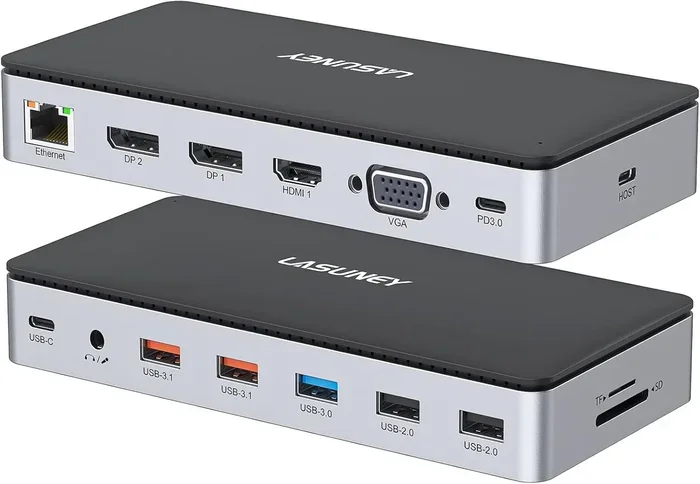
Before buying a USB 3.0 drive, it helps to know what ports your computer has. USB 3.0 ports are usually blue inside, though this is not always the case. USB 3.1 and 3.2 ports may look the same or use USB Type-C connectors.
If your computer has a mix of USB 2.0 and USB 3.0 ports, always plug your drive into the USB 3.0 port to get the best speeds. A USB 3.0 flash drive in a USB 2.0 port will still work perfectly, but you will not get the speed benefits.
Choosing the Right USB 3.0 Flash Drive
What to Look For When Buying
Not all USB 3.0 drives are created equal. When shopping for a new flash drive, keep these factors in mind:
- Speed ratings: Look for drives that advertise read speeds of at least 100 MB/s. Anything above 150 MB/s is excellent.
- Brand reputation: Brands like SanDisk, Samsung, Kingston, and Corsair are known for reliable and fast USB 3.0 drives.
- Build quality: Metal-bodied drives tend to be more durable and also help with heat dissipation during large transfers.
- Capacity: USB 3.0 drives come in sizes from 16GB to 256GB and beyond. Choose a size that fits your needs without paying for more than you use.
- Warranty: A good warranty signals manufacturer confidence. Many quality drives come with 3 to 5-year warranties.
Top Picks for Fast USB 3.0 Flash Drives
Here are some popular options that consistently deliver strong performance:
- SanDisk Ultra Fit: A compact drive with solid read speeds around 150 MB/s. Great for everyday use and very affordable.
- Samsung BAR Plus: Metal construction with speeds up to 300 MB/s read. One of the fastest USB 3.0 drives available.
- Kingston DataTraveler Max: Offers up to 200 MB/s read speeds and is built for heavy daily use.
- Corsair Flash Voyager GTX: A premium option with speeds exceeding 400 MB/s for users who need the absolute fastest transfers.
These drives represent a range of prices and performance levels. You do not need to spend a fortune to get a fast USB 3.0 drive. Even budget options offer a massive speed boost over USB 2.0.
Common Mistakes People Make With Flash Drives
Mistake 1: Assuming All USB 3.0 Drives Are Fast
Just because a drive says USB 3.0 does not guarantee blazing speeds. Some budget drives use slower NAND flash and weak controller chips. Always check independent reviews and benchmarks before purchasing.
Mistake 2: Ignoring Write Speed
Many people focus only on read speed, but write speed matters just as much for saving and backing up files. A drive with great read speed but terrible write speed will still feel slow when you are copying data onto it.
Mistake 3: Using the Wrong Port
Plugging a USB 3.0 drive into a USB 2.0 port is one of the most common reasons people think their new drive is not fast. Always double-check which port you are using and match it to the drive’s capabilities.
Mistake 4: Never Safely Removing the Drive
Yanking a flash drive out without ejecting it first can corrupt data and slow down the drive over time. Always use the safe remove option in your operating system before unplugging.
Mistake 5: Storing the Drive in Harsh Conditions
Extreme heat, moisture, and magnetic fields can damage flash drives and reduce their lifespan over time. Keep your drive in a protective case and store it in a cool, dry place.
Conclusion: Are USB 3.0 Flash Drives Faster and Worth It?
The answer to “Are USB 3.0 flash drives faster” is absolutely yes. They are significantly faster than USB 2.0 drives in every real-world test. The USB 3.0 speed improvement is one of the most noticeable upgrades you can make to your daily workflow, whether you are copying files, backing up data, or sharing documents between computers.
The upgrade cost is minimal. USB 3.0 flash drives are affordable and widely available. Even if you only transfer files occasionally, the time you save adds up over weeks and months. And if your computer has USB 3.0 ports, there is no reason not to take advantage of the faster speeds.
For most people today, a USB 3.0 flash drive is the best choice for portable external storage. It offers the perfect balance of speed, reliability, and price. If you are still using a USB 2.0 drive, upgrading to USB 3.0 is one of the simplest and most impactful changes you can make.
So go ahead and make the switch. Your future self will thank you every time you copy a large file in seconds instead of minutes. USB 3.0 flash drives faster performance is real, and once you experience it, you will never want to go back.
Frequently Asked Questions
Are USB 3.0 flash drives faster than USB 2.0 flash drives?
Yes, USB 3.0 flash drives are dramatically faster than USB 2.0 drives. In real-world tests, USB 3.0 drives can be 5 to 10 times faster. A 10GB file that takes 4 minutes on USB 2.0 might take only 30 seconds on a USB 3.0 drive. The speed difference is one of the most noticeable upgrades in portable storage.
Can I use a USB 3.0 flash drive in a USB 2.0 port?
Yes, USB 3.0 drives are backward compatible with USB 2.0 ports. The drive will work perfectly fine, but you will only get USB 2.0 speeds. To experience the full speed benefits of USB 3.0, you need both a USB 3.0 drive and a USB 3.0 port on your computer or device.
How much faster is USB 3.0 compared to USB 2.0?
USB 3.0 offers a theoretical maximum speed of 5 Gbps compared to USB 2.0’s 480 Mbps. In practical terms, USB 3.0 delivers real-world read speeds of 80 to 200 MB/s, while USB 2.0 tops out at around 30 to 40 MB/s. This means USB 3.0 is roughly 5 to 10 times faster in everyday use.
What is the best USB 3.0 flash drive for most people?
For most users, a drive like the SanDisk Ultra Fit or Kingston DataTraveler offers excellent speed at an affordable price. These drives deliver read speeds above 100 MB/s and are compact enough to carry on a keychain. You do not need a premium model unless you are moving very large files constantly.
Does USB 3.0 make a difference for small files?
The difference is less noticeable with small files like documents or photos under 10MB. The real speed advantage of USB 3.0 shows up with larger files like videos, backups, and bulk data transfers. If you mostly move small files, the upgrade is still worthwhile but the time savings will be smaller.
Should I buy USB 3.1 or USB 3.2 instead of USB 3.0?
USB 3.1 and 3.2 offer faster speeds, but only if your devices support them. Most computers and devices made in the last few years have USB 3.0 or newer ports. A standard USB 3.0 flash drive is perfectly fine for the vast majority of users. Only consider USB 3.1 or 3.2 if you have specific high-speed needs and compatible hardware.
Frequently Asked Questions
What is Are Usb 3 0 Flash Drives Faster?
Are Usb 3 0 Flash Drives Faster is an important topic with many practical applications.