Are Thunderbolt 3 And Usb C The Same Fully Explained
Thunderbolt 3 and USB C look identical but are not the same technology. Thunderbolt 3 uses the USB C connector but offers much faster speeds, video output, and docking capabilities. Understanding the difference helps you choose the right cables and devices for your setup.
You plug in a cable. It fits. It works. So what is the big deal? Well, the big deal is that are Thunderbolt 3 and USB C the same is one of the most confusing questions in tech today. The answer is both simple and complicated at the same time.
Thunderbolt 3 and USB C share the same physical connector. They look exactly alike. You cannot tell them apart just by looking at the plug. But underneath the surface, they are very different. Thunderbolt 3 is a protocol that uses the USB C connector. USB C is just a connector shape. That is the core difference.
This guide will clear up all the confusion. You will learn what each technology does. You will understand when they overlap and when they do not. By the end, you will never mix them up again. Let us dive in.
Key Takeaways
- Different protocols: Thunderbolt 3 and USB C share a connector but use different communication protocols.
- Speed matters: Thunderbolt 3 delivers up to 40 Gbps while standard USB C maxes out at 10 Gbps.
- Video support: Thunderbolt 3 can drive two 4K displays, but basic USB C usually supports only one.
- Not all USB C is Thunderbolt 3: Look for the lightning bolt icon to confirm Thunderbolt 3 capability.
- Backward compatibility: Thunderbolt 3 works with USB C devices, but USB C devices cannot use Thunderbolt 3 features.
- Price difference: Thunderbolt 3 cables and docks cost more due to advanced technology.
📑 Table of Contents
What Is USB C?
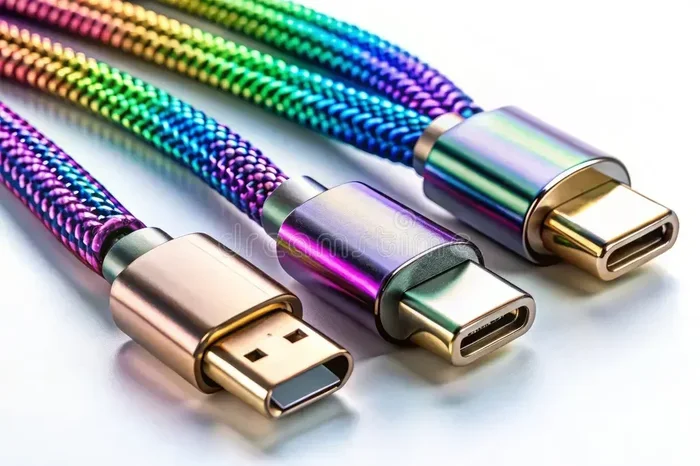
USB C stands for USB Type-C. It is a connector standard. It defines the shape and design of the plug. The USB C connector is small and reversible. You can insert it either way. No more flipping the cable twice to get it right.
USB C replaced older USB types like USB A and USB Micro B. It is now the standard connector for most modern devices. Laptops, phones, tablets, and tablets all use USB C now. It carries data, power, and video signals through one cable.
USB C Speed and Capabilities
USB C is just a connector. It does not define speed on its own. The speed depends on the USB protocol running through it. Here are the common USB standards that use the USB C connector:
- USB 3.2 Gen 1: 5 Gbps transfer speed
- USB 3.2 Gen 2: 10 Gbps transfer speed
- USB 3.2 Gen 2×2: 20 Gbps transfer speed
- USB4: Up to 40 Gbps transfer speed
Most USB C cables you buy today support USB 3.2 Gen 2. That gives you 10 Gbps. This is fast enough for most everyday tasks. You can transfer a full HD movie in about 30 seconds. But for professionals, that is not always fast enough.
What Is Thunderbolt 3?
Thunderbolt 3 is a connectivity standard developed by Intel. It uses the USB C connector. But it does much more than standard USB C. Thunderbolt 3 combines data, video, and power into one single connection. It was a game changer when it launched in 2015.
The Thunderbolt 3 protocol supports up to 40 Gbps of data transfer. That is four times faster than standard USB C at 10 Gbps. It also supports DisplayPort video output. You can connect external monitors directly through the same cable. And it provides up to 100 watts of charging power through USB Power Delivery.
Key Features of Thunderbolt 3
- 40 Gbps data transfer speed for massive file transfers
- Dual 4K display support or single 5K display
- 100W power delivery for charging laptops
- Daisy chaining to connect up to six devices in a row
- External GPU support for gaming and creative work
- Ethernet networking through compatible docks
These features make Thunderbolt 3 incredibly powerful. It turns a single port into a complete workstation hub. That is why creative professionals and developers love it so much.
Are Thunderbolt 3 And USB C The Same?
Now we get to the big question. Are Thunderbolt 3 and USB C the same? The short answer is no. The long answer is that they share the same physical connector but are different technologies underneath.
Think of it like this. USB C is the shape of the plug. Thunderbolt 3 is the language the plug speaks. A USB C plug can speak USB protocol. A Thunderbolt 3 plug can speak both Thunderbolt and USB protocol. This is why Thunderbolt 3 is backward compatible with USB C devices.
The Connector vs. The Protocol
This is where most people get confused. The connector is the physical piece you plug in. The protocol is the set of rules that governs how data moves. USB C is the connector. Thunderbolt 3 is the protocol that happens to use that connector.
Here is a simple way to remember it. All Thunderbolt 3 cables use a USB C connector. But not all USB C cables are Thunderbolt 3 cables. This distinction is crucial when buying accessories.
Thunderbolt 3 vs USB C Comparison Table
| Feature | USB C (Standard) | Thunderbolt 3 |
|---|---|---|
| Connector Shape | USB Type-C | USB Type-C |
| Max Data Speed | 10 Gbps (USB 3.2 Gen 2) | 40 Gbps |
| Video Output | Single display (limited) | Dual 4K or single 5K |
| Power Delivery | Up to 100W | Up to 100W |
| Daisy Chaining | No | Yes (up to 6 devices) |
| External GPU Support | No | Yes |
| Price | Lower | Higher |
As you can see, Thunderbolt 3 offers significantly more capability. But it comes at a higher cost. The cable and compatible devices are more expensive.
How to Tell Them Apart
Since both look identical on the outside, how do you know which one you have? There are a few easy ways to tell.
Look for the Lightning Bolt Symbol
The easiest way is to look next to the port on your device. Thunderbolt 3 ports have a small lightning bolt icon. USB C ports do not have this symbol. If you see the lightning bolt, you have Thunderbolt 3. If you do not, it is likely standard USB C.
Check Your Device Specs
You can also check the manufacturer specifications. Look up your laptop or device model online. The spec sheet will clearly state whether it supports Thunderbolt 3 or just USB C. Do not rely on marketing terms alone. Some brands use confusing names that blur the lines.
Test with a Thunderbolt Dock
Another method is to connect a Thunderbolt dock. If the dock recognizes the port as Thunderbolt, you have Thunderbolt 3. If it only works as a standard USB connection, it is USB C only.
When Does the Difference Matter?
You might wonder why this distinction even matters. For casual users, it might not. But for power users, the difference is huge.
For Casual Users
If you just charge your phone or transfer photos occasionally, standard USB C is fine. You do not need Thunderbolt 3. A basic USB C cable will handle those tasks easily and at a lower price point.
For Creative Professionals
If you work with video editing, graphic design, or music production, Thunderbolt 3 is a must. The 40 Gbps speed dramatically reduces file transfer times. The dual display support boosts productivity. And the ability to connect an external GPU opens up new creative possibilities.
For Developers and Engineers
Developers benefit from Thunderbolt 3 docking stations. They can connect multiple monitors, external drives, and networking gear through a single cable. The daisy chaining feature keeps your desk clean and organized. USB C alone cannot offer this level of connectivity.
Common Mistakes People Make
Even tech-savvy people make mistakes with Thunderbolt 3 and USB C. Here are the most common ones to avoid.
- Assuming all USB C is Thunderbolt 3. This is the biggest mistake. Many people buy a USB C dock expecting Thunderbolt speeds. They get disappointed when it only runs at 10 Gbps.
- Buying cheap Thunderbolt cables. Counterfeit Thunderbolt cables are everywhere. They may look authentic but fail to deliver 40 Gbps speeds. Always buy from reputable brands.
- Ignoring the lightning bolt icon. That small symbol matters. It tells you whether the port and cable support Thunderbolt protocol.
- Using the wrong cable for external GPUs. An eGPU enclosure requires Thunderbolt 3. A standard USB C cable will not work properly for this use case.
- Expecting USB C cables to daisy chain. Only Thunderbolt 3 supports daisy chaining. Standard USB C cables connect one device at a time.
Quick Tips for Buying the Right Cable
Shopping for cables can be overwhelming. Here are some quick tips to help you choose correctly.
- Check for the lightning bolt symbol on both the cable and the port.
- Read the specifications carefully before purchasing any cable or dock.
- Buy from trusted brands like Apple, CalDigit, or Anker to avoid fakes.
- Match the cable to your use case. If you need 40 Gbps, you need Thunderbolt 3. If 10 Gbps is enough, standard USB C works great.
- Test your setup after purchasing. Run a speed test to confirm you are getting the expected performance.
Expert Insights on Thunderbolt 3 and USB C
Industry experts agree that the confusion between Thunderbolt 3 and USB C is understandable. The USB Implementers Forum (USB-IF) has worked to improve labeling. But there is still room for improvement. Many consumers simply do not know what to look for when buying accessories.
Technology journalist David Gewirtz once noted that the naming conventions around USB and Thunderbolt create unnecessary friction for consumers. The fact that a single connector shape can support multiple protocols is both a strength and a source of confusion. The industry needs clearer labeling standards.
On the positive side, Intel has made Thunderbolt 3 more accessible over the years. It is no longer limited to expensive premium laptops. Many mid-range laptops now include Thunderbolt 3 ports. This means more people can benefit from the technology without breaking the bank.
Looking Ahead: Thunderbolt 4 and USB4
The story does not end with Thunderbolt 3. Thunderbolt 4 is the next generation. It maintains the 40 Gbps speed but adds stricter certification requirements. Every Thunderbolt 4 cable must support 40 Gbps. This eliminates the confusion of having different cable tiers.
USB4 is another development worth watching. It is the USB Promoters Group’s answer to Thunderbolt. USB4 also uses the USB C connector and supports up to 40 Gbps. It is based on the Thunderbolt 3 protocol. This means the line between USB4 and Thunderbolt is blurring.
In the future, the distinction between Thunderbolt 3 and USB C may become even less relevant. But for now, understanding the difference is essential for making smart purchasing decisions.
Conclusion
So, are Thunderbolt 3 and USB C the same? They share the same connector shape, but they are fundamentally different technologies. Thunderbolt 3 is a protocol that uses the USB C connector to deliver incredible speed, video output, and power. Standard USB C is just a connector that handles data and power at lower speeds.
Knowing the difference helps you make better buying decisions. It saves you money. It prevents frustration. And it ensures your devices work the way they should. Next time you shop for a cable or dock, remember to look for that lightning bolt symbol. It makes all the difference in the world.
Take what you learned here and apply it. Check your devices. Upgrade your cables if needed. And share this knowledge with friends who are still confused. The more people understand this, the less tech confusion we all deal with.
Frequently Asked Questions
Can I use a USB C cable with a Thunderbolt 3 port?
Yes, you can. Thunderbolt 3 is backward compatible with USB C devices. A standard USB C cable will work for charging and basic data transfer. However, you will not get the full 40 Gbps speed or Thunderbolt features like daisy chaining.
How do I know if my cable is Thunderbolt 3 certified?
Look for the Thunderbolt 3 logo on the cable packaging. It looks like a lightning bolt next to the USB C symbol. Certified cables are tested to meet the 40 Gbps standard. Avoid cables without proper certification as they may not perform as expected.
Is Thunderbolt 3 faster than USB C?
Yes, Thunderbolt 3 is significantly faster. It supports up to 40 Gbps data transfer. Standard USB C with USB 3.2 Gen 2 maxes out at 10 Gbps. That means Thunderbolt 3 is four times faster for large file transfers.
Can I connect an external monitor with a USB C cable?
It depends. Some USB C ports support video output through Alternate Mode. But the capabilities vary by device. Thunderbolt 3 guarantees dual 4K display support. A basic USB C port may only support a single display or lower resolutions.
Why are Thunderbolt 3 cables more expensive?
Thunderbolt 3 cables contain more advanced circuitry. They support higher data speeds and more protocols. The manufacturing cost is higher. This cost is passed on to consumers. However, prices have come down significantly since Thunderbolt 3 launched.
Will USB C eventually replace Thunderbolt 3?
USB4 is closing the gap. It uses the USB C connector and supports 40 Gbps speeds. USB4 is based on the Thunderbolt 3 protocol. So the technologies are converging. But for now, Thunderbolt 3 remains the gold standard for high-speed connectivity.