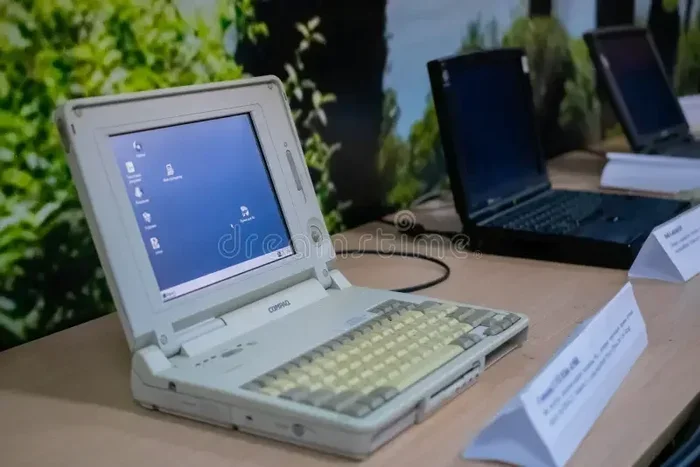
Can Laptops Last 15 Years Everything You Need To Know
Can laptops last 15 years? It depends on how you use and care for them. With proper laptop maintenance, timely laptop repair, and smart upgrades, some machines can indeed survive well beyond a decade. This guide covers everything you need to know about laptop durability, aging laptops, and how to get the most years out of your device.
Key Takeaways
- Build quality matters most: Premium laptops with solid components often outlast budget models by several years.
- Battery lifespan is the first bottleneck: Most laptop batteries degrade after 3-5 years, but replacements are affordable.
- Software updates create hidden expiration dates: Even working hardware can become obsolete when OS support ends.
- Regular maintenance extends laptop longevity significantly: Cleaning, updating, and monitoring health adds years to your device.
- Storage and RAM upgrades revive aging laptops: A simple SSD swap can make an old machine feel brand new.
- Thermal throttling silently kills performance: Dust buildup and dried thermal paste cause component wear over time.
- Brand choice impacts durability: Some manufacturers build laptops specifically designed for long-term use.
📑 Table of Contents
- Can Laptops Last 15 Years? The Complete Guide to Laptop Longevity
- What Affects a Laptop’s Lifespan?
- Can Laptops Last 15 Years? The Real Answer
- Signs Your Laptop Is Aging
- How to Make Your Laptop Last Longer
- When Should You Replace Your Laptop?
- Laptop Longevity by Brand and Type
- Conclusion: Can Laptops Really Last 15 Years?
Can Laptops Last 15 Years? The Complete Guide to Laptop Longevity
You probably have a laptop sitting somewhere in your house. Maybe it is your old work machine. Maybe it belongs to a family member. You wonder, can laptops last 15 years honestly? The short answer is yes, but with some big caveats. The long answer is what this article covers in detail.
Laptop longevity depends on many things. Build quality plays a huge role. How you treat the machine matters just as much. Some people use the same laptop for a decade or more. Others replace theirs after two years. Understanding why this happens helps you get the most years from your device.
In this guide, we explore hardware degradation, battery lifespan, and software updates. We also share practical tips for laptop maintenance. You will learn the signs of aging laptops and when replacement makes sense. By the end, you will know exactly how to maximize your laptop’s lifespan.
What Affects a Laptop’s Lifespan?
Every laptop ages differently. Some machines slow down after three years. Others chug along for fifteen. What makes the difference? Several key factors determine how long your laptop truly lasts.
Build Quality and Materials
Cheap plastic laptops break easier than premium aluminum ones. A sturdy chassis protects internal components from drops and bumps. Hinges are often the first thing to fail on budget models. High-end brands use stronger materials that resist daily wear and tear.
Think about it this way. A laptop built like a tank lasts longer than one built like a paper cup. This is simple physics. The materials matter.
Component Quality
Inside your laptop, individual parts have their own lifespans. The processor handles calculations. The RAM stores short-term data. The storage drive holds everything permanently. Each piece wears out at a different rate.
Cheap components degrade faster. High-quality parts handle stress better. For example, a solid-state drive outlasts a traditional hard drive. It also runs cooler and faster. These small differences add up over time.
Usage Patterns
How you use your laptop changes everything. A laptop used for basic web browsing ages slowly. One used for heavy gaming or video editing works harder every day. More work means more component wear.
Temperature is another big factor. Laptops that run hot constantly face faster aging. This is called thermal throttling. The machine slows down to protect itself. Over time, this heat damages sensitive parts.
Maintenance Habits
Most people forget about laptop maintenance. They never clean the fans. They skip software updates. They never check for problems until something breaks. Regular care adds years to any machine.
Dust buildup is a silent killer. It blocks airflow and causes overheating. Outdated software creates security holes. Simple habits like cleaning and updating prevent major issues.
Can Laptops Last 15 Years? The Real Answer
So, can laptops last 15 years in practice? Yes, they absolutely can. But not every laptop will make it that far. The answer depends on the category of laptop you own.
Budget Laptops
Budget laptops typically last 3 to 5 years. They use lower-cost parts that wear out faster. The battery loses capacity quickly. The plastic body cracks or warps. Performance also drops as software demands grow.
These machines were never built for the long haul. Spending less upfront often means replacing sooner. Still, with care, some budget laptops survive eight years or more.
Mid-Range Laptops
Mid-range laptops usually last 5 to 8 years. They strike a balance between cost and durability. Components are better quality than budget options. Build quality is solid without being premium.
Many people keep their primary laptop in this range for years. With occasional laptop repair and upgrades, these machines can push toward the decade mark easily.
Premium and Business Laptops
High-end laptops can absolutely last 15 years or more. Brands like ThinkPad, MacBook Pro, and Dell Latitude build for longevity. They use reinforced chassis, better cooling, and durable screens.
These laptops are designed for daily heavy use over many years. Companies buy them specifically because laptop durability matters. A well-maintained premium laptop easily crosses the 15-year threshold.
Laptop Lifespan Expectancies by Category
Here is a quick comparison of how long different laptops typically last:
| Laptop Category | Typical Lifespan | Can Reach 15 Years? |
|---|---|---|
| Budget Laptop | 3-5 years | Unlikely without major upgrades |
| Mid-Range Laptop | 5-8 years | Possible with upgrades and care |
| Premium Laptop | 8-15+ years | Very likely with proper maintenance |
| Business/Workstation | 10-15+ years | Common with enterprise-grade builds |
Expert Insight: The Mac vs. PC Debate
MacBooks often last longer than most Windows laptops. Apple controls both hardware and software. This integration creates better optimization and support. MacBooks regularly receive updates for 7-8 years.
Windows laptops vary wildly. A high-end ThinkPad might outlast a similarly priced Dell. Brand reputation and build quality matter more than the operating system. Do not assume one platform always beats the other.
Signs Your Laptop Is Aging
Every laptop shows warning signs before it dies. Recognizing these early helps you plan for laptop repair or replacement. Ignoring them often leads to sudden failure.
Slow Performance
The most common complaint is a laptop running slowly. Pages take forever to load. Apps freeze or take minutes to open. This usually signals processor speed issues or insufficient RAM capacity.
Sometimes the problem is software bloat. Other times, the hardware simply cannot keep up. Either way, performance decline is the number one sign of an aging laptop.
Battery Problems
Battery lifespan is usually the first thing to go. You might notice reduced runtime. Your laptop might die suddenly even at 40 percent. The battery swells in some cases. This is dangerous and needs immediate attention.
Battery replacement costs are usually affordable. This is one of the best laptop repair investments you can make. A fresh battery can make an old machine feel brand new.
Physical Damage
Cracked screens, sticky keys, and loose hinges all signal aging. These issues often start small. A tiny crack spreads across the display. A wobbly hinge eventually breaks completely.
Physical component wear happens faster on laptops you carry daily. Protective cases help. So does being careful. But time takes its toll on every machine eventually.
Overheating and Fan Noise
Loud fans and hot surfaces mean dust buildup inside. Thermal throttling kicks in when the laptop cannot cool itself. This damages components over time. Internal cleaning often fixes this problem completely.
Software Obsolescence
Sometimes the hardware works fine. But the software no longer supports it. Operating system updates eventually drop older machines. Security patches stop coming. Apps require newer hardware capabilities.
This is device obsolescence. It is frustrating because your laptop still works. But the digital world moves on without it. This often happens around the 7-10 year mark.
How to Make Your Laptop Last Longer
Want to squeeze more years from your machine? Good news. Several proven strategies boost laptop longevity. Most cost very little. All require minimal effort.
Keep It Clean
Dust is your laptop’s worst enemy. Compressed air blows dust out of vents. Clean the keyboard and screen weekly. Wipe the exterior with a soft cloth. These tiny habits prevent overheating and component wear.
Open the back panel occasionally if you can. Remove dust from fans and heat sinks. This is the most impactful laptop maintenance task you can do. It takes five minutes and adds years of life.
Manage Your Battery
Lithium-ion batteries degrade with charge cycles. Fewer cycles means longer battery lifespan. Try these tips:
- Avoid draining the battery to zero.
- Do not keep it at 100 percent constantly.
- Use the battery between 20 and 80 percent when possible.
- Remove the battery when running on AC power for long periods.
- Keep the laptop cool during charging.
These habits slow battery degradation significantly. Your laptop will hold charge longer as it ages.
Upgrade When Possible
Two upgrades deliver the biggest performance boost. First, replace the hard drive with a solid-state drive. Second, add more RAM capacity. Both are inexpensive and dramatically improve laptop performance.
A laptop with an SSD and 16GB of RAM feels fast even after eight years. Storage upgrade and memory upgrades are the best investments for aging laptops. They cost a fraction of buying new.
Stay Current With Software Updates
Updates fix security holes and improve performance. Skipping them leaves your laptop vulnerable. They also patch bugs that cause crashes. Keep everything updated for maximum laptop durability.
When your laptop stops receiving updates, consider migrating to a lighter operating system. Linux distributions run well on older hardware. They bypass software obsolescence for many more years.
Handle With Care
Physical care matters enormously. Do not throw your laptop in a bag carelessly. Use a padded case. Avoid eating or drinking near it. Keep it away from extreme temperatures.
Quick tip: always close the screen gently. Forcing it open or shut damages the hinge. This is a common laptop repair issue that is completely avoidable.
Quick Tips for Extended Laptop Longevity
- Use a cooling pad during heavy tasks to prevent thermal throttling.
- Install antivirus software and run regular scans.
- Back up data frequently to avoid permanent loss.
- Unplug peripherals when not in use.
- Restart your laptop at least once a week.
- Check for malware monthly.
Common Mistakes That Shorten Laptop Life
Many habits accidentally destroy laptops faster. Watch out for these:
- Using the laptop on soft surfaces like beds and pillows blocks vents.
- Ignoring error messages leads to bigger failures later.
- Never cleaning the keyboard invites debris inside.
- Running heavy tasks without cooling causes component wear.
- Using cheap chargers damages the power system over time.
- Skipping backups means one failure erases everything.
When Should You Replace Your Laptop?
Knowing when to replace is just as important as knowing how to maintain. Some situations clearly call for a new machine. Others leave you wondering.
It Makes More Sense to Replace Than Repair
Laptop repair costs rise as machines age. A motherboard replacement might cost half the price of a new laptop. When repair exceeds 50 percent of replacement cost, consider upgrading. This is a practical rule that saves money long-term.
Your Needs Have Changed
Life changes demand better hardware. A laptop fine for email might struggle with modern video calls. Creative professionals need powerful processors and ample storage upgrade options. If your current machine cannot handle your tasks, replacement is logical.
Security Concerns
Unsupported machines face serious security risks. Without patches, vulnerabilities pile up. Hackers target outdated systems. This alone justifies replacing a laptop that no longer receives updates. Laptop security should always come first.
The Screen or Hinge Is Broken
Some problems are not worth fixing. A shattered display on an older machine often costs too much. A broken hinge that makes the laptop unusable also signals the end. These are reasonable replacement triggers.
Performance Cannot Be Fixed
If you have already upgraded storage and RAM, and cleaned the internals, but performance remains poor, the processor is likely the bottleneck. Unfortunately, you cannot upgrade most laptop processors. At this point, replacement offers the best path forward.
Expert Insight: The Cost-Benefit Analysis
Industry experts recommend a simple test. Add up repair costs for the next year. Compare that to the price of a new mid-range laptop. If repairs exceed 60 percent of the new price, replace. This keeps you ahead of problems without overspending.
Laptop Longevity by Brand and Type
Not all laptops are created equal. Brand reputation for laptop durability varies. Some manufacturers focus on affordable, short-lived machines. Others build devices meant to endure.
Top Brands for Longevity
Here are brands known for laptop longevity and build quality:
- Lenovo ThinkPad: Legendary durability. Built for enterprise use. Many survive a decade or more.
- Apple MacBook Pro: Premium materials and long software support. Regularly lasts 8-10 years easily.
- Dell Latitude: Business-focused with reinforced builds. Often used in corporate environments for years.
- HP EliteBook: Similar to Dell Latitude. Strong build quality and reliable performance over time.
- Framework Laptop: Designed for repairability and upgrades. Modular parts extend device obsolescence resistance.
Budget Brands to Watch
Acer, Asus, and HP Pavilion make affordable laptops. They serve well for basic tasks. However, laptop lifespan expectancies are shorter. Expect 3-5 years of solid performance before noticeable decline.
This does not mean they are bad products. They simply target different users. If budget matters, pair a cheaper laptop with excellent maintenance habits. This maximizes whatever lifespan you get.
Gaming Laptops and Their Unique Challenges
Gaming laptops face accelerated aging. They run at maximum performance constantly. Heat output is significantly higher. Thermal throttling and component wear happen faster.
With heavy use, gaming laptops often last only 3-6 years. However, premium gaming brands like Razer and ASUS ROG build sturdier machines. Proper cooling and moderate usage extend their lives.
Chromebooks and Long-Term Use
Chromebooks are lightweight and simple. They receive updates for 6-10 years depending on the model. Their hardware demands are low, so they age gracefully. A well-maintained Chromebook can easily last 10+ years for basic tasks.
Conclusion: Can Laptops Really Last 15 Years?
Can laptops last 15 years? Absolutely, but the answer is not one-size-fits-all. Build quality, usage habits, maintenance, and timely laptop repair all shape your device’s lifespan. Premium laptops with proper care routinely cross the decade mark. Budget models require more frequent attention but can still surprise you.
The key is taking action today. Clean your laptop. Manage your battery. Consider storage upgrade and RAM capacity improvements. Watch for signs of aging laptops. Know when laptop repair makes sense and when replacement is smarter.
Laptop longevity is not luck. It is the result of intentional care. Apply these strategies and your laptop will serve you faithfully for many years. Treat your machine well, and it will return the favor.
Frequently Asked Questions
Can Laptops Last 15 Years With Proper Care?
Yes, premium and business-grade laptops can easily last 15 years with proper care. Regular laptop maintenance, battery replacement when needed, and timely upgrades keep machines running. Build quality plays the biggest role in whether your laptop reaches this milestone.
What Is the Average Laptop Lifespan?
The average laptop lifespan ranges from 4 to 8 years depending on the category. Budget laptops last 3-5 years, mid-range models last 5-8 years, and premium laptops routinely reach 10+ years. Usage patterns and maintenance heavily influence hardware degradation rates.
How Can I Extend My Laptop Battery Lifespan?
Keep your charge between 20 and 80 percent. Avoid extreme temperatures while charging. Remove the battery when plugged in for extended periods if possible. Replace the battery every 3-5 years for best performance. These habits significantly slow battery lifespan decline.
Is It Worth Repairing a 10-Year-Old Laptop?
It depends on the repair cost. If laptop repair costs less than 40 percent of a new laptop price, it is usually worth it. Common fixes like battery replacement, RAM upgrades, and SSD swaps offer great value for aging laptops. However, motherboard or screen replacements often make replacement more practical.
What Causes the Fastest Hardware Degradation in Laptops?
Heat causes the fastest hardware degradation. Overheating from dust buildup and poor ventilation damages processors, GPUs, and capacitors. Battery degradation ranks second. Physical damage from drops and spills comes third. Regular cleaning and proper cooling prevent most of these issues.
When Should I Stop Upgrading My Old Laptop?
Stop upgrading when repair costs exceed 50 percent of replacement value. Also stop when your processor or graphics chip physically cannot handle modern tasks regardless of RAM capacity or storage upgrades. Software obsolescence is another clear signal that your aging laptop has reached its practical limit.