Can Laptop Screen Be Repaired Without Buying A New One
Yes, a laptop screen can often be repaired without buying a new one. Whether you have a cracked display, flickering issue, or dead pixels, the fix depends on the type of damage and your laptop model. This guide covers every repair option, cost breakdown, and step-by-step method so you can decide the best path forward.
Your laptop screen takes a beating every day. It gets bumped, pressed, and exposed to all sorts of hazards. So it is no surprise when cracks appear or the display starts acting weird.
When that happens, most people assume they need to buy a brand new laptop. That is not always true. Can laptop screen be repaired? In most cases, absolutely yes. You can fix a cracked laptop screen, repair a flickering display, or address a dark panel without spending hundreds on a new machine.
This guide walks you through everything you need to know. We will cover the types of damage, repair costs, DIY steps, and when to call a professional. By the end, you will know exactly what your options are and how to make the best decision for your laptop screen repair needs.
Key Takeaways
- Screen repair is possible: Most cracked or damaged laptop screens can be fixed without replacing the entire device.
- Cost varies widely: Repair costs range from $50 for simple fixes to $200+ for full panel replacement.
- DIY is an option: Replacing a laptop screen yourself is doable with the right tools and guidance.
- Know your warranty: Many laptop warranties cover screen damage, saving you money.
- Professional help helps: Complex issues like inverter or connector problems need a trained technician.
- Prevention works: Simple habits can reduce the risk of future laptop screen damage.
📑 Table of Contents
- Understanding Laptop Screen Damage
- Can a Cracked Laptop Screen Be Repaired?
- Laptop Screen Repair Cost Breakdown
- DIY Laptop Screen Repair: A Step-by-Step Guide
- When to Hire a Professional
- Preventing Future Laptop Screen Damage
- Common Mistakes People Make When Repairing Laptop Screens
- Final Thoughts: Can Laptop Screen Be Repaired?
Understanding Laptop Screen Damage
Not all screen problems are the same. Before you decide on a fix, you need to understand what kind of damage you are dealing with. Different issues require different approaches.
Common Types of Laptop Screen Damage
Here are the most frequent problems people face with their broken laptop screen:
- Cracked or shattered glass: This happens from drops or pressure. The outer layer breaks but the display underneath may still work.
- Cracked LCD panel: The liquid crystal display layer gets damaged. You will see lines, blotches, or black spots across the screen.
- Flickering display: The screen flashes or dims randomly. This is often caused by a faulty inverter or loose cable.
- Dark or blank screen: The laptop powers on but shows nothing. The backlight or connector could be the culprit.
- Dead pixels: Small dots that stay black or colored no matter what you do.
- Discolored patches: Yellowish or bluish tints appear across part of the display.
- Vertical or horizontal lines: These appear when the LCD panel has internal damage.
How to Diagnose Your Screen Problem
Before jumping into repair mode, run a few quick checks:
- Plug in an external monitor laptop to see if the issue follows the display.
- Shine a flashlight on the screen at a dark angle. If you can faintly see the desktop, your backlight is the problem.
- Check for loose cables by gently pressing around the screen edges while the laptop is on.
- Look closely at the damage under bright light to identify cracks or pressure marks.
These simple steps help you pinpoint the issue. They also save time when you talk to a repair technician.
Can a Cracked Laptop Screen Be Repaired?
The short answer is yes. But the long answer depends on the severity of the damage. A cracked laptop screen can often be fixed, but the method varies.
Minor Cracks and Scratches
If the damage is surface-level, you might get away with a simple fix. Screen repair kits with UV-cured resin can fill small cracks. You apply the liquid, cure it with a UV light, and polish the surface smooth.
These kits cost around $10 to $30. They work well for hairline cracks that do not affect the display panel underneath. However, they do not restore full clarity. The repaired area will likely remain slightly visible.
Severe Cracks and Shattered Panels
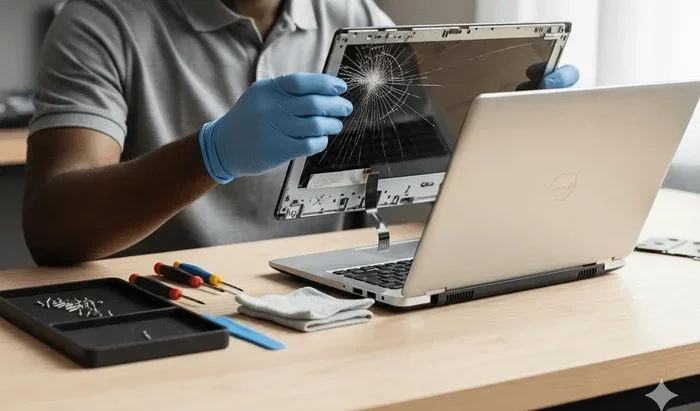
When the LCD or LED panel is completely shattered, you need a full laptop screen replacement. This means removing the damaged panel and installing a new one that matches your laptop model.
Here is what the process looks like:
- Identify your laptop model and find a compatible replacement panel.
- Remove the bezel around the screen using a plastic spudger.
- Disconnect the video cable and remove the old panel.
- Install the new panel and reconnect the cable.
- Reattach the bezel and test the display.
Many people worry about doing this themselves. With a YouTube tutorial and basic tools, it is surprisingly manageable. We will cover DIY steps in more detail later in this article.
When Replacement Is the Only Option
Sometimes the damage goes beyond the screen. If the laptop hinge damage has bent the display frame, you may need more than just a new panel. In rare cases, the motherboard or video cable also gets damaged during a drop. A professional can assess whether the screen alone needs replacing or if other components are involved.
Laptop Screen Repair Cost Breakdown
Cost is the biggest factor when deciding how to fix a broken laptop screen. Understanding what you will pay helps you make a smart choice.
Factors That Affect Repair Cost
Several things influence the final price of laptop display repair:
- Laptop brand and model: Premium laptops like MacBooks or Dell XPS use specialty panels that cost more.
- Screen size: Larger screens generally cost more to replace.
- Panel type: IPS, LED, and OLED panels have different price points.
- Labor costs: Professional repair shops charge for their time and expertise.
- Warranty coverage: If your laptop warranty screen repair is included, you may pay nothing.
Average Cost Comparison
Here is a general idea of what to expect. Keep in mind prices vary by region and laptop model.
| Repair Type | Estimated Cost | Difficulty Level |
|---|---|---|
| Screen protector or resin fix for minor cracks | $10 – $30 | Easy |
| Backlight or inverter replacement | $50 – $100 | Moderate |
| Full LCD panel replacement | $80 – $200 | Moderate |
| LED panel replacement | $100 – $250 | Moderate |
| Professional repair service (labor included) | $100 – $300 | Easy (for you) |
| MacBook Pro screen replacement | $200 – $500 | Moderate |
As you can see, laptop screen replacement cost is almost always cheaper than buying a new laptop. Even a high-end panel swap usually costs a fraction of a new device.
Is It Cheaper to Repair or Replace?
In most cases, repairing the screen is far more affordable. A new laptop costs anywhere from $400 to $1,500 or more. A screen repair rarely exceeds $300. Unless the damage is extensive and affects other parts of the laptop, repair almost always wins.
DIY Laptop Screen Repair: A Step-by-Step Guide
Want to save money on laptop screen repair? Doing it yourself is a great option. Many people complete the entire process in under 30 minutes.
Tools You Will Need
Before you start, gather these items:
- Replacement screen (matched to your laptop model)
- Phillips and Torx screwdrivers
- Plastic spudger or pry tool
- Anti-static wrist strap (optional but recommended)
- A clean, soft workspace
- A flashlight for checking connections
Step-by-Step Process
Follow these steps carefully to avoid causing further damage:
- Power off the laptop and unplug all cables. Remove the battery if possible.
- Remove the bezel. Use the plastic spudger to gently pry off the frame around the screen. Start at the corners and work your way around.
- Locate the screws holding the damaged panel in place. Remove them and keep them in a safe spot.
- Disconnect the video cable. Carefully unplug the thin ribbon cable from the back of the panel.
- Remove the old panel. Pull it forward gently and set it aside.
- Install the new panel. Place it in position, reconnect the cable, and secure it with screws.
- Reattach the bezel. Press it back into place until it clicks.
- Power on and test. Turn on the laptop and check for any issues.
Quick Tips for DIY Success
- Take photos at every step so you can reference them later.
- Do not force any parts. If something resists, double-check for hidden screws or clips.
- Handle the new panel by the edges to avoid fingerprints and static damage.
- Test the replacement screen before fully reassembling the laptop.
DIY repair saves a lot of money. But it is not for everyone. If you feel unsure, move on to the professional repair section below.
When to Hire a Professional
Some situations call for a trained hand. Knowing when to seek professional screen repair saves you time and prevents mistakes.
Signs You Need a Technician
Consider hiring a pro if any of these apply:
- The damage involves the laptop frame or hinge area.
- You see damage inside the panel that suggests a deeper issue.
- Your laptop is still under warranty and you want to avoid voiding it.
- The screen issue is accompanied by other problems like random shutdowns.
- You simply do not feel comfortable opening the device.
Finding the Right Repair Service
Not all repair shops are created equal. Here is how to find a reliable one:
- Search for laptop repair near me and check reviews on Google and Yelp.
- Ask friends or family for personal recommendations.
- Visit the manufacturer’s website for authorized service centers.
- Compare quotes from at least three different shops.
- Ask if they offer a warranty on their repair work.
A good repair service will give you a clear estimate before starting work. They should also explain the problem in plain language so you understand what is happening.
Expert Insights
According to experienced laptop technicians, the most common mistake people make is ignoring small screen problems. A minor flicker or a few dead pixels can signal a deeper issue that gets worse over time. Catching problems early often means a cheaper and simpler fix.
Another tip from the pros: always ask for a warranty on any repair. A reputable shop will stand behind their work for at least 30 to 90 days. This protects you if something goes wrong after the repair is complete.
Preventing Future Laptop Screen Damage
Once you have your screen fixed, you want to keep it in good shape. Prevention is always better than repair.
Simple Habits That Protect Your Screen
- Close the lid gently. Slamming it shut puts pressure on the panel and hinges.
- Use a laptop sleeve or case. This cushions the device during transport and reduces the risk of laptop screen damage from drops.
- Clean the screen properly. Use a microfiber cloth and avoid harsh chemicals that can damage the coating.
- Avoid placing heavy objects on the laptop. Even a few pounds of pressure can crack the panel over time.
- Adjust your brightness settings. Running the backlight at maximum brightness for long periods can strain the display.
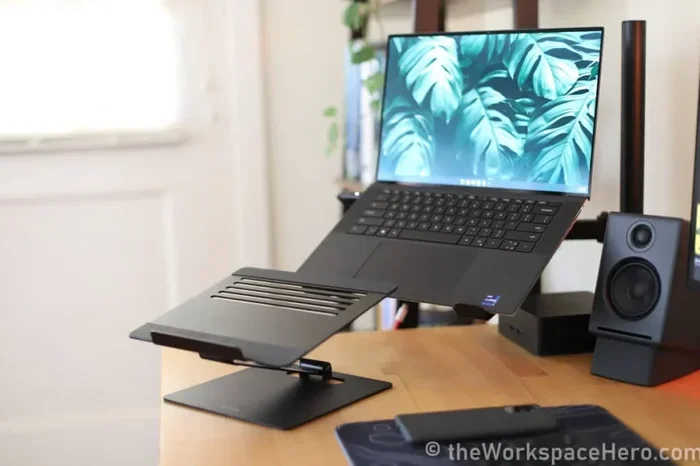
- Use a laptop stand. This improves airflow and reduces the chance of overheating, which can affect display performance.
These habits take almost no effort but can extend the life of your laptop display by years.
Common Mistakes People Make When Repairing Laptop Screens
Even with the best intentions, people make mistakes during the repair process. Here are the most common ones to avoid:
Mistake 1: Buying the Wrong Replacement Screen
Not all screens are interchangeable. You need to match the exact model number, size, and connector type. Buying the wrong panel means wasted money and time.
Mistake 2: Using Too Much Force
The bezel and panel clips are fragile. Using a metal tool instead of a plastic spudger can crack the frame or scratch the new panel.
Mistake 3: Forgetting to Disconnect the Battery
Working on a live laptop risks electrical damage. Always remove the battery or unplug the device before starting any repair.
Mistake 4: Ignoring the Warranty
Many people pay for repairs that their warranty would have covered. Always check with the manufacturer first.
Mistake 5: Delaying the Repair
A small crack can spread over time. The longer you wait, the more likely the damage becomes unreparable.
Avoiding these mistakes keeps your repair process smooth and affordable.
Final Thoughts: Can Laptop Screen Be Repaired?
So, can laptop screen be repaired without buying a new one? The answer is a resounding yes. Whether you have a cracked laptop screen, a flickering display, or a dead panel, there are repair options available to you.
From simple resin fixes for minor cracks to full laptop screen replacement, the right approach depends on the type and severity of the damage. Cost is almost always lower than buying a new laptop, and many repairs can be done at home with basic tools.
Take the time to diagnose the problem accurately. Check your warranty coverage. Decide whether DIY or professional repair makes the most sense for your situation. And once your screen is fixed, take simple steps to protect it from future damage.
Your laptop is a significant investment. With the right care and timely repairs, it can serve you well for years to come. Do not let a damaged laptop screen force you into an expensive replacement. Explore your options, make an informed choice, and get back to using your laptop with confidence.
Frequently Asked Questions
How much does it cost to repair a laptop screen?
The cost depends on the damage and your laptop model. Minor fixes like resin repairs cost $10 to $30. Full panel replacement typically runs $80 to $250. Professional service with labor included can range from $100 to $300.
Can I fix a cracked laptop screen myself?
Yes, replacing a laptop screen yourself is possible with the right tools and a compatible replacement panel. Many online tutorials walk you through the process step by step. If you are comfortable with basic electronics, DIY repair is a cost-effective option.
Will my laptop warranty cover screen damage?
It depends on the warranty terms. Some warranties cover accidental damage, while others only cover manufacturing defects. Check with your laptop manufacturer to find out if screen repair is included.
How long does a laptop screen repair take?
DIY repairs usually take 30 to 60 minutes. Professional repairs can take anywhere from a few hours to a couple of days, depending on parts availability and the shop’s workload.
Is it better to repair or replace a laptop with a broken screen?
Repairing is almost always cheaper than replacing. A new laptop costs hundreds or thousands of dollars, while a screen repair rarely exceeds $300. Unless other components are also damaged, fixing the screen is the smarter choice.
Can dead pixels on a laptop screen be fixed?
Dead pixels are usually permanent. Some software tools claim to revive stuck pixels by rapidly cycling colors, but results vary. If dead pixels are widespread, a full screen replacement is the most reliable solution.