How Can I Pick Up Wifi From Far Away With Simple Tips
Want to pick up wifi from far away? You can extend your wireless range using signal boosters, mesh systems, and smart router placement. These simple tips help you capture a stronger wifi signal from distant sources without expensive setups. Whether you need coverage for a backyard, garage, or another building, the right approach makes a big difference.
Have you ever stood in your backyard and wished you could pick up wifi from far away? Maybe your porch, your garage, or even your neighbor’s property has a stronger signal than your own living room. It is a frustrating problem, but the good news is that you do not need to be a tech expert to fix it.
Picking up a wifi signal from a distance comes down to understanding how wireless signals travel and what blocks them. Once you know that, you can use simple tools and smart placement to pull in a connection from surprisingly far away. This guide walks you through every practical method that actually works.
Whether you are trying to get internet in a detached shed, cover your entire property, or simply strengthen a weak connection across your home, these tips will help. Let us dive into the solutions that real people use every day to extend their wireless range without spending a fortune.
Key Takeaways
- Router Placement Matters: Positioning your router high and central dramatically improves range.
- Use a Wifi Repeater or Extender: These devices amplify your signal and push it further.
- Mesh Wifi Systems Offer Seamless Coverage: They create a unified network across large areas.
- High-Gain Antennas Boost Directionality: They focus your signal toward distant spots.
- Outdoor Access Points Handle Tough Environments: Weatherproof devices work great for yards and barns.
- Free Software Helps Diagnose Problems: Tools like heatmap apps show where your signal is weak.
- Line of Sight Is Critical: Obstacles like walls and trees weaken your signal fast.
📑 Table of Contents
- Understand How Wifi Signals Travel
- Optimize Your Router Placement
- Use a Wifi Repeater or Extender
- Upgrade to a Mesh Wifi System
- Use a High-Gain Antenna
- Set Up an Outdoor Access Point
- Use Free Tools to Diagnose Your Signal
- Common Mistakes People Make When Trying to Pick Up Distant Wifi
- Expert Tips for Maximum Range
- Final Thoughts
Understand How Wifi Signals Travel
Before you try any fix, it helps to understand what you are working with. A wifi signal is a radio wave. It travels through the air, but it gets weaker the farther it goes. It also gets blocked or absorbed by physical objects.
Here is what affects your signal strength:
- Distance: The farther you are from the router, the weaker the signal becomes.
- Walls and floors: Concrete, brick, and metal studs kill wifi signals fast.
- Water: Fish tanks, waterfalls, and even heavy rain absorb wireless signals.
- Interference: Microwaves, baby monitors, and Bluetooth devices can crowd the same frequency.
- Router age: Older routers simply do not push signals as far as modern ones.
When you understand these limits, you can plan your approach better. Instead of guessing, you can target the real problem. For example, if your shed is 100 feet away with three walls in between, a simple repositioning will not fix it. You need a dedicated range extender or an access point.
Optimize Your Router Placement
This is the easiest and cheapest fix most people skip. Where you place your router has a huge impact on how far your signal reaches. A small change in position can make a big difference.
Move Your Router Higher
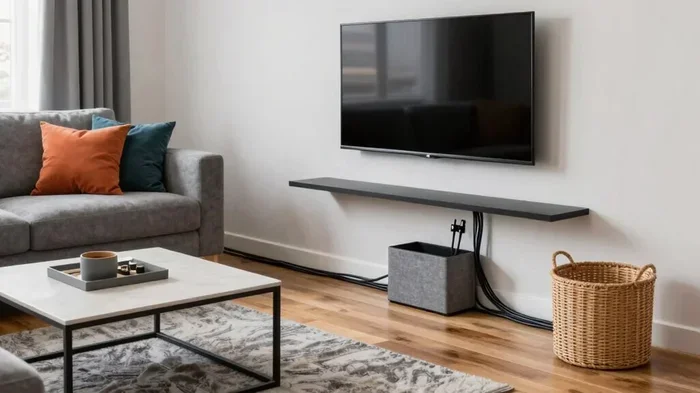
Wifi signals spread outward and downward from the antenna. Placing your router on the floor or tucked inside a cabinet kills your coverage. Put it on a high shelf or mount it on a wall. The higher up it is, the better it reaches across rooms and floors.
Center Your Router
If your router sits in one corner of your house, half your space gets a weak signal. Move it toward the center of your home. This alone can extend your wireless coverage area by a surprising amount.
Keep It Away From Obstacles
Do not place your router behind a TV, inside a closet, or next to a microwave. These objects block the signal. Give your router breathing room on all sides. Even moving it six inches can improve your connection.
Quick Tip: If your router has external antennas, point one straight up and one at a 45-degree angle. This creates a more even spread of signal across floors and rooms.
Use a Wifi Repeater or Extender
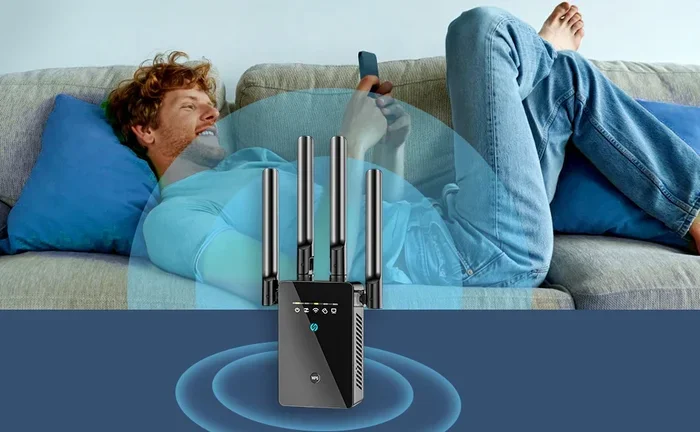
A wifi repeater or wifi range extender picks up your existing signal and rebroadcasts it. Think of it as a middleman that catches your signal and passes it further. These devices are affordable and easy to set up.
How Repeaters Work
The repeater receives your router’s signal, amplifies it, and sends it out again. This doubles the distance your signal can travel. You place the repeater halfway between your router and the area with weak coverage.
Where to Place a Repeater
The key is placement. Do not put the repeater too far from the router or it will not get a strong enough signal to repeat. Here is a simple rule:
- Stand where your wifi is still strong.
- Walk toward the weak area.
- Stop where the signal starts to drop.
- Place the repeater right there.
This spot gives the repeater enough signal to work with while pushing coverage into the dead zone.
Repeaters vs Extenders vs Boosters
These terms get mixed up a lot. Here is a quick comparison:
| Device | What It Does | Best For |
|---|---|---|
| Wifi Repeater | Rebroadcasts existing signal | Simple range extension |
| Wifi Extender | Amplifies and rebroadcasts | Medium-sized homes |
| Wifi Booster | Strengthens signal output | Outdoor or long-distance needs |
For picking up wifi from far away, a booster or high-quality extender works best. Look for one that supports your router’s frequency band (2.4 GHz or 5 GHz).
Upgrade to a Mesh Wifi System
If repeaters feel clunky, a mesh wifi system is the modern solution. Instead of one router broadcasting from a single spot, mesh systems use multiple nodes placed around your home or property.
Each node talks to the others and to your devices, creating a seamless web of coverage. You move from room to room without switching networks. Your phone stays connected to the strongest node automatically.
Mesh systems are especially great for large properties. If you have ever dealt with a wifi dead zone in your garage or backyard, mesh nodes placed in those areas eliminate the problem entirely.
Many people ask whether they can connect a mesh system to an existing router. The answer is yes. You can connect Deco mesh wifi to an existing router and extend your current network without replacing everything. Similarly, if you have an older router, you can set up a Wi-Fi 6 mesh system alongside a Wi-Fi 5 router for better range and speed.
Why Mesh Beats Traditional Repeaters
- Single network name: You do not juggle multiple SSIDs.
- Smart routing: The system sends your data through the fastest path.
- Easy management: Most mesh apps let you control everything from your phone.
- Scalability: Add more nodes if your property grows.
The downside is cost. Mesh systems run higher than simple repeaters. But if you need reliable coverage across a large area, the investment pays off fast.
Use a High-Gain Antenna
Most routers come with basic antennas that broadcast signal in all directions equally. A high-gain antenna focuses the signal in one direction, like a flashlight instead of a lightbulb.
This is perfect when you know exactly where you need the signal to go. Point the antenna toward your shed, your porch, or a distant building, and you will see a noticeable improvement.
Types of High-Gain Antennas
- Directional antennas: Focus the signal in one narrow beam. Great for long-distance point-to-point connections.
- Panel antennas: Wider beam that covers a section of your yard or property.
- Omni antennas: Broadcast in all directions but with more power than stock antennas.
For picking up wifi from far away, a directional antenna is your best bet. It concentrates all the energy toward the target area and cuts out interference from other directions.
You can also use an external antenna with a wifi adapter or USB dongle on your computer. This lets you pull in signals that your phone or tablet would never reach. It is a popular trick for people who need internet in a detached workshop or a remote part of their property.
Set Up an Outdoor Access Point
When repeaters and antennas are not enough, an outdoor access point is the way to go. These weatherproof devices mount outside and create a dedicated wifi hotspot for your yard, patio, or outbuildings.
How to Set One Up
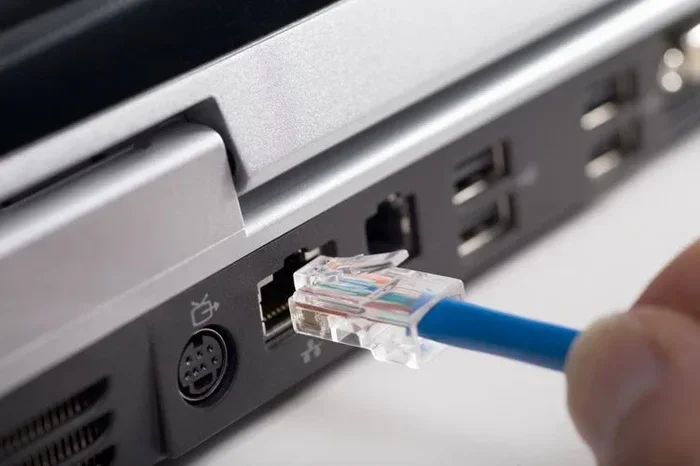
- Run an Ethernet cable from your router to the outdoor access point.
- Mount the access point under an eave or in a weatherproof box.
- Power it using a PoE (Power over Ethernet) adapter.
- Configure the SSID and password through the access point’s app.
This setup gives you a strong, dedicated signal outdoors without relying on wireless repeaters. The wired connection means no signal loss from distance.
If you want to extend coverage to a nearby structure like a shed, check out our guide on extending wifi to your shed for step-by-step instructions.
Best Outdoor Access Point Brands
- Ubiquiti UniFi: Durable, powerful, and popular among tech enthusiasts.
- TP-Link EAP series: Affordable and easy to set up.
- Aruba Instant On: Great for non-technical users who want simple management.
These devices cost more than indoor equipment, but they handle rain, heat, and cold without breaking down. For anyone serious about long-range wifi coverage, they are worth every penny.
Use Free Tools to Diagnose Your Signal
Before you buy anything, run a quick signal check. You might discover the problem is simpler than you think. Free apps let you map your wifi signal strength around your property.
Walk around with your phone and watch the signal bars change. You will quickly see where the signal drops off. This tells you exactly where to place a repeater or access point.
Some apps also show which wifi channels are crowded. Switching to a less crowded channel can boost your speed and range without any extra hardware. It is a zero-cost fix that many people overlook.
Also check if your neighbors are using the same channel. In dense neighborhoods, multiple routers on the same channel create interference. A simple channel change can make your signal stronger and more stable.
Common Mistakes People Make When Trying to Pick Up Distant Wifi
Even with the best tools, people often make mistakes that hold them back. Here are the most common ones:
- Placing the repeater too far from the router: The repeater needs a strong signal to work with. If it is too far, it just repeats a weak signal.
- Ignoring the 2.4 GHz vs 5 GHz difference: 2.4 GHz travels farther but is slower. 5 GHz is faster but has shorter range. Use 2.4 GHz for distant connections.
- Blocking the router with metal objects: Metal shelves, filing cabinets, and appliances absorb wifi signals.
- Using outdated equipment: Old routers and adapters simply cannot compete with modern standards.
- Not updating firmware: Router manufacturers release updates that improve range and stability.
Avoiding these mistakes saves you time and money. It also helps you get better results from whatever equipment you choose.
Expert Tips for Maximum Range
Here are some advanced tips that experienced users swear by:
- Use a wifi analyzer app: It shows you the best channel and placement for your router.
- Build a directional wifi antenna: Some tech enthusiasts create homemade cantenna designs that focus signals remarkably well.
- Combine a mesh system with an outdoor access point: This gives you whole-home coverage plus dedicated outdoor signal.
- Upgrade your internet plan: Sometimes the issue is not range but speed. A faster plan gives you more bandwidth to work with over distance.
- Consider a wireless bridge: This connects two networks wirelessly and is perfect for linking a main house to a detached building.
For more ideas on getting better signal outdoors, see our article on boosting your wifi signal outside.
Final Thoughts
Picking up wifi from far away is absolutely doable with the right approach. You do not need expensive equipment or a degree in engineering. Start with router placement and free signal checks. Then move to repeaters, mesh systems, or outdoor access points based on your needs.
Every property is different, so you might need to try a combination of methods. The good news is that most solutions are affordable and easy to set up. Within a few hours, you can go from struggling with a weak signal to enjoying strong wireless connectivity everywhere on your property.
Start with one tip from this guide today. Test it out, see the results, and build from there. Before long, that distant wifi connection will feel like it is right next to you.
Frequently Asked Questions
Can I pick up a wifi signal from my neighbor’s house?
Yes, you can pick up a neighbor’s wifi signal if it is strong enough and within range. Use a high-gain directional antenna or a wifi adapter with external antennas to pull in distant signals. However, always get permission before connecting to someone else’s network.
What is the best device for picking up wifi from far away?
A mesh wifi system or a high-quality wifi range extender works best for most people. For serious long-distance needs, an outdoor access point or a directional antenna setup is the top choice. The right device depends on how far away the source is and what obstacles are in the way.
Does weather affect wifi signal range?
Yes, heavy rain, fog, and snow can weaken wifi signals, especially at higher frequencies. For outdoor setups, use weatherproof access points and place them in sheltered locations to minimize environmental interference.
How can I improve my wifi signal without buying new equipment?
Reposition your router to a higher and more central location, switch to a less crowded wifi channel, and reduce physical obstacles near the router. These free changes often improve signal strength significantly without spending a dime.
Is 2.4 GHz or 5 GHz better for long-distance wifi?
2.4 GHz is better for long-distance connections because it travels farther and penetrates walls more effectively. 5 GHz offers faster speeds but has a shorter range. Use 2.4 GHz when you need to reach distant areas.
Can I use my phone as a wifi signal detector?
Yes, you can use your phone with a wifi analyzer app to detect signal strength in different areas. These apps show you exactly where your signal is strong and where it drops off, helping you plan the best placement for extenders or access points.
=== CONCLUSION ===
Picking up wifi from far away does not have to be complicated. With the right combination of router placement, signal boosters, mesh systems, and outdoor access points, you can extend your wireless coverage to every corner of your property. Start simple, test your signal, and upgrade your setup step by step. The result is a stronger, more reliable connection that keeps you online no matter where you are.