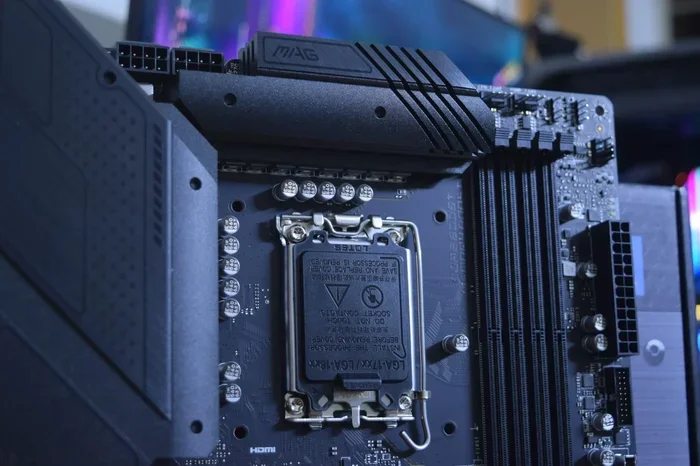
Does Z690 Come With Wifi Built Into The Motherboard
The Z690 chipset does not always come with WiFi built in. Some Z690 motherboards include Intel WiFi 6E out of the box, while others leave you without any wireless capability. You need to check your specific board model to know for sure. If your Z690 board lacks WiFi, you can easily add it with a PCIe WiFi card or an M.2 WiFi module.
The Z690 chipset is one of the most popular Intel platforms for desktop builds. It supports 12th and 13th generation Intel processors and offers great performance for gaming, productivity, and content creation. But one question keeps coming up in forums and build guides: does Z690 come with WiFi?
The short answer is: it depends on the motherboard you buy. Some Z690 boards ship with built-in wireless while others do not. This can be confusing for builders who want a clean, cable-free setup. In this guide, we break down everything you need to know about Z690 WiFi support, how to check if your board has it, and what to do if it does not.
Whether you are building a new PC or upgrading an existing one, understanding your wireless connectivity options matters. A missing WiFi module can delay your build or force you to run Ethernet cables across your room. Let us dive into the details so you can make the right call for your setup.
Key Takeaways
- Not all Z690 boards include WiFi: Intel released Z690 boards with and without wireless built in, so you must check your specific model.
- WiFi 6E is the standard on most Z690 boards: Boards that do include WiFi typically feature the Intel AX201 or AX200 WiFi 6E module.
- You can add WiFi to any Z690 board: A PCIe WiFi card or M.2 adapter can bring wireless to any Z690 motherboard that lacks it.
- WiFi 6E offers faster speeds: The wireless standard on Z690 boards supports speeds up to 2.4 Gbps on the 6 GHz band.
- Always check the motherboard box or spec sheet: The product listing will clearly state whether WiFi is included or sold separately.
📑 Table of Contents
- What Is The Z690 Chipset And Why Does WiFi Matter?
- Does The Z690 Motherboard Have WiFi Built In?
- How To Check If Your Z690 Board Has WiFi
- Adding WiFi To A Z690 Motherboard That Does Not Have It
- WiFi Performance On Z690 Motherboards
- Common Z690 WiFi Issues And How To Fix Them
- Expert Tips For Getting The Best WiFi On Your Z690 Board
- Conclusion
What Is The Z690 Chipset And Why Does WiFi Matter?
The Z690 chipset was Intel’s flagship desktop chipset for the LGA 1700 socket. It launched alongside 12th generation Intel processors (Alder Lake) and continued to support 13th gen (Raptor Lake) chips. This chipset offers robust overclocking support, multiple PCIe 5.0 lanes, and fast DDR5 memory compatibility.
But the chipset itself does not dictate whether WiFi is included. That decision comes down to the motherboard manufacturer. Each company that makes a Z690 board chooses whether to add a wireless module to their design. This is why you see such a wide range of features across different Z690 boards from the same chipset.
Why Wireless Connectivity Is Important In 2024
Wireless connectivity has become essential for most PC users. You may not always have an Ethernet cable handy, and running long cables across a room is not always practical. WiFi 6 and WiFi 6E offer speeds that rival wired connections in many real-world scenarios.
With a wireless network adapter built into your motherboard, you get a cleaner desk setup. There are no extra cables, no USB dongles cluttering your ports, and no driver conflicts from third-party adapters. This is why many builders prioritize built-in wireless when choosing a motherboard.
For users who also deal with smart home devices, wireless printers, or mobile hotspots, having reliable desktop WiFi on the motherboard makes life much simpler. You can connect to your network instantly without any extra hardware.
Does The Z690 Motherboard Have WiFi Built In?
The answer comes down to the specific motherboard model. Intel does not bundle WiFi directly into the Z690 chipset. Instead, motherboard manufacturers add their own wireless modules to boards that support it. This means some Z690 boards have WiFi and some do not.
Z690 Boards That Include WiFi
Many popular Z690 motherboards come with WiFi right out of the box. Brands like ASUS, MSI, Gigabyte, and ASRock all offer Z690 boards with built-in WiFi 6E. These boards typically include the Intel AX201 or AX200 wireless module, which supports the latest wireless standards.
Here are some examples of Z690 boards that include WiFi:
- ASUS ROG Strix Z690-E Gaming WiFi – Features Intel WiFi 6E and Bluetooth 5.2
- MSI MEG Z690 Godlike – Includes a premium wireless module with strong signal performance
- Gigabyte Z690 AORUS Master – Offers WiFi 6E with excellent range and stability
- ASRock Z690 Taichi – Comes with built-in wireless for a clean setup
When a Z690 board includes WiFi, the model name usually has “WiFi” in it. This is a quick way to spot wireless-capable boards at a glance. Always double-check the product listing on the manufacturer’s website to confirm the wireless specs.
Z690 Boards Without WiFi
On the other hand, many Z690 boards are sold without any wireless capability. These boards rely entirely on wired Ethernet for network connectivity. They tend to be slightly cheaper because they do not include the wireless module and antenna.
Some examples of Z690 boards without WiFi include:
- ASUS TUF Gaming Z690-Plus D4 – No WiFi, Ethernet only
- MSI MAG Z690 Tomahawk DDR4 – Wired connectivity only
- Gigabyte Z690 UD AX – Note: this one actually has WiFi, but many “UD” models do not
If you are buying a used Z690 board or a refurbished model, always verify the specs before purchasing. A board listed as “Z690” without “WiFi” in the name likely does not have wireless built in.
How To Check If Your Z690 Board Has WiFi
If you already own a Z690 motherboard or are looking at a listing, here is how you can confirm whether it has WiFi.
Check The Model Name And Product Listing
The easiest way to find out is to look at the motherboard model name. Boards with WiFi almost always include “WiFi” in their name. For example, the ASUS ROG Strix Z690-E Gaming WiFi clearly shows its wireless capability in the title.
Visit the manufacturer’s website and look at the specifications page. Search for terms like “wireless LAN,” “WiFi module,” or “wireless connectivity.” The spec sheet will list the exact WiFi standard and module version.
Check Your System For Wireless Hardware
If your PC is already assembled, you can check your system for a wireless module. Open Device Manager on Windows and look for “Network adapters.” If you see an entry that mentions “Wireless” or “Wi-Fi” or “AX” (which refers to WiFi 6), your board has a wireless module installed.
You can also check the back panel of your PC. If you see a small antenna connector near the I/O shield, your board likely has WiFi. Some boards have a detachable antenna that you can remove, while others have a fixed antenna built into the I/O shield.
Look At The Motherboard Box Or Manual
The original box and manual often list all the features of the board. Look for a section on connectivity or network features. The manual will also show the location of the WiFi antenna connector on the board itself.
Adding WiFi To A Z690 Motherboard That Does Not Have It
If your Z690 board does not include WiFi, do not worry. You have several options to add wireless connectivity. Each option has its own advantages depending on your needs and budget.
Option 1: PCIe WiFi Card
A PCIe WiFi card is the most common way to add wireless to a desktop motherboard. These cards plug into a PCIe slot on your Z690 board and include their own WiFi antenna. They are easy to install and offer excellent performance.
Popular PCIe WiFi cards for Z690 boards include:
- Intel AX210 PCIe card – Supports WiFi 6E and Bluetooth 5.3
- TP-Link Archer TX3000E – A reliable budget-friendly option
- ASUS PCE-AX58BT – Offers WiFi 6 with Bluetooth 5.0
Installing a PCIe WiFi card is straightforward. You just need a free PCIe x1 or x4 slot on your motherboard. Once installed, you will need to download the latest drivers from the card manufacturer’s website. The card will also need its antenna connected for best signal strength.
A PCIe WiFi card is a great choice if you want strong performance and do not mind using up a slot on your motherboard. Most Z690 boards have enough PCIe lanes to spare, so this is rarely an issue.
Option 2: M.2 WiFi Adapter
An M.2 WiFi adapter is a smaller alternative that fits directly into an M.2 slot on your motherboard. These adapters are compact and do not take up a PCIe slot. They are ideal for smaller builds or ITX cases where space is limited.
Some popular M.2 WiFi options include:
- Intel AX210 M.2 module – The same chip found on many high-end Z690 WiFi boards
- TP-Link AX1800 M.2 adapter – A compact and affordable choice
Keep in mind that M.2 WiFi modules may require you to connect a small antenna cable to the board. Some cases come with antenna mounts on the front panel, which makes this setup clean and tidy.
Option 3: USB WiFi Adapter
A USB WiFi adapter is the simplest option. You just plug it into a USB port and it connects to your network. USB adapters are plug-and-play in most cases and require no installation.
However, USB WiFi adapters generally offer lower performance than PCIe or M.2 options. They can also be prone to interference from other USB devices. If you need the best wireless performance on your Z690 board, a PCIe card or M.2 module is the better choice.
If you are looking for a simple way to extend your home network coverage while using a Z690 setup, consider a mesh system. You might wonder, can I extend my WiFi to my shed, and the answer is yes with the right equipment. This is useful if your Z690 desktop is in a home office far from your router.
WiFi Performance On Z690 Motherboards
When your Z690 board includes WiFi, you can expect solid performance for most home and office tasks. The wireless standard on most Z690 WiFi boards is WiFi 6E, which is the latest mainstream wireless standard available.
WiFi 6E Speeds And Range
WiFi 6E operates on three frequency bands: 2.4 GHz, 5 GHz, and the new 6 GHz band. The 6 GHz band offers the fastest speeds and the least interference. On paper, WiFi 6E can deliver speeds up to 2.4 Gbps, though real-world speeds are usually lower.
In practice, most users will see WiFi 6E speeds of 600 Mbps to 1.5 Gbps depending on their router, distance, and obstacles. For streaming 4K video, video calls, and online gaming, WiFi 6E is more than enough.
If you have a larger home or experience weak signals in certain rooms, you may want to explore mesh networking solutions. A common question is can I connect WiFi 6 mesh to a WiFi 5 router, and yes, most modern mesh systems work with older WiFi 5 routers. This can help extend your wireless coverage throughout your home.
Bluetooth Support On Z690 WiFi Boards
Most Z690 boards that include WiFi also come with Bluetooth support. Bluetooth 5.2 is the most common version found on these boards. This allows you to connect wireless keyboards, mice, headsets, and speakers without any extra hardware.
Bluetooth is handled by the same wireless module that provides WiFi. So when you buy a Z690 WiFi board, you get both wireless networking and Bluetooth in one package. This is a huge convenience compared to adding Bluetooth separately.
Common Z690 WiFi Issues And How To Fix Them
Even with a great Z690 WiFi board, you may run into wireless issues from time to time. Here are the most common problems and how to solve them.
Slow WiFi Speeds
If your Z690 board’s WiFi is running slowly, the first thing to check is your distance from the router. Walls, furniture, and other obstacles can weaken the signal. Try moving closer to your router and testing the speed again.
Also, make sure your WiFi driver is up to date. Go to the motherboard manufacturer’s website or the Intel support page to download the latest wireless driver. Outdated drivers are one of the most common causes of slow WiFi speeds.
WiFi Keeps Disconnecting
If your wireless connection drops frequently, try changing the WiFi channel on your router. Overlapping channels in dense neighborhoods can cause interference. Using the 5 GHz or 6 GHz band instead of 2.4 GHz can also reduce disconnections.
Another cause could be your router overheating. Many users ask, can Google WiFi overheat, and yes, routers can overheat if placed in enclosed spaces. Make sure your router has good ventilation and is not surrounded by other electronics.
No WiFi Option In Windows
If you do not see a WiFi option in your Windows settings, your wireless module may not be properly installed or recognized. Open Device Manager and check for any yellow warning icons under Network adapters.
You may also need to install the wireless driver manually. Download it from the motherboard or Intel website and install it. After a restart, your WiFi option should appear in Windows.
Expert Tips For Getting The Best WiFi On Your Z690 Board
Here are some practical tips to maximize your wireless performance on a Z690 motherboard.
- Place your router centrally: The closer you are to your router, the stronger your signal will be.
- Use the 6 GHz band when possible: This band has the least interference and the fastest speeds.
- Keep your drivers updated: Regular driver updates improve stability and performance.
- Use a quality antenna: If your board has a detachable antenna, consider upgrading to a high-gain model for better range.
- Avoid USB interference: Keep your WiFi antenna away from USB 3.0 devices, which can cause wireless interference.
For users who want to expand their home network without running cables, mesh systems are a great solution. Some people also ask, can Deco be used as a WiFi extender, and TP-Link Deco units can work in extender mode to boost your wireless signal across your home.
If you are planning a multi-device smart home setup, you might wonder about managing your network settings. For instance, you may ask, can I change WiFi for all Google Home devices, and yes, you can update the WiFi network for Google Home devices through the Google Home app.
Conclusion
So, does Z690 come with WiFi? The answer is: some do and some do not. The Z690 chipset itself does not guarantee built-in wireless. You need to check the specific motherboard model to know for sure. Many popular Z690 boards from ASUS, MSI, Gigabyte, and ASRock include WiFi 6E and Bluetooth, but plenty of models skip the wireless module to keep costs lower.
If your Z690 board does not have WiFi, adding it is easy and affordable. A PCIe WiFi card or M.2 adapter can bring fast wireless connectivity to any Z690 build. With WiFi 6E speeds and Bluetooth 5.2 support, you will have a reliable and fast wireless connection for all your needs.
Always check the specs before buying a Z690 motherboard. A quick look at the product listing will tell you whether WiFi is included or sold separately. This small step can save you time, money, and the frustration of a missing wireless module in your new build.
With the right setup, your Z690 motherboard can deliver excellent wireless performance for gaming, streaming, working, and everyday use. The key is knowing what you have and what options are available to you.
Frequently Asked Questions
Do All Z690 Motherboards Come With WiFi?
No, not all Z690 motherboards come with WiFi. Intel does not bundle WiFi into the Z690 chipset itself. Each motherboard manufacturer decides whether to include a wireless module. Always check the product name and specifications before purchasing.
What WiFi Standard Do Most Z690 Boards Support?
Most Z690 boards that include WiFi support WiFi 6E, which is the latest mainstream wireless standard. WiFi 6E operates on the 2.4 GHz, 5 GHz, and 6 GHz bands. It offers speeds up to 2.4 Gbps and provides much less interference than older WiFi standards.
Can I Add WiFi To A Z690 Board That Does Not Have It?
Yes, you can easily add WiFi to any Z690 board. You can install a PCIe WiFi card, use an M.2 WiFi adapter, or plug in a USB WiFi dongle. A PCIe WiFi card is the best option for strong and stable wireless performance on a desktop build.
Is WiFi 6E Worth It On A Z690 Board?
Yes, WiFi 6E is worth it if you want the fastest wireless speeds and the least interference. The 6 GHz band is brand new and not crowded with other devices. If you have a WiFi 6E router, a Z690 board with WiFi 6E support will give you the best possible wireless experience.
How Can I Tell If My Z690 Board Has Bluetooth?
Most Z690 boards with WiFi also include Bluetooth. You can check by looking at the board specifications or by opening Device Manager on Windows and looking for a Bluetooth adapter. The wireless module on these boards handles both WiFi and Bluetooth.
Are Expensive Z690 WiFi Boards Better Than Budget Options?
Expensive Z690 WiFi boards often have better wireless antennas, stronger signal amplifiers, and more advanced cooling. However, budget Z690 WiFi boards still offer solid WiFi 6E performance for most users. Unless you need the absolute best wireless range, a mid-range Z690 WiFi board will serve you well.