Does Netgear Have A Monthly Fee You Should Know About
Netgear routers do not charge a monthly fee on their own. You buy the equipment outright and own it forever. However, some internet service providers bundle Netgear devices into plans that include recurring charges. Understanding the difference between equipment ownership and service subscriptions can save you money and confusion.
Netgear is one of the most popular names in home networking. You see their routers on store shelves, in online reviews, and recommended by internet providers. But one question keeps coming up: does Netgear have a monthly fee? The short answer is no. But the full story is a bit more nuanced, and it is worth understanding before you spend your hard-earned money.
Many people assume that because their internet bill includes a router charge, the router brand itself demands a fee. That is not how it works. Netgear manufactures and sells networking equipment. They do not run internet service plans. So when you buy a Netgear router or modem, you pay once and own the device. There is no monthly bill tied to the brand.
However, things get tricky when internet service providers (ISPs) get involved. Your ISP might rent you a Netgear device as part of your internet plan. In those cases, a monthly fee appears on your bill. But that fee is not from Netgear. It is from your provider. Knowing this difference can help you make smarter choices about your home network setup.
Key Takeaways
- No Monthly Fee from Netgear: Netgear does not require a monthly subscription to use their routers.
- ISP Bundles May Include Fees: Some internet providers rent or lease Netgear equipment with a monthly charge.
- You Own the Device: When you purchase a Netgear router, it is yours with no recurring costs.
- Subscription Features Are Optional: Some advanced Netgear services like Armor or support plans cost extra but are not required.
- Buying vs. Renting Saves Money: Purchasing a Netgear router outright is almost always cheaper long term than renting from an ISP.
📑 Table of Contents
- What Exactly Is Netgear?
- Why People Think Netgear Has a Monthly Fee
- Buying a Netgear Router vs. Renting From Your ISP
- Netgear Products and Their Features
- Can You Avoid Monthly Fees on Your Internet Setup?
- Common Mistakes People Make With Router Fees
- Expert Insights on Router Costs and Netgear
- Do You Need a Netgear Subscription for Support?
- Is It Worth Upgrading Your Netgear Router?
- Conclusion
What Exactly Is Netgear?
Netgear is a technology company that builds networking hardware. They make wireless routers, modems, switches, and mesh Wi-Fi systems. Their products are used in homes and businesses around the world. Some of their most popular lines include the Nighthawk series and the Orbi mesh systems.
When you buy a Netgear router, you are buying a piece of hardware. Think of it like buying a television. Once you pay for it, it is yours. There is no monthly fee to turn it on or use its features. Netgear does not require you to sign up for any service plan to use their equipment.
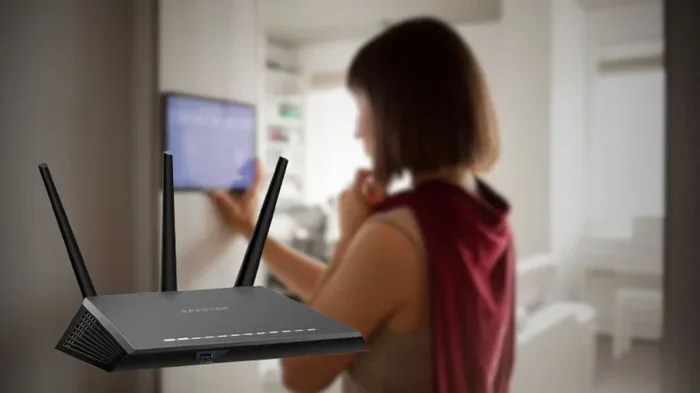
Their routers connect to your modem or internet source and create a Wi-Fi network in your home. That is it. No subscriptions. No hidden monthly costs from the manufacturer. You get full access to all the features the device offers right out of the box.
Why People Think Netgear Has a Monthly Fee
There is a lot of confusion around this topic, and it is easy to see why. Many people receive a bill from their internet provider that includes a line item for “equipment rental” or “router fee.” When they see a Netgear device listed, they assume Netgear is charging them.
The ISP Rental Model
Internet service providers like Comcast, AT&T, Spectrum, and others often lease equipment to their customers. This includes modems and routers. Sometimes these are Netgear-branded devices. The ISP charges a monthly rental fee, usually between $10 and $15 per month. This fee covers the cost of the device and technical support from the provider.
But here is the key point: Netgear is not collecting that fee. The ISP is. They chose to use Netgear hardware because it is reliable and widely available. The rental arrangement is between you and your internet provider, not between you and Netgear.
Subscription-Based Features
Some Netgear devices offer optional subscription services. For example, Netgear Armor provides advanced cybersecurity protection for your network. These services cost money, but they are completely optional. You do not need them for your router to work. Your network functions perfectly fine without any subscription.
These are not monthly fees for the device itself. They are add-on services, similar to how a streaming service costs extra. You can use your Netgear router every single day without ever paying for a subscription.
Buying a Netgear Router vs. Renting From Your ISP
This is where the real money savings come in. Let us break down the two options clearly so you can decide what makes sense for you.
Option 1: Buy a Netgear Router
When you purchase a Netgear router, you pay the full price upfront. Prices range from about $50 for basic models to $300 or more for high-end units. Once you buy it, it is yours. No monthly fee. No rental charge. No contract.
Over time, buying a router saves you a significant amount of money. If your ISP charges $12 per month for equipment rental, that is $144 per year. After just one year, a $100 router has already paid for itself. By year two, you have saved even more.
Also, when you own your router, you get to keep it as long as you want. You are not tied to any contract or lease agreement. You can upgrade whenever you choose without any penalty or return process.
If you want to explore options for buying your own equipment, check out this guide on Can I Buy A Wi Fi Router And Not Pay Monthly. It covers how to avoid recurring charges and take full ownership of your networking gear.
Option 2: Rent From Your ISP
Renting from your ISP is convenient. They set it up for you. They handle troubleshooting. If something breaks, they replace it. For people who are not tech-savvy, this can be appealing.
But convenience comes at a cost. That monthly rental fee adds up over months and years. And you never actually own the equipment. If you cancel your service, you must return the device. Some people find themselves stuck paying rental fees for years without ever building any equity in the hardware.
Quick Cost Comparison
Here is a simple breakdown of what each option looks like over time:
- Purchase a Netgear router ($100): One-time cost. No fees after that. You own the device forever.
- Rent from ISP ($12/month): $144 in year one, $288 in year two, $432 in year three. You still do not own the device.
- Break-even point: About 8 to 9 months when you buy instead of rent.
The numbers speak for themselves. Buying a Netgear router is almost always the better financial decision in the long run.
Netgear Products and Their Features
Netgear offers a wide range of products to fit different needs and budgets. Understanding what is available can help you pick the right one without paying for features you do not need.
Nighthawk Series
The Nighthawk line is Netgear’s flagship consumer router series. These are high-performance devices designed for fast internet speeds and large homes. They support the latest Wi-Fi standards and come with advanced features like beamforming and QoS (Quality of Service) controls.
Nighthawk routers do not require any monthly fee. Once you plug them in, they work. All features are available immediately without signing up for anything.
Orbi Mesh Systems
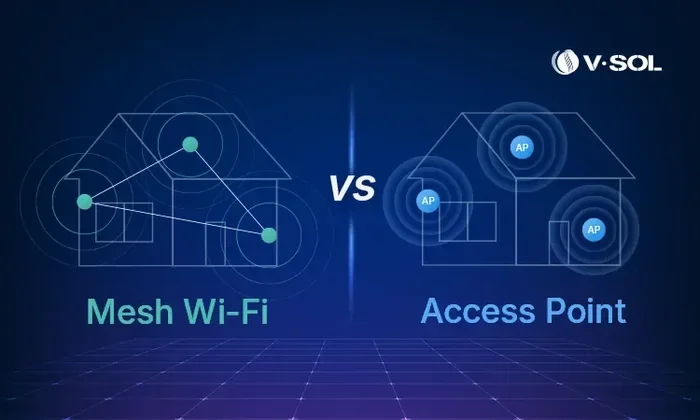
For larger homes, Netgear offers Orbi mesh Wi-Fi systems. These use multiple units to spread Wi-Fi coverage throughout your entire house. They eliminate dead zones and provide strong, consistent signals in every room.
Like all Netgear products, the Orbi system is a one-time purchase. There is no monthly charge to use mesh networking features. The system works independently of any internet service plan.
Basic and Budget Routers
Netgear also makes affordable routers for everyday use. These are great for small apartments or households with basic internet needs. They may not have all the bells and whistles of the Nighthawk series, but they get the job done without any recurring fees.
No matter which Netgear product you choose, the pricing model stays the same. You pay once. You own the device. There is no monthly fee from Netgear for any of their products.
Can You Avoid Monthly Fees on Your Internet Setup?
Absolutely. The best way to avoid monthly equipment fees is to buy your own router and modem. This gives you full control over your networking hardware and eliminates recurring rental charges from your ISP.
Steps to Take Control of Your Network
- Check your current bill: Look for any equipment rental or modem/router lease line items.
- Research compatible devices: Find a Netgear router or modem that works with your ISP. Most providers have a list of approved devices on their website.
- Purchase the equipment: Buy the Netgear device upfront. It will pay for itself within a year.
- Set it up yourself: Follow the setup guide that comes with the router. The process is usually straightforward and takes about 15 minutes.
- Return the rented equipment: Call your ISP and return the leased device. This stops the rental charge from appearing on your next bill.
Taking these steps can save you hundreds of dollars over the life of your internet service. And you get a better-performing router in most cases compared to the basic equipment ISPs provide.
If you are curious about getting internet without traditional phone line requirements, you might want to read about Can I Get Internet In My Home Without A Phone Line. It covers alternative ways to connect and can help you find the best setup for your home.
Common Mistakes People Make With Router Fees
There are several mistakes that lead people to pay more than they need to for their home network. Being aware of these pitfalls can save you money and frustration.
Assuming All Router Fees Are from the Manufacturer
The biggest mistake is blaming the router brand for fees that come from your internet provider. Netgear does not charge monthly fees. If you see a charge on your bill, contact your ISP to clarify what it is for. More often than not, it is a rental fee for equipment they leased to you.
Not Reading the Fine Print
When you sign up for internet service, read the terms carefully. Some plans include equipment leasing by default. You may need to opt out or return the equipment to avoid the charge. Many people never notice the line item and pay it for years without realizing they could own their own gear.
Confusing Optional Services With Required Fees
Netgear offers optional services like extended warranties, premium support, and security subscriptions. These are not required for your router to function. Do not let a sales representative convince you that you need these to use your device. They are nice to have but completely optional.
Keeping Rented Equipment Too Long
Some people keep ISP-provided equipment for years because they do not realize they can return it. Every month you keep it, you are paying a fee you do not need. If you have had the same equipment for more than a year, consider buying your own and returning the rented device.
Expert Insights on Router Costs and Netgear
Networking experts consistently recommend buying your own equipment rather than renting from your ISP. The savings are substantial, and you get better hardware in most cases. Netgear routers are frequently recommended by professionals for their reliability, speed, and feature set.
According to industry analysts, the average American household pays between $10 and $15 per month for equipment rental. Over a five-year period, that adds up to $600 to $900. A quality Netgear router costs $100 to $200. The math is clear: buying pays for itself many times over.
Experts also point out that owning your equipment gives you more control. You can update firmware, customize settings, and choose when to upgrade. You are not limited by the ISP’s equipment refresh cycle or their rental policies.
For those interested in setting up a home network with Netgear gear, you may also want to check out this article on Can I Get Internet In My Home Without A Phone Line for additional tips on creating a cost-effective setup.
Do You Need a Netgear Subscription for Support?
Netgear offers technical support for all their products. Basic support is included with your purchase at no extra cost. You can contact their support team, access online resources, and download firmware updates without paying anything.
They also offer extended warranty and premium support plans. These are optional add-ons that provide faster response times and extended coverage. But they are not necessary. Your router will work perfectly well without any support subscription.
Think of it this way: your car comes with a manufacturer warranty. You do not need to pay extra for basic coverage. Extended warranties are optional. Netgear works the same way. The standard support and warranty are included when you buy the device.
Is It Worth Upgrading Your Netgear Router?
Technology improves fast. New Wi-Fi standards like Wi-Fi 6 and Wi-Fi 6E offer faster speeds and better performance. If your current Netgear router is a few years old, you might wonder if an upgrade is worth it.
Here is the good news: upgrading is a one-time purchase. There is no monthly fee for getting a newer, better router. You simply buy the new device, set it up, and enjoy improved performance. Your old router still belongs to you and can be used as a backup or repurposed in another part of your home.
When you own your equipment, you upgrade on your own schedule. You are not forced into a lease renewal or an equipment refresh plan. This freedom is one of the biggest advantages of buying instead of renting.
Conclusion
So, does Netgear have a monthly fee? The answer is a clear no. Netgear does not charge any recurring fees for their routers or networking equipment. When you buy a Netgear product, you own it outright. There is no subscription, no lease, and no monthly bill from the manufacturer.
The only time you might see a monthly charge related to a Netgear device is when your internet service provider rents the equipment to you. That fee comes from your ISP, not from Netgear. And it is entirely avoidable by purchasing your own hardware.
Buying a Netgear router is a smart, cost-effective choice for most households. You save money over time, you get better equipment, and you have full control over your home network. No hidden fees. No surprise charges. Just a quality networking device that works exactly the way you expect.
Take control of your internet setup today. Buy your own Netgear router, ditch the rental fees, and enjoy a faster, more reliable home network without any monthly costs tied to the equipment. Your wallet will thank you.
Frequently Asked Questions
Does Netgear charge a monthly fee for any of its routers?
No. Netgear does not charge any monthly fee for any of their routers or networking devices. Once you purchase a Netgear product, it is yours with no recurring costs. All features and functionality are available without any subscription.
Why does my internet bill show a fee for a Netgear device?
The fee on your bill comes from your internet service provider, not from Netgear. Your ISP may lease you a Netgear router or modem as part of your service plan. You can avoid this fee by purchasing your own compatible equipment outright.
Is Netgear Armor worth the monthly subscription?
Netgear Armor is an optional cybersecurity service that costs extra per month. It is not required for your router to work. Your router functions perfectly fine without it. Whether it is worth it depends on how much you value advanced network security features.
Can I use a Netgear router without any internet plan?
Yes. A Netgear router works as a standalone device. You can set it up and use its Wi-Fi features without an active internet plan. However, to access the internet, you do need an internet service provider connection.
How long does a Netgear router last before needing replacement?
A Netgear router typically lasts 4 to 6 years with normal use. Some high-end models last even longer. There is no monthly fee or subscription required during that time. When it eventually needs replacing, you simply buy a new one with no contract or return process.
What is the difference between buying and renting a router from my ISP?
When you buy, you pay once and own the device forever with no monthly charges. When you rent, you pay a monthly fee to your ISP and never actually own the equipment. Buying saves you significant money over time and gives you more control over your network settings and upgrades.